Stock Scanner vs Screener: Which One Do You Need?
Reviewed by Jay Rocco, Chief Editor
Stock Scanner vs Screener: One Plans Your Week, One Yells Mid-Trade
Read the transcript
Same filters. Two very different tools. One plans your week. The other yells at you mid-trade.
So, stock scanner vs screener: which one do you need? It comes down to time. A screener filters the whole market against your rules and hands you a list. A scanner watches live data and alerts you the moment a stock does something. Screeners are for planning. Scanners are for reacting. Day traders need the scanner. Swing traders and investors usually don't.
What does each tool do? A screener returns a list you review before the bell or on a weekend. A scanner streams live market data and fires alerts during the session: premarket gaps, halts, relative volume and low-float movers.
This guide covers the speed gap, real prices, the free stack, the cost per trade, and a quick tool that tells you which problem is costing you money.
My five favorite things to know.
One. Speed is the dividing line. Trade Ideas re-ranks its Top Lists every 15 seconds, and its streaming alerts can fire on each qualifying trade. Finviz Elite refreshes every 10 seconds, fast, but still a timer, not a live alert.
Two. Your holding period decides this, not your ambition. Minutes means scanner. Days or weeks means screener plus a few price alerts.
Three. The free stack covers most traders: Finviz Free, TradingView's free plan, and thinkorswim's Stock Hacker for eligible Schwab clients.
Four. Run the cost per trade. Trade Ideas Premium at about $178 a month on annual billing is roughly nine dollars of overhead per trade at 20 trades a month, and about forty-five at four.
Five. The pros use both, in order. Screen at night to build the watchlist. Scan at the open to catch the trigger.
How to pick: Finviz Elite runs $39.50 a month. Trade Ideas Standard is $127 a month, and Premium with Holly AI is $254. Stock Rover leans the other way, with five to twenty years of financial history for investors, not scalpers.
What to watch out for. Delayed data dressed up as live. Fifteen filters that return two garbage results. Alerts in the first ten minutes, when everything fires and almost nothing means anything. And annual plans you can't refund. Go monthly first. If you place fewer than five intraday trades a week, you're probably overbuying.
Scanner people live by one rule. ... "Money never sleeps, pal." ... Gordon Gekko. Your trading should, though. A scanner you can't watch is a subscription, not an edge.
Start with a free screener. Pay for a scanner only when you can name, in one sentence, the job your screener can't do.
One move for tonight. Build one screen with five filters or fewer, then journal the week. Try the pain-point tool on the page to see what's costing you money. The full price table sits right below this player. Prices change, so check it for current numbers.
This is education, not financial advice. Your market edge starts with the right tool. Stay alpha.
Quick Answer
The stock scanner vs screener difference comes down to time: a screener filters the whole market against your criteria and hands you a list, while a scanner watches live data and alerts you the moment a stock does something. Screeners are for planning. Scanners are for reacting. Day traders need the scanner. Swing traders and investors usually do not.
Key Takeaways
- A screener returns a filtered list you review before the bell or on a weekend. A scanner streams live market data and fires alerts during the session.
- Refresh speed is the clearest dividing line.
Trade Ideas says its Top Lists re-rank every 15 seconds and Streaming Alerts can trigger on each qualifying trade;
Finviz Elite refreshes every 10 seconds; paid
TradingView plans refresh every 10 seconds or one minute depending on plan.
- Finviz Free costs $0 and uses delayed data. Finviz Elite is $39.50 a month or $299.50 a year. Trade Ideas Standard is $127 a month or $1,068 a year, and Premium with Holly AI is $254 a month or $2,136 a year.
- Most new traders overbuy. If you place fewer than five intraday trades a week, a free screener plus a charting platform covers you.
- Screeners lean fundamental and historical.
Stock Rover emphasizes five- to twenty-year financial histories, percentile rankings, and free-cash-flow analysis, which matter to investors, not scalpers.
- Scanners lean intraday. Premarket coverage, gap scanners, halt alerts, relative volume, and low float filters are scanner territory.
- The professional workflow uses both in sequence: screen the night before to build the watchlist, scan live to catch the trigger.
Which Trading Problem Are You Actually Trying to Fix?
Most people shopping for a stock scanner vs screener are really shopping for a fix to one specific headache. Pick yours below and get the tool type, the cost, and one move for tonight.
What Is the Difference Between a Stock Scanner and a Stock Screener?
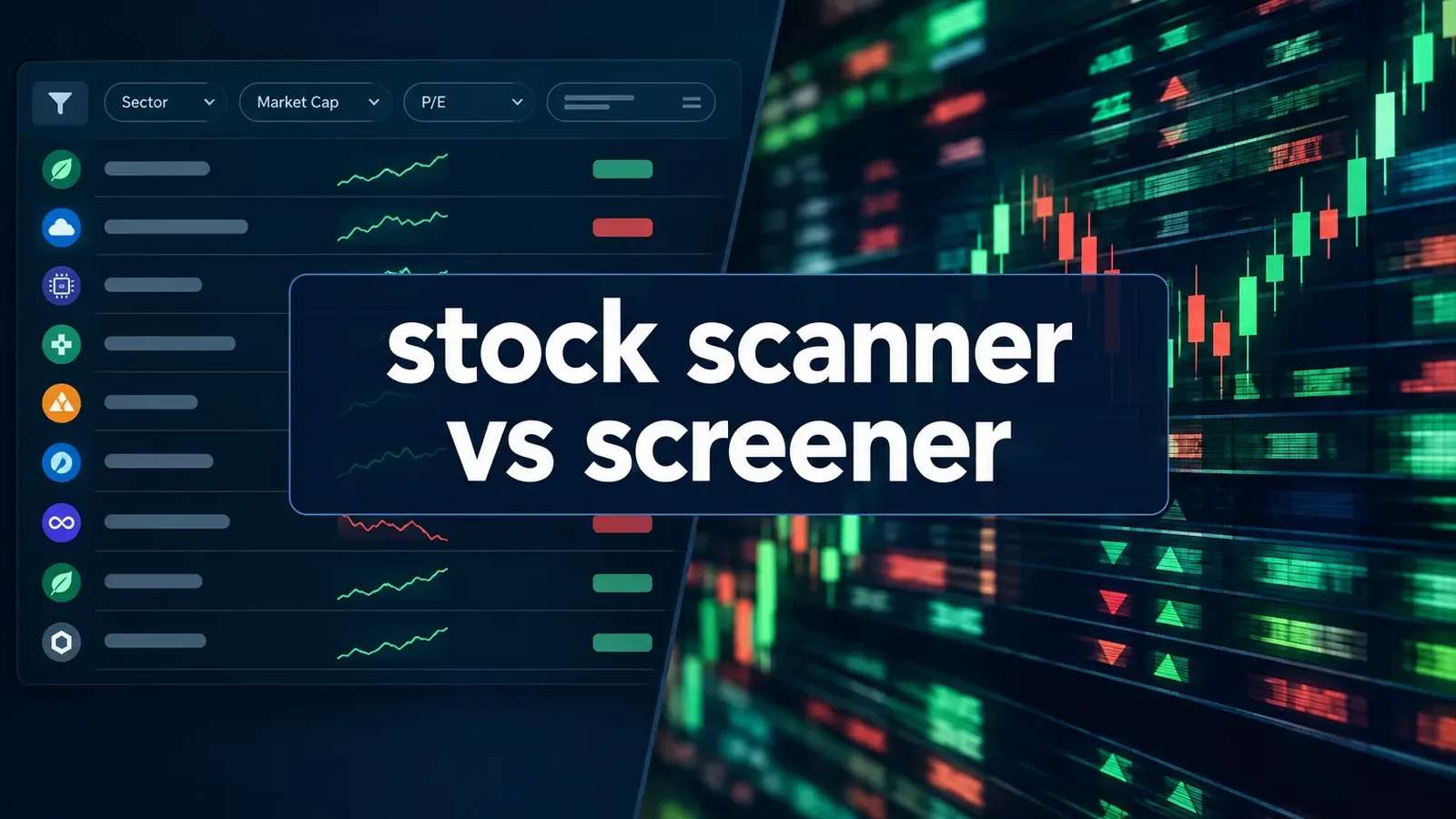
The stock scanner vs screener split is simple. A screener filters a static snapshot of the market. A scanner monitors a live feed and alerts you when a condition is met. Same filters, different clock.
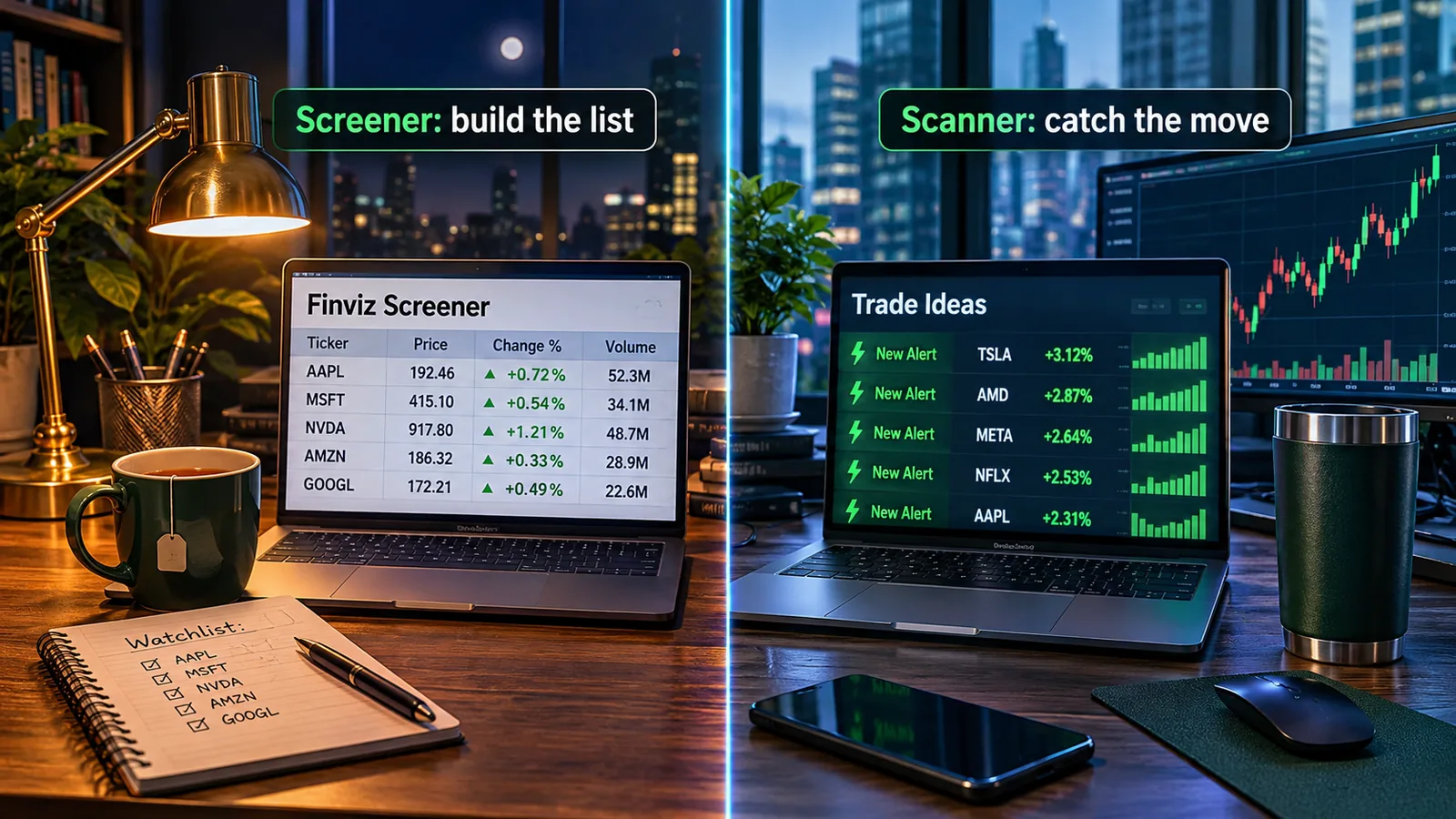
Think of it like food. A screener is your grocery list: written Sunday night, based on what you already know you need. A scanner is the smoke alarm: silent until something is actually happening, then impossible to ignore.
A YouTube commenter put it simply: "A scanner parses live data and streams it based on this criteria."
That's the whole thing. Everything else is marketing.
Hunting for a lower price? Check our AI stock tool deals page.
Decision rule: if your edge disappears when the information is four minutes old, you need a scanner. If it doesn't, you don't.
Is a Stock Scanner the Same Thing as a Screener?
No. Vendors use the words loosely, which is exactly why the stock scanner vs screener question keeps confusing people, but the underlying mechanics differ.
A screener runs a query, returns a result set, and stops. Refresh it and it runs again. A scanner keeps a persistent connection to the data feed and evaluates every incoming tick against your rules.
Here's where it gets messy: several paid screeners now refresh fast enough to feel like scanners. Finviz Elite refreshes every 10 seconds. Is that a scanner? Functionally, close. Technically, it's still polling a list, not reacting to a trade event.
Common mistake: buying a product because the landing page says "real time stock screener" without checking whether the data is actually streaming or just refreshing on a timer. Those are different products with the same adjective.
Takeaway: ignore the label on the box. Ask two questions. How fast does the data update, and does it push alerts to me or do I have to look?
What Is a Stock Screener and What Are Screeners Used For?
A stock screener filters the full universe of listed stocks against criteria you set, then returns the names that match. You use it to build a shortlist, not to time an entry.
Typical jobs a screener does well:
- Fundamental screen. Revenue growth above 20%, debt-to-equity under 1, positive free cash flow. Investor work.
- Technical screen. Price above the 50-day moving average, within 5% of a 52-week high, tightening range. Swing trader work.
- Universe building. Cut 6,000 tickers to 40 you're willing to own.
- Research handoff. Stock Rover's approach leans on long financial histories, sector-relative percentile rankings, and portfolio effects, which is screener territory, not scanner territory.
The screener's output is a watchlist. That's it. A watchlist is a hypothesis, not a trade.
Quick example. Sunday night, you screen for stocks over $10, average volume above 1 million shares, price above the 50-day, and a tight consolidation in the last ten sessions. Nineteen names come back. You chart all nineteen, keep six, and set alerts. Monday you're not searching, you're waiting.
Want help picking filters that actually matter instead of 30 that cancel each other out? The breakdown in drowning in screener filters is a good reset.
What Does a Stock Scanner Do Exactly?
A stock scanner watches live market data and tells you, during the session, that something just happened. Gap, volume surge, halt resumption, breakout over the opening range. You find out while it matters.
The filters are different because the questions are different:
- Relative volume. Is this stock trading five times its normal pace right now?
- Float. How many shares are actually available to trade? Low float names move faster and hurt more.
- Gap scanner and premarket scanner. Which stocks opened well above or below yesterday's close, and on what volume?
- Halt and resumption alerts. Who just came back online and in which direction?
- Opening range breakout. Who cleared the first fifteen minutes' high?
Trade Ideas lists exactly these as the core day-trading requirements: speed, premarket coverage, opening-range breakouts, halt alerts, and small-cap filters. Its AI Assistant can also build live top lists from plain-language instructions, and Holly AI Signals on the Premium plan deliver intraday ideas with an entry, a stop, and a target.
Edge case worth knowing: scanners are loudest and least reliable in the first ten minutes. Everything triggers at the open. That's not signal, that's noise wearing a costume.
If you want to see how an AI scanner narrows a huge pool down to a handful, this walkthrough of how Holly picks 5 trades from 200 explains the filtering logic.
Stock Scanner vs Screener: Which One Does Your Trading Style Need?
Your holding period settles the stock scanner vs screener question, not your ambition. The shorter you hold, the more you need live data.
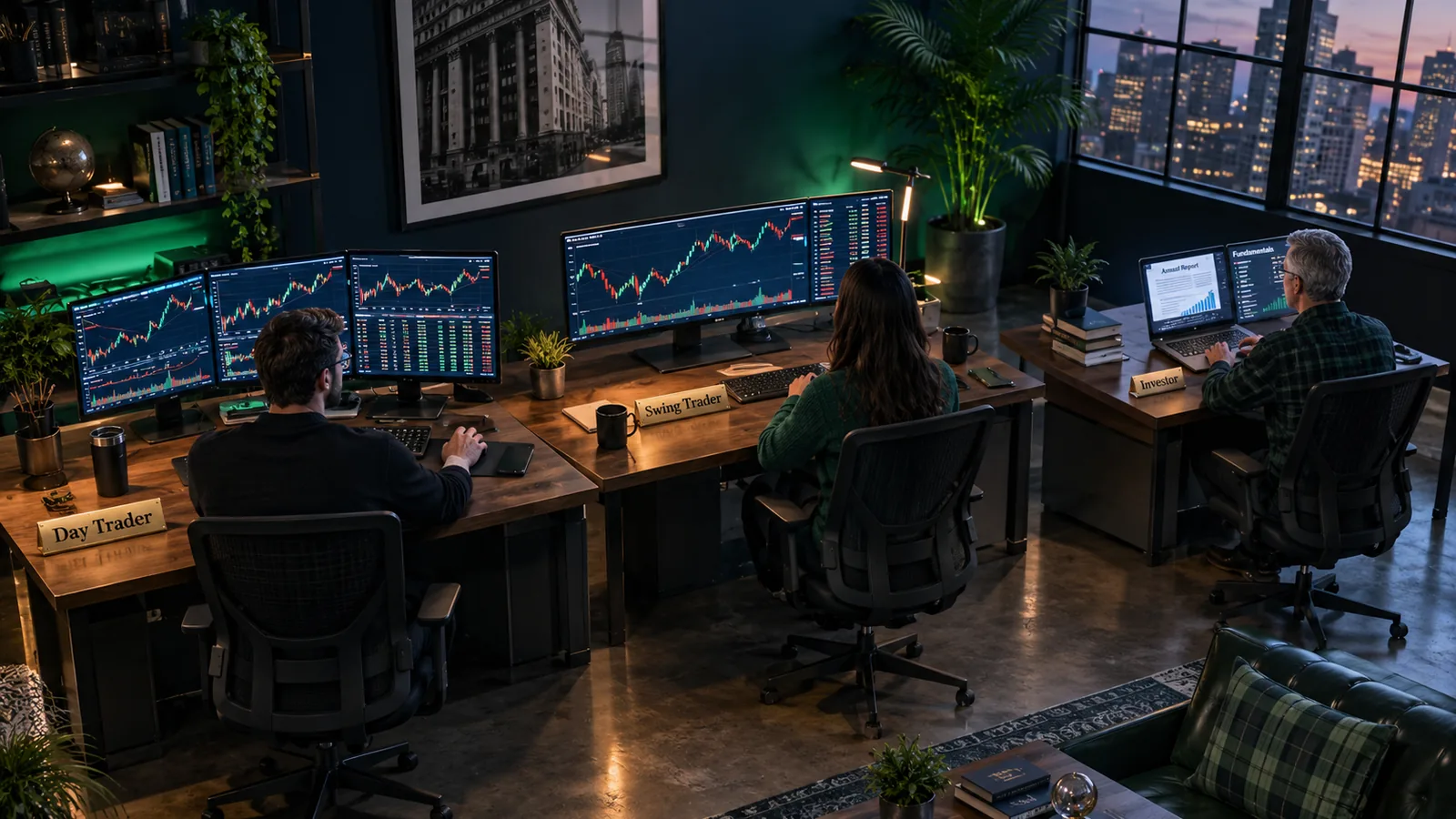
Day trader
You need a scanner. Full stop. Premarket gaps, relative volume, halts, and momentum alerts are your raw material, and a four-minute delay turns a trade into a history lesson. A screener still helps you define your universe (price range, average volume, float ceiling), but the scanner does the work from 9:30 onward.
For tool-level specifics on intraday setups, see the guide to the best stock screener for day trading.
Swing trader
You need a screener, and probably not a scanner. Holding three days to three weeks means end-of-day data is fine. You screen after the close, chart the candidates, set price alerts at your entry level, and go live your life. Stock Rover's emphasis on historical depth and percentile ranking fits this horizon better than sub-minute alerts.
Price alerts from your broker are not a scanner, and that's the point. You don't need one.
Long-term investor
Screener only. You're looking at balance sheets, five- to twenty-year financial histories, free cash flow, and sector-relative valuation. A streaming alert about relative volume on a $3 biotech has nothing to do with your process. Paying $254 a month for intraday signals when you hold for two years is like buying a race-car telemetry system for your commute.
Part-time trader with a day job
Screener, plus smart alerts. You can't watch a scanner from a meeting. Build the list the night before, place conditional or limit orders, and let the market come to you. This is the group that wastes the most money on scanners they stare at twice a week.
When you genuinely need both
The sequence professionals use: screener builds the universe and the structural criteria, scanner detects when one of those names is doing something technically actionable. Screener at night, scanner at the open.
Weighing the two best-known options against each other? The full Finviz vs Trade Ideas matchup covers that head-to-head so it doesn't need repeating here.
Screener or Scanner? Take the 5-Question Quiz
Answer five questions about how you actually trade, not how you plan to trade someday. The quiz settles stock scanner vs screener for your style in under a minute.
Which Stock Screeners Are Worth Using?
Three screeners cover almost every retail use case, and one of them is free.
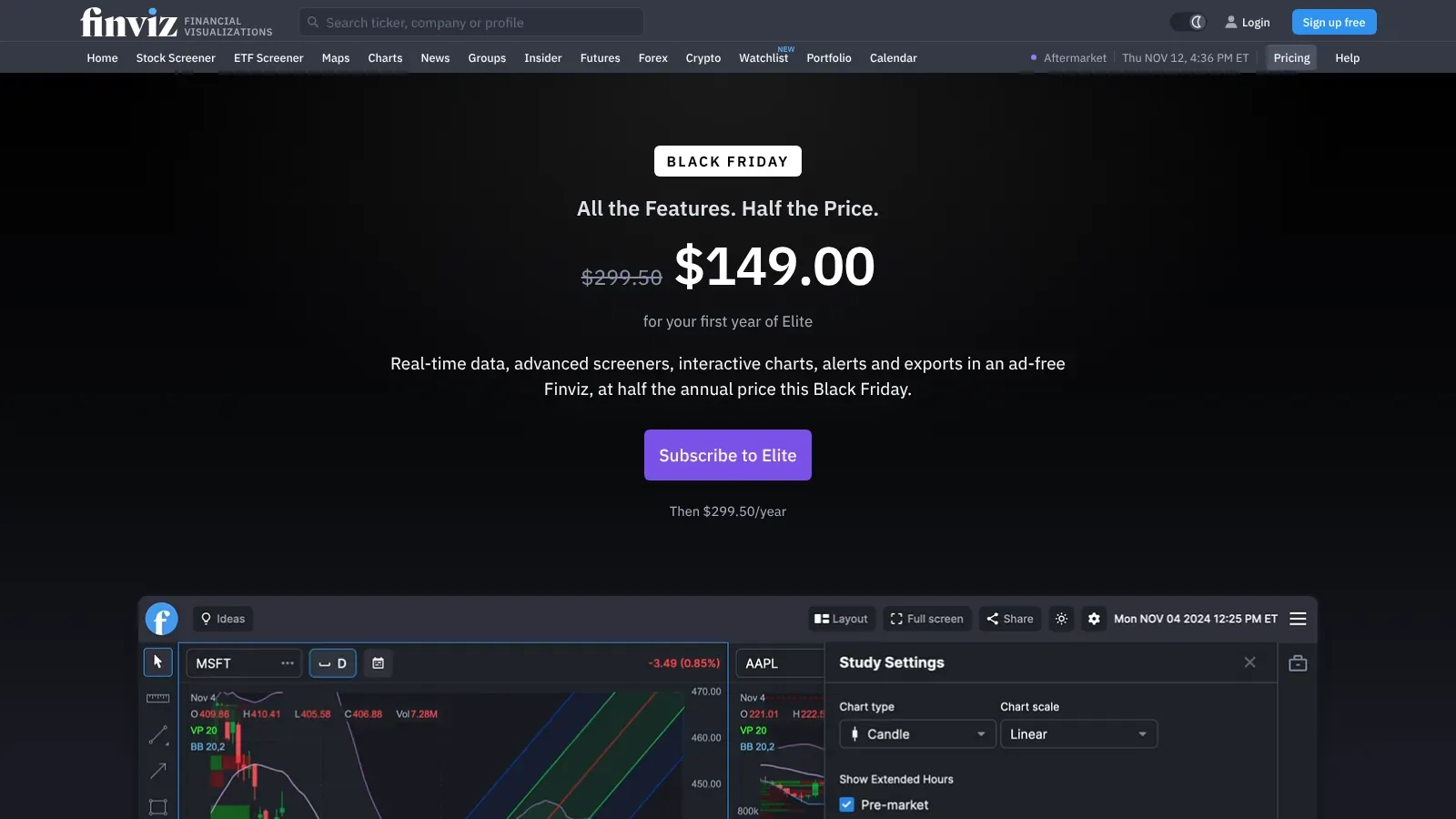
1. Finviz (Free and Elite). Fits anyone building a watchlist from fundamental or technical criteria. Strength: the filter set is broad, the interface is fast, and the free tier does genuinely useful work. The catch: Finviz Free uses delayed data, so it's a planning tool, not a live one. Finviz Free is $0. Finviz Elite is $39.50 a month or $299.50 a year, and adds refresh every 10 seconds plus intraday charts.
Read the full Finviz Elite deep dive or the Finviz tool profile.
2. TradingView Screener. Fits chart-first traders who want screening and charting in one window. Strength: the screener sits next to the best retail charting on the market, so a candidate becomes a chart in one click. The catch: the free Basic plan is limited, and refresh speed on paid plans runs either 10 seconds or one minute depending on tier. TradingView has a free Basic plan that includes a stock screener. For paid tiers, check the current price.
3. 
Takeaway: start with Finviz Free. If you can't name the specific filter it lacks, you're not ready to pay.
Which Stock Scanners Are Worth Paying For?
Only three scanners are worth serious consideration for most US retail traders, and one of them is free if you already bank with the right broker.
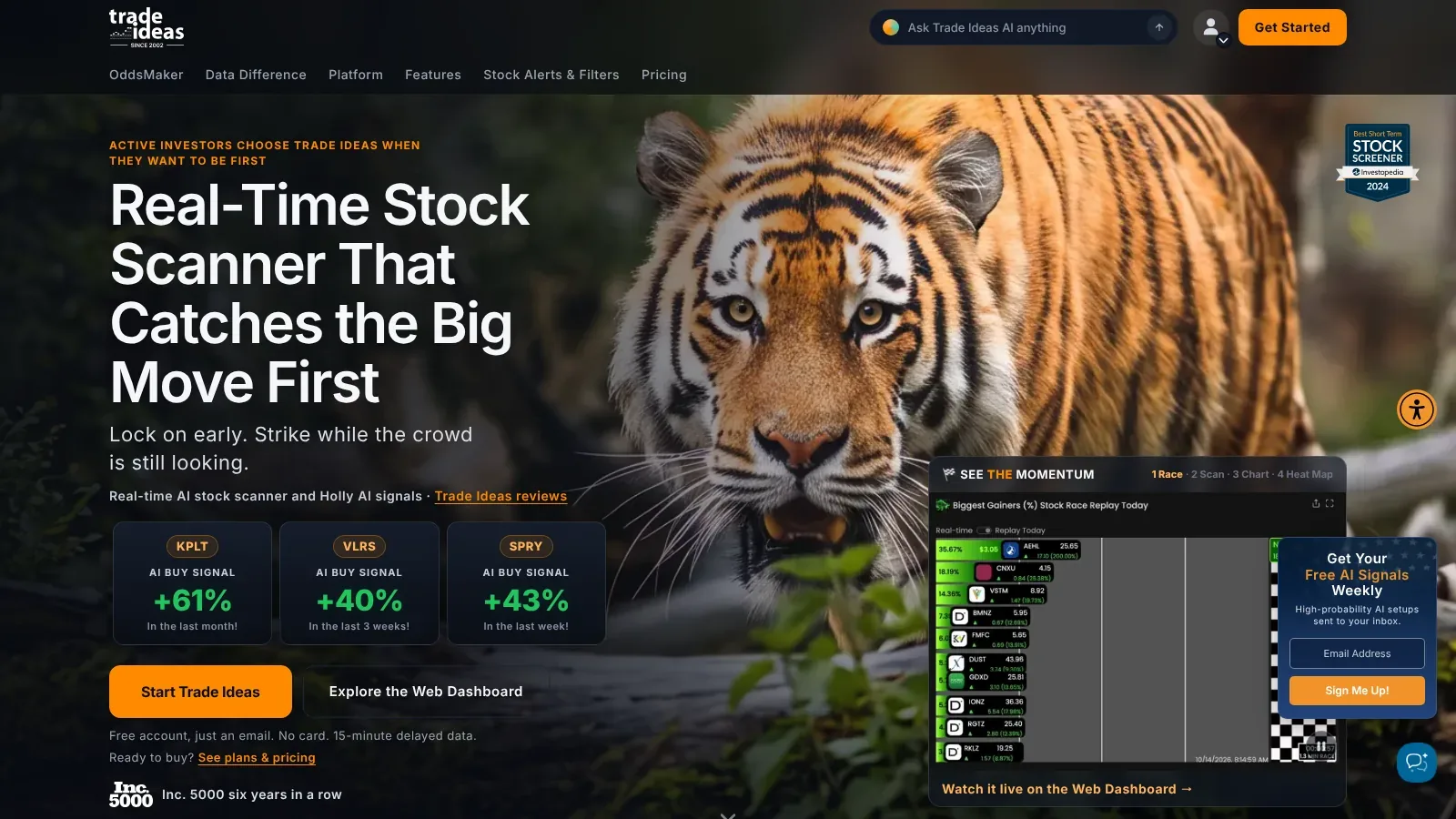
1. Trade Ideas. Fits active day traders placing multiple intraday trades daily. Strength: Top Lists re-rank every 15 seconds, Streaming Alerts can fire on each qualifying trade, and Holly AI Signals deliver intraday ideas with an entry, a stop, and a target. The catch: the price is real money and the learning curve is steep, so the first two weeks feel like a cockpit you didn't train for. Trade Ideas Standard is $127 a month or $1,068 a year. Premium with Holly AI is $254 a month or $2,136 a year. Full breakdown in the Trade Ideas deep dive.
2. 
3. 
Common mistake: paying for a scanner before you've written down your setup. A scanner with no defined criteria just gives you 400 reasons to overtrade. If you need a starting point, these scanner settings workflows are a better first step than a credit card.
Are Stock Scanners Worth It? The Honest Cost Math
A scanner is worth it when it finds trades you'd otherwise miss, and only then. Run the numbers before the free trial ends. That math is where most stock scanner vs screener decisions get made.
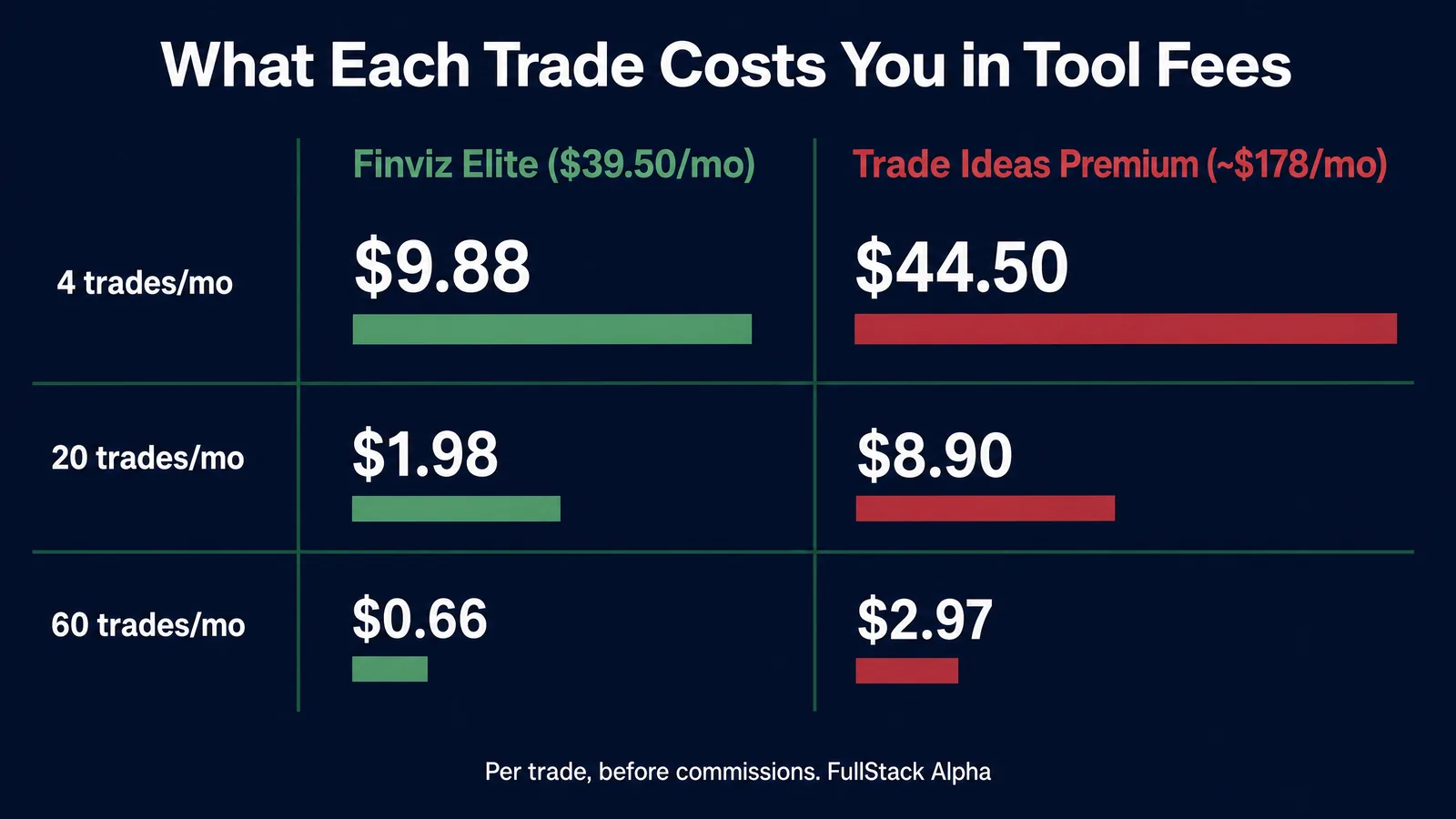
Trade Ideas Premium at $2,136 a year is $178 a month in round terms. If you trade 20 times a month, the tool costs about $9 per trade in overhead before commissions, slippage, or losses. Can you honestly say the scanner is responsible for $9 of extra edge per trade?
If you trade four times a month, that same subscription costs roughly $45 per trade. That math only works if your average winner is large and your process is already consistent.
Market truth: a $2,136 tool will not fix a process a free tool already exposed. If your screener output is good and your execution is bad, the problem is execution. Spending more is just a nicer-looking way of avoiding that conversation.
Practical takeaway: run a free screener for 30 days, journal every trade, then count how many trades you missed purely because you found out too late. Fewer than five? Keep the money.
What You Should Know Before You Pick One
Pick based on your holding period and your realistic screen time, not on feature count. That one rule settles most stock scanner vs screener choices.
Four things to settle before you pay:
- Your holding period. Minutes means scanner. Weeks means screener. Be honest about what you actually do, not what you watched on YouTube.
- Your screen time. A scanner you check twice a day is a very expensive email newsletter.
- Your setup. Write down one setup in a sentence: what has to be true for you to enter, where the stop goes, where you exit. If you can't, no tool helps.
- Trial terms. Take the free trial. Use it during a normal week, not a quiet holiday week.
Plain-language and AI-assisted screen building is also now standard. Stock Rover says its 2026 product lets users describe an idea in natural language and have the system build a matching screen, and Trade Ideas says its AI Assistant can create live top lists the same way. Useful, but a stock screener AI still can't tell you what you're trying to find. If you want help matching a tool to your criteria, the AI stock screener finder narrows the field faster than another week of landing pages.
Things to Look Out For
Five traps cost retail traders more money than bad picks do, whichever side of the stock scanner vs screener line you land on.
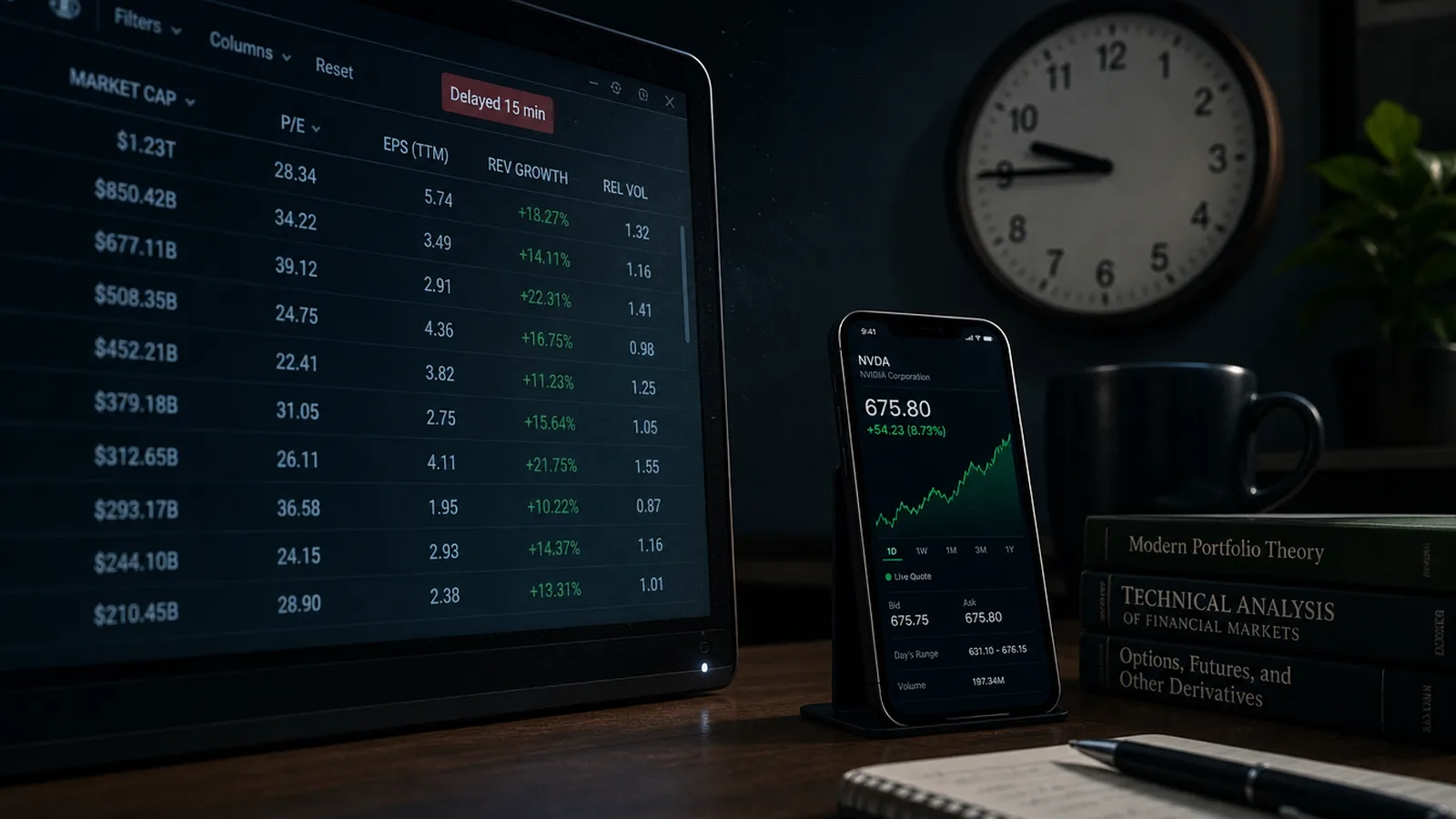
- Delayed data sold as real time. Some free tools refresh on a fifteen-minute delay while the headline says live. Check the data disclosure, not the hero banner. Finviz Free, to its credit, states plainly that it uses delayed data.
- Scanners that are really screeners. If the product polls a list on a timer, it's a fast screener. That may be fine. Just don't pay scanner prices for it.
- Too many filters. Stack fifteen conditions and you'll get two results, both garbage. Three to five filters is usually the sweet spot for the stock screener vs scanner decision at any speed.
- Skipping the chart. An alert is an invitation, not a trade. Pull the chart, look at support and resistance, check whether the move is already overextended. Chasing an alert at the top of a vertical move is how you end up catching a falling knife on the way back down.
- Annual plans you cannot refund. Monthly first. Always. A year of a scanner you abandon in week three is the most common self-inflicted loss in this category. Play stupid games, win stupid prizes.

My Stock Scanner Is Giving Me False Signals. What Am I Doing Wrong?
Usually three things: your filters are too loose, you're trading the open, or you're treating an alert as a signal instead of a prompt to look.
Fix it in this order:
- Add a liquidity floor. Minimum average volume and a minimum price. Most false signals come from illiquid names where one block trade triggers everything.
- Add relative volume, not just volume. Relative volume compares today's pace to the stock's own normal. A 2 million share day is meaningless without that context.
- Stop trading the first ten minutes. Everything fires at 9:30. Let the opening range form, then act.
- Confirm on the chart. Does the alert line up with a level that matters? If the stock is already 20% extended, that alert is a bull trap waiting to happen.
- Log the misses. Twenty logged false signals will show you the one filter you're missing. Guessing will not.
Market truth: freshness is not accuracy. A faster feed makes a list more current; it does not validate your strategy. Speed amplifies whatever process you already have, good or bad.
What Are the Alternatives to Expensive Scanners and Screeners?
Plenty, and most beginners should start there. You can build a working stack for $0.
- Finviz Free for screening and heat maps. Delayed data, still useful for planning.
- TradingView free Basic plan, which includes a stock screener and charting in one place.
- Your broker's built-in scanner. thinkorswim Stock Hacker is free for eligible Charles Schwab clients and outperforms plenty of paid tools.
- Broker price alerts instead of streaming alerts. Set them at your entry level the night before. For swing trading, this replaces a scanner entirely.
- Barchart's prebuilt screens for gap ups, unusual volume, and new highs.
A deeper list of no-cost options lives in the free stock screener roundup, and if you want AI-flavored options at zero cost, see free AI stock screeners.
Takeaway: build the free stack, run it for 60 days, and let your own trade log tell you what's missing. That's a better buying signal than any review, including this one.
Which Is Better for Beginners: Scanner or Screener?
Screener. Every time. For a beginner, stock scanner vs screener is not a close call. A scanner gives a beginner more information per second than they can process, which produces overtrading, not skill.
A screener forces the right habit: think before the market opens, build a watchlist, decide entry and exit in advance. That's a system. A scanner before you have a system is just a slot machine with better typography.
Rule of thumb: don't pay for a scanner until you've traded a written plan for 90 days and can name, specifically, the job your screener cannot do. If you can't name it in one sentence, you don't need the upgrade.
Starting from scratch? The AI stock tools for beginners list is a gentler on-ramp.
Real-Time Alerts or Backtesting: Which Matters More?
Depends entirely on your holding period, the same variable behind every stock scanner vs screener call. Intraday traders need alerts. Swing traders and investors get more from backtesting and historical context.
Real-time streaming alerts solve a timing problem. Backtesting solves a confidence problem. If your trades last minutes, timing is the constraint. If they last weeks, you have all the time in the world to enter, and the real question is whether the setup has any history of working.
Trade Ideas frames the distinction well: a screener produces a ranked list that updates periodically, while a scanner evaluates incoming market data continuously and fires when the event occurs, which matters most around the open.
Caution on backtests: a backtested win rate is a claim about the past under one set of assumptions. Vendors publish them because they sell. Treat them as a hypothesis, not evidence. The gap between a backtest and live results is exactly what forward testing vs backtesting is built to close.
The Verdict: Stock Scanner vs Screener
Start with a free screener. Pay for a scanner only when you can name, in one sentence, the specific job a screener cannot do for you.
That's the whole stock scanner vs screener decision, and it's simpler than the marketing wants it to be. Day traders who hold positions for minutes genuinely need streaming data, premarket coverage, and halt alerts, and for them a scanner is a cost of doing business. Everyone else, which is most people reading this, is better served by a $0 screener, a charting platform, and a written plan.
The stock screener vs scanner question also stops being either-or once you're consistent. Screen at night to build the watchlist. Scan live to catch the trigger. Two tools, two jobs, one process.
Your next three steps:
- Open Finviz Free tonight and build one screen with no more than five filters.
- Chart every result and keep the five cleanest setups.
- Journal the week. If you missed trades purely on timing, then and only then price out a scanner.
Go deeper with the AI stock scanners guide and the AI stock screeners guide.
Systems over hacks. The tool is the last 10% of this.
Related Reading
- Finviz vs Trade Ideas: the full matchup
- Best stock screener for day trading
- Scanner settings workflows
Two tools compared here. 200+ catalogued in the FullStack Alpha directory, sorted by category, price and use case.
Compare the full field on aistockpickerapps.com
For educational purposes only, not investment advice.
Some links are affiliate links. They never change our scores.
Cut the noise. Keep the alpha.
References
- Investopedia, Best Stock Screeners. investopedia.com.
- Stock Rover, Best Stock Screeners. stockrover.com.
- Trade Ideas, Best Stock Scanners. trade-ideas.com.
- Trade Ideas, Best Stock Screeners. trade-ideas.com.
- Amsflow, Best Stock Screeners. amsflow.com.
Prices are subject to change as fast as AI technology.
We test the tools. You get the verdict.
One email a week. What we tested, what scored, and what we'd skip. Written for traders, not for clicks.
Frequently asked
More from FullStack Alpha