TrendSpider Sidekick vs TradingView AI Copilot Compared

TrendSpider Sidekick is the deeper AI analyst, and TradingView AI Copilot is the cheaper one, so the right pick depends on which platform your charts already live on. That one sentence covers most readers, but the details change the math, which is why TrendSpider Sidekick vs TradingView AI Copilot compared is worth more than a shrug.
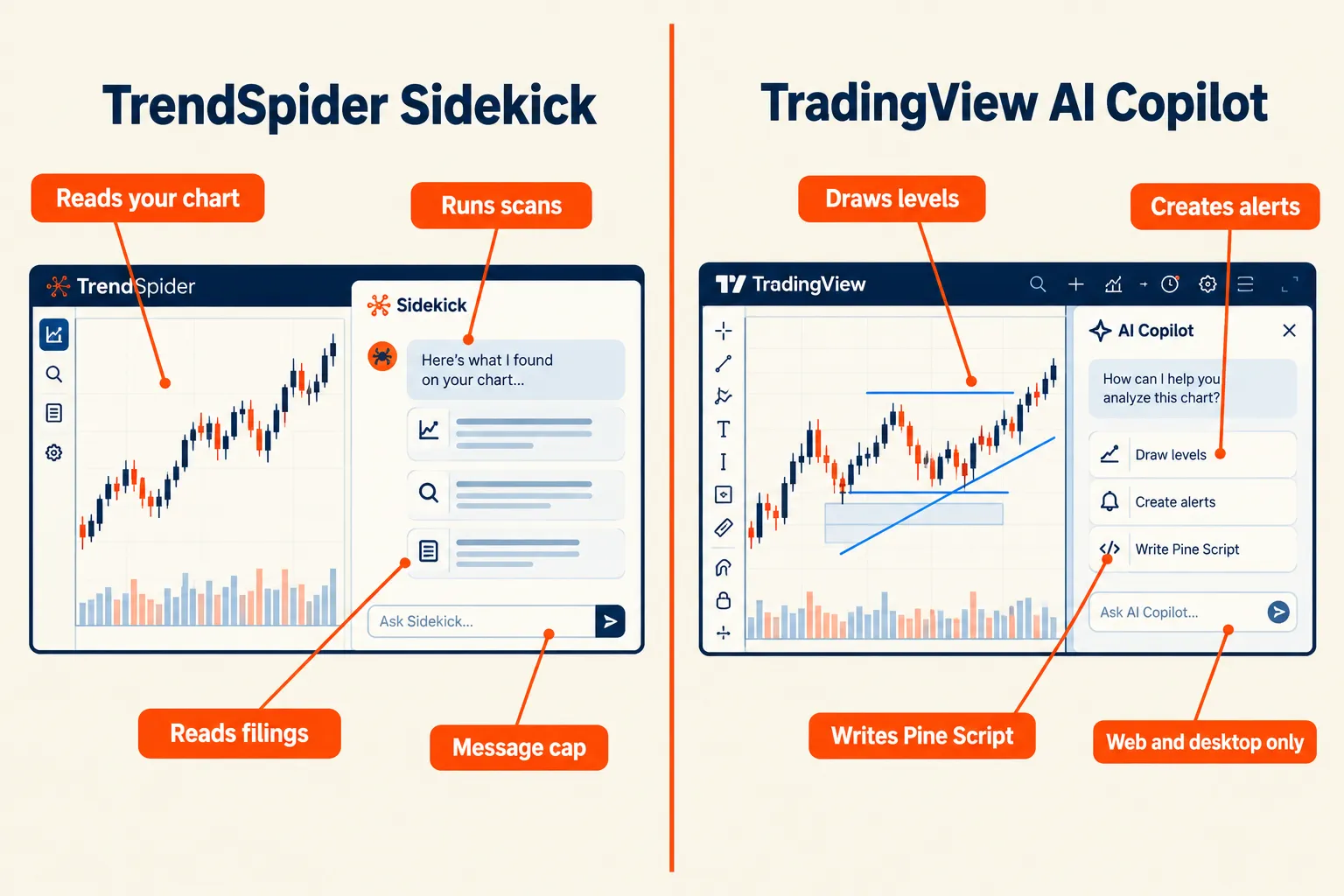
Quick Answer: TrendSpider Sidekick is an in-platform AI that can see your chart, run scans, read SEC filings, pull real-time options activity, and build indicators step by step, with 25 free messages a month on every plan and paid add-ons at $49, $129 and $349 per month. TradingView AI Copilot launched September 28, 2026 as a paid add-on for every paid TradingView plan on web and desktop, and it draws levels, sets alerts and writes Pine Script. Sidekick does more. Copilot costs less. Choose the one that matches where you already chart.
Key Takeaways
- Every TrendSpider customer gets 25 Sidekick messages per calendar month, with Basic at $49, Plus at $129 and Max at $349 per month.
- TrendSpider plans ran $59 to $349 a month depending on tier and billing. There is no free plan.
- TradingView AI Copilot arrived September 28, 2026 as a separate add-on on Essential, Plus, Premium and Ultimate, web and desktop only.
- Sidekick names its models (Gemini 3.1, Sonnet 4.6, GPT 5.4, plus GPT 5.5 and Opus 5.0 on higher tiers). TradingView does not publish its model stack.
- Alpha Score: TrendSpider 92/100, TradingView 95/100. Those rate the whole platform, not just the AI add-on.
- Reddit’s recurring complaint about TrendSpider is price, not quality.
TrendSpider Sidekick vs TradingView AI Copilot: which AI chart assistant wins?
TradingView AI Copilot wins on value for anyone already paying for TradingView. TrendSpider Sidekick wins on capability, because it can act across an automated technical analysis platform instead of only reacting to one chart. Neither one wins for every trader.
TrendSpider Sidekick at a glance
Best for: swing traders who want AI inside an automated charting platform.
- Day trader: Okay fit, real-time data entitlements cost extra
- Swing trader: Strong fit, scheduled scans and multi-timeframe work
- Scalper: Weak fit, built for analysis, not order speed
- Long-term investor: Okay fit, filings and transcripts on tap
Price: TrendSpider Standard from $59 a month, Sidekick Basic add-on $49 a month.
Watch out for: 25 messages a month before the meter starts.
Decision rule: if you have never paid for either platform, start with TradingView plus Copilot. If you already run scans, alerts and backtests inside TrendSpider software, Sidekick is the cheaper second brain because it plugs into work you already did. Our longer head to head on TrendSpider vs TradingView as AI charting tools goes deeper on the charting engines themselves.
What is TrendSpider Sidekick and how does it work?
TrendSpider Sidekick is an AI market analyst built into the TrendSpider platform. It can see the chart you are looking at, pull real-time quotes, fundamentals, news and options activity, and then act on your behalf inside the software. TrendSpider calls Sidekick the first AI designed for active investors.
What separates Sidekick, TrendSpider’s in-platform assistant, from a browser chatbot is permission to touch the tools. Sidekick AI can read watchlists, run scans, set alerts and pull SEC filings, which means the answer arrives with the work already done.
- Ask Sidekick: compare two tickers on relative strength across three timeframes.
- Track unusual options activity on your watchlist without opening a second tab.
- Build a custom indicator through the AI coding assistant, which checks its own rendered output and corrects itself.
Sidekick Deep Research and the message math
Sidekick Deep Research spawns one sub-conversation per symbol, and each one costs a message. The Deep Research feature is available on all Sidekick plans, free tier included, so a five-ticker request burns six messages. That number matters when your allowance is 25.
Fundamental analysis tools, right next to your charts
Sidekick reads earnings call transcripts and filings in the same window as price action, so fundamental analysis tools sit right next to your charts instead of in a browser tab you forget to close.
Build and backtest with Sidekick: the AI trading strategy builder
Sidekick compare requests are the easy part. The heavier use is strategy work: describe a setup, let it assemble the logic, then backtest it. Build it, then paper trade it before you risk real money.
What is TradingView AI Copilot and who is it for?
TradingView AI Copilot is an assistant that lives in the side panel of Supercharts. It sees what is on your chart and works with TradingView’s own data, including quotes, indicators, financials, news, earnings, economic calendars and Screener results. TradingView documents Copilot as both answering questions and acting on the chart.
It is for traders who already chart on TradingView and want fewer manual clicks. AI Copilot became available on every paid TradingView plan on September 28, 2026, on web and in the desktop app.
- Draws support and resistance levels on request
- Creates alerts from plain English
- Writes Pine Script so you do not have to learn it first
There is also an AI Chart Copilot browser extension in public beta, which lets you steer charts with plain language in a side panel. A community post describing the new official TradingView AI tool as free refers to that browser route, not the paid in-platform add-on. Our TradingView tool page tracks the plan details.
TrendSpider cost vs TradingView pricing: what do the AI add-ons really cost?
Sidekick is free until message 26, then it is $49, $129 or $349 a month. Copilot is an add-on on top of a paid TradingView plan, and the launch post does not publish a price, with Reddit users reporting roughly $7.50 a month. Verify both before you buy.
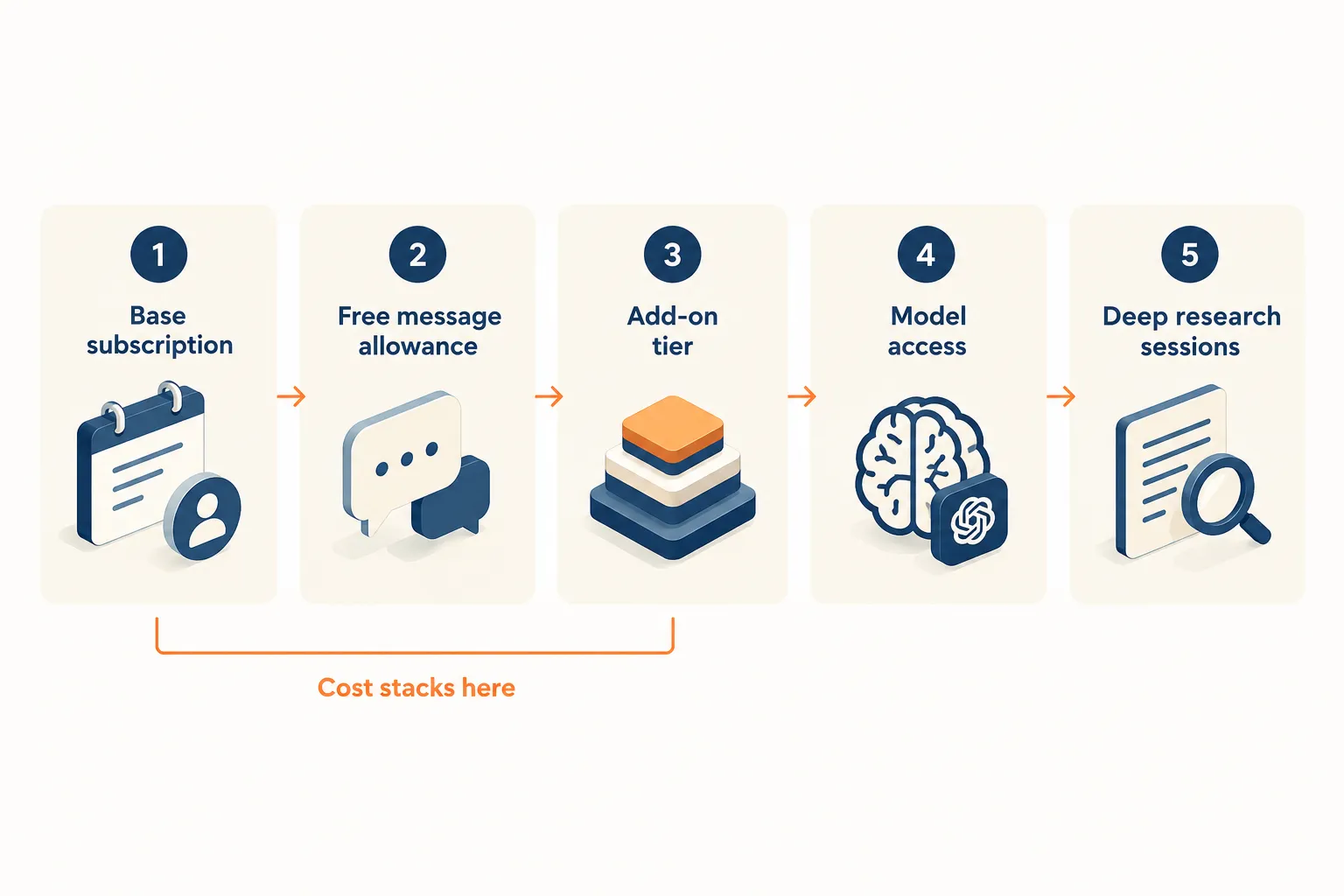
Here is the stack, as displayed and checked on TrendSpider’s pricing page:
- Standard $59 to $89 a month, Premium $99 to $149, Enhanced $133 to $199, Advanced $233 to $349, depending on billing
- 14-day trials at $19, $29, $39 and $49 by tier
- Sidekick add-ons: Basic 100 messages for $49, Plus 300 for $129, Max 1,000 for $349
TradingView: Basic $0, Essential $12.95, Plus $29.95, Premium $59.95, Ultimate $199.95 a month billed annually, plus the Copilot entitlement. Real-time options data and exchange feeds carry separate fees on both platforms, because OPRA and the exchanges get paid either way.
Is there a TrendSpider Sidekick free trial or demo?
Sort of. There is no free plan, but the 25 free monthly messages work as a built-in demo once you are on any paid tier, and the paid 14-day trial is the cheapest way in. For free alternatives, see our roundup of free stock charts from TradingView, Finviz and Yahoo.
How do the AI features compare for chart analysis, alerts and scheduling?
Copilot is faster at chart chores. Sidekick is better at research that spans several data sources. Both see your chart, and both create alerts, but only one of them runs scans and handles scheduling across a watchlist.
| Job | TrendSpider Sidekick | TradingView AI Copilot |
|---|---|---|
| Reads the current chart | Supported | Supported |
| Draws levels and Fibonacci zones | Supported | Supported |
| Alert creation and scheduling | Supported, plus scheduled scans | Alerts supported, scheduling limited |
| Options chain, flow and Greeks | Supported | Partly supported |
| Writes code | Indicators, step by step | Pine Script |
| Named model lineup | Published | Not published |
| Mobile | Supported | Not supported yet |
Accuracy: which one reads a chart better?
Accuracy depends on the data behind the answer, not the chat window. Sidekick is explicit about its models: Gemini 3.1, Sonnet 4.6 and GPT 5.4 are supported on all plans, with GPT 5.5 and Opus 5.0 supported only on Plus and Max. TradingView keeps implementation details abstract. Published model names are a transparency point, not a performance promise, and neither vendor publishes an audited accuracy figure. We cover why in how accurate AI trading signals really are.
Can TrendSpider Sidekick work with other charting platforms?
No. Sidekick only runs inside TrendSpider software, and Copilot only runs inside TradingView. Neither is a standalone app you can point at a third-party chart. If you want AI that touches your broker, that is automation territory, and bots and broker APIs live on our sister site, aistocktradingbots.com.
Does TrendSpider Sidekick actually help you make better trades?
It helps you work faster and skip grunt work. It does not hand you an edge. An assistant that summarizes an options chain in nine seconds still leaves position sizing, stop loss placement and patience to you.
The honest version: AI shortens research time and widens how many names you can review before the open. That is real value. It also makes overtrading easier, because asking is cheap and clicking buy is cheaper.
Common mistakes with TrendSpider Sidekick, and how to avoid them
- Burning messages on chat instead of analysis. Batch your questions.
- Treating a summary as a signal. A signal without a system is just weather.
- Running Deep Research on 12 tickers, then forgetting the watchlist existed.
- Skipping the backtest because the AI sounded confident.
TrendSpider Sidekick not working? Troubleshooting
Most failures are mundane. Check the message counter first, since the free tier resets per calendar month. Then confirm your plan supports the model you selected, reload the chart so Sidekick can see it, and check real-time data entitlements if quotes look stale. If it still stalls, the Sidekick help documentation and support team are the next stop. Please do not assume a blank reply means the feature is broken.
Top 5 favorite features in TrendSpider Sidekick vs TradingView AI Copilot
Five things earned their keep across both tools: chart-aware chat, Deep Research, alert scheduling, Pine Script generation, and the options view. Each one removes a repetitive task rather than predicting a price.
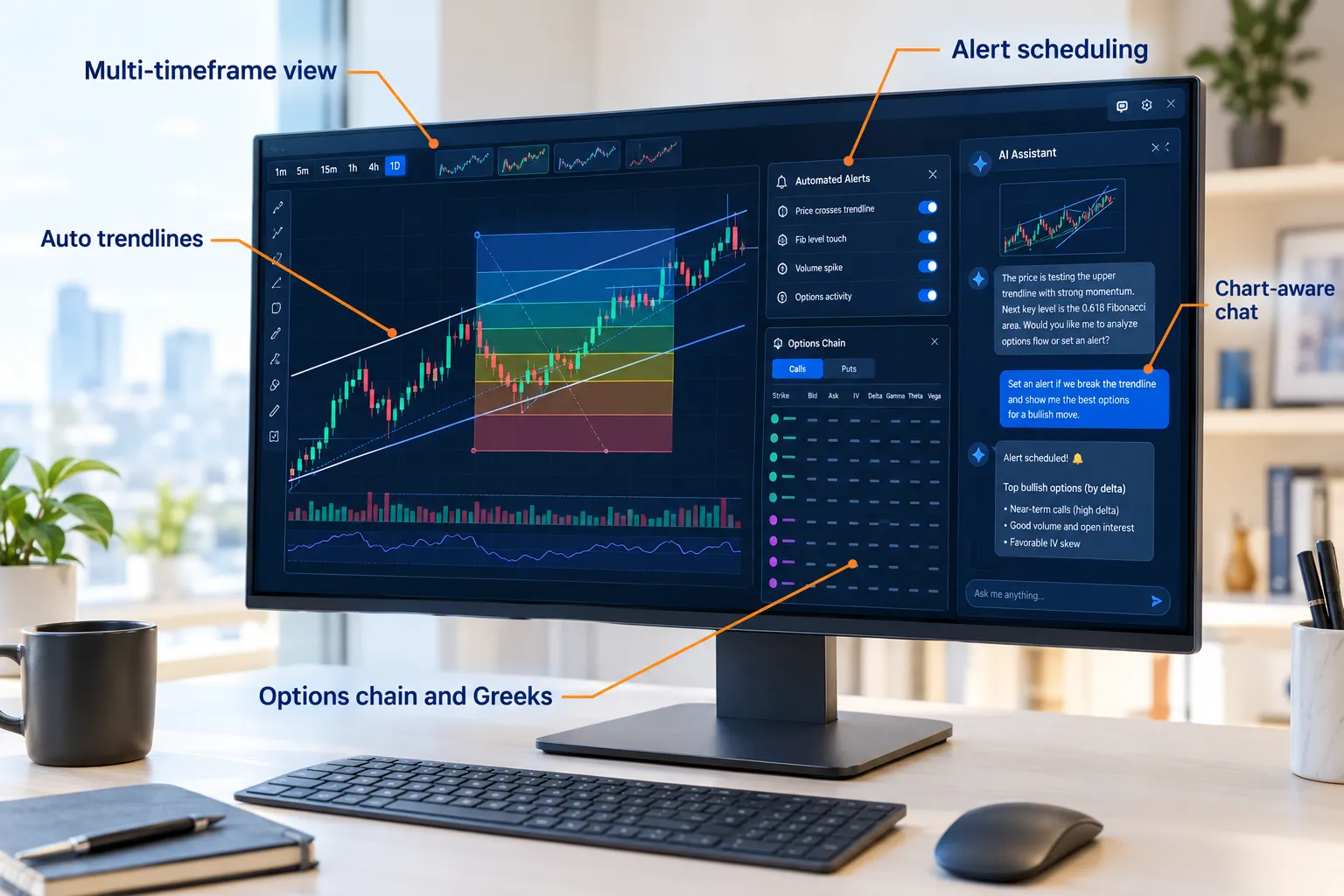
- Chart-aware chat. Both assistants see the current view, so you stop describing what is already on screen.
- Sidekick Deep Research. One request, one sub-chat per symbol, structured multi-ticker analysis.
- Alert scheduling and scans. Sidekick sets conditions and keeps scanning while you sleep.
- Pine Script writing. Copilot turns a sentence into code, which is Powerful in the only way that word should be used.
- Real-time options data in context. Unusual options activity next to price action, useful for directional options traders.
Sidekick is now live on mobile, and TrendSpider reports traders have asked it tens of thousands of questions. ML Quant Lab sits alongside it for quantitative work.
What we like and don’t like about each AI assistant
Sidekick is the more capable assistant with the more punishing price. Copilot is the better deal with the narrower job description. Both deserve at least two complaints.
What we like about TrendSpider Sidekick
- Acts inside the platform: scans, alerts, filings, transcripts
- Publishes its model roster, which most vendors avoid
- Deep Research is supported even on the free message tier
- Mobile access, so you can see portfolio movers away from the desk
What we don’t like about TrendSpider Sidekick
- 25 messages a month is thin, and the jump to Basic is $49
- Max at $349 a month costs more than most full charting platforms
- No free plan at all, so there is no zero-cost way to try it
What we like about TradingView AI Copilot
- Cheap relative to the platform you already pay for
- Alerts and Pine Script generation remove real friction
- A free browser extension route exists for chart commands
What we don’t like about TradingView AI Copilot
- Web and desktop only, no mobile support at launch
- It is an add-on on top of a paid plan, which annoys people
- No published model details, so the transparency floor is lower
What do real users say in TrendSpider reviews and about TradingView Copilot?
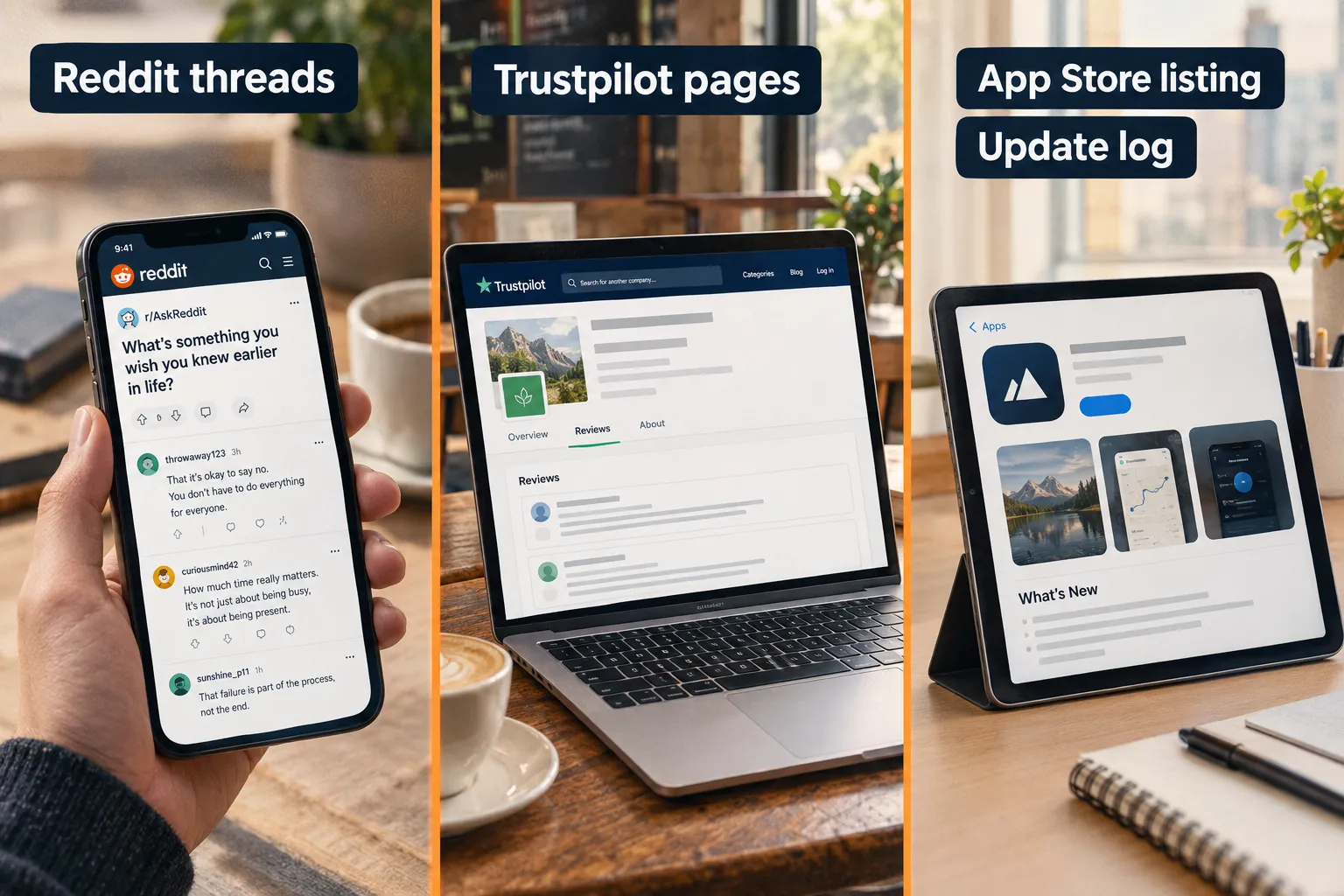
Users rarely call TrendSpider bad. They call it expensive. TradingView’s Copilot complaints are about paying twice. Both patterns show up in unsolicited threads, which are the only reviews worth much.
"I've used both and prefer Tradingview, but I wouldn't say Trendspider is bad... just overpriced and Tradingview is a little easier to use."
Source: r/Daytrading
"Without comparison, TrendSpider is good. But, comparing with others, it's not worth such expensive."
Source: r/Trading
"I used to use trendspider but they don't provide live CBOE index data."
Source: r/TradingView
"Title is misleading as you still have to pay for it to be added on top of the paid plan."
Source: r/TradingView
We are not quoting Trustpilot or Apple App Store numbers here because we could not verify a rating and review count on the month we checked. To read current ratings, visit website listings yourself and note the date. If you see a burst of five-star entries inside a short window, treat it as campaign-shaped. Where users and our Alpha Score agree: usability is high on both. Where they disagree: Reddit rates TrendSpider’s price harder than our Price-to-Value pillar does.
What are the alternatives to TrendSpider Sidekick?
The closest alternatives are TradingView with Copilot, MarketSurge for institutional-style screens, Trade Ideas for real-time scanning, and Finviz Elite for cheap screening. None of them do everything Sidekick does, and that is the point.
| Tool | Best for | Starting price | Key strength | Key weakness |
|---|---|---|---|---|
| TradingView | Chartists on any budget | $0 | Best charts, huge community | Copilot is a paid add-on |
| TrendSpider | Swing traders automating analysis | $59/mo | Automated technical analysis plus AI | Price, no free plan |
| Trade Ideas | Day traders | Varies | Real-time scanning | Steep learning curve |
| Finviz Elite | Screeners on a budget | Low | Fast, simple screens | No AI assistant |
Compare the wider field on our AI stock tool comparison hub.
How the Alpha Score rates TrendSpider software and TradingView
TrendSpider scores 92 out of 100 and TradingView scores 95. Both scores rate the full platform, not just the AI add-on. The score comes from FullStack Alpha desk research plus public user sentiment, and the pillar split is provisional.
The Alpha Score Breakdown
TrendSpider scores 92 out of 100 across five pillars, 20 points each.
SIGNAL QUALITY 19 / 20
TRANSPARENCY 18 / 20
PRICE-TO-VALUE 17 / 20
USABILITY 19 / 20
COMMUNITY VERDICT 19 / 20
Total: 92 / 100. TradingView: 18 / 18 / 20 / 20 / 19, total 95 / 100.
Price-to-Value at 17 is the soft spot, and that matches what traders say out loud. Our full TrendSpider review carries the detail.
Price tiers, features and who each tool is for
The short version: TrendSpider charges platform money for platform depth, TradingView charges add-on money for add-on scope. Match the plan to how often you actually chart.
| Plan | Monthly | What you get | Best for |
|---|---|---|---|
| TrendSpider Standard | $59 to $89 | Core charting, scans, 25 Sidekick messages | Part-time swing traders |
| TrendSpider Enhanced | $133 to $199 | More alerts, deeper data, ML Quant Lab access | Serious swing traders |
| Sidekick Basic add-on | $49 | 100 messages a month | Daily AI users |
| TradingView Premium | $59.95 | Full charting, more indicators | Chartists |
| TradingView + Copilot | $12.95 and up, plus add-on | Chart AI, alerts, Pine Script | Budget-first traders |
| Trader type | Pick | Why |
|---|---|---|
| Day trader | TradingView + Copilot | Faster chart chores, lower monthly cost |
| Swing trader | TrendSpider Sidekick | Scheduled scans and multi-source research |
| Scalper | TradingView | Speed beats analysis depth |
| Long-term investor | TrendSpider Sidekick | Filings and transcripts beside the chart |
Our swing trading tools page lists the rest of the field.
FullStack Alpha scorecards
Every tool in this article has a full scorecard: pricing, pros and cons, verified user quotes and the Alpha Score breakdown.
FAQ
Is TrendSpider a legitimate company?
Yes. TrendSpider LLC is a real charting and analysis software company with public documentation, a published pricing page, a support team and an update log going back years. It sells technical analysis software, not managed accounts or trading signals, and you can read the product details on TrendSpider’s own site before paying.
What’s better than TrendSpider?
TradingView is better for pure charting, community scripts and price. Trade Ideas is better for real-time intraday scanning. Finviz Elite is better if you only want cheap screening. TrendSpider stays ahead on automated technical analysis plus an AI assistant that can act inside the platform, so "better" depends on your workflow.
Which AI stock picker is the best?
There is no single best one, and any tool claiming a guaranteed winner is selling noise. Judge pickers on transparency of method, published track records and whether the output arrives in time to act on. Our directory scores 200+ tools across five pillars so you can match one to your strategy.
Is TradingView or TrendSpider better?
TradingView wins on price, charting polish and community, scoring 95 out of 100 on our Alpha Score. TrendSpider wins on automation and AI depth at 92 out of 100. Day traders and budget-conscious chartists usually land on TradingView; swing traders who automate scans and alerts get more from TrendSpider.
How much does TrendSpider Sidekick cost?
Sidekick is included with every TrendSpider plan at 25 messages per calendar month. Paid add-ons are $49 a month for 100 messages, $129 for 300, and $349 for 1,000. Those sit on top of a TrendSpider subscription starting at $59 a month, so budget for both.
Does TrendSpider have a free plan?
No. TrendSpider has no free tier. Paid 14-day trials cost $19, $29, $39 or $49 depending on the plan, and the standard plans run from $59 to $349 a month depending on tier and billing, as displayed at the time of review. Confirm current numbers on the official pricing page before subscribing.
Is TradingView AI Copilot free?
The in-platform AI Copilot is a paid add-on available on Essential, Plus, Premium and Ultimate, so it requires a paid plan plus the Copilot entitlement. The separate AI Chart Copilot browser extension in public beta has been promoted as free for TradingView users. Check your billing screen for exact pricing.
Final verdict: who should pick Sidekick and who should pick AI Copilot?
Pick TradingView AI Copilot if you already pay for TradingView and want the cheapest useful AI on a chart. Pick TrendSpider Sidekick if your process depends on scans, alerts and research in one platform, and you will use more than 25 messages a month. Is TrendSpider worth it? Yes, if you use the automation. No, if you only want a chatbot on a candlestick chart. Discipline beats prediction, and no assistant changes that.
Still stuck between two subscriptions you don’t need?
We have tested 200+ AI stock tools since 2022 and spent $20,000+ on live accounts doing it, and both of these made the list.
Conclusion and next steps
The cheapest AI assistant is the one attached to the platform you already use, and the most useful one is the one that saves you an hour you were wasting. Decide which problem you have before you pay for either.
Three things to do this week:
- Open your current platform and list the five tasks that eat your prep time.
- Run the free tier against those tasks for seven days. 25 messages is enough to judge.
- Only then buy the add-on, and write down what it has to replace to stay.
Fewer tabs, one process, no surprise line items. Cut the noise, keep the alpha. If you want the tool side of the equation, our AI trading software spending breakdown and the FullStack Alpha testing method explain how we score.
This is education, not financial advice.
Your market edge starts with the right tool. Stay alpha.
Some links on this page may earn us a commission at no extra cost to you.
We test the tools. You get the verdict.
One email a week. What we tested, what scored, and what we'd skip. Written for traders, not for clicks.
More from FullStack Alpha