

TradingView Essential Plan: 3 Limits That Push You to Pay
Short on time? The TradingView Alpha Score scorecard breaks the 95/100 down by pillar, with pricing and the verdict, in about 90 seconds.
See the score
Quick Answer: The TradingView Essential plan costs $12.95/month billed annually and directly addresses the three free-tier caps that most active retail traders hit first: 2 indicators per chart, 1 chart per tab, and 3 price alerts. Essential raises those to 5 indicators, 2 charts per tab, and 20 alerts. For a part-time swing trader running a handful of setups each week, those three upgrades cover most of the daily friction. They don't cover everything, alerts still expire and some market data still costs extra, but for $155.40 a year, it's a targeted fix for a real problem.
Key Takeaways
- Free plan cap #1: 2 indicators per chart, Essential raises this to 5
- Free plan cap #2: 1 chart per tab, Essential raises this to 2
- Free plan cap #3: 3 price alerts total, Essential raises this to 20
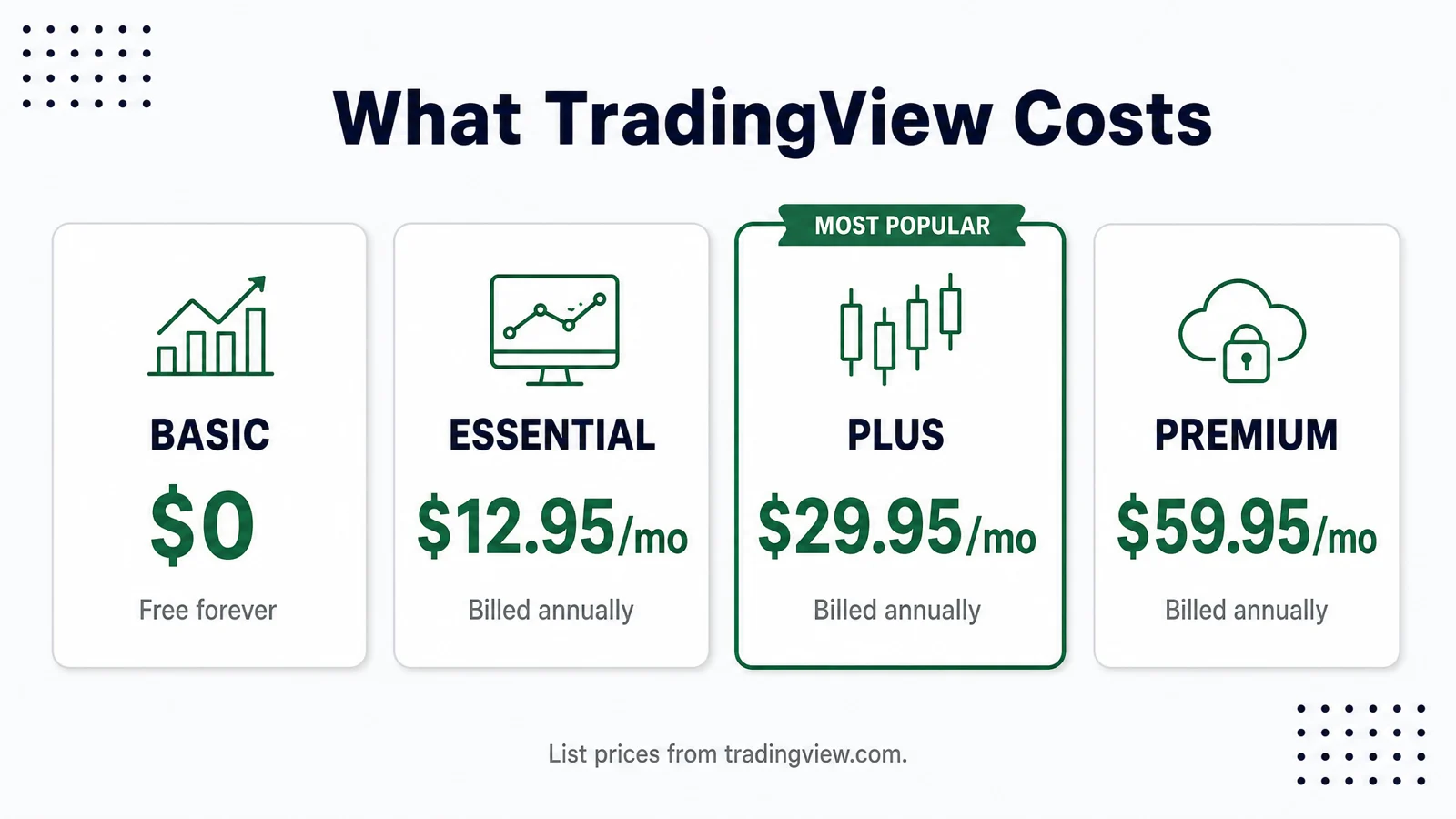
- Price: $12.95/month billed annually ($155.40/year); $14.95/month on monthly billing
- Who should stay free: Anyone still learning chart basics, paper trading casually, or running fewer than two indicators on a single ticker, the free plan is genuinely capable and never expires
- One honest caveat: Essential alerts still expire (roughly 1-2 months), and two charts per tab will still feel tight if you work three or more timeframes simultaneously
What Is the TradingView Essential Plan?
The TradingView Essential plan is the entry-level paid tier of TradingView's subscription lineup, sitting directly above the free plan and below Plus. It costs $12.95/month when billed annually ($155.40/year) or $14.95/month on a rolling monthly basis.
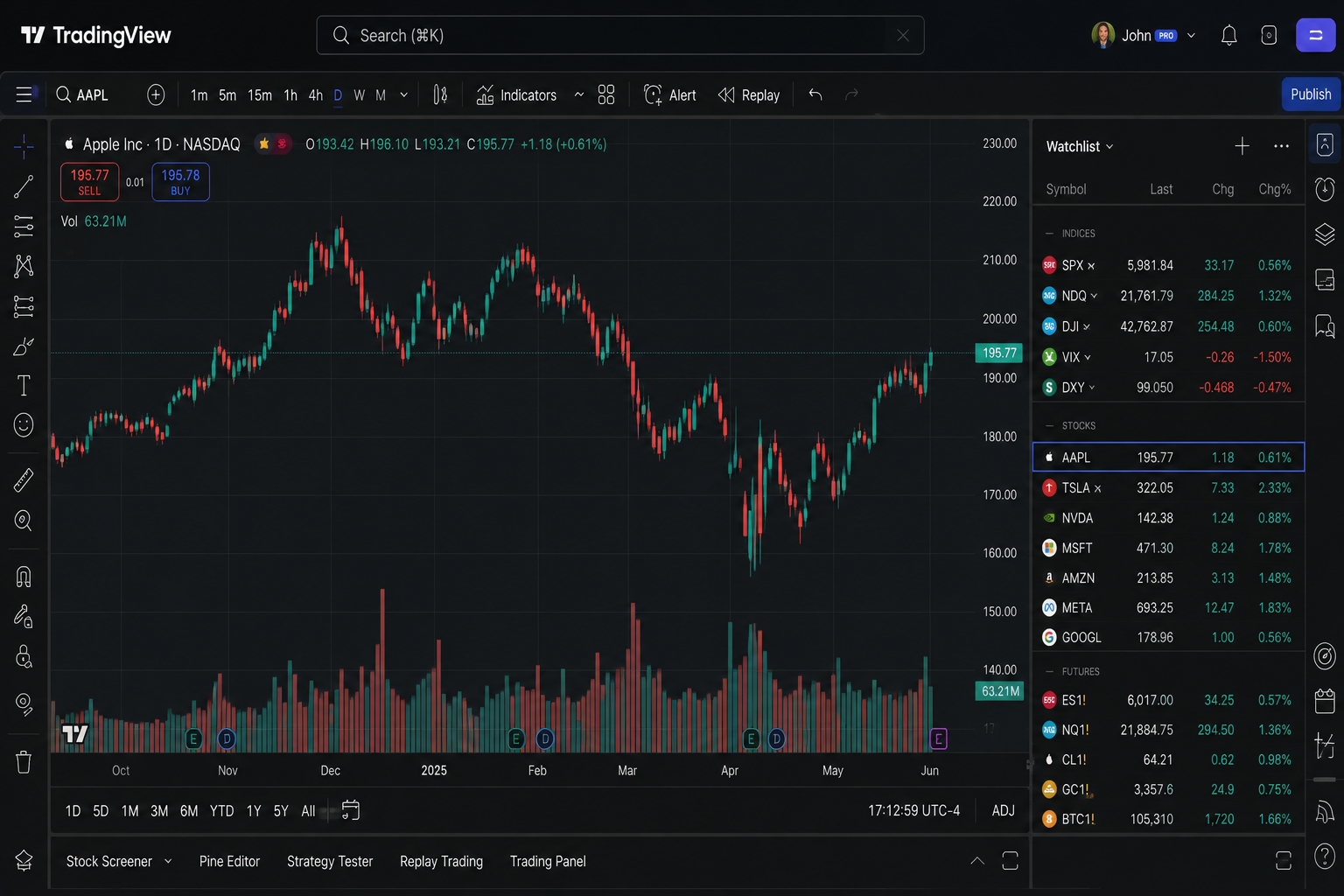
For readers arriving cold: TradingView is a browser-based charting platform used by retail traders, investors, and analysts across stocks, crypto, forex, futures, and commodities. It runs on any browser without installation, plus dedicated desktop and mobile apps, and your chart layouts sync across all of them automatically. With over 100 million registered users, it's the most widely used charting environment in retail trading today.
One thing worth stating plainly: TradingView is not a broker. It does not execute trades. It connects to your existing brokerage accounts for order entry through integrations, but the platform itself is purely a charting, analysis, and alerting tool. You keep your brokerage account separate.
The Essential plan's job is simple: remove the three caps that free-tier users hit most often, at the lowest price point in the paid lineup.
Limit 1: You Get Two Indicators Per Chart on the Free Plan
The free TradingView plan allows exactly 2 indicators per chart. That sounds workable until you actually sit down to trade.
Here's where it breaks: say you load a 20-period exponential moving average and a volume histogram. That's your two slots gone. Now you want to add RSI to check momentum before entering. You can't. You get the upgrade prompt instead.
This is the wall most traders hit first, and it hits fast. Two indicators covers a minimalist setup, one trend tool, one momentum or volume tool, but almost no active trader stops at two. A basic swing trading setup might include a moving average, MACD, RSI, and volume. That's four indicators before you've added anything exotic. A Bollinger Band with a 200 EMA and a stochastic oscillator? Three indicators, and you're already over the free limit.
What Essential raises it to: 5 indicators per chart.
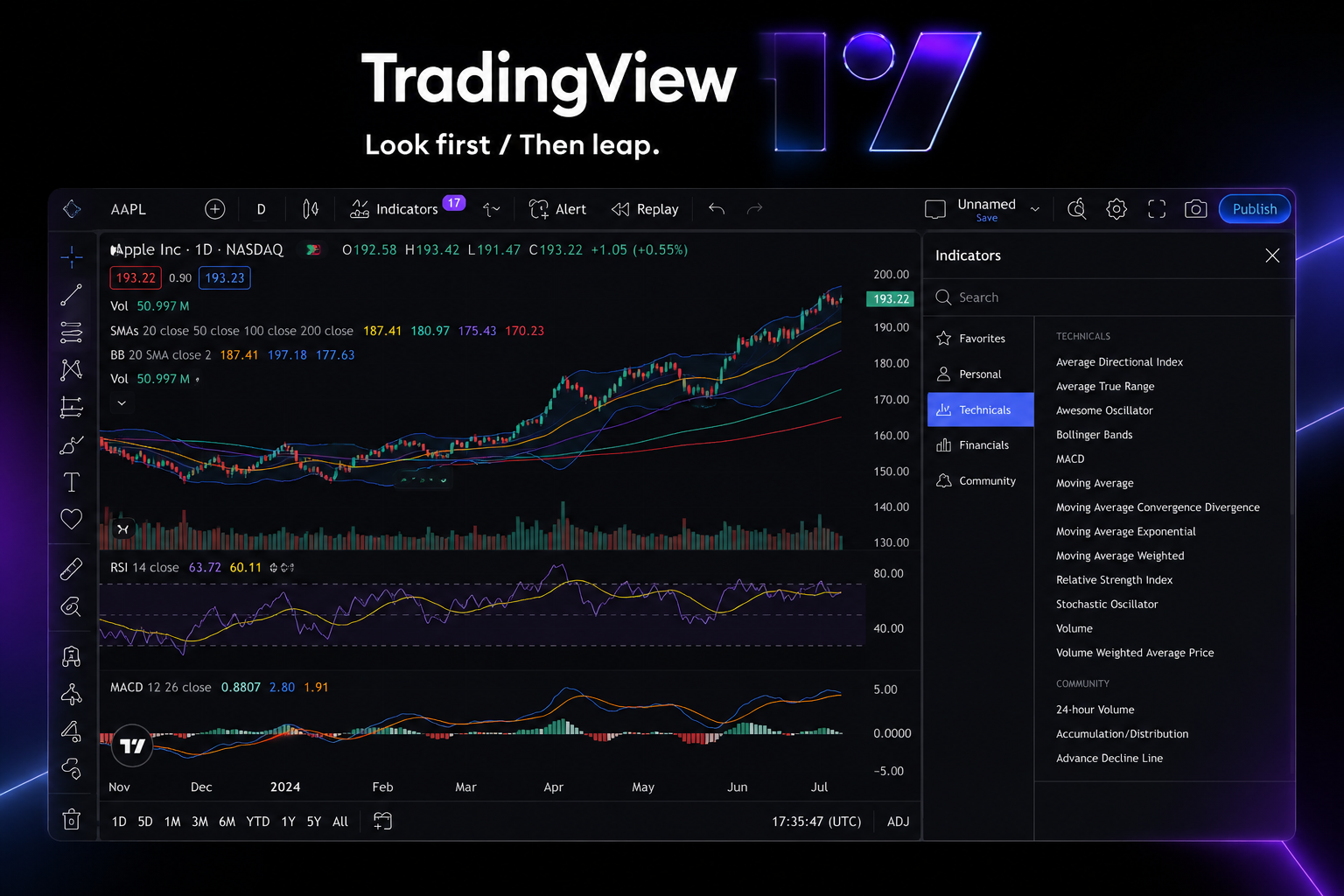
Is five enough? For most part-time swing traders, yes. Five covers a trend indicator, a momentum oscillator, volume, a secondary confirmation tool, and one more. That's a complete working setup for the majority of retail strategies. If you're building complex multi-indicator systems or stacking several custom Pine Script studies simultaneously, you'll eventually want Plus (which gives you 10), but for the trader this article is written for, five is a meaningful upgrade that handles real setups.
On the question of which indicators to use: TradingView's community library holds tens of thousands of public scripts, and the best ones depend entirely on your strategy. The most commonly used built-in indicators are moving averages (EMA/SMA), RSI, MACD, Bollinger Bands, and volume-based tools. The platform's Pine Script editor lets you build custom indicators if you're comfortable with code, and the community library means you can import indicators other traders have already built, all of that is available on every plan including free.
Limit 2: You Get One Chart Per Tab on the Free Plan
Free TradingView users get a single chart per browser tab. You can open multiple tabs, but each tab shows one chart at a time.
This breaks multi-timeframe analysis in a specific, annoying way. If you trade a setup that requires checking the daily chart for trend direction and the 1-hour chart for entry timing, you're toggling between tabs constantly. You find a setup on the daily, switch to the 1-hour tab, lose the context, switch back. It's not impossible, but it's slow and it breaks your focus.
The workaround free users fall into is opening three or four browser tabs and arranging them side by side on a wide monitor. It works, technically. But you're managing tab clutter, each chart loads separately, and the layouts don't share a synchronized view. It's a friction tax on every session.
What Essential raises it to: 2 charts per tab.
Two charts per tab means you can set up a daily/hourly split in a single view, which covers the most common multi-timeframe workflow. You pick your two timeframes, put them side by side, and work from one tab. That's a genuine quality-of-life improvement for anyone doing even basic top-down analysis.
The honest note: if you run three or four timeframes simultaneously, weekly, daily, 4-hour, and 1-hour all on screen at once, two charts per tab still isn't enough. Plus gives you 4 charts per tab, and Premium gives you 8. For heavy multi-chart work, Essential is a step in the right direction but not the final destination. For the trader checking two timeframes before a swing entry, it's exactly what you need.
Limit 3: You Get Three Price Alerts on the Free Plan
The free TradingView plan caps you at 3 active price alerts total. Three. Across your entire watchlist.
Do the math against a real trading week. If you're watching 10 to 15 tickers, which is conservative for most active traders, three alerts cover maybe two setups with one spare. You set an alert on SPY at a key support level, one on a stock approaching a breakout, and one on a crypto level you're watching. You're out of alerts. Every other ticker on your list is unmonitored unless you're staring at the screen.
The practical result is that free-tier traders either ignore alerts entirely (and miss entries) or constantly delete old alerts to make room for new ones. Neither is a good system.
Alert expiry is also a real issue. On lower tiers, TradingView alerts don't last forever. Essential alerts expire after approximately 1 to 2 months. This matters for traders watching longer-term levels, a weekly support zone you're monitoring for a swing setup might not trigger for six weeks, and if your alert expired at week four, you missed it silently. Only the Premium plan offers non-expiring alerts.
What Essential raises it to: 20 active price alerts.
Twenty alerts is enough to cover a real watchlist. You can set alerts on 8 to 10 tickers with room to spare, entry triggers, stop levels, and breakout zones without having to triage which setups get coverage. For a part-time trader running a few setups a week, 20 alerts is the number where the tool stops fighting you.
What Does the Free TradingView Plan Still Do Well?
The free TradingView plan is genuinely capable, not a crippled demo. It's worth being honest about this before recommending an upgrade.
Is TradingView free forever? Yes. The free plan has no expiration date and requires no credit card. You can use it indefinitely with the free-tier feature set.
Paper trading: TradingView's paper trading feature is available on the free plan. It's a simulated trading environment built directly into the charting interface, you place paper trades against live (or delayed) prices without risking real money. For traders learning to execute setups, test a new strategy, or build confidence before going live, this is a genuinely useful feature. To use it: open a chart, click the "Trading Panel" button at the bottom of the screen, select "Paper Trading," and you're in. Orders appear directly on your chart. No separate platform needed. This is one of TradingView's strongest free-tier offerings.
The screener: TradingView's built-in stock screener is available on the free plan and it's solid. You can filter by technical criteria (RSI levels, moving average crossovers, price action patterns), fundamental data (P/E ratio, market cap, earnings), and combine filters across thousands of tickers. For traders who want to find setups rather than just monitor known tickers, the screener is a real tool, not a teaser. If you want to go deeper on finding setups before they break, the swing trade scanner guide at aistockpickerapps.com covers complementary tools worth pairing with TradingView.
Bar Replay: The free plan includes Bar Replay, which lets you scroll back in time and replay historical price action bar by bar. It's one of the best ways to practice reading charts without risking money. You pick a date, hide everything after it, and work through the price action as if it were live.
Community scripts: The entire public Pine Script library, tens of thousands of community-built indicators and strategies, is accessible on the free plan. You can import and run community indicators without writing a line of code.
Cross-device sync: Your watchlists, layouts, and chart settings sync across browser, desktop app, and mobile on every plan including free.
Is the free version delayed? For US stocks, the free plan shows data with a 15-minute delay by default. Real-time US stock data requires either a paid TradingView plan or a connected brokerage account that provides real-time data through TradingView's broker integration. Some markets (certain exchanges, crypto) may show real-time data on the free plan depending on the exchange's data agreements. If real-time data is critical to your workflow, check the specific exchange on TradingView's data page, and note that some real-time feeds cost extra even on paid plans.
Free vs. Essential vs. Plus vs. Premium vs. Ultimate: Plan Comparison
Verify current figures at tradingview.com/pricing before purchasing, prices and features can change.
| Feature | Free | Essential | Plus | Premium | Ultimate |
|---|---|---|---|---|---|
| Monthly price (annual billing) | $0 | $12.95/mo | $29.95/mo | $59.95/mo | $199.95/mo |
| Monthly price (monthly billing) | $0 | $14.95/mo | $34.95/mo | $69.95/mo | $239.95/mo |
| Indicators per chart | 2 | 5 | 10 | 25 | 50 |
| Charts per tab | 1 | 2 | 4 | 8 | 8+ |
| Price alerts | 3 | 20 | 100 | 400 | 400+ |
| Alerts expire? | Yes | Yes (~1-2 mo) | Yes | No | No |
| Ads | Yes | No | No | No | No |
| Bar history | Limited | Extended | Extended | Full | Full |
Sources: TradingView pricing page (tradingview.com/pricing). Figures reflect current published pricing as of this writing. Regional pricing and promotional rates may differ.
Which TradingView Plan Should You Actually Buy?
For most traders upgrading from free, Essential is the right starting point. Here's the breakdown by trader type:
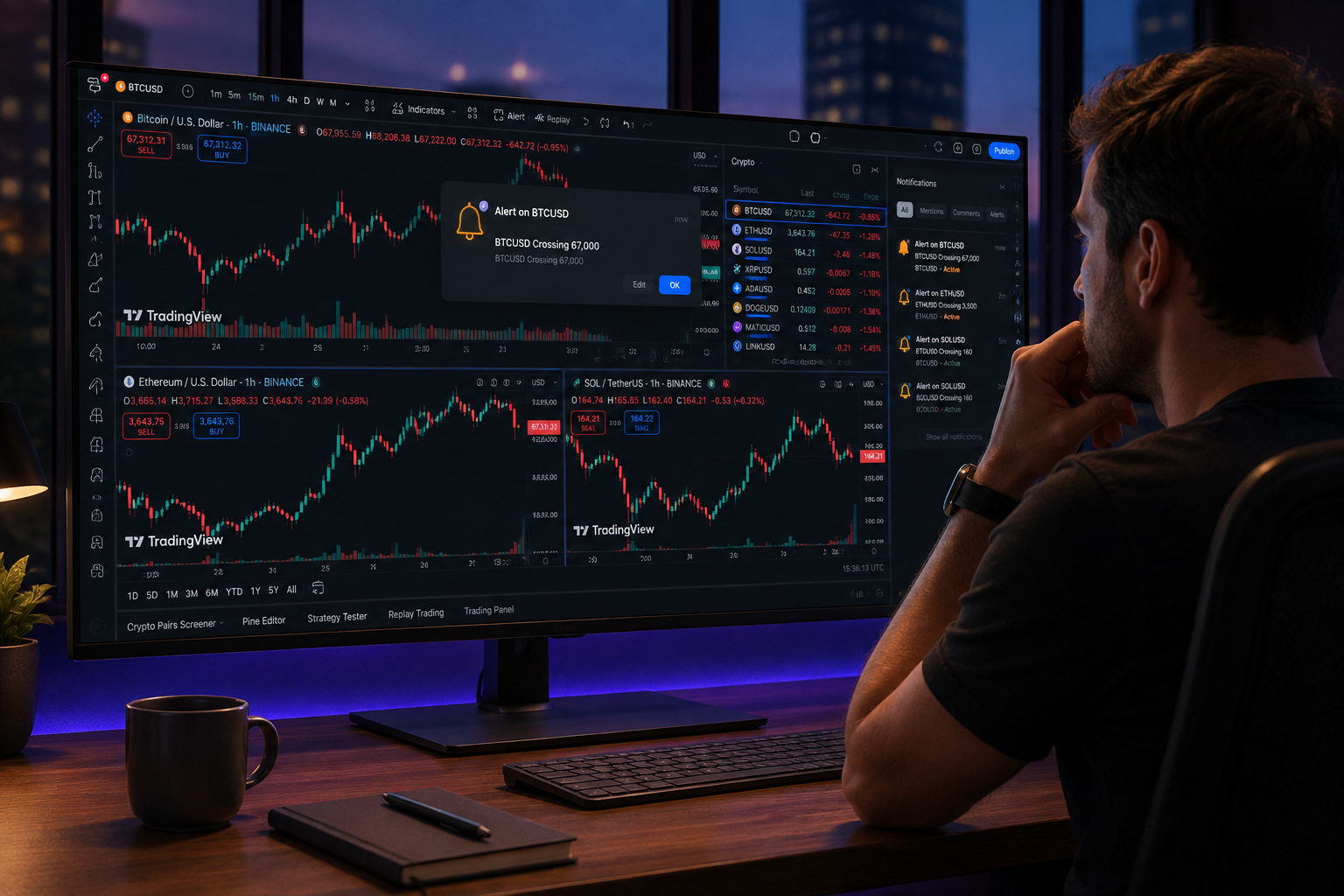
Essential ($12.95/mo annual), the trader this article is written for. You're running a few setups a week around a day job. You've hit the 2-indicator wall, you're tired of tab-juggling for multi-timeframe checks, and three alerts don't cover your watchlist. Essential fixes all three of those problems for less than $13 a month. The ad-free workspace is a bonus. If you're already paying for other tools and need to justify another subscription, this one earns its place quickly.
Plus ($29.95/mo annual), when Essential still binds you. If you find yourself wanting more than 5 indicators on a chart, working with 3 or 4 timeframes simultaneously, or managing a larger watchlist that needs more than 20 alerts, Plus is the next step. Ten indicators per chart and 4 charts per tab covers most serious retail setups. The 100-alert cap handles a large watchlist comfortably. For traders who are also using AI-assisted tools alongside TradingView, the AI trading platforms guide at aistockpickerapps.com covers how these tools stack together.
Premium ($59.95/mo annual), for the heaviest indicator loads and non-expiring alerts. The key differentiator at this tier is that alerts never expire. If you're monitoring long-term levels on weekly charts, that matters. Twenty-five indicators per chart and 8 charts per tab covers even complex multi-strategy setups. This tier makes sense for traders who treat TradingView as their primary analytical environment and need it to work without maintenance overhead.
Ultimate ($199.95/mo annual), one line. This tier is built for professional traders, prop desks, and developers who need the highest data throughput, most indicators, and priority support. Most retail traders won't need it.
Who should stay free, and mean it: If you're still learning to read charts, running a single moving average and volume, paper trading to test a strategy, or only checking prices a few times a week, the free plan is genuinely enough. Don't pay for features you won't use. The free tier is one of the most capable free charting tools available, and there's no shame in staying there until you've actually hit the caps.
For a broader look at how TradingView fits into a full trading toolkit, the AI trading software comparison at aistockpickerapps.com covers where charting tools end and other tools begin.
Sourced Stat Cards
Indicator limits by plan (TradingView pricing page, tradingview.com/pricing):
Free: 2 | Essential: 5 | Plus: 10 | Premium: 25 | Ultimate: 50
Source: tradingview.com/pricing
Alert limits by plan (TradingView pricing page, tradingview.com/pricing):
Free: 3 | Essential: 20 | Plus: 100 | Premium: 400
Source: tradingview.com/pricing
Charts per tab by plan (TradingView pricing page, tradingview.com/pricing):
Free: 1 | Essential: 2 | Plus: 4 | Premium: 8
Source: tradingview.com/pricing
Essential plan price (TradingView pricing page, tradingview.com/pricing):
$12.95/month billed annually ($155.40/year); $14.95/month on monthly billing
Source: tradingview.com/pricing
TradingView registered user base:
Over 100 million registered users as of the platform's own published figures
Source: TradingView About page (tradingview.com/about)
Alpha Score:
Our in-house Alpha Score rates TradingView 95/100 overall. The full five-pillar breakdown is at aistockpickerapps.com.
What the Essential Plan Does Not Fix
Essential solves the three most common free-tier frustrations, but it leaves a few real gaps.
Real-time exchange data still costs extra on some markets. The Essential subscription does not automatically unlock real-time data for every exchange. Some markets, certain international stock exchanges, specific futures feeds, require separate paid data subscriptions on top of your TradingView plan. If you trade US equities through a connected broker, you may get real-time data through that integration, but don't assume Essential covers everything. Check the specific data feeds you need on TradingView's data page before upgrading.
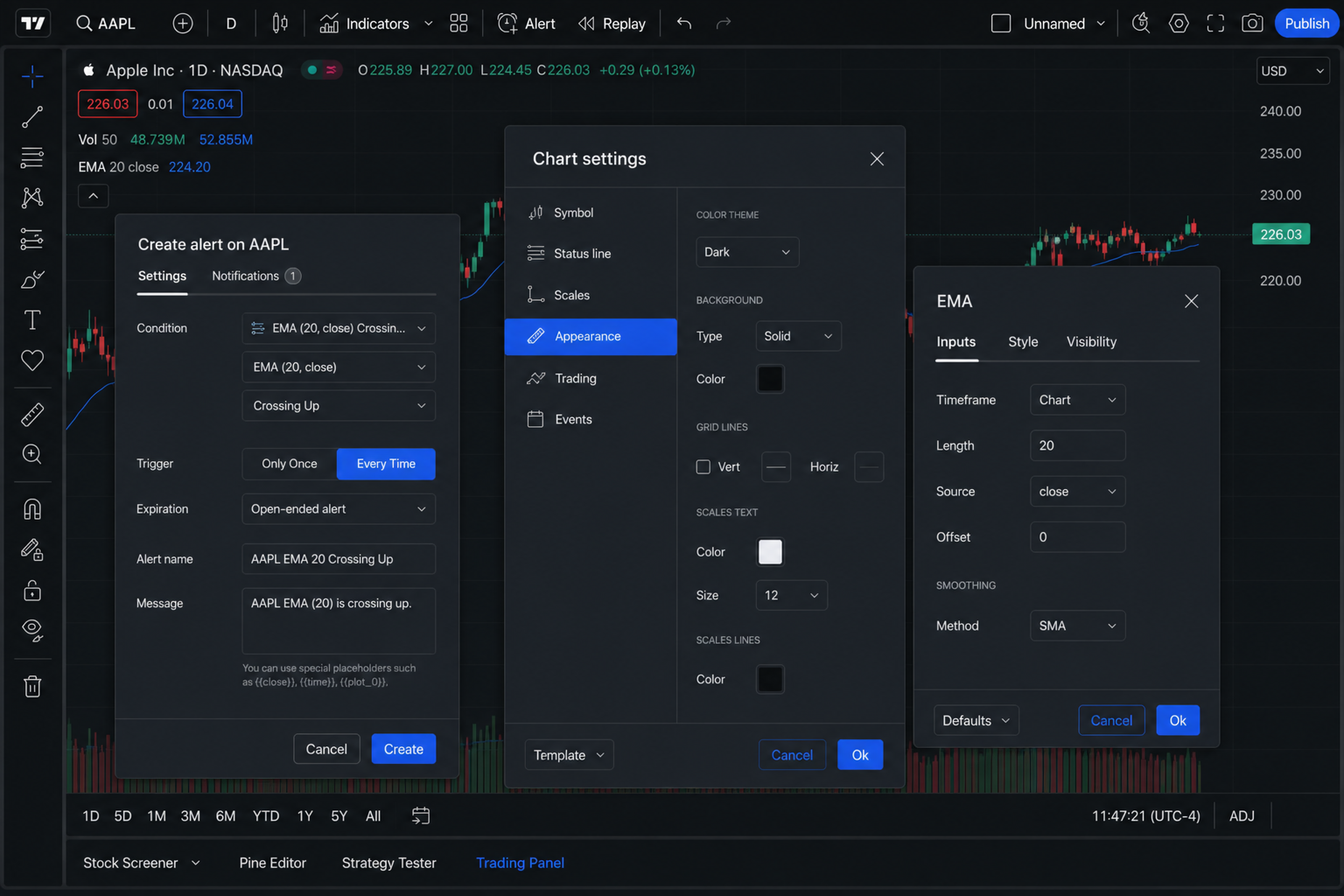
Alerts still expire on Essential. This is the most practically annoying limitation that Essential doesn't fix. Your 20 alerts will expire after roughly 1 to 2 months. For traders monitoring short-term setups that trigger within days or weeks, this is fine. For traders watching weekly or monthly chart levels that might not trigger for two or three months, you'll need to manually renew alerts or upgrade to Premium for non-expiring alerts. It's a real workflow tax if you forget.
Two charts per tab is still tight for serious multi-timeframe work. If your process involves checking a weekly trend, a daily setup, a 4-hour entry zone, and a 1-hour trigger simultaneously, two charts per tab doesn't get you there. You'll still be juggling tabs or windows. Essential is a meaningful improvement over one chart per tab, but it's not a complete solution for traders who work more than two timeframes at once. Plus (4 charts per tab) or Premium (8 charts per tab) is the answer for that workflow.
✅ What We Love / ❌ What Could Be Better
✅ What we love:
- Five indicators covers the majority of real retail setups without paying for Plus
- Twenty alerts is enough to run a real watchlist without constant triage
- Ad-free workspace at the lowest paid price point
- Charts sync across browser, desktop, and mobile automatically
- The community script library is enormous and fully accessible at every tier
- Paper trading and Bar Replay are free and genuinely useful for skill-building
- $12.95/month annually is priced fairly for a daily-use tool
❌ What could be better:
- Alerts still expire at this tier, non-expiring alerts require Premium
- Two charts per tab won't satisfy traders working more than two timeframes
- Some real-time data feeds require additional payment on top of the subscription
- The jump from Essential to Plus is a $17/month step, there's no middle tier
- Bar history limits, while extended on Essential, are still not the full historical dataset available at higher tiers
Conclusion: Who Should Buy the TradingView Essential Plan?
Buy Essential if you've hit the 2-indicator cap, your 3-alert limit doesn't cover your watchlist, or you want two timeframes visible without managing a mess of browser tabs. At $12.95/month annually, it's a targeted fix for real daily friction, not a feature dump you'll need to justify.
Stay free if you're still building your chart-reading skills, running a single setup with one or two indicators, or using TradingView primarily for paper trading and screening. The free plan is legitimately capable and costs nothing to keep.
Upgrade to Plus if Essential's 5-indicator and 2-chart-per-tab limits still bind you after a month of use. The step up is $17/month more, but 10 indicators and 4 charts per tab covers most serious retail workflows.
Go to Premium only if non-expiring alerts matter to your strategy, long-term level monitoring on weekly charts, or if you need 25 indicators on a single chart.
The one next step: Go to tradingview.com/pricing, confirm the current annual rate for Essential, and start a trial. TradingView offers a 30-day trial on paid plans, so you can verify that 5 indicators and 20 alerts actually cover your setup before you commit to a year. If you want to see how TradingView fits into a broader trading toolkit, the AI stock trading guide at aistockpickerapps.com covers where charting ends and other tools pick up.
Prices and feature limits sourced from tradingview.com/pricing. Verify current figures before purchasing, as TradingView updates its plans periodically.
We test the tools. You get the verdict.
One email a week. What we tested, what scored, and what we'd skip. Written for traders, not for clicks.
Frequently asked
Topics in this teardown
Our verdict on TradingView
TradingView scores 95 because there is almost nothing to argue with.