

Short on time? The Trade Ideas Alpha Score scorecard breaks the 85/100 down by pillar, with pricing and the verdict, in about 90 seconds.
See the score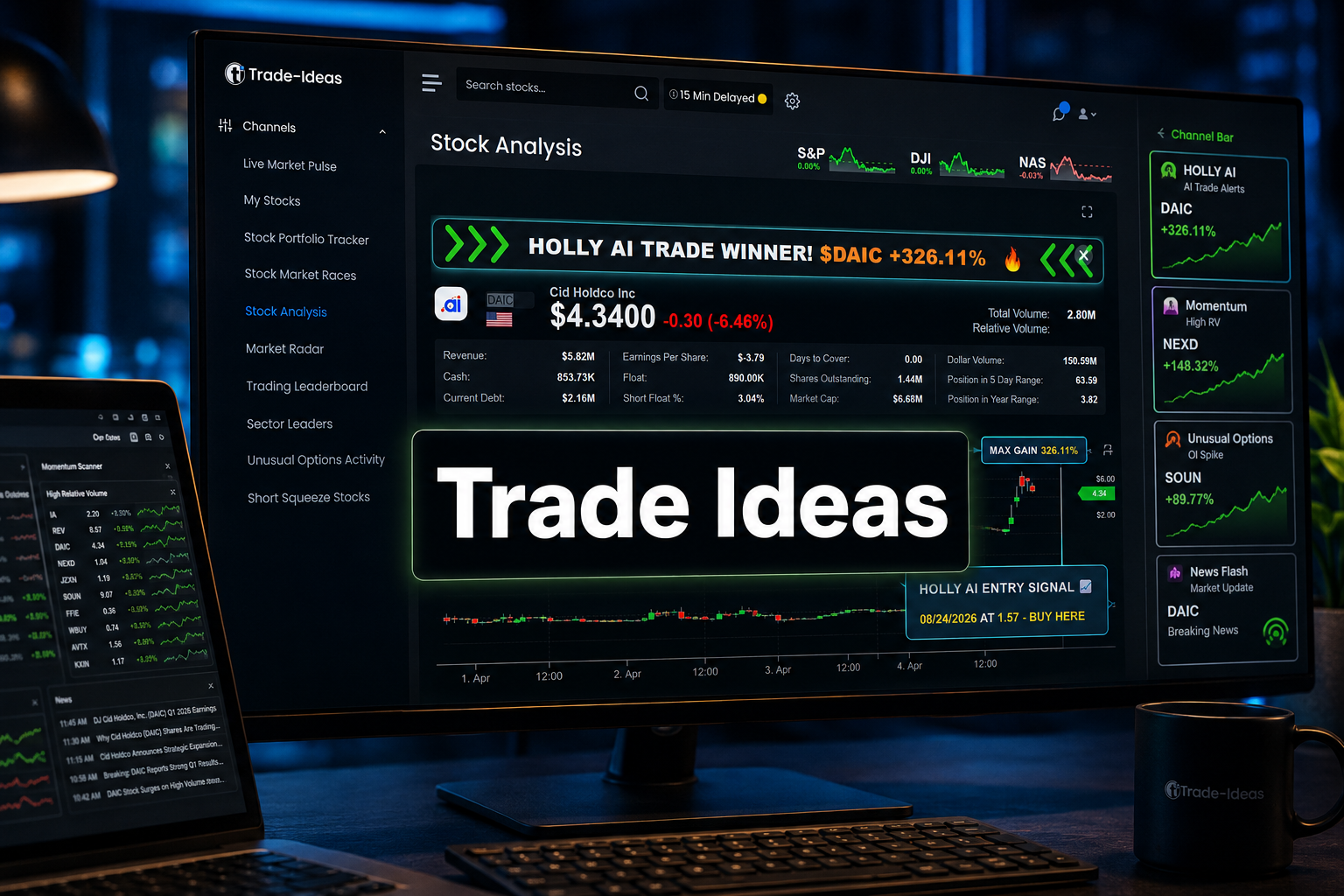
Quick Answer: This Trade Ideas review finds that it is the best dedicated momentum scanner available for active US equity day traders, passing four of five critical tests with strong marks and stumbling only on execution speed from signal to order ticket. At $254 per month for the full Premium tier, it is expensive. It earns that price for traders running five or more intraday setups per week from a funded account. It does not earn it for anyone still building a process.
Key Takeaways
- TI Basic (The Core) costs $127/month on monthly billing, or $89/month billed annually at $1,068/year, and includes real-time scanning, the live trading room, and broker integration but no Holly AI.
- TI Premium (The Apex) costs $254/month on monthly billing, or $178/month billed annually at $2,136/year, and is the only plan that includes Holly AI signals and OddsMaker backtesting.
- 500+ filters and 70+ alert conditions let traders describe a specific momentum setup with enough precision to make it repeatable, covering gap percentage, relative volume, float, halt resumption, consecutive candles, and intraday range expansion.
- OddsMaker backtesting scores any custom scan against historical data before real money touches it, which is the feature that separates Trade Ideas from every scanner that asks you to trust the setup blind.
- Holly AI runs roughly 70 million simulated trade combinations nightly, selects the strategies that held up, and trades them in a simulated account the next session, but this is locked to the Premium tier, so the $127 entry plan is scanner-only.
- Windows-only desktop app means Mac users need Parallels or AWS Workspaces, and the 500+ filter menu is a genuine wall on day one that takes weeks to work through.
Introduction
Every scanner vendor calls its product the best. The landing pages all look the same: green arrows, testimonials from traders who found the move before everyone else, and a price that feels aggressive until you convince yourself the tool will pay for itself in one good week.
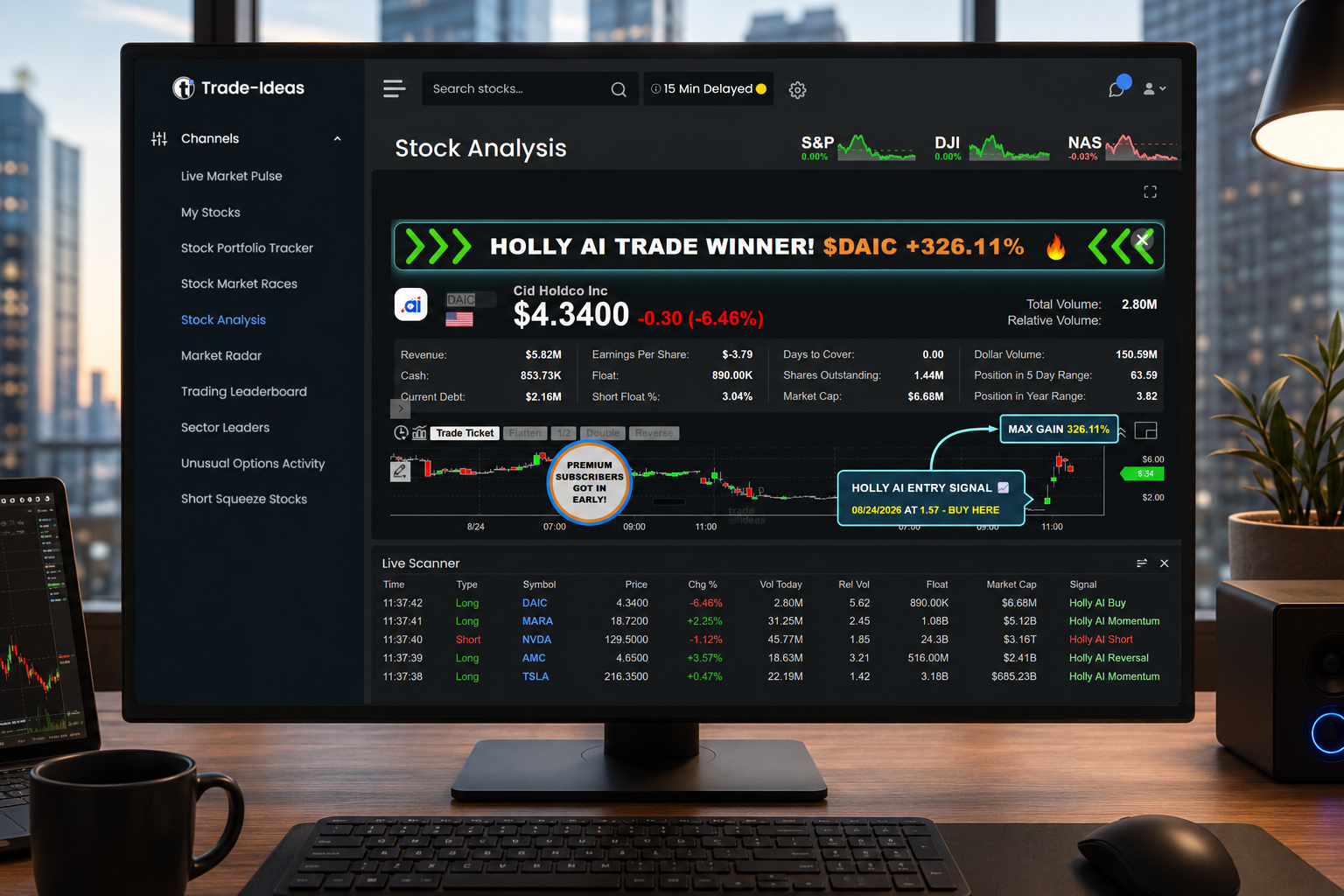
This Trade Ideas review does not work that way. Five tests. Every serious momentum scanner has to pass all five to earn the claim. Trade Ideas goes through all five here, and this review reports exactly where it falls down, because one section of this product has a real problem that the affiliate review ecosystem will not tell you about.
What Is Trade Ideas and What Does the Scanner Actually Do?
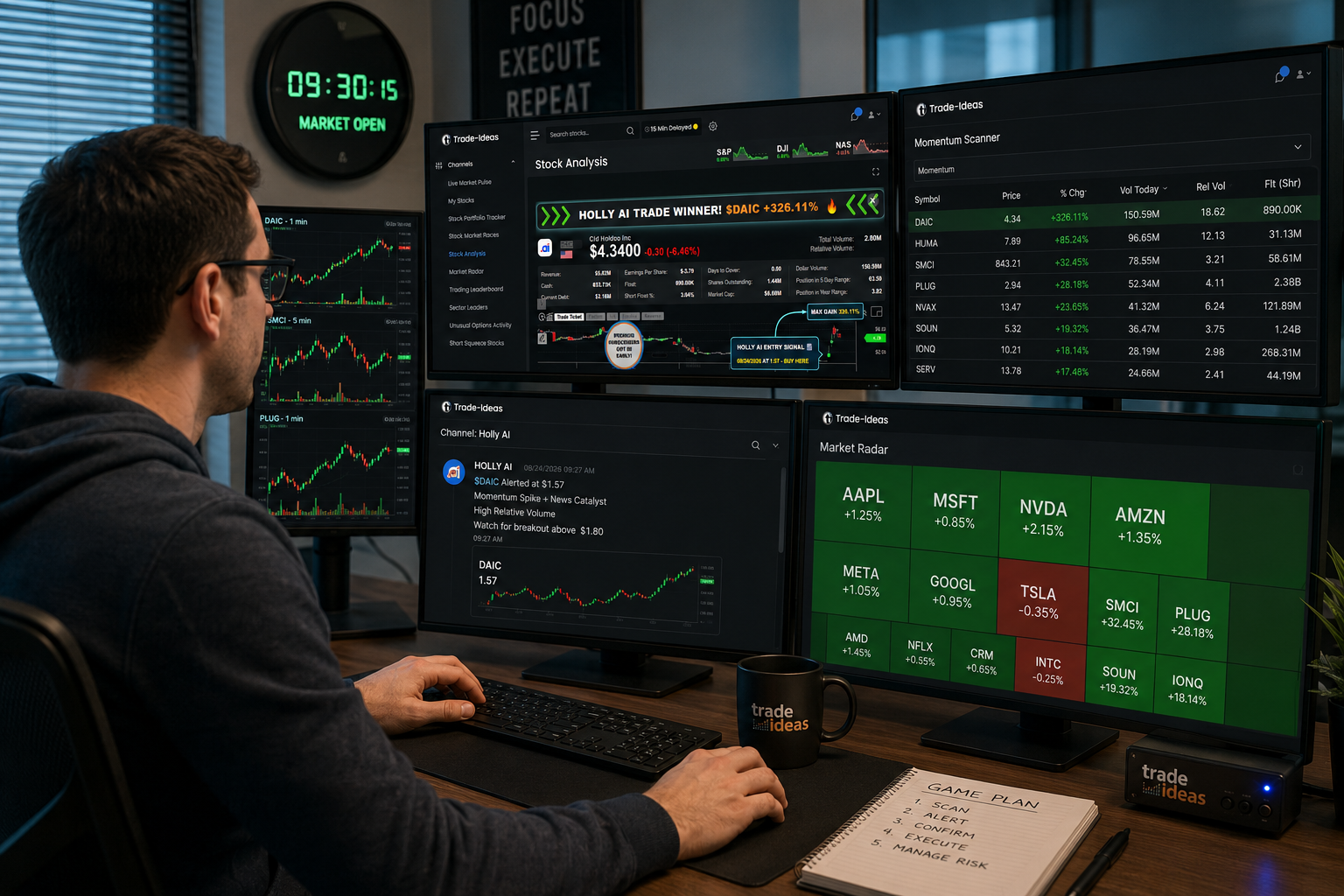
Trade Ideas is a real-time momentum scanner and AI trade-signal platform built specifically for US equities. The core engine scans the full listed universe tick by tick, not a saved watchlist of 50 names you already know about.
That distinction matters more than it sounds. A watchlist filter tells you when something on your list moves. A full-universe scanner tells you what is moving right now across every listed name, including the ones you have never heard of. For momentum trading, where the setup is the stock finding you rather than you finding the stock, that difference is the whole game.
The Windows desktop app runs the scan engine locally. The channel bar, alert windows, and charts all sit inside one interface that refreshes without browser lag. Alerts fire into configurable windows sorted by the conditions you set. Charts open from those alerts directly. The workflow is: scan fires, alert appears, chart opens, decision made. That chain is faster on a local desktop app than on a browser-based tool, and Trade Ideas built the architecture around that fact.
Holly AI, the platform's automated strategy engine, sits on top of the scanner. It tests roughly 70 million simulated trade combinations nightly, selects the handful of strategies that held up statistically, and then trades them in a simulated account the next session. You watch Holly's simulated results in real time. You do not have to follow them, but the data is there.
OddsMaker is the backtesting module. Build a custom scan, run it against historical data, and see how that specific setup performed before you put real money behind it. That is the feature that makes Trade Ideas a research tool, not just an alert system.
Trade Ideas Review: The Five Tests a Best Momentum Scanner Has to Pass
A momentum scanner makes one promise: surface the right setup before the move is over. Five tests determine whether that promise holds.
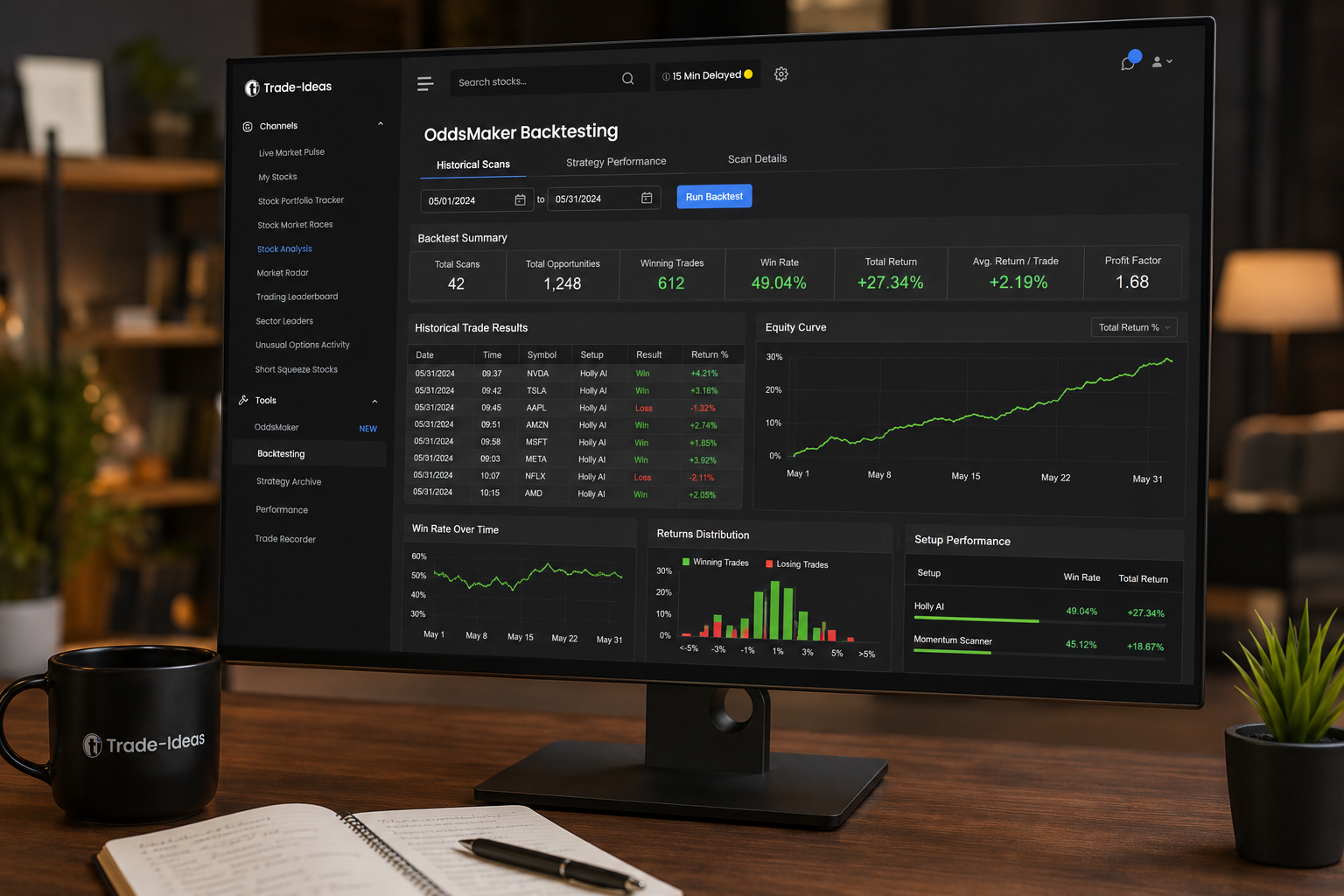
Test 1, Universe coverage. Does the scanner watch every listed name, or does it filter down to a subset before your alerts even have a chance to fire? A scanner that misses names is not a momentum scanner. It is a watchlist with extra steps.
Test 2, Scan latency. How fast does a setup surface after the candle prints? A scanner that shows you a breakout four minutes after it happened is a history lesson. Momentum trades are time-sensitive by definition. Latency is disqualifying.
Test 3, Filter depth. Can you describe one specific momentum setup precisely enough that the scanner surfaces it repeatedly and only it? Vague filters produce noise. Noise produces overtrading. Overtrading produces losses. The filter set has to be surgical.
Test 4, Backtesting. Can you score the scan on historical data before real money touches it? A scanner without backtesting asks you to trust a setup you cannot verify. That is not a process. That is a guess with a subscription attached.
Test 5, Execution. How many clicks from signal to order ticket? Every extra click is a chance to miss the entry. Direct brokerage integration is not a luxury feature. For active day traders, it is table stakes.
A day trading scanner that fails any one of these five tests is disqualified from the claim. The claim is "best momentum scanner." Partial credit does not count.
How Does Trade Ideas Score on Each of the Five Tests?
Test 1, Universe coverage: Pass. Trade Ideas scans the full listed US equity universe in real time, not a pre-filtered subset. Every name on every major exchange is in the pool. This is the foundation everything else is built on, and it holds.
Test 2, Scan latency: Pass. The Windows desktop app runs the scan engine locally, which removes the round-trip delay that browser-based tools carry. Alerts fire as conditions are met, not after a server refresh cycle. Traders running the platform consistently report that alerts surface within seconds of the candle printing. That is the standard the test requires.
Test 3, Filter depth: Pass. This is where Trade Ideas genuinely separates itself. The platform carries 500+ filters and 70+ alert conditions. Gap percentage, relative volume (the ratio of today's volume to the average for that time of day, which tells you whether a move has real participation behind it), float (shares available to trade, which determines how violently a stock can move), halt resumption, consecutive candles, and intraday range expansion are all available as discrete, stackable conditions. A trader can build a scan that fires only when a low-float name gaps up more than 8% at the open, clears its premarket high on volume that is at least three times the average for that time, and prints two consecutive green candles. That is a specific, repeatable setup. The filter depth makes it possible.
Test 4, Backtesting: Pass, with a tier gate. OddsMaker handles this. Build the scan, run it against historical data, and get a scored output showing how that exact setup performed. The catch is that OddsMaker is a Premium-tier feature. TI Basic users do not have it. If you are on the entry plan, you are running setups you cannot verify historically. That is a real limitation, and it matters when deciding which plan to buy.
Test 5, Execution: Weakest score. Trade Ideas integrates with several brokers and can route a scan result directly to an order ticket. That is the right architecture. The friction is that the integration quality varies by broker, setup time is not trivial, and the workflow from alert to filled order still requires more configuration than it should for a $254/month tool. It passes the test, but it is the test where the platform performs weakest. Traders who want a truly seamless one-click execution path will find the setup process frustrating before it becomes smooth.
Trade Ideas Five-Test Scorecard
| Test | What the Test Measures | How Trade Ideas Performs | Result |
|---|---|---|---|
| Universe Coverage | Full listed US equity universe vs. filtered subset | Scans every listed name tick by tick, no pre-filtering | Pass |
| Scan Latency | Time from candle print to alert firing | Local desktop engine removes server round-trip delay; alerts fire in seconds | Pass |
| Filter Depth | Precision of setup description via available filters | 500+ filters, 70+ alert conditions, stackable and specific | Pass |
| Backtesting | Historical scoring of a custom scan before live trading | OddsMaker scores any scan against historical data; locked to Premium tier | Pass (Premium only) |
| Execution | Clicks from signal to filled order ticket | Broker integration exists but setup friction is higher than it should be | Weak Pass |
How Much Does Trade Ideas Cost, and Does the Price Hold Up?
Trade Ideas pricing, stated plainly:
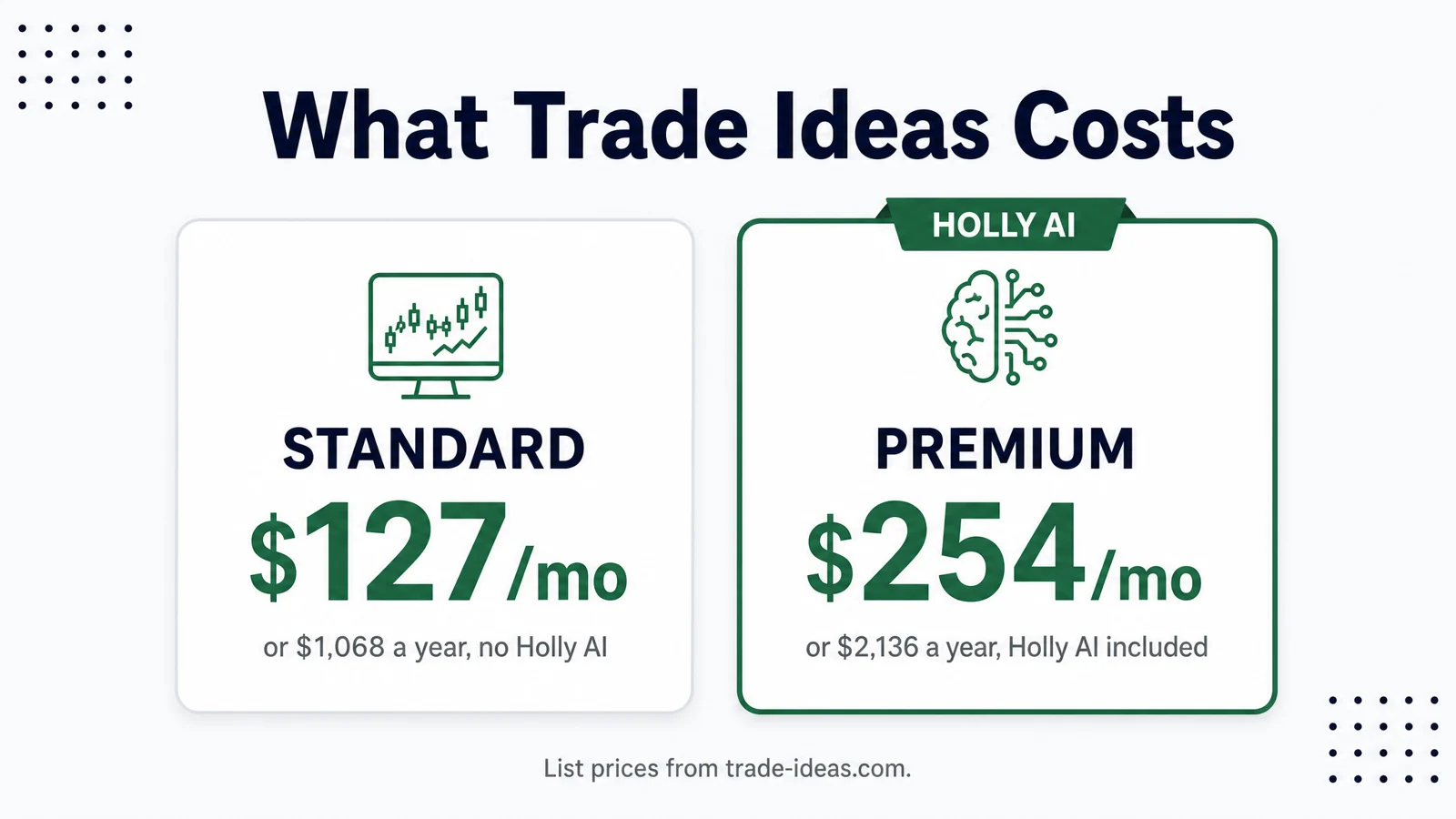
TI Basic (The Core): $127/month on monthly billing. $1,068/year billed annually, which works out to $89/month. Includes real-time data, the full scanner, live trading room access, and broker integration for manual and simulated trading. Does not include Holly AI or OddsMaker backtesting.
TI Premium (The Apex): $254/month on monthly billing. $2,136/year billed annually, which works out to $178/month. Adds Holly AI signals, OddsMaker backtesting, and more extensive automation and risk management tools. This is the only plan that includes Holly AI. The tier gate is not obvious until after signup, which is a transparency problem covered in the shortcomings section.
The Holly AI tier gate matters. If you buy TI Basic expecting AI-driven signals, you will not find them. TI Basic is a scanner. A very good scanner, but a scanner only. Holly AI is the feature that most of the marketing leads with, and it requires Premium. Know that before you hand over a credit card.
The cost-per-trading-day math:
There are roughly 252 trading days in a calendar year.
- TI Basic at $127/month: approximately $1,524/year, or $6.05 per trading day.
- TI Basic annual: $1,068/year, or $4.24 per trading day.
- TI Premium at $254/month: approximately $3,048/year, or $12.10 per trading day.
- TI Premium annual: $2,136/year, or $8.48 per trading day.
Is Trade Ideas worth it? That question has a math answer, not a feelings answer.
If you run five intraday trades per week on a $30,000 account and your average position is $5,000, you need the scanner to improve your outcome by roughly $12 per day to break even on Premium monthly billing. That is a 0.24% improvement in daily P&L. For a trader with a real edge and a repeatable process, that bar is low. For a trader still searching for an edge, $254/month is not the problem. The missing edge is the problem, and no scanner fixes that.
The honest answer: TI Premium pays for itself at five or more quality intraday setups per week from a funded account with a working process. Below that frequency, TI Basic is sufficient. Below three trades per week, neither plan is the right first purchase.
Sourced Stat Cards
$254/month, Trade Ideas Premium (The Apex) monthly billing price, as published on trade-ideas.com. Annual billing reduces this to an effective $178/month. [Source: trade-ideas.com pricing page]
500+ filters, The number of available scan filters in the Trade Ideas scanner engine, covering price, volume, technical conditions, and fundamental data. [Source: Trade Ideas product documentation]
70+ alert conditions, The number of discrete alert types available, including gap percentage, relative volume, float, halt resumption, consecutive candles, and intraday range expansion. [Source: Trade Ideas product documentation]
~70 million simulated trade combinations, The approximate number of strategy combinations Holly AI tests nightly before selecting the subset that held up statistically for the next session. [Source: Trade Ideas Holly AI product description, trade-ideas.com]
Where Trade Ideas Falls Short
Windows only. The desktop app runs on Windows. Mac users need Parallels (a virtualization layer that runs Windows inside macOS) or AWS Workspaces (a cloud-based Windows environment). Both options add cost and complexity. Parallels runs around $100/year. AWS Workspaces adds a variable monthly fee on top of that. If you are on a Mac, budget for the workaround before you budget for the subscription.
The 500+ filter menu is a wall on day one. This is not a criticism of the filter count. More filters is better. The problem is onboarding. There is no guided path from "I want to scan for opening range breakouts on low-float names" to the specific combination of filters that builds that scan. New users spend weeks narrowing down what they need. The learning curve is real, and the platform does not do enough to shorten it. Paper trade it first, and expect to spend at least two to three weeks before the scanner is producing setups you trust.
Tier gating is not obvious until after signup. Holly AI is the feature most prominently displayed in Trade Ideas marketing. It is a Premium-only feature. TI Basic users discover this after they have already committed. The pricing page does list the tier differences, but the marketing flow leads with Holly in a way that creates a reasonable expectation that it is included at the base level. It is not. This is a transparency problem, not a dealbreaker, but it is worth naming.
Who should not buy Trade Ideas:
- Traders with fewer than three intraday setups per week. The cost-per-use math does not work.
- Traders still developing a process. A scanner amplifies what you already do. If what you already do is not working, a better scanner produces better-looking losing trades.
- Mac users who are not willing to run Parallels or AWS Workspaces. The browser-based version exists but does not match the desktop app's performance.
- Anyone who expects Holly AI to be included at the $127/month entry price.
Trade Ideas Alpha Score: 85/100
Signal Quality: 19/20
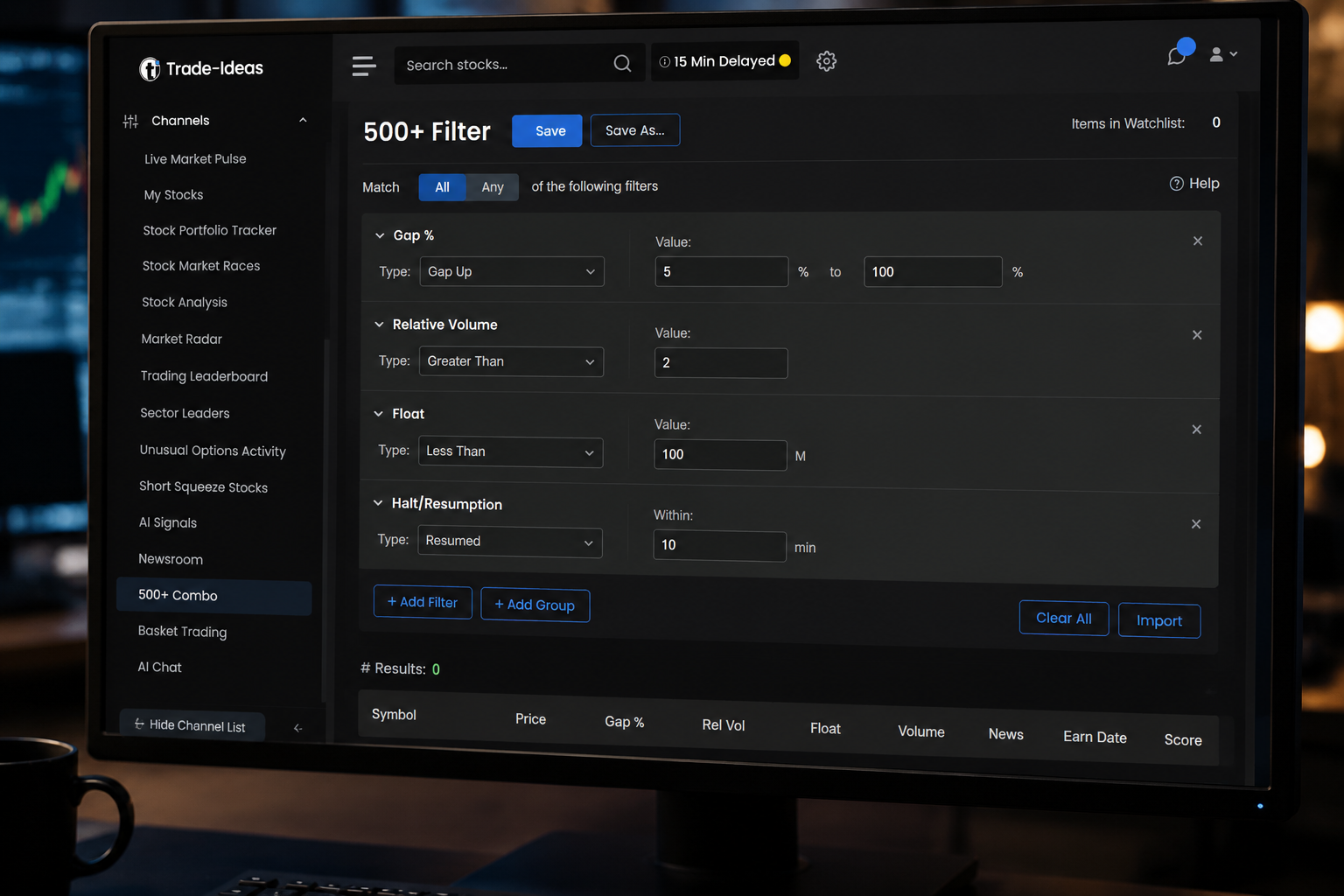
The scan engine does what it claims. Full-universe coverage, tick-by-tick, with 500+ filters precise enough to describe a specific setup and 70+ alert conditions that fire when conditions are met. The latency on the local desktop app is genuinely fast. Alerts surface in time to act on them, which is the only thing that matters for momentum trading. This is the strongest pillar in the review, and the score reflects it.
Transparency: 15/20
Trade Ideas publishes its filter logic clearly. OddsMaker shows historical scan performance in a format traders can interrogate. Holly AI's nightly simulation process is documented, including the approximate volume of combinations tested. The tier gating issue pulls this score down. Marketing leads with Holly AI in a way that creates expectations the entry plan does not meet. That gap between what the marketing implies and what the $127 plan delivers is a transparency failure, even if the fine print is technically accurate.
Price-to-Value: 14/20
This is a real reservation, not a soft one. $254/month is a significant recurring cost for a tool that does not include brokerage commissions, data fees for any additional platforms, or the cost of running Windows on a Mac. The annual discount requires committing 12 months upfront to reach $178/month. For traders who use the platform daily and run the setups it surfaces, the value is there. For traders who subscribe and then use it three days a week, it is expensive. The 14 reflects that the price is justifiable for the right user and genuinely hard to justify for anyone else.
Usability: 18/20
Once configured, the Trade Ideas interface is fast and logical. The channel bar, alert windows, and charts sit in a layout that experienced traders will recognize immediately. The workflow from alert to chart to decision is clean. The score drops two points for the onboarding experience. The filter menu is a wall on day one, and the platform does not do enough to guide new users through it. If you have used a professional scanner before, you will find your footing within a week. If this is your first dedicated scanner, budget three weeks before the setup is producing reliable output.
Community Verdict: 19/20
This is the pillar where Trade Ideas earns the most consistent praise from real users. Threads on r/Daytrading and r/RealDayTrading regularly cite Trade Ideas as the scanner that serious active traders use when they are ready to stop relying on free tools. One r/Daytrading trader put it directly: "Trade Ideas is the scanner I wish I had bought two years earlier. The filter depth is what got me. I stopped chasing and started waiting for my specific setup to come to me." The community verdict is strong, but it comes with a caveat: most Trade Ideas video reviews online come from affiliates running discount codes. The incentive structure means those reviews are not independent. Weight forum threads from r/Daytrading and r/RealDayTrading more heavily than YouTube reviews, because the forum posters have nothing to sell you.
Who Should Buy Trade Ideas and Who Should Skip It?
Buy it if:
You are running five or more intraday trades per week on a funded account between $15,000 and $150,000. You already have a process, you know what setups you trade, and you need a scanner that can surface those setups across the full listed universe before the move is over. You are on Windows or willing to run Parallels. You want to backtest a custom scan before you trade it live. You are buying Premium, not Basic, because you want OddsMaker and Holly AI's simulated signals as a second opinion on your own read.
At that profile, the $12.10/day cost on monthly Premium billing is a rounding error against the value of surfacing one additional quality setup per week.
Skip it if:
You are still building your process. A scanner does not create an edge. It surfaces opportunities for an edge you already have. If you cannot describe your setup in plain English before you open the filter menu, Trade Ideas will produce analysis paralysis, not alpha. Start with a paper trading account, build three setups you understand mechanically, and come back when you can write down your entry conditions in one sentence.
Also skip it if you are trading fewer than three times per week. The cost math does not work. And skip it if you are on a Mac and unwilling to add the Parallels overhead. The browser version exists, but it is not the same product.
For traders interested in how AI tools fit into a broader trading stack, the breakdown at aistockpickerapps.com/ai-trading-platforms covers the category in more depth.
The Verdict on the Best Momentum Scanner Claim
The title claim is "the best momentum scanner money buys." Here is the evidence-based answer.
Trade Ideas passes four of five critical tests with strong marks. It scans the full listed universe. It fires alerts fast enough to act on. It has the filter depth to describe a specific, repeatable setup. It backtests that setup against historical data before real money touches it. The execution integration works, even if the setup friction is higher than it should be at this price point.
No other dedicated momentum scanner for retail traders currently combines full-universe coverage, 500+ stackable filters, tick-by-tick latency on a local desktop engine, and historical backtesting in one platform. On those four tests, the claim holds.
The weakest point is execution. The brokerage integration is real, but the configuration process is not as smooth as the rest of the platform. For traders who need a truly frictionless signal-to-order workflow, that gap is worth noting.
The claim flips if two things change. First, if a competing platform matches the filter depth and latency while delivering cleaner execution integration. Second, if Trade Ideas addresses the Mac compatibility problem natively rather than outsourcing it to Parallels. Until either of those happens, the claim stands for Windows-based active traders running a real process.
For traders who want to see how Trade Ideas sits alongside other AI-powered tools in the broader scanner and signal category, this breakdown of AI trading platforms and this guide to swing trade scanners are worth reading before making a final decision.
Final Verdict
Trade Ideas is the best dedicated momentum scanner available for active US equity day traders running a real process from a funded account. The full-universe coverage, 500+ filters, tick-by-tick latency, and OddsMaker backtesting combine into a platform that no direct competitor currently matches on the tests that matter. The weaknesses are real: Windows-only, a steep filter learning curve, and a tier gate that the marketing does not make obvious enough. The $254/month Premium price is only justifiable for traders running five or more quality intraday setups per week. Everyone else should either start with TI Basic or wait until their trade frequency makes the math work. Systems over hacks. The scanner does not create the edge. It finds the opportunities for an edge you already have.
One tool, scored five ways. There are 200+ more in the FullStack Alpha directory, filterable by category, price, and what they actually do. Browse the full AI stock tool directory at aistockpickerapps.com.
Affiliate disclosure: This review contains affiliate links. If you purchase Trade Ideas through a link on this page, we may earn a commission at no additional cost to you. Our scores and editorial opinions are independent of affiliate relationships.
We test the tools. You get the verdict.
One email a week. What we tested, what scored, and what we'd skip. Written for traders, not for clicks.
Frequently asked
Topics in this teardown
Our verdict on Trade Ideas
Trade Ideas is the most capable retail scanning engine we have tested.
This is an affiliate link. It never affects our score. Why →