Best Day Trading Platform (2026): 7 Compared for Active Traders
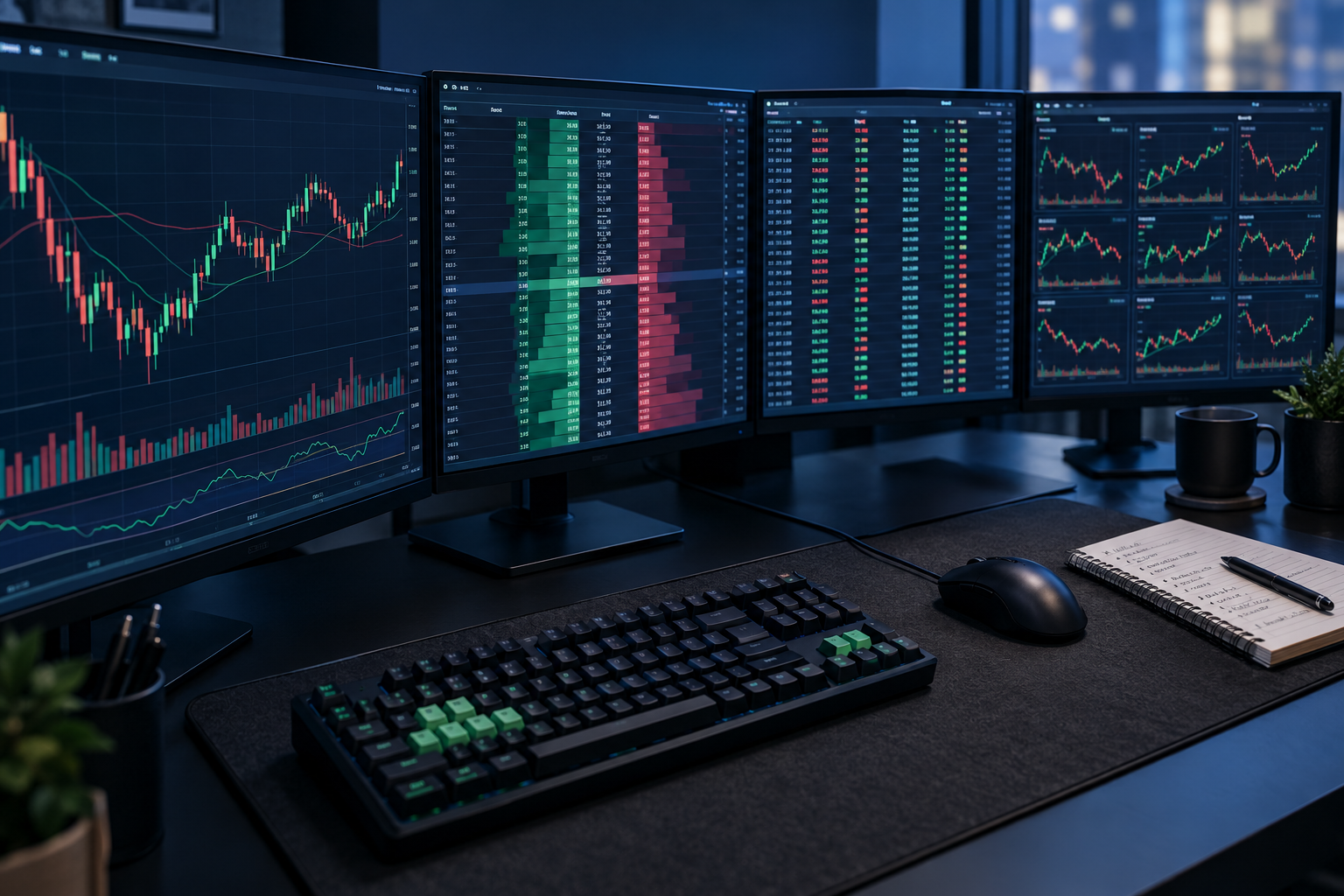
The best day trading platform for most serious active traders is DAS Trader Pro, because nothing else gives you scriptable hotkeys and venue-level order routing in the same window.
Quick answer
DAS Trader Pro wins for high-volume scalpers who need one-keystroke entries and direct routing to a specific exchange or ECN. Lightspeed wins if per-share commission cost is your biggest line item. IBKR Trader Workstation wins if you trade multiple asset classes and want 100+ order types. thinkorswim wins for options-heavy traders who want pro analytics without a platform bill. Webull Desktop wins if you're not ready to pay for direct access yet and want hotkeys for free.
Searching "day trading best platform"? Key takeaways
Most people who type "day trading best platform" into a search bar want one name, but the right answer depends on your trade count, whether you short, and what you pay for data.
- DAS Trader Pro is the hotkey standard. It's sold through partner brokers, not direct, so your monthly platform and market data fees depend on which broker you sign with.
- Lightspeed charges per share rather than per trade, and the rate drops as your monthly volume rises. That structure only pays off above a few hundred thousand shares a month.
- IBKR Trader Workstation carries 100+ order types and access to 150+ markets across stocks, options, futures, and forex, with SmartRouting for price improvement on the IBKR Pro plan.
- thinkorswim is free with a Charles Schwab account and includes $0 online stock and ETF commissions, thinkScript custom studies, and paperMoney simulated trading.
- TradeStation is the only pick here with EasyLanguage, a scripting language for backtesting and automating a strategy inside the broker's own platform.
- Cobra Trading runs DAS Trader Pro and Sterling Trader Pro with per-share pricing and deep short locate inventory, which matters if you short low float names.
- Webull Desktop is the only free desktop platform on this list with hotkeys built in. Level 2 market depth requires a paid data subscription.
- Two platforms here have no minimum barrier worth mentioning (thinkorswim, Webull). Three effectively require a funded, active account to justify their fees (DAS, Lightspeed, Cobra).
How did we pick the best day trading platforms?
We ranked on four things that decide whether you can actually execute a plan intraday: hotkey depth, routing control, market depth data, and total all-in cost including platform and data fees.
Here's what we deliberately ignored. Research libraries. Retirement account features. Robo-advisor add-ons. Anything that helps you hold a stock for three years is irrelevant to a trader who is flat by 4:00 PM.
The four filters, in order of weight:
- Hotkey depth. Can you attach a stop, size the position, and route the order with one keystroke? Or are you clicking through a ticket while the price runs away from you?
- Routing control. Direct access means you pick the venue. Most retail platforms decide for you. That difference shows up in fill quality on thin, fast-moving names.
- Level 2 and time and sales. Level 2 shows the bids and offers stacked behind the current price. Time and sales is the tape, every print as it happens. Without both, you're reading a chart and guessing at supply.
- Total cost honesty. A $0 commission platform with a $150 monthly data bill isn't free. A per-share broker at high volume can be cheaper than a "free" one. We looked at the whole bill.
We also weighed reliability during volatile opens, because a platform that freezes at 9:31 AM is a risk, not a tool. If you want the full scoring framework we use across brokers and tools, it's laid out in how we test.
One more thing worth saying out loud: about 70% of active day traders lose money over time. That statistic doesn't change based on your platform. Better tools make a good process faster. They do not create one. Discipline beats prediction, and no hotkey fixes a missing stop loss.
Best day trading platforms compared side by side
Read the platform fee and data columns before the hotkey column, because that is where the monthly bill hides.
| Platform | Hotkeys | Direct routing | Level 2 + Time & Sales | Commissions & routing fees | Platform fee | Best for | Price |
|---|---|---|---|---|---|---|---|
| DAS Trader Pro | Fully scriptable | Yes, exchange and ECN level | Yes, built into montage | Set by partner broker, typically per share plus routing | Monthly, varies by broker and data package | High-volume scalpers | Not published, varies by partner broker |
| Lightspeed | Yes, active-trader focused | Yes | Yes | Per share, drops with volume | Monthly platform fee applies, often waived at volume | Cost-sensitive high-volume traders | Not published, contact broker |
| IBKR Trader Workstation | Yes, customizable | Yes, plus SmartRouting | Yes, with data subscription | Low per-share or tiered; market data extra | No standalone platform fee for funded accounts | Multi-asset and global traders | Free platform, market data extra |
| thinkorswim | Yes, basic to intermediate | No true direct access | Yes, included | $0 online stock and ETF commissions at Schwab | None | Options and analysis-heavy traders | Free with Schwab account |
| TradeStation | Yes | Yes | Yes | Per share or per trade options; futures separate | Some fees for low-activity accounts | Strategy builders and automators | Free platform for active accounts, fees at low activity |
| Cobra Trading | Yes, via DAS and Sterling | Yes, with short locates | Yes | Per share plus locate and routing fees | Monthly platform and data fees | Short sellers needing locates | Not published, per-share pricing |
| Webull Desktop | Yes | No | Level 1 free, Level 2 is paid add-on | $0 commission on U.S. stocks and ETFs | None | New day traders on a budget | Free |
Prices and fee structures change. Confirm the current schedule with each broker before you fund an account. Nothing in this table is a quote.
DAS Trader Pro: best for high-volume scalpers who route their own orders
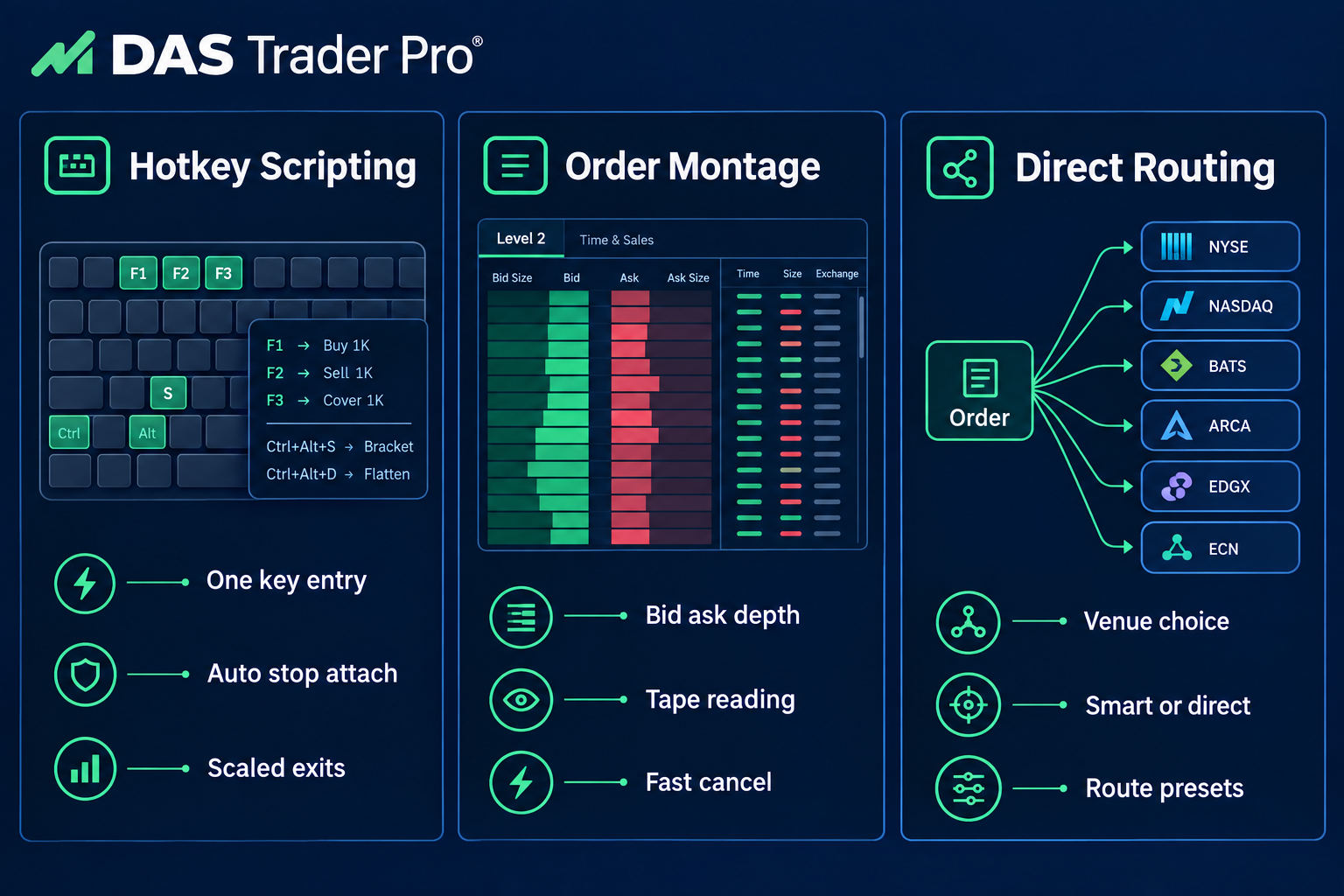
DAS Trader Pro is the platform to beat if your edge depends on speed and venue selection. It's a direct-access trading platform distributed through partner brokers rather than sold to you directly, and it's the software sitting on a lot of prop desks.
The thing that separates it from everything else here is hotkey scripting. Not "assign a key to buy." Actual scripts that can size a position based on your account risk, send the order to a named ECN, and attach a stop at a set offset, all from one keystroke. If you scalp low float movers where a half-second matters, that's the whole ballgame.
The montage is the other piece. Level 2 depth, time and sales, and order entry live in one compact window, so reading the tape and hitting the bid don't require two hands and a long trip across the screen with the mouse.
Pros
- ✅ Fully scriptable hotkeys for one-keystroke entries and exits
- ✅ Direct routing to specific exchanges and ECNs
- ✅ Level 2, time and sales, and montage built for tape reading
- ✅ Used by many prop trading desks
- ✅ Available through several partner brokers
Cons
- ❌ Monthly platform and data fees make it expensive for small or casual accounts
- ❌ Setup and hotkey scripting take real time to learn
Key features: scriptable hotkeys, direct venue routing, integrated montage, customizable layouts, multi-monitor support, broker-dependent data packages.
Choose DAS if you trade more than a handful of times a day, you know which venue you want your order to hit, and you'll spend a weekend building your hotkey layout instead of complaining that it isn't plug and play. Skip it if your account is under a few thousand dollars, because the fixed monthly fees will eat you alive before your strategy has a chance to work.
Common mistake: new traders buy DAS, copy someone's hotkey file from a forum, and fire a 1,000-share order they meant to be 100. Test every hotkey in a simulator with size set to one share first. Paper trade it first, then scale.
Lightspeed: best for cost-sensitive high-volume traders
Lightspeed only earns the top spot for you if your share count is high enough to make per-share pricing work in your favor.
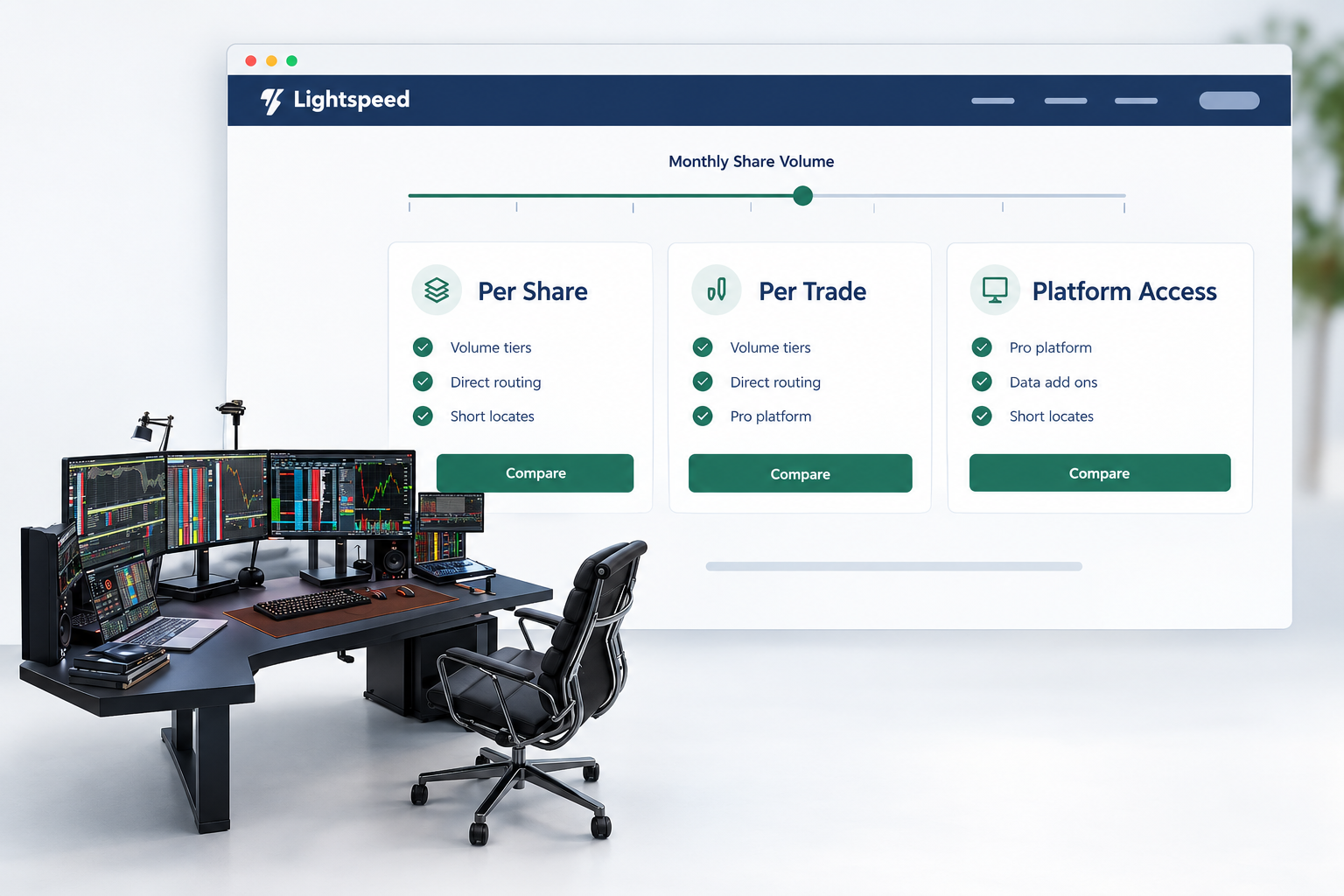
Lightspeed is a direct-access broker built around the assumption that you trade a lot. Its per-share commission schedule drops as monthly volume rises, which is the opposite of how flat-fee retail brokers treat you.
Per-share pricing is worth explaining, because it's where traders get the math wrong. If you're paying, say, a fraction of a cent per share, a 100-share order costs almost nothing and a 10,000-share order costs real money. Flat per-trade pricing is the reverse. So the honest answer is: Lightspeed is cheap if you trade large size infrequently or moderate size constantly, and expensive if you trade 50 shares twenty times a day.
Execution and routing are the other draw. Lightspeed Trader plus third-party platform options (including DAS) means you can pick your front end. Short locate access is available, which matters because you can't short a hard-to-borrow stock without one.
Pros
- ✅ Low per-share commissions that drop with volume
- ✅ Fast direct-access execution and routing
- ✅ Hotkeys and Level 2 built for active traders
- ✅ Short locate access for short sellers
- ✅ Professional-grade platform options
Cons
- ❌ Account minimums and platform fees make it poor value for beginners
- ❌ Interface and tools are aimed at pros, not casual traders
Key features: tiered per-share commissions, direct-access routing, Lightspeed Trader desktop, third-party platform compatibility, short locates, Level 2 data.
Choose Lightspeed if you can do the arithmetic on your own monthly share volume and it comes out ahead of a flat-fee broker. Skip it if you're still figuring out your average position size, because you can't optimize a cost structure you haven't measured yet.
Quick example of the decision rule: trade 300,000 shares a month across 400 trades and per-share pricing usually wins. Trade 15,000 shares a month across 300 tiny trades and a $0 commission broker wins. Run your own numbers, not someone's screenshot.
IBKR Trader Workstation: best for multi-asset and global traders
Think of TWS as a Swiss Army knife that ships without a manual.
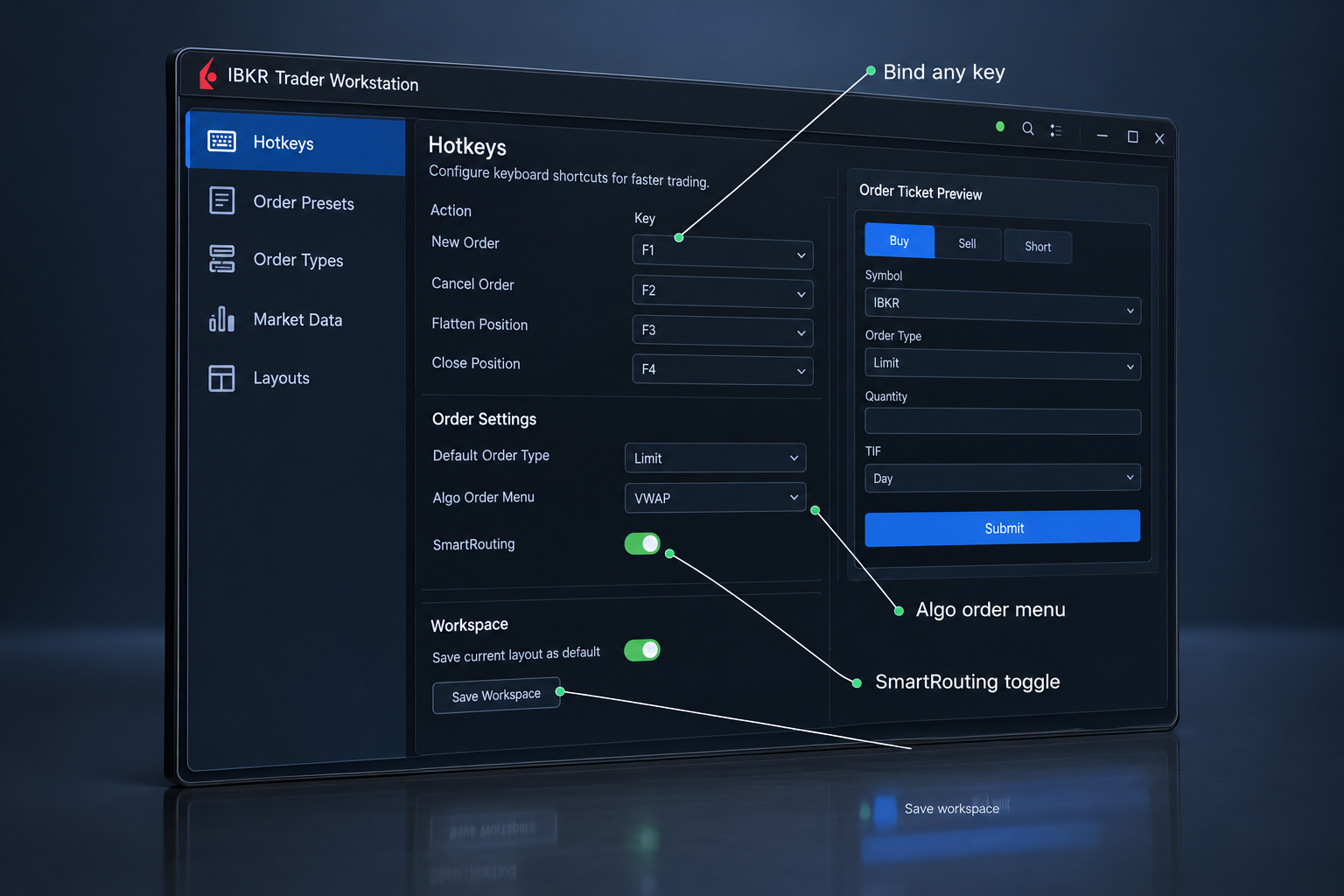
Trader Workstation is Interactive Brokers' flagship desktop platform, and it's the deepest order-control tool on this list. 100+ order types, algorithmic orders, customizable hotkeys, and access to 150+ markets across stocks, options, futures, and forex from a single account.
The order-type depth is the reason professionals tolerate the interface. Adaptive algos, conditional orders, scale orders, trailing variants... if you've read about an order type, TWS probably has it. SmartRouting on the IBKR Pro plan searches venues for price improvement, which is different from true direct access but produces good fills for most traders.
Low margin rates are the quiet advantage. If you carry intraday leverage regularly, the interest difference across a year is not trivia.
Now the honest part. TWS looks like it was designed by engineers who never had to explain it to anyone. It's dense, the defaults are unhelpful, and market data is a separate line item you subscribe to by exchange. Budget a week of configuring before it feels like yours.
Pros
- ✅ 100+ order types and algorithmic orders
- ✅ Customizable hotkeys and layouts
- ✅ Global access to stocks, options, futures, and forex
- ✅ SmartRouting for price improvement on IBKR Pro
- ✅ Low margin rates
Cons
- ❌ Dated, complex interface that overwhelms new traders
- ❌ Market data subscriptions are extra
Key features: 100+ order types, IB algos, global market access, SmartRouting, customizable hotkeys and layouts, option analytics, API access.
Choose TWS if you trade more than one asset class, want low financing costs, and will invest the setup time. Skip it if you want something usable on day one, or if you only trade U.S. equities and need raw venue selection above all else.
Edge case worth flagging: TWS market data is subscribed per exchange bundle. Traders sign up, see delayed quotes, and assume the platform is broken. It isn't. You just haven't paid for the feed yet.
thinkorswim: best for options traders and anyone who needs analysis included
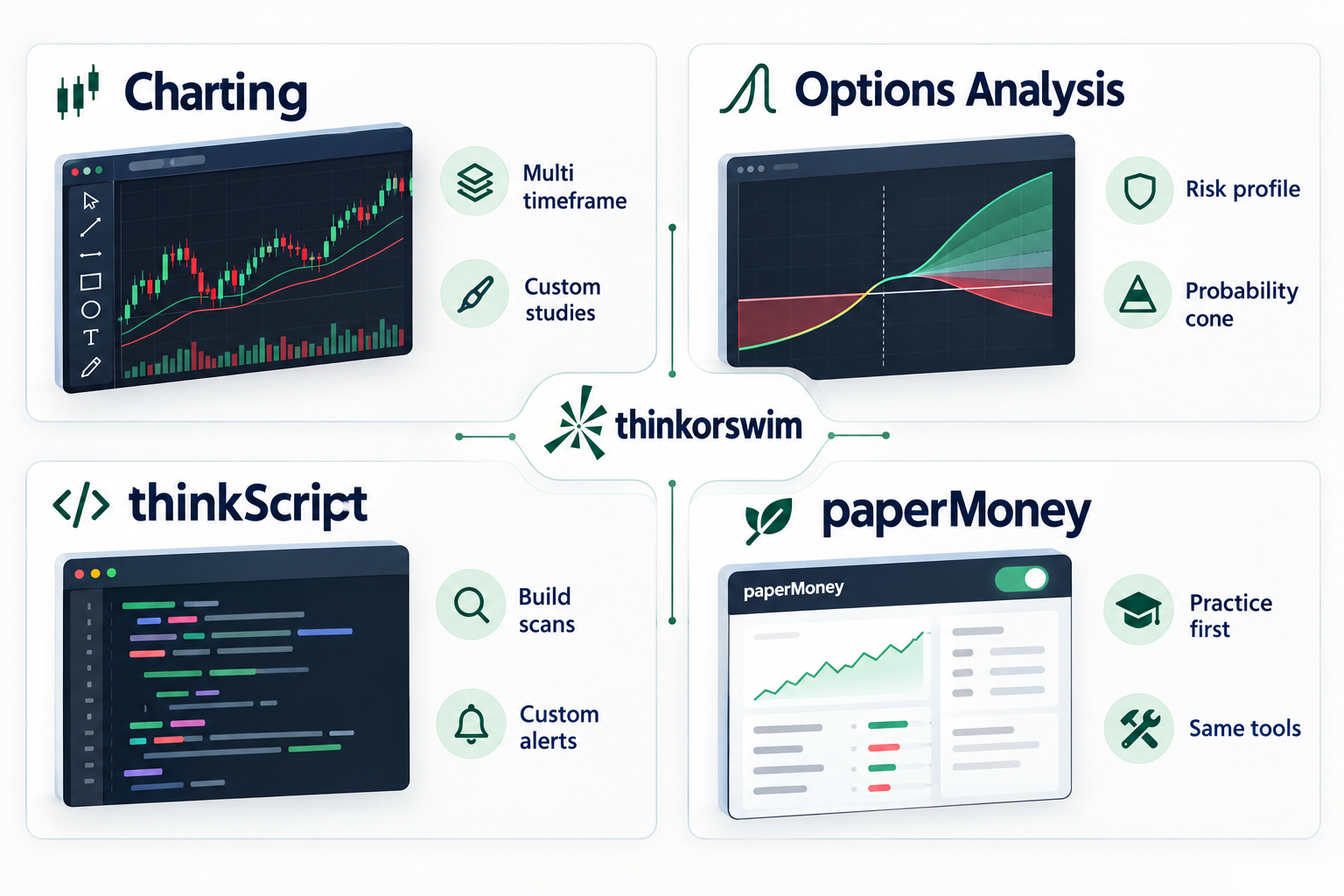
thinkorswim is Charles Schwab's trading platform across desktop, web, and mobile, and it's the best free analytics package on this list by a wide margin. Options probability tools, risk profile graphs, thinkScript for custom studies and scans, and paperMoney for simulated trading, all included with a Schwab account at $0 online stock and ETF commissions.
For options traders, the risk profile visualizer alone is worth the account. You can model a spread, drag the expiration date, and see how the profit and loss curve bends before you commit capital. Platforms charge monthly for less.
thinkScript deserves a mention too. It's a scripting language for building your own indicators and scan criteria, which means you can codify your setup instead of eyeballing it. That's how a watchlist becomes a system rather than a mood.
Where it falls short for pure scalpers: there's no true direct-access routing. Hotkeys exist but they aren't DAS-level scriptable. And the desktop app is heavy. On an older laptop with six chart windows open, it can feel sluggish exactly when you need it not to be.
Pros
- ✅ $0 online stock and ETF commissions at Schwab
- ✅ Powerful options analysis, probability tools, and risk profiles
- ✅ thinkScript lets you build custom studies and scans
- ✅ paperMoney simulated trading for practice
- ✅ Full platform on desktop, web, and mobile
Cons
- ❌ The desktop platform is heavy and can feel slow on older computers
- ❌ Steep learning curve with hundreds of settings
Key features: options analytics, risk profile modeling, thinkScript, paperMoney, custom scans, Level 2 and time and sales included, desktop/web/mobile parity.
Choose thinkorswim if options are a meaningful part of your trading, or if you want a pro-grade platform with zero platform fee while you build a track record. Skip it if your strategy depends on choosing between NASDAQ and ARCA on a per-order basis.
TradeStation: best for strategy builders and automation
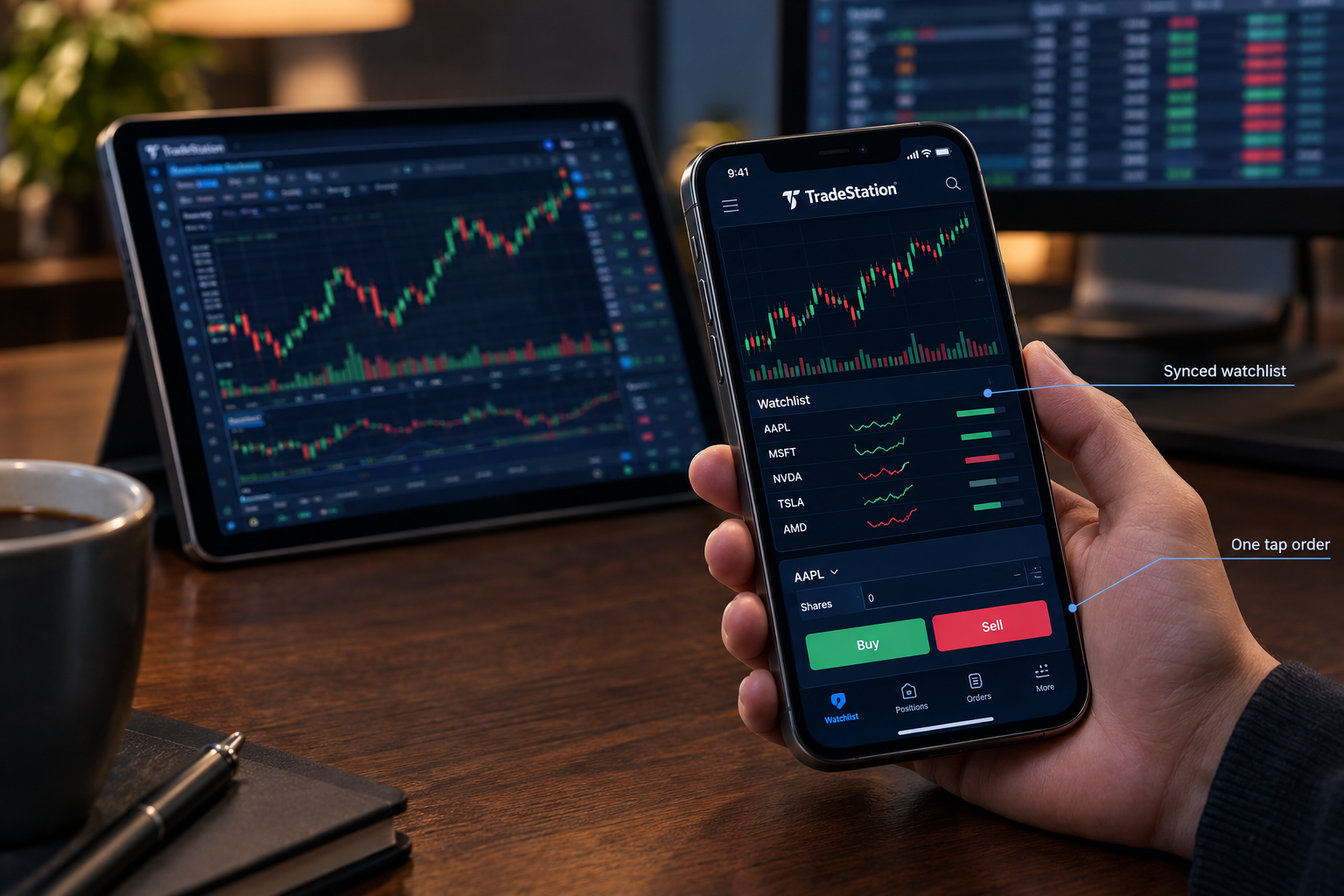
TradeStation is the pick if you want to test an idea before you risk money on it. EasyLanguage, its scripting language, lets you write a strategy, backtest it against historical data, and automate execution inside the broker's own platform. That loop has existed at TradeStation for decades, and it's still the most complete version of it at a retail broker.
Backtesting is not a crystal ball. A curve-fitted strategy that looks perfect on 2023 data can fall apart in a choppy tape. But testing an idea against 500 past instances beats testing it against your last three trades and a feeling.
RadarScreen is the other standout: real-time scanning with your own indicators applied across a list of symbols, updating live. Combine it with EasyLanguage and you can scan for your specific setup instead of a generic "top gainers" list.
Stocks, options, and futures live in one account, and the mobile and web apps sync with desktop, so your watchlist follows you. The friction: the desktop platform is Windows-first with a real learning curve, and some data and platform features carry fees if your account activity is low.
Pros
- ✅ EasyLanguage lets you code, backtest, and automate strategies
- ✅ Advanced desktop charting and RadarScreen real-time scanning
- ✅ Stocks, options, and futures in one account
- ✅ Hotkeys and fast order entry for active traders
- ✅ Mobile and web apps sync with desktop
Cons
- ❌ The desktop platform is Windows-first and has a learning curve
- ❌ Some data and platform features carry fees for low-activity accounts
Key features: EasyLanguage scripting, strategy backtesting, automated execution, RadarScreen scanning, multi-asset account, synced mobile and web.
Choose TradeStation if you think in rules and want to validate them. Skip it if you're a discretionary tape reader who'll never write a line of code, because you're paying complexity tax for features you won't touch.
Cobra Trading: best for short sellers who need locates
For a short seller, the best platform is the one that can actually find the borrow.
Cobra Trading is a direct-access broker for experienced day traders, and its reason to exist is short locate inventory. It offers DAS Trader Pro and Sterling Trader Pro as front ends, per-share pricing, and a support desk that answers the phone.
A locate is permission to borrow shares so you can short them. On a low float runner up 200% on no news, locates are scarce and expensive, and brokers vary enormously in what they can source. If your strategy is fading parabolic moves, your broker's borrow inventory is not a detail. It's the strategy's dependency.
Cobra also gets consistent marks for trader-focused service, which sounds soft until you're locked out of a platform mid-position and need a human in under 30 seconds.
Pros
- ✅ Direct-access routing through DAS and Sterling platforms
- ✅ Strong short locate availability for short sellers
- ✅ Per-share pricing that suits active traders
- ✅ Responsive, trader-focused customer service
- ✅ Hotkeys and Level 2 built in
Cons
- ❌ Account minimum and platform fees rule out small accounts
- ❌ No beginner education or long-term investing features
Key features: DAS and Sterling platform access, short locate desk, per-share commissions, direct routing, Level 2 and hotkeys, dedicated support.
Choose Cobra if you short actively and have been turned down on locates elsewhere. Skip it if you're long-only, or if you want education and hand-holding, because Cobra assumes you already know what you're doing.
Cost warning: locate fees are separate from commissions and can be significant on hard-to-borrow names. Price the locate before you size the trade. Ignore borrow costs and the fee eats the winner.
Webull Desktop: best free platform for newer day traders
Free is the right price for a platform while you are still proving your process.
Webull Desktop is the honest starting point. It's a free desktop platform with multi-window layouts, hotkeys, advanced charting, paper trading, and $0 commission on U.S. stocks and ETFs. No platform fee, no minimum that matters.
What you get is genuinely useful: multiple monitors, saved layouts, keyboard order entry, and a built-in simulator so you can rehearse a setup without paying tuition to the market. For a trader in the first year, that covers most of what actually improves results.
What you don't get is routing control. Your order goes where Webull sends it, full stop. And Level 2 market depth requires a paid data subscription, so the tape-reading piece isn't free.
That's a fair trade at this stage. You don't need venue selection when your real problem is position sizing and holding a stop. Fix the process on free tools, then pay for speed when speed becomes your binding constraint.
Pros
- ✅ Free desktop platform with multi-window layouts
- ✅ Hotkeys for faster order entry
- ✅ Advanced charts and indicators
- ✅ Commission-free U.S. stock and ETF trades
- ✅ Paper trading built in
Cons
- ❌ No direct routing control like DAS or Lightspeed
- ❌ Level 2 depth requires a paid data subscription
Key features: free desktop app, hotkeys, multi-window layouts, advanced charting, paper trading, Level 2 add-on, commission-free U.S. equities.
Choose Webull Desktop if you're in your first year of active trading, or if you want to learn hotkey workflow before committing to monthly fees. Skip it if you scalp thin, fast names where fill quality decides your edge.
Top 5 features every serious day trading platform needs
Strip away the marketing and a day trading platform is judged on five things. If a platform misses two of them, it's a charting tool with a buy button.
- Scriptable hotkeys. One keystroke should size the order, send it, and attach a stop. Clicking through a ticket costs you the spread on fast movers.
- Level 2 and time and sales together. Level 2 shows resting bids and offers behind the price; the tape shows what actually filled. One without the other tells half the story.
- Direct or transparent routing. Either you pick the venue, or the platform tells you clearly where your order went and why.
- Layout persistence across multiple monitors. If your windows reset every morning, you're losing the first ten minutes of the session to housekeeping.
- Stability at the open. Between 9:30 and 10:00 AM is when volume peaks and weak platforms lag. A platform that hiccups during power hour or the open is a liability, not a tool.
What should you look for in a day trading platform?
Match the platform to the trading you already do, not the trading you hope to do next year.
Start with your actual trading, not the feature list. The right platform is the cheapest one that doesn't block your strategy.
Work through these in order:
- Trade count and share volume per month. This decides per-share versus flat-fee pricing. Guessing here is how traders overpay for a year.
- Do you short? If yes, locate availability moves to the top of your list, and Cobra or Lightspeed become the shortlist.
- Asset classes. Equities only, or options and futures too? Multi-asset pushes you toward IBKR or TradeStation.
- Does your edge depend on venue selection? Be honest. Most retail strategies don't. If yours doesn't, you can skip the monthly platform fee entirely.
- All-in monthly cost. Add platform fee plus data feeds plus estimated commissions plus locates. Then compare that to your average monthly trading result. If fees are more than a small fraction of your P&L, you have a scale problem, not a platform problem.
- Simulator quality. You should be able to test a new hotkey config without risking capital. thinkorswim's paperMoney and Webull's paper trading both handle this well.
One decision rule that saves money: if you can't name the specific thing your current platform prevents you from doing, don't upgrade. Traders love buying tools to avoid fixing process. Overtrading is not a software problem.
For choosing the scanner that feeds your watchlist, that's a separate decision from the broker. Our AI day trading tools guide covers that layer, and the AI stock scanners breakdown compares the tools that surface setups in the first place.
Is a desktop platform better than a mobile app or a prop firm account?
A desktop platform, a phone app and a prop firm account solve three different problems.
Direct-access desktop platforms compete with two other categories: mobile trading apps and prop firm platforms. They serve different traders, and confusing them costs money.
Mobile trading apps (Robinhood, the Webull app, Schwab mobile) are fine for monitoring, alerts, and closing a position when you're away from the desk. They are poor primary tools for intraday trading because you can't run hotkeys, you can't watch Level 2 next to a chart, and a mis-tap is a real order. If 67% of retail volume is mobile, that says more about convenience than about execution quality. Who they suit: swing traders and anyone placing a handful of orders a week.
Prop firm platforms give you a funded account with house capital, a profit split, and hard drawdown rules. Many equities prop desks run DAS Trader Pro, which is exactly why DAS hotkey skill transfers. The tradeoff: you trade their rules, their sizing, and their risk limits, and you usually pay an evaluation or data fee up front. Who they suit: traders with a tested, documented edge and not enough capital to express it, who can handle someone else's drawdown limits without revenge trading.
Charting-first tools (TradingView and similar) are a third category worth naming. Excellent for analysis and alerts, not built as a primary execution front end for scalping. Plenty of traders chart in one place and execute in another. If you're weighing those, the TradingView vs Finviz comparison is the relevant read.
The decision rule: use a desktop direct-access platform for execution, a scanner for discovery, mobile for monitoring only. Mixing those roles is where mistakes happen.
Best day trading platform FAQ
Do I still need $25,000 to day trade in the U.S.?
No. The pattern day trader rule that required a $25,000 minimum equity balance for margin accounts was eliminated in 2026, and the floor reverted to the standard $2,000 margin minimum. Confirm current requirements with your broker and on FINRA.org, since broker-level house rules can still be stricter than regulation.
What's the cheapest day trading platform with real hotkeys?
Webull Desktop, at $0 for the platform and $0 commission on U.S. stocks and ETFs. Level 2 depth is a paid add-on. thinkorswim is also free with a Schwab account and includes Level 2 and time and sales.
Is DAS Trader Pro worth the monthly fee for a small account?
Usually not. If your monthly platform and data bill is a meaningful percentage of your account, the fee is your largest guaranteed loss. Build the process on a free platform first, then pay for DAS when trade frequency and size justify it.
Which platform is best for short selling low float stocks?
Cobra Trading, primarily because of short locate inventory. Lightspeed also offers locate access. Both charge locate fees separately from commissions, and on hard-to-borrow names those fees can be larger than your commission.
Can I use DAS Trader Pro without a partner broker?
No. DAS Trader Pro is distributed through partner brokers, including Cobra Trading and others, so your commissions, platform fee, and data package depend on the broker you choose rather than on DAS directly.
Does thinkorswim have Level 2 and time and sales?
Yes, both are included with a Charles Schwab account at no separate platform fee. What it lacks versus DAS or Lightspeed is direct venue routing and deeply scriptable hotkeys.
Which platform is best for automating a strategy?
TradeStation, because EasyLanguage handles coding, backtesting, and automated execution inside the same platform you trade in. IBKR is the alternative if you'd rather build against an API in your own language.
Do commission-free platforms cost more in execution quality?
They can. Zero-commission brokers often route order flow in ways that generate payment for order flow, and fill quality on fast-moving or thin stocks may differ from direct-access routing. Read each broker's SEC Rule 605 and 606 order routing disclosures, available on the broker's site and explained at Investor.gov.
What is the best day trading platform for beginners?
Webull Desktop, because it is free, has hotkeys and paper trading, and charges $0 commission on U.S. stocks and ETFs. thinkorswim is the other free choice, with Level 2, time and sales and paperMoney included with a Schwab account.
What platform do professional day traders use?
Many equities prop desks run DAS Trader Pro, which is why DAS hotkey skill transfers from one desk to the next. Traders who need several asset classes often run IBKR Trader Workstation instead.
Is Webull good for day trading?
Yes for newer traders: Webull Desktop gives you free hotkeys, multi-window layouts, paper trading and $0 commission on U.S. stocks and ETFs. It has no direct routing control and Level 2 is a paid add-on, so fast scalpers of thin names usually outgrow it.
Which day trading platform has the lowest fees?
For small accounts, Webull Desktop and thinkorswim, since neither charges a platform fee and both offer $0 commission on U.S. stocks and ETFs. At high volume, Lightspeed's per-share pricing can come out cheaper, for example around 300,000 shares a month across 400 trades.
Can you day trade on a mobile app?
You can, but mobile apps are weak primary tools for intraday trading because you cannot run hotkeys or watch Level 2 beside a chart, and a mis-tap is a real order. Use mobile to monitor and close positions and a desktop platform to execute.
Final verdict: the best day trading platform for your style
The one-line answer to "day trading best platform" is DAS Trader Pro if you scalp full time and Webull Desktop if you are still building a process.
DAS Trader Pro for high-volume scalpers who need scriptable hotkeys and venue selection. Lightspeed for traders whose monthly share volume makes per-share pricing genuinely cheaper. IBKR Trader Workstation for multi-asset and international traders who want 100+ order types and low margin rates. thinkorswim for options traders and anyone who wants pro analytics at zero platform cost. TradeStation for rule-based traders who want to backtest and automate. Cobra Trading for short sellers who live and die by locate availability. Webull Desktop for newer day traders who should not be paying monthly fees yet.
Your next step, and it's one step: open a simulator on your top pick and rebuild your entire order workflow in it. Buy, stop, scale out, flatten, all on hotkeys, all tested at one share of size. Do that for ten sessions before a dollar of real capital moves. If the workflow holds up under a fast open, you picked right. If it doesn't, you just saved yourself a quarter of fees.
Fewer tabs, fewer platform trials, one process you can repeat. Cut the noise, keep the alpha.
Related reading: How we test · AI day trading tools · AI stock scanners · Tool comparisons
Seven platforms compared here. 200+ AI stock tools, scanners and brokers are catalogued in the FullStack Alpha directory, filterable by category, price and what they actually do.
Browse the directory → aistockpickerapps.com
Some links on this page are affiliate links, which may earn us a commission at no extra cost to you.
We test the tools. You get the verdict.
One email a week. What we tested, what scored, and what we'd skip. Written for traders, not for clicks.
More from FullStack Alpha