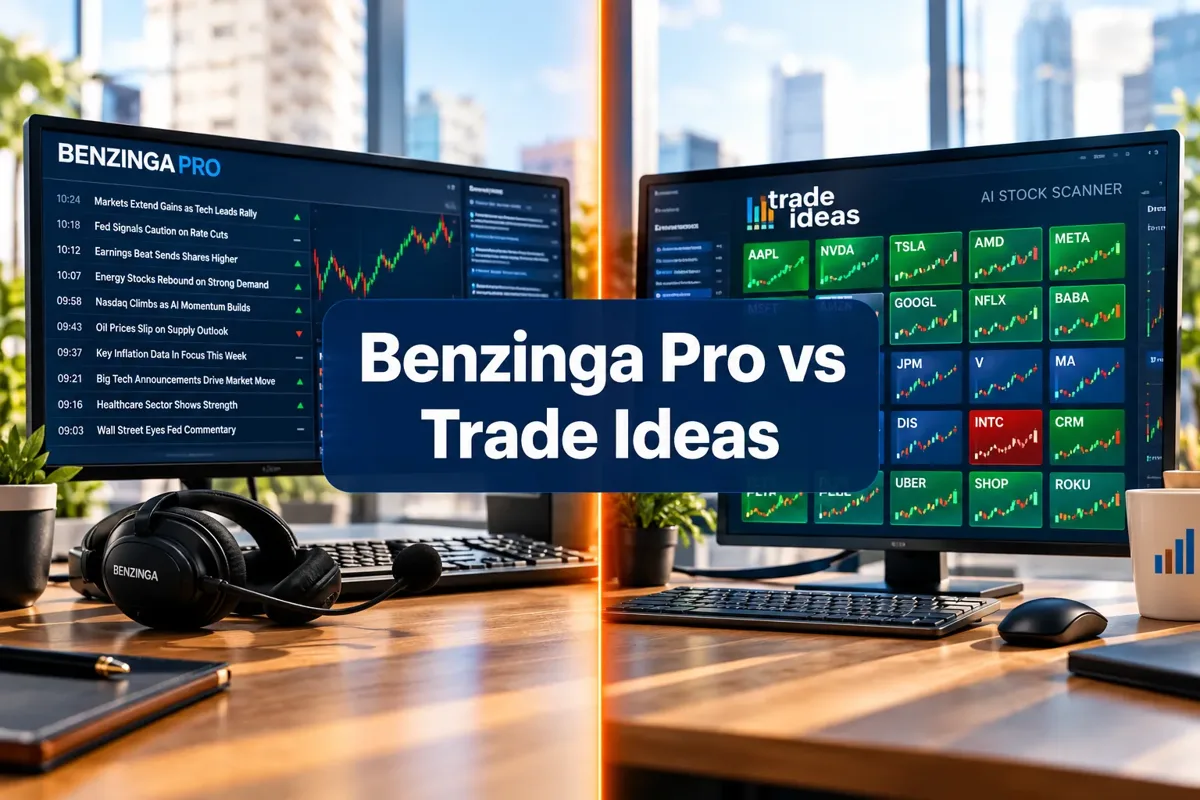
Benzinga Pro vs Trade Ideas: News or Scanner for Day Traders
Reviewed by Jay Rocco, Chief Editor
Benzinga Pro vs Trade Ideas: Trade the Headline or the Chart?
Read the transcript
One of these tools tells you why a stock is moving. The other tells you which stocks are moving. Day traders spend a lot of money learning they needed the other one. This is FullStack Alpha, and here's Benzinga Pro versus Trade Ideas in about two and a half minutes.
Quick answer. Benzinga Pro wins for news-driven and catalyst traders. Trade Ideas wins for momentum traders who want AI scanning. And plenty of serious day traders run both. Benzinga Pro starts at thirty-seven dollars a month with a fourteen-day free trial. Trade Ideas starts at a hundred twenty-seven a month. On our Alpha Score, Benzinga Pro earns 89 and Trade Ideas earns 85. The real question isn't which tool is better. It's whether you trade the catalyst or the chart.
The most important things you need to know. The five features that justify the subscriptions.
One. Benzinga's audio squawk. Catalysts read out loud, hands-free and eyes-free. It's a ninety-nine-dollar add-on, and the best single upgrade a news trader can buy.
Two. Benzinga's ratings and research feed. Analyst upgrades and price targets arrive with the move, not after it.
Three. Benzinga's calendar suite. Earnings, economic data and events in one place, so nothing sneaks up on your position.
Four. Trade Ideas' Holly AI, which watches thousands of tickers and surfaces the ones matching your filters.
Five. Trade Ideas' broker integrations, so a scan result can turn into an order without changing screens.
What to watch out for. Trade Ideas' Holly stats page still shows old results from 2016, so treat its performance claims as unproven. Trade Ideas has no official iPhone app, and look-alike third-party apps exist. Don't install them. On the Benzinga side, the iPhone news app is rated well, but Trustpilot reviews are harsh, and users report the mobile app freezing and headlines failing to load. And the full Benzinga terminal runs up to a hundred ninety-seven dollars a month. Price creep is real.
The verdict. Pick Benzinga Pro if your edge comes from catalysts... earnings, FDA approvals, analyst calls. Pick Trade Ideas if your edge comes from patterns. Run both only when three hundred-plus dollars a month in tools is under ten percent of your average monthly profit. Otherwise, you're paying for options you can't use.
Your next step. Start Benzinga's fourteen-day trial during an earnings-heavy week, and log every trade where the news actually changed your decision. If that number is zero, you're a chart trader. Your wallet just told you which tool to buy.
The full side-by-side is right below this player. Prices change, so check the table for current numbers. This is education, not financial advice. Your market edge starts with the right tool. Stay alpha.
Quick answer
Benzinga Pro wins for news-driven and catalyst traders, Trade Ideas wins for momentum traders who want AI scanning, and a lot of serious day traders run both. Benzinga Pro starts at $37 per month with a 14-day free trial and delivers headlines plus audio squawk. Trade Ideas starts at $127 per month and delivers Holly AI scanning on live market data. The real question in this Benzinga Pro vs Trade Ideas matchup isn't which tool is better. It's whether you trade the catalyst or the chart.
Key Takeaways
- Benzinga Pro pricing in 2026: Basic $37/mo, Streamlined $147/mo, Essential $197/mo (or $166.42/mo billed annually at $1,997/yr), per the official pricing page.
- Trade Ideas pricing: The Core at $127/mo or $1,068/yr, The Apex at $254/mo or $2,136/yr, per the Trade Ideas pricing page.
- Yes, there is a Benzinga Pro free trial: 14 days, no squawk-free workaround needed.
- Alpha Score: Benzinga Pro 89/100, Trade Ideas 85/100.
- Benzinga's news iOS app holds a 4.70 rating from 7,589 ratings, while benzinga.com sits at 1.7 from only 19 Trustpilot reviews. That gap matters.
- Trade Ideas' Holly stats page still shows 2016 results, so treat its performance claims as unproven.
- Trade Ideas has no official iOS app. Look-alike third-party apps exist. Don't install them.
Benzinga Pro vs Trade Ideas: news or scanner for day traders?
Benzinga Pro gives you the reason a stock is moving. Trade Ideas gives you the list of stocks that are moving. If you trade earnings, FDA approvals, analyst upgrades and halts, Benzinga Pro is the better first purchase. If you trade clean breakouts off volume and price action, Trade Ideas earns the slot.
Benzinga Pro at a glance
Best for: news-driven day traders who trade catalysts, halts and earnings.
- Day trader: Strong fit. Squawk and headlines beat chart lag.
- Swing trader: Strong fit. Analyst ratings and earnings calendar coverage.
- Scalper: Okay fit. Needs a separate Level 2 feed.
- Long-term investor: Weak fit. Too much intraday noise to justify cost.
Price: from $37/mo (Basic).
What users say: Apple App Store 4.70 from 7,589 ratings; Trustpilot 1.7 from 19 reviews.
Watch out for: app freezing and headlines failing to load on mobile.
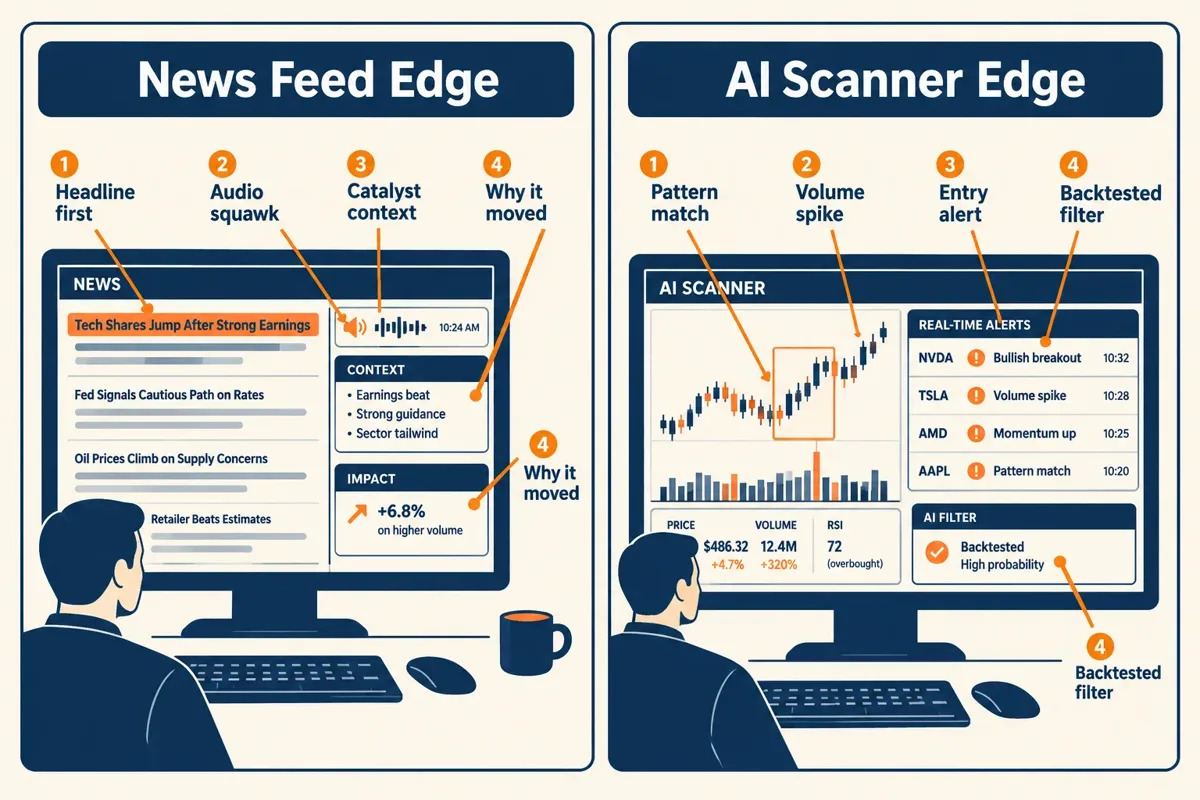
The structural difference is simple. One platform is a wire service with a trader's interface bolted on. The other is a pattern-recognition engine that watches thousands of tickers and spits out the ones matching your filters. Neither replaces the other, which is exactly why Trade Ideas publishes its own comparison page positioning itself as the scanner half of the stack.
Decision rule: if you can't explain why your last three trades moved, you have a news problem, not a scanner problem.
What is Benzinga Pro and how does it work?
Benzinga Pro is a real-time financial news and market research terminal built for active traders. It pushes breaking headlines, an audio squawk service, analyst ratings, an earnings calendar, movers data and a chat room into one browser-based workspace, and you can filter the feed by ticker, sector or keyword.
The workflow most traders use: set a watchlist, filter the news feed to those tickers, turn on audio alerts, and let the headline tell you when to look at the chart. The platform also added a Benzinga AI research feature that summarizes filings and news into plain-English context, which helps when a ticker gaps and you've got 40 seconds to decide whether it's real.
What you get inside the terminal:
- Markets and news feed with sub-second headline delivery on major wires
- Stocks and sectors movers lists, plus a basic screener and lists
- Ratings and research: Wall Street analyst ratings, price targets, upgrades and downgrades
- Screeners and lists: unusual options activity, short interest, government trades and insider trades
- Calendar coverage: earnings, economic calendar, IPO calendar, dividends, splits, and a corporate conference presentation calendar
- Trades and ratings context: who bought, who sold, and which Wall Street analyst moved a target
That conference presentation today feature is underrated. A corporate conference slot on the calendar is often the only scheduled catalyst a mid-cap has all month.
Benzinga Pro also runs an API for teams who want the raw feed, and there's a mobile app for the free Benzinga news product. A 2026 Benzinga Pro review from Liberated Stock Trader walks through the news-first workflow in detail.
What is Trade Ideas and who is it for?
Trade Ideas is an AI-powered stock scanner that watches the full U.S. equity market in real time and surfaces trade ideas that match either your own filters or its Holly AI models. It's built for momentum day traders who want a list of candidates before the opening bell and alerts during power hour.
Three pieces matter:
- Holly AI runs a set of strategies overnight against market data and publishes a daily shortlist of trade ideas with entry, stop and target.
- Money Machine is a continuously optimizing strategy engine that re-weights which setups are working.
- TI Wave adds pattern-based scanning on top.
Trade Ideas integrates with brokers including TradeStation, Interactive Brokers, E*TRADE and Alpaca, so you can route orders without retyping tickers. StockBrokers.com's Trade Ideas review covers the platform's scanning depth and its learning curve.
Our deeper breakdown of how Holly AI picks five trades out of 200 candidates explains the filtering logic, and our Trade Ideas Holly AI assessment covers where the model gets things wrong.
Common mistake: treating Holly's daily list as a signal service. It's a candidate list. You still need a level, a stop and position sizing.
Benzinga Pro pricing vs Trade Ideas pricing in 2026
Benzinga Pro pricing starts at $37 per month and tops out at $197 per month, while Trade Ideas starts at $127 per month and runs to $254 per month. Trade Ideas is the more expensive tool at every comparable tier, and it has no sub-$100 entry point.
Per the Benzinga Pro pricing page: Basic is $37/mo, Streamlined is $147/mo, and Essential is $197/mo or $166.42/mo when billed annually at $1,997/yr. High Beta Squawk is a $99/mo add-on. Benzinga also runs seasonal discounts through its pricing offers page, which can move the effective cost.
Trade Ideas lists The Core at $127/mo or $1,068/yr and The Apex at $254/mo or $2,136/yr on its pricing page. The free dashboard exists but runs on data delayed 15 minutes, which is a market-education tool, not a trading tool.
For context on where this sits: a Bloomberg Terminal runs roughly $30,000 a year. A Benzinga Pro review from LuxAlgo frames the platform as a retail-priced news terminal rather than an institutional one. That framing is fair.
Our dedicated pages on Benzinga Pro as a tool and the Trade Ideas tool profile carry the current plan details.
Is there a Benzinga Pro free trial, and does Trade Ideas have one?
Yes. Benzinga Pro offers a 14-day free trial, which you start through the Benzinga Pro registration page. Trade Ideas does not offer an equivalent full-feature trial, but it does give you a free dashboard with data delayed 15 minutes.
That asymmetry matters more than it looks. Fourteen days of live Benzinga Pro covers at least one full earnings season week, so you get to test the thing that actually matters: does the headline arrive before the move? A delayed Trade Ideas dashboard can't answer the equivalent question about scanner latency, because 15-minute-old data makes every alert look late.
How to run the Benzinga Pro free trial properly:
- Start it on a Monday of an earnings-heavy week, not a holiday week.
- Pick six tickers you already trade and filter the feed to those only.
- Log every headline you acted on and whether you were early, on time or chasing.
- Day 12, decide. Don't let it auto-renew by accident.
Does Benzinga Pro have a stock scanner, and is Trade Ideas good for day trading?
Benzinga Pro includes a stock screener, movers lists and heatmap-style market views, but it is not a competitor to a dedicated AI scanner like Trade Ideas. Trade Ideas is genuinely good for day trading momentum names, with the caveat that its published performance history is stale.
Benzinga Pro's screener handles the basics well: price, volume, float, sector, percent change. It also runs useful screeners and lists for short interest, unusual options activity and the Benzinga Edge stock rankings. What it doesn't do is real-time pattern recognition across 10,000 tickers with configurable alert windows. Benzinga's own best stock scanners roundup is honest enough to name dedicated scanners for that job.
Trade Ideas' weakness is evidence, not engineering. The Holly stats page still displays 2016 results, and the homepage shows selected winners. Vendor-claimed performance without an audited live record is exactly what it sounds like.
Watch out for
Trade Ideas has no official iOS app. Third-party look-alike apps exist in the App Store and are not affiliated with the company. Don't hand them credentials. If you want mobile scanning, use the browser on a tablet.
Our Trade Ideas review testing Holly AI's real win rate covers the performance-claim problem in depth.
Benzinga Pro news alerts: how fast are they, and what if it stops working?
Benzinga Pro's headline alerts arrive within seconds of the wire, and the High Beta Squawk add-on reads them aloud so you don't have to watch the feed. Speed is the core product, and it's the reason the Signal Quality pillar scores 19 out of 20.
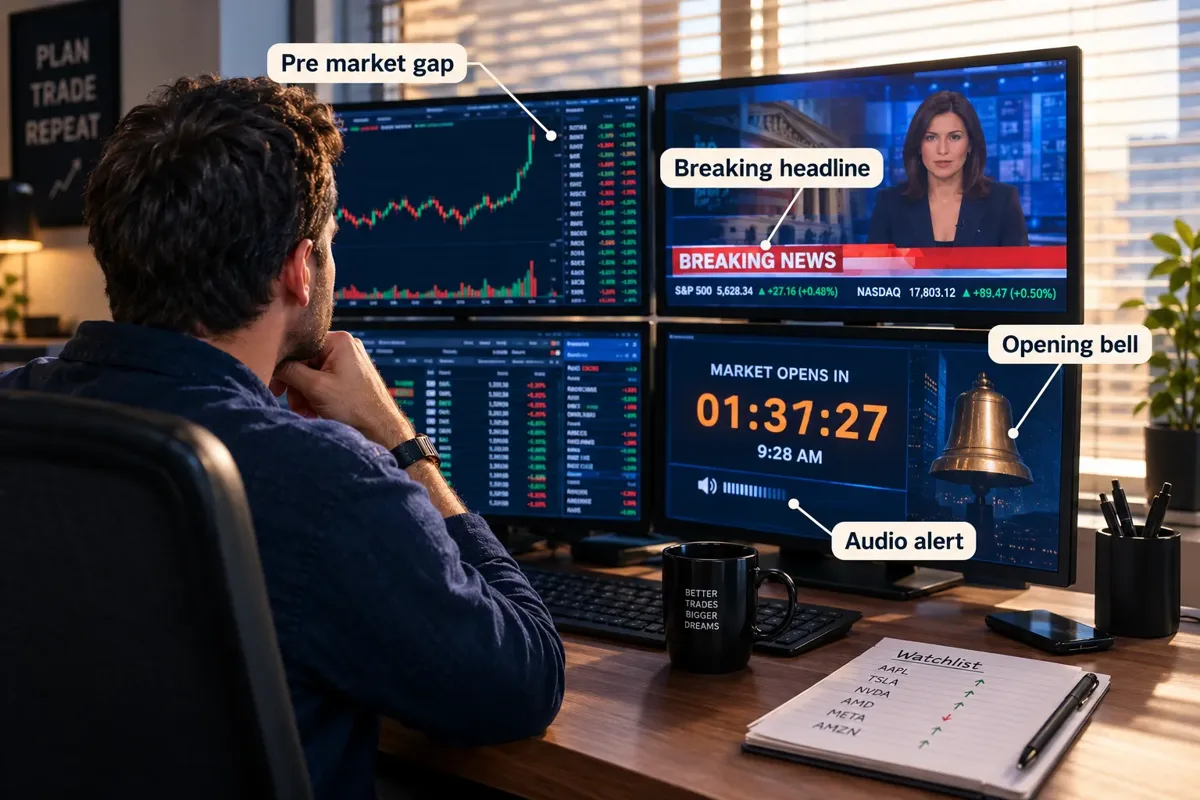
Audio beats text for one reason: you can hear a headline while staring at a chart. Reading requires you to look away at the exact moment price is moving. That's the whole pitch for the $99/mo squawk.
Benzinga Pro not working? Troubleshooting, in order:
- Hard refresh the browser tab. The terminal is a web app and stale sessions cause frozen feeds.
- Check your Benzinga Pro log in status in a second tab. Expired sessions look like outages.
- Disable ad blockers and VPN on the Pro domain. Both break the websocket that pushes alerts.
- On mobile, force-quit the Benzinga Pro app. The most common App Store complaint is articles failing to load and the app freezing.
- Still broken during market hours? Use the audio squawk as the fallback and raise a support ticket after the close.
The mobile instability is real and users say so plainly. It's priced into our Usability pillar.
News speed vs AI scanning: which edge matters more for your style?
News speed matters more if your entries depend on a catalyst. AI scanning matters more if your entries depend on a pattern. Most traders lose money because they picked the wrong one for their own strategy, then blamed the tool.
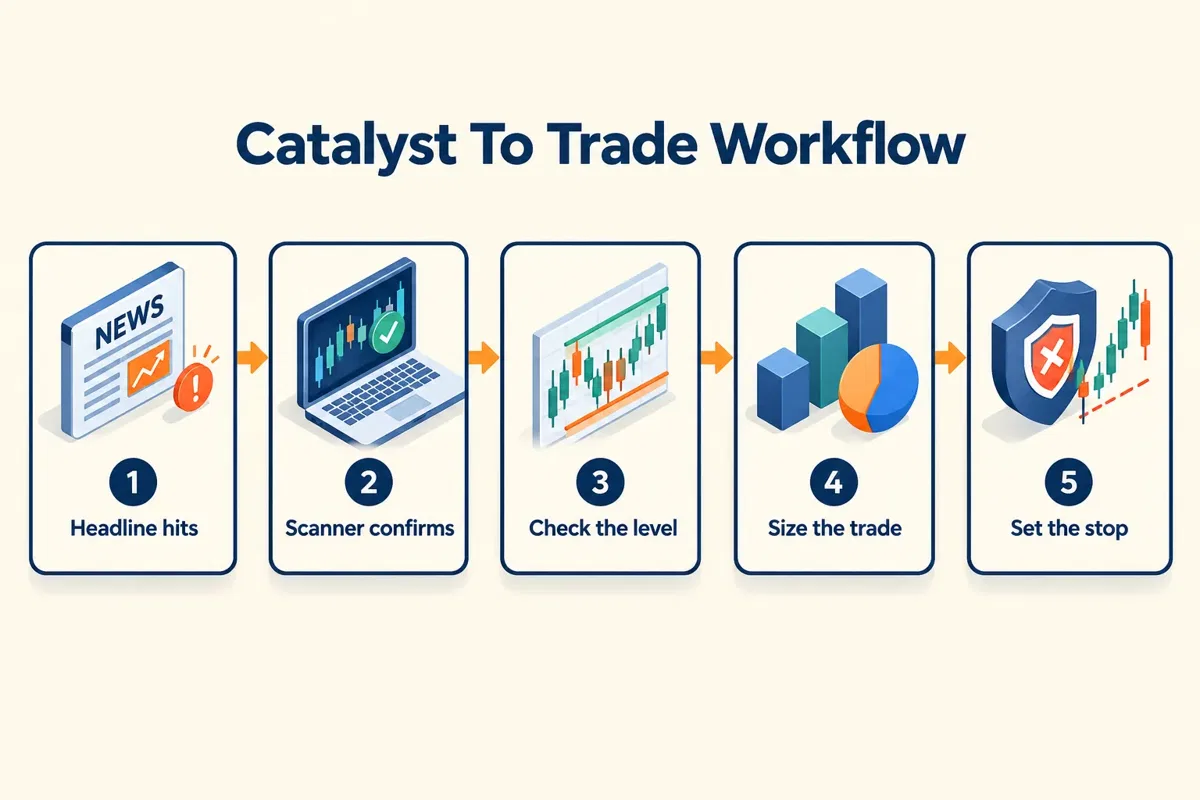
Match the tool to the setup:
- Gap-and-go on news: Benzinga Pro. The headline is the setup.
- Opening range breakout: Trade Ideas. The scanner finds the tight consolidation.
- Halt resumption: Benzinga Pro. You need the halt reason instantly.
- Low float squeeze: both. News sparks it, the scanner flags the volume.
- Swing entries off a basing pattern: Trade Ideas, or one of these swing trade scanners that find setups before the breakout.
Here's the uncomfortable part. Neither tool fixes overtrading, revenge trading or sloppy risk-reward. A faster feed just lets you make the same mistake sooner. If your account is small, start with our guide on how to day trade without $25K and a swing trade position size calculator before you spend $254 a month on a scanner.
Systems over hacks. A signal without a plan is just weather.
Trade Ideas vs Benzinga Pro for beginners, and what do professional day traders use?
For beginners, Benzinga Pro at $37/mo is the lower-risk starting point because news is easier to interpret than a scanner's 40 configurable filters. Professional day traders who run both typically use Benzinga Pro for catalysts and Trade Ideas or a similar scanner for candidate generation.
Why Benzinga Pro is friendlier at the start:
- One screen, one feed, obvious cause-and-effect between headline and price action
- Analyst ratings, the economic calendar and market events are presented, not configured
- $37 is a tuition-sized mistake if you hate it. $254 is not
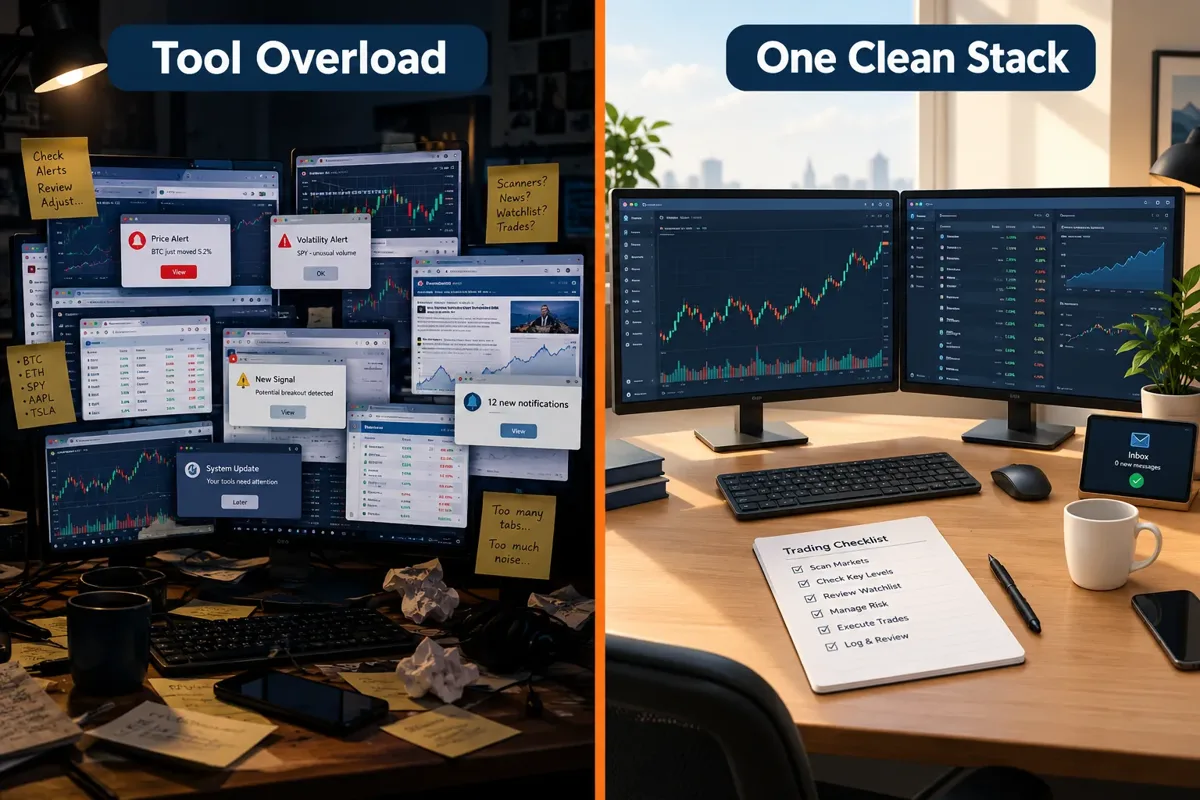
If you can't tell yet whether your edge is news or scanning, the trading workflows and tool finder shows how working day traders split catalysts and scans across real stacks, with cheaper AI alternatives priced side by side.
Trade Ideas rewards configuration work. Beginners often build a scan that returns 200 tickers, get analysis paralysis and quit. Our walkthrough of five scanner filters that cut 200 tickers down to five solves that specific problem.
Can you use Benzinga Pro without Trade Ideas? Yes, easily. Benzinga Pro plus your broker's built-in scanner covers most news-driven strategies. The reverse is harder: a scanner without a news feed leaves you guessing why a ticker is up 22 percent, which is how you end up catching a falling knife on a dilution headline you never saw.
Trade Ideas alternatives for day traders: TrendSpider for pattern automation, StocksToTrade for small-cap scanning, Tickeron for AI pattern signals. We compare Tickeron against Trade Ideas if the $100-a-month tier is your ceiling. For automated execution, bots and broker APIs live on our sister site aistocktradingbots.com rather than here.
Top 5 favorite features in Benzinga Pro vs Trade Ideas
The five features that justify the subscriptions are Benzinga Pro's audio squawk, its ratings and research feed, and its calendar suite, plus Trade Ideas' Holly AI and its broker integrations.
- High Beta Squawk (Benzinga Pro, $99/mo add-on). Hands-free, eyes-free catalyst delivery. Best single upgrade for a day trader.
- Ratings and research feed (Benzinga Pro). Street analyst ratings, price targets and upgrades arrive with the move, not after it.
- Calendar suite (Benzinga Pro). Earnings, economic calendar, IPO calendar, new listings, market outlook, dividends and corporate conference presentations in one place.
- Holly AI (Trade Ideas). Overnight model runs that hand you a pre-market shortlist with levels attached.
- Broker integrations (Trade Ideas). One-click routing to TradeStation, Interactive Brokers, E*TRADE and Alpaca cuts entry friction.
Honorable mention: Benzinga Pro's unusual options activity and government trades screens, plus its Stock Whisper Index, which flags names getting quiet attention before the headlines land. Benzinga Edge adds momentum, value, quality and growth rankings on top.
What do real users say about Benzinga Pro and Trade Ideas?
User sentiment splits sharply by platform. Benzinga's news iOS app rates 4.70 from 7,589 ratings while benzinga.com holds just 1.7 from 19 Trustpilot reviews. Trade Ideas sits at 3.8 from 46 Trustpilot reviews.
"Benzinga is up to date and to the point. Other services share good information but lengthy."
Apple App Store, Benzinga: Financial News & Data
"News articles frequently fail to load and the app freezes. Very annoying."
Apple App Store, Benzinga: Financial News & Data
"I have actively used trade ideas for a couple years now and find they have many more useful configurations than several competitors."
Trustpilot, trade-ideas.com
"This website is not usable. I unsubscribe from the service"
Trustpilot, trade-ideas.com
Where users and our Alpha Score agree: both rate Benzinga Pro's content quality high and both flag its mobile stability. Both credit Trade Ideas' configurability.
Where they disagree: the 1.7 Trustpilot score for benzinga.com looks worse than the product is. Nineteen reviews is a tiny sample, and most complaints are about marketing emails and billing rather than the Pro terminal. The 7,589-rating App Store sample is far more representative. On the Benzinga Pro reddit threads, the recurring theme is squawk value versus cost, not data quality.
What we like and don't like about each platform
Benzinga Pro's strength is catalyst speed and breadth of research; its weakness is mobile reliability and squawk pricing. Trade Ideas' strength is scan configurability; its weakness is stale performance evidence and no official mobile app.
Benzinga Pro, the good:
- Fast, plain-language headlines with Benzinga AI summaries
- $37 entry tier makes testing cheap
- Deep calendar, ratings and screener coverage in one subscription
Benzinga Pro, the drawbacks:
- Mobile app freezing and failed article loads are a documented, repeated complaint
- The squawk that most day traders actually want costs an extra $99/mo on top of the plan
Trade Ideas, the good:
- Holly AI, Money Machine and TI Wave give three different angles on the same tape
- Native broker routing to four major brokers
Trade Ideas, the drawbacks:
- Holly stats page still showing 2016 results is a transparency failure, full stop
- $127 floor with no real free trial, and no official iOS app
How does the Alpha Score rate these two platforms?
Benzinga Pro scores 89 out of 100 and Trade Ideas scores 85 out of 100. The gap sits almost entirely in transparency and price-to-value, where Trade Ideas loses ground on stale performance data and a higher entry price.
The score comes from FullStack Alpha desk research plus public user sentiment, and the pillar split is provisional.
Alpha Score Breakdown
Benzinga Pro: 89 / 100
- Signal Quality 19 / 20
- Transparency 17 / 20
- Price-to-Value 17 / 20
- Usability 18 / 20
- Community Verdict 18 / 20
Trade Ideas: 85 / 100
- Signal Quality 19 / 20
- Transparency 15 / 20
- Price-to-Value 14 / 20
- Usability 18 / 20
- Community Verdict 19 / 20
Trade Ideas' 14 on price-to-value is a real criticism. At $127 minimum with no trial and a 15-minute-delayed free tier, you're paying before you can verify.
Price tiers, competitors, features and who each tool is for
The tables below cover plan costs, closest rivals, feature overlap and trader-type fit, with prices checked.
Price tier comparison
| Plan | What you get | Best for | Price |
|---|---|---|---|
| Benzinga Pro Basic | News feed, screener, calendars | Testing the news edge | $37/mo |
| Benzinga Pro Streamlined | Adds movers, deeper research | Daily catalyst traders | $147/mo |
| Benzinga Pro Essential | Full terminal, Benzinga AI | Full-time news traders | $197/mo ($1,997/yr) |
| High Beta Squawk add-on | Live audio headlines | Hands-free day traders | $99/mo |
| Trade Ideas The Core | Standard scanning, alerts | Momentum day traders | $127/mo ($1,068/yr) |
| Trade Ideas The Apex | Holly AI, Money Machine, TI Wave | Full AI scanning workflow | $254/mo ($2,136/yr) |
Hunting for a lower price? Check our AI stock tool deals page.
Competitors
| Tool | Best for | Key strength | Key weakness | Starting price |
|---|---|---|---|---|
| TrendSpider | Pattern automation | Automated technical analysis | Not a news source | See vendor site |
| StocksToTrade | Small-cap day traders | Low-float scanning | Dated interface | See vendor site |
| Tickeron | AI pattern signals | Cheap AI entry | Thin public track record | See vendor site |
| Benzinga Pro | Catalyst traders | Headline speed | Mobile instability | $37/mo |
| Trade Ideas | Momentum traders | Scan configurability | Stale Holly stats | $127/mo |
Feature overlap
| Feature | Benzinga Pro | Trade Ideas | Our note |
|---|---|---|---|
| Real-time news feed | Yes | No | Core Benzinga Pro differentiator |
| Audio squawk | Yes, add-on | No | Worth it only if you trade intraday daily |
| AI scanning | Limited screener | Yes, Holly AI | Trade Ideas owns this |
| Analyst ratings and price targets | Yes | No | Street analyst ratings included |
| Economic and IPO calendar | Yes | No | Market events plus new listings |
| Broker order routing | No | Yes | Four broker partners |
| Official iOS app | Yes, news app | No | Third-party look-alikes exist |
Who it's for
| Trader type | Pick | Why |
|---|---|---|
| News-driven day trader | Benzinga Pro | Catalyst arrives before the chart |
| Momentum day trader | Trade Ideas | Scanner finds the clean setup |
| Scalper | Trade Ideas plus Level 2 | Needs speed, not narrative |
| Swing trader | Benzinga Pro | Ratings, earnings season, calendar |
| Long-term investor | Neither at full price | Free Benzinga news covers it |
FullStack Alpha scorecards
Every tool in this article has a full scorecard: pricing, pros and cons, verified user quotes and the Alpha Score breakdown.
Final verdict: who should pick Benzinga Pro, Trade Ideas, or both?
Pick Benzinga Pro if your edge comes from catalysts. Pick Trade Ideas if your edge comes from patterns. Run both only once you're profitable enough that $300-plus a month in tools is under 10 percent of your average monthly P&L, otherwise you're paying for optionality you can't use.
Is Benzinga Pro worth it for active traders? At $37 to test and $197 for the full terminal, yes, if you trade more than twice a week on news. Is Trade Ideas worth it? Yes for configured momentum traders, no for anyone who won't spend a week building scans.
The combined stack makes sense for one specific person: the full-time intraday trader who gaps-and-goes on news and needs a scanner to catch the names they didn't have on the watchlist. That's a narrow profile. Most readers are better served picking one and running it for 90 days with a written rule set before adding anything.
Cut the noise, keep the alpha.
Still can't tell whether you need the news feed or the scanner?
Two tools compared here. 200+ catalogued in the FullStack Alpha directory, sorted by category, price and use case.
This is education, not financial advice.
Your market edge starts with the right tool. Stay alpha.
Some links in this article may earn FullStack Alpha a commission at no extra cost to you.
Prices are subject to change as fast as AI technology.
We test the tools. You get the verdict.
One email a week. What we tested, what scored, and what we'd skip. Written for traders, not for clicks.
Frequently asked
More from FullStack Alpha