TC2000 vs TradingView: Which One Swing Traders Should Pay For
Quick answer
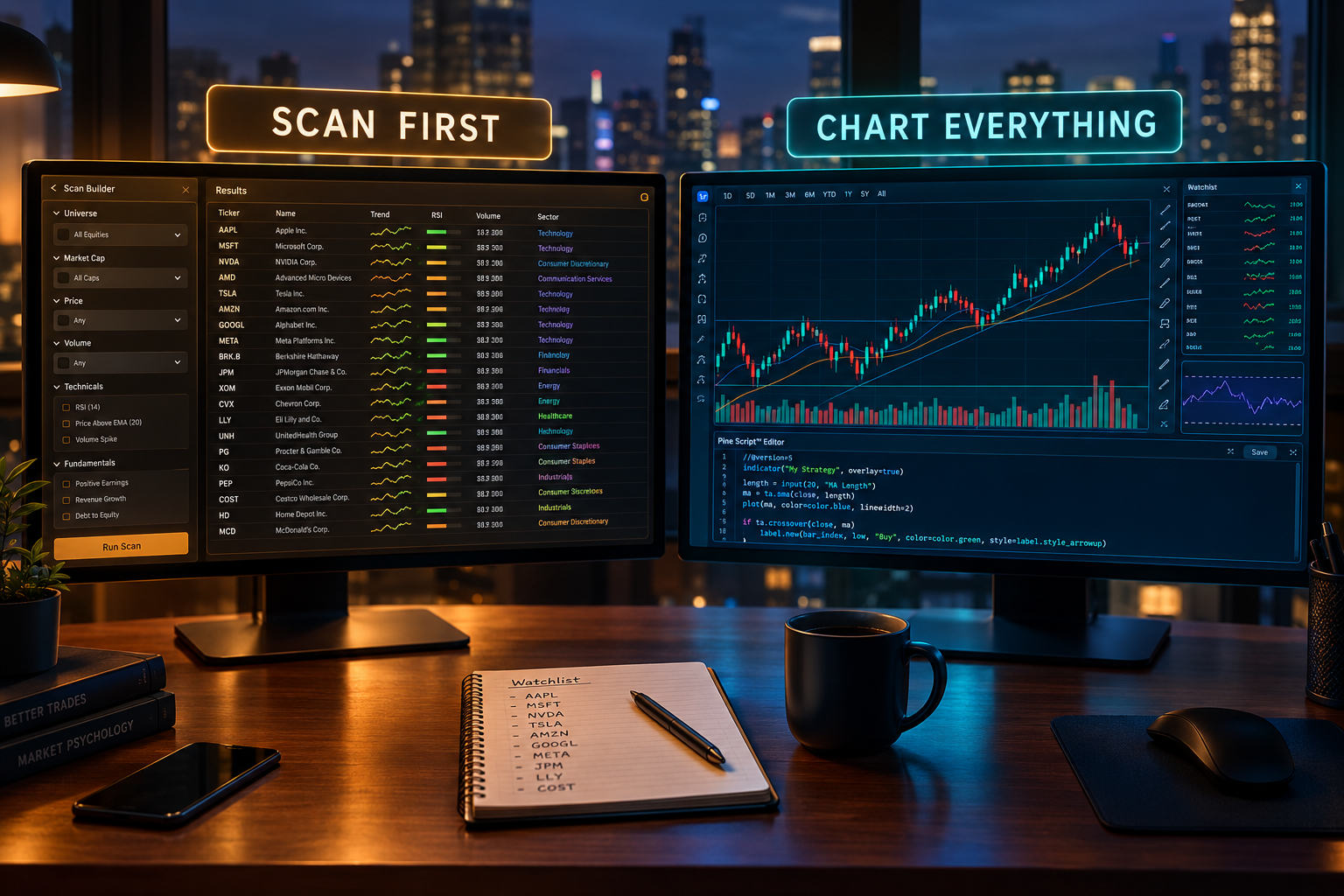
TC2000 vs TradingView comes down to a single question: do you trade U.S. stocks only, or everything? If the whole process is scanning U.S. equities after dinner and building a watchlist for tomorrow, TC2000 Premium at $49.99 a month is the better buy because of its real-time EasyScan engine and Personal Criteria Formulas. If the account also touches futures, forex, or crypto, or the goal is writing and backtesting custom indicators, TradingView Premium at $59.95 a month covers far more ground for roughly the same money.
Both platforms sit under the $100 monthly ceiling. Only one of them fits the way a given trader actually works, and the tie-breaker is almost never the feature count.
Key takeaways: TC2000 vs TradingView at a glance
- TC2000 Premium ($49.99/mo) is the cheapest serious way to run real-time custom formula scans across U.S. stocks, and paper trading is included on all three tiers.
- TradingView Premium ($59.95/mo) covers stocks, ETFs, futures, forex, and crypto in one account, plus Pine Script for custom indicators and strategy backtests.
- TC2000 annual billing saves about two months. Premium runs $499.80 a year against $599.88 paid monthly, a difference of $100.08.
- TradingView annual billing saves roughly 16.7% (marketed as up to 17% off). Premium is about $599.40 a year against $719.40 billed monthly, an effective $49.95 a month.
- Data add-ons change the ranking. TC2000 charges $9.99 a month each for real-time index data and real-time options data, so a Premium subscriber who wants both lands near $69.97 a month.
- TradingView has a free Basic plan plus 30-day trials on Essential, Plus, and Premium. TC2000 has no free forever tier, so the risk profile of the two trials is not identical.
- Alerts favour TC2000 at the top end: up to 1,000 alerts on Premium+ ($99.99/mo), which matters for staging multiple conditional triggers across a 40-name watchlist.
- Scoring split: TradingView earns 95/100 and TC2000 earns 76/100 on the FullStack Alpha framework, driven mostly by usability, community verdict, and transparency rather than chart quality.
| Product | Price (entry to top tier) | Markets | Scanning engine | Best for |
|---|---|---|---|---|
| TC2000 | $24.99 to $99.99/mo | U.S. stocks and options | Real-time EasyScan plus Personal Criteria Formulas | Nightly U.S. equity scanning and custom formula setups |
| TradingView | Free, then about $14.95 to $239.95/mo | Global stocks, ETFs, futures, forex, crypto | Built-in screener plus community and Pine Script filters | Multi-asset charting, scripting, and trading from the chart |
What's the difference between TC2000 and TradingView?
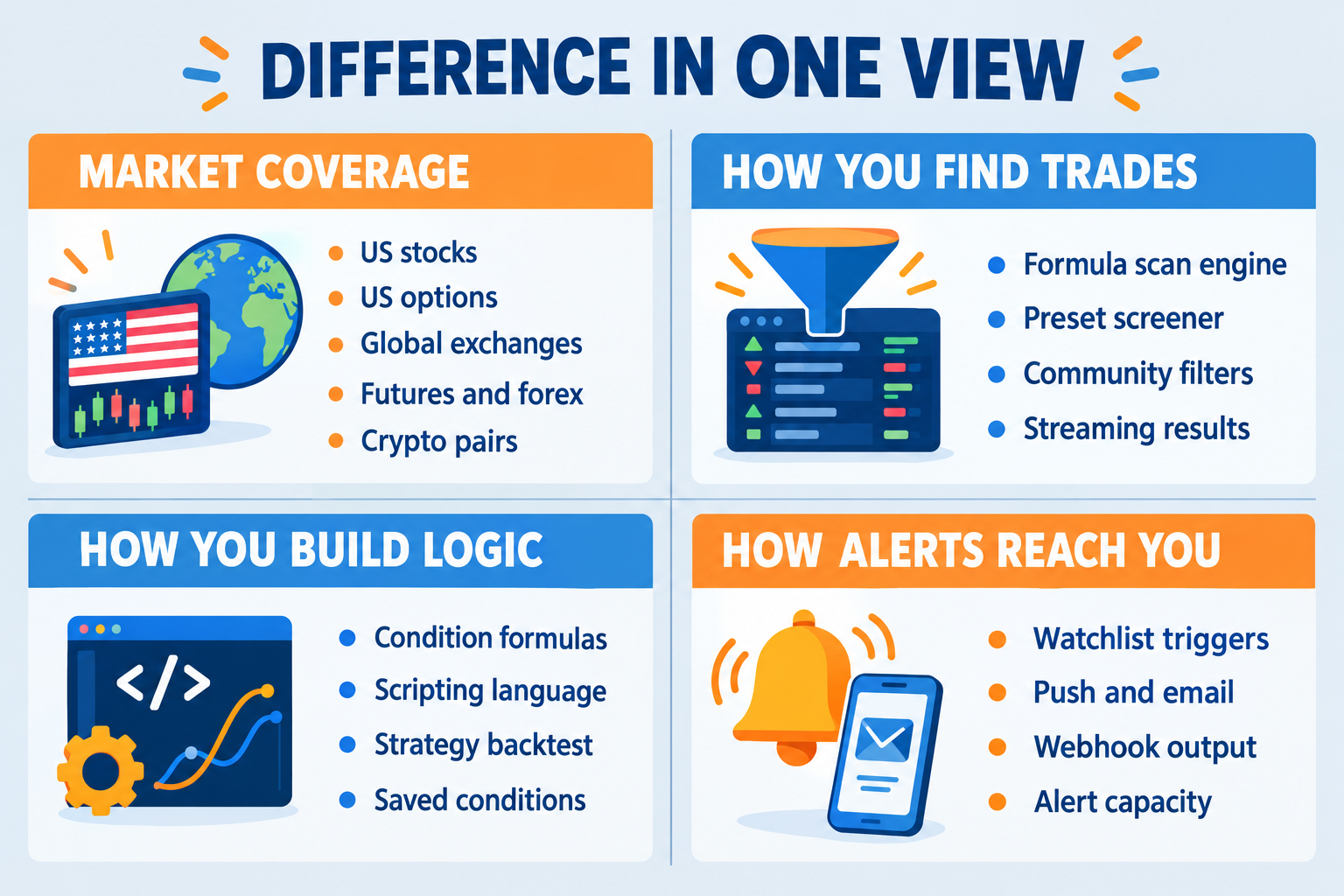
The core difference is purpose. TC2000 is a U.S. equity and options scanning engine with charts attached. TradingView is a global multi-asset charting and scripting platform with a screener attached. Both render candles beautifully, but the thing each one was built to do sits in a different place.
That distinction shows up in four practical ways:
- Instrument universe. TC2000 pulls from U.S. exchanges and U.S. listed options. TradingView aggregates hundreds of global exchanges, crypto venues, futures markets, and forex feeds under one login, which comparison write-ups of charting software consistently flag as its structural advantage.
- How you express an idea. TC2000 uses Personal Criteria Formulas, a condition language for scan and indicator logic. TradingView uses Pine Script, a general scripting language that can plot, alert, and backtest.
- Where the software lives. TC2000 is primarily a Windows desktop application (with mobile and browser access), which is why multi-monitor layouts feel native. TradingView is browser-first and syncs layouts across any device you log into.
- How results arrive. TC2000's scan results stream and re-rank live on Premium tiers. TradingView's screener returns a snapshot you refresh, which is a meaningful behavioural difference for anyone checking the tape at lunch.
Decision rule: if the sentence "my edge is a specific filter applied to the whole U.S. market" describes the process, TC2000 is the natural home. If the sentence is "my edge is reading structure across several markets and testing rules," TradingView is.
How was this TC2000 vs TradingView comparison built?
This TC2000 vs TradingView comparison was assembled through desk research across both vendors' published pricing and feature pages plus public user sentiment from trader forums, review sites, and independent platform tests. No live trading account results are claimed here.
Both platforms were judged against one narrow job: a swing trader holding positions two to 10 days, scanning at night after work, with a hard budget ceiling of $100 a month. That constraint retires a lot of feature debates before they start.
The criteria, in the order they carried weight:
- Scan quality and speed. Can a setup be defined precisely, run across the U.S. market, and produce a list that is actionable at tomorrow's open?
- Alert capacity. Swing traders do not watch screens all day. Alerts are the entire delivery mechanism.
- Chart clarity. Support, resistance, volume, and multi-timeframe views without fighting the interface.
- Total cost including data. Sticker price is marketing. The invoice is reality.
- Market coverage. One platform for every instrument traded, or one platform that is excellent at a single instrument.
- Paper trading. Any freshly built scan deserves a few weeks of forward testing before capital touches it.
Weighted lightly: community feeds, social features, and mobile chart polish. Pleasant, but they do not decide a $600-a-year subscription for someone scanning at 9 p.m. on a Tuesday. The same principles behind the site's testing methodology apply here.
Two honest limits. Pricing and add-on fees change without notice, so verify current numbers on each vendor's page before paying. And real-time exchange data fees vary by exchange, by professional versus non-professional status, and by country, so this article flags where that applies instead of guessing at a figure.
TC2000 vs TradingView: the short answer for swing traders
Choose TC2000 if the watchlist is U.S. stocks and the edge is a specific, repeatable filter. Choose TradingView if the watchlist crosses asset classes or the plan involves coding and testing custom logic. That is the cleanest decision rule available, and most traders overcomplicate it.
The follow-up questions that break ties:
- Should the scan update live during the session? TC2000's real-time EasyScan is the single reason most subscribers pay for it. At a desk job with no midday screen time, that matters less. For traders who check the tape at lunch and again during power hour, it matters a lot.
- Is coding part of the plan, present or future? Pine Script lets a trader build an indicator, define entry and exit rules, and run a backtest in the same window. TC2000's Personal Criteria Formulas are powerful for scan conditions but are not a general-purpose scripting language.
- Are futures or forex in the mix? TC2000 is purpose-built for U.S. stocks and options. Asking it to cover currencies is like asking a great steakhouse for sushi.
- Does the platform need a free look first? TradingView's free Basic plan and 30-day paid trials remove the guesswork. TC2000 asks for commitment sooner.
The common mistake in every TC2000 vs TradingView thread: buying the platform with more features instead of the one that runs the existing process. Unused features are just extra tabs and more analysis paralysis.
TC2000: best for real-time U.S. stock scanning
TC2000 is the stronger pick for a swing trader whose entire process is filtering U.S. equities down to a short list every night. The scanning engine is the product. Charts are clean and fast, brokerage integration is available, and everything else is secondary.
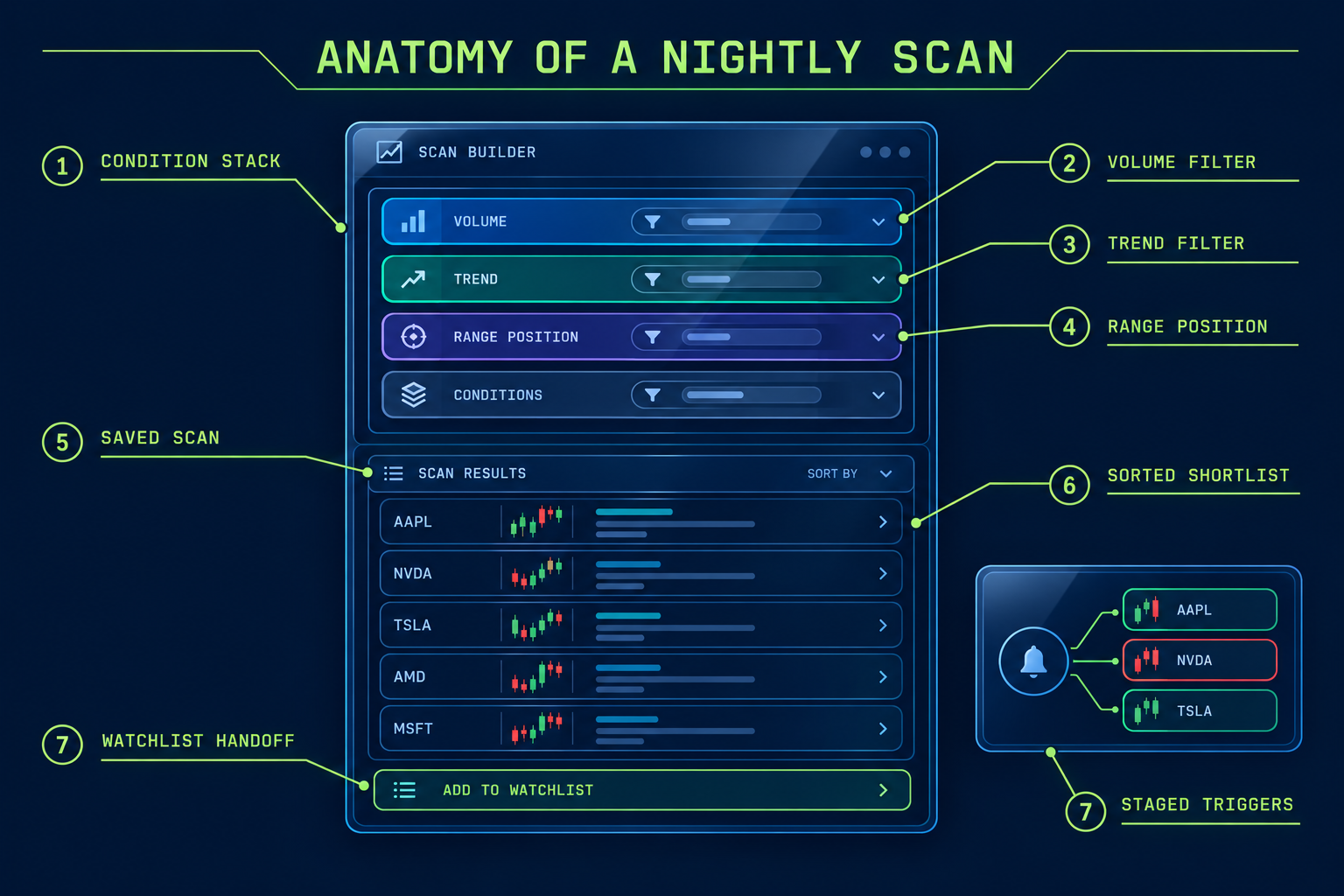
Two features carry the platform. EasyScan stacks conditions (price, volume, moving average relationships, relative strength, industry rank) and runs them across the market, with results that update in real time on Premium. Personal Criteria Formulas is the layer underneath, where a trader writes a condition in TC2000's syntax rather than picking from a dropdown.
A worked example makes the difference concrete. Suppose the setup is: closed in the top 25% of the daily range, volume above 1.5 times the 50-day average, price above a rising 20-day moving average, and a daily range for the last five sessions narrower than the prior 10-session average. In TC2000 that becomes four saved conditions inside one scan, applied to a universe filtered by minimum price and minimum dollar volume. Run it at 9 p.m., get 11 names, chart them in sequence, done by 9:20. That same logic on a preset-only screener is usually impossible to express.
Most charting platforms in this price band offer preset filters and call it a screener. TC2000 offers a language, which is why platform reviews aimed at active traders keep circling back to the scan engine as the reason to subscribe.
TC2000 pricing and tiers
- Basic: $24.99/mo ($249.84/yr, about $20.82 a month effective)
- Premium: $49.99/mo ($499.80/yr, about $41.65 a month effective)
- Premium+: $99.99/mo ($999.84/yr, about $83.32 a month effective)
Annual billing is worth roughly two months on every tier. Premium billed monthly totals $599.88 over a year against $499.80 annually. Real-time scanning and Personal Criteria Formulas land on Premium, which is the tier most swing traders should evaluate. Premium+ adds capacity, including up to 1,000 alerts, plus more layout muscle across multiple monitors.
Pros
- Real-time EasyScan and Personal Criteria Formulas arrive at the Premium tier, not a $200 enterprise plan.
- Up to 1,000 alerts on Premium+, enough to stage several triggers per name across a large watchlist.
- Paper trading included on every plan, so a new scan's output can be forward-tested without risking capital.
- Annual billing saves about two months versus monthly on all three tiers.
- TC2000 Brokerage customers can qualify for software discounts, lowering the effective monthly cost.
Cons
- Built for U.S. stocks and options. Forex, crypto, and international traders get far less than TradingView delivers.
- Real-time index data and real-time options data are paid add-ons at $9.99 a month each, pushing the real monthly cost above the advertised tier price.
- The desktop-first interface has more buttons and nested menus than TradingView, which slows the first two weeks.
TradingView: best for multi-asset charting and Pine Script
TradingView is the stronger pick for traders who touch more than U.S. stocks, or who want to build and test indicators without hiring a developer. It runs in a browser, syncs across devices, and covers stocks, ETFs, futures, forex, and crypto on global exchanges from one account.
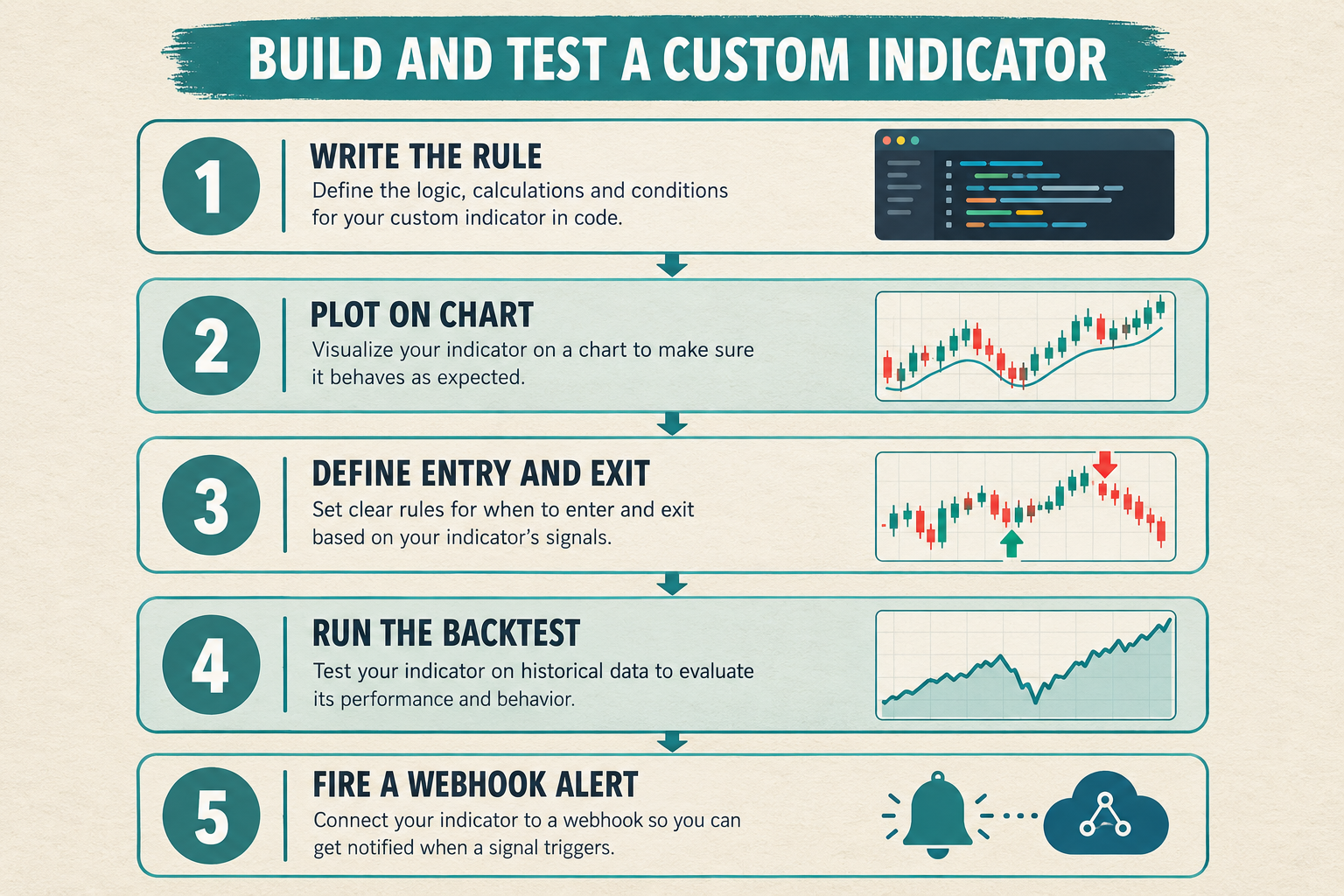
The defensible advantage is Pine Script. A trader can write a custom indicator, convert it into a strategy with defined entry and exit rules, and run a backtest against historical data inside the chart. There is also a very large public library of community scripts, which is genuinely useful and also a trap: 40 borrowed indicators stacked on one chart is noise wearing a lab coat.
Broker integrations allow order placement directly from the chart where the broker is supported, and alerts can fire webhooks, which is how traders wire TradingView into automated or semi-automated workflows. Independent feature audits such as this 32-feature platform comparison tend to score TradingView highest on breadth of tools, drawing objects, and cross-device access.
TradingView pricing and tiers
- Basic: free
- Essential: about $14.95/mo (about $12.95 a month effective on annual billing)
- Plus: about $29.95/mo (about $24.95 a month effective annually)
- Premium: about $59.95/mo (about $49.95 a month effective annually)
- Ultimate: about $239.95/mo (about $199.95 a month effective annually)
Annual billing runs up to about 17% off. Check the arithmetic: Premium at $59.95 monthly totals $719.40 a year against roughly $599.40 annually, a 16.7% discount. Ultimate falls outside a sub-$100 budget, so the realistic ceiling for this audience is Premium.
Pros
- Free Basic plan covers charts, community scripts, and a small number of alerts, so evaluation costs nothing.
- Pine Script builds and backtests custom indicators and full strategies.
- Stocks, futures, forex, and crypto across global exchanges in a single account.
- Broker integrations allow trading from the chart; webhook alerts support automation.
- 30-day free trials on Essential, Plus, and Premium.
Cons
- Free and lower tiers cap indicators per chart and total alerts, which pushes any active trader to a paid plan quickly.
- Real-time data for many exchanges is a separate monthly fee on top of the plan, with the amount depending on the exchange and professional status.
- The screener is competent but returns snapshots rather than a continuously streaming, re-ranking scan.
Head-to-head: the TC2000 vs TradingView decision table
For a side-by-side read, the differences that actually change a swing trader's week are scanning behaviour, alert ceilings, market coverage, and the true cost after data.
| Decision factor | TC2000 | TradingView |
|---|---|---|
| Markets covered | U.S. stocks and options | Global stocks, ETFs, futures, forex, crypto |
| Scanning | Real-time streaming EasyScan plus Personal Criteria Formulas on Premium | Built-in screener plus community and Pine Script based filters; snapshot rather than streaming |
| Alerts | Up to 1,000 on Premium+; fewer on lower tiers | Tiered alert limits rising with plan; webhook support on paid tiers |
| Indicators | Full indicator set plus user-written PCF conditions | Very large indicator library plus community scripts; per-chart count capped by tier |
| Custom code | Formula language for conditions | Pine Script for indicators, strategies, and backtests |
| Paper trading | Included on Basic, Premium, and Premium+ | Built-in paper trading, available even on the free plan |
| Data fees | Real-time index data $9.99/mo; real-time options data $9.99/mo | Real-time exchange data billed separately per exchange, varies by market and user status |
| Free tier / trial | No free forever tier | Free Basic plan; 30-day trials on Essential, Plus, Premium |
| Price | $24.99 / $49.99 / $99.99 per month ($249.84 / $499.80 / $999.84 annually) | Free, then about $14.95 / $29.95 / $59.95 / $239.95 per month |
TC2000 vs TradingView pricing: which one costs less once data fees land?
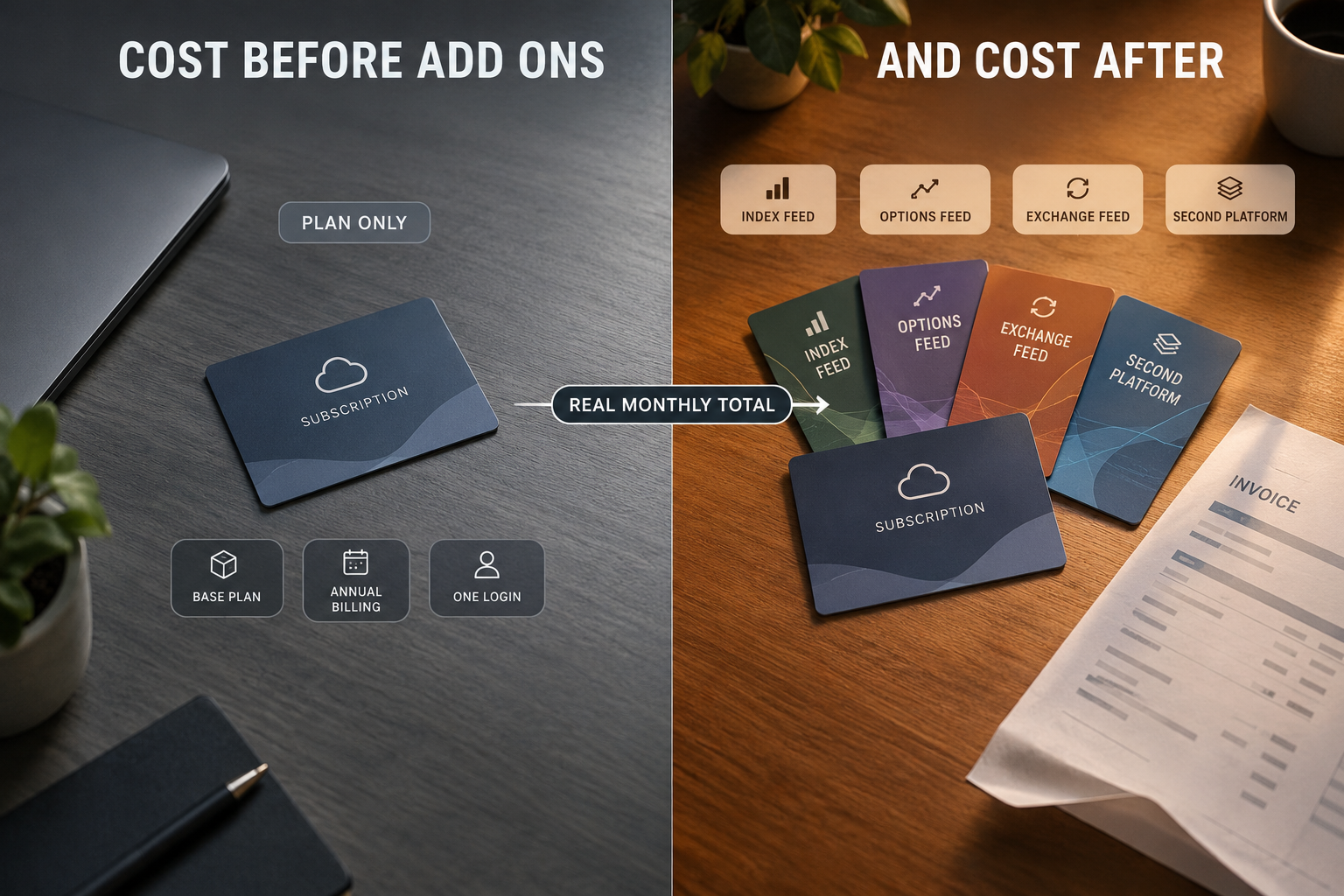
For a U.S.-equity-only swing trader who skips add-ons, TC2000 Premium on annual billing is the cheaper serious option at about $41.65 a month effective. Add both TC2000 data add-ons and TradingView Premium becomes competitive or cheaper. The sticker price is rarely the number that hits the card.
Scenario 1: U.S. stocks only, no options, no index feed.
TC2000 Premium annual is $499.80, or about $41.65 a month. TradingView Premium annual is about $599.40, or $49.95 a month, before any U.S. exchange real-time fee. TC2000 wins on both price and scan capability. Clean call.
Scenario 2: Options traded around the swing positions.
TC2000 Premium at $49.99 plus real-time options data at $9.99 is $59.98 a month on monthly billing. Add real-time index data and the total is $69.97. Still comfortably under the $100 ceiling, and the platform is purpose-built for equity plus options workflow.
Scenario 3: Equities plus futures or forex.
TradingView Premium at $59.95 covers all of it from one login. TC2000 would require a second subscription elsewhere, which breaks the budget. TradingView wins on total cost of ownership rather than price per plan.
Scenario 4: Tightest possible budget.
TradingView Essential at about $12.95 a month effective on annual billing, or the free Basic plan, delivers charts and a handful of alerts. TC2000 Basic at about $20.82 a month effective delivers the platform but not the real-time scanning that justifies choosing TC2000 in the first place. Going TC2000 means budgeting for Premium.
The edge case most comparisons miss: TC2000 Brokerage customers can qualify for software discounts. For a trader already planning to move accounts, that reshapes the arithmetic. Confirm current terms directly with TC2000 before routing money based on any article.
Why is TC2000 more expensive than TradingView?
TC2000 is not more expensive across the board; it is more expensive at the point where each platform becomes genuinely useful. TC2000's useful tier is Premium at $49.99, while TradingView's cheapest paid tier starts near $14.95. The gap reflects what sits behind the price.
Three factors explain it:
- Bundled real-time equity scanning. Streaming scan results across thousands of U.S. tickers is a data-intensive service. TC2000 builds that into Premium rather than selling it as an enterprise add-on.
- Vertical focus. TC2000 amortises development across one market (U.S. equities and options) and a smaller user base. TradingView spreads costs across a very large global user base including crypto traders, which supports cheaper entry tiers.
- Unbundled data. TC2000 keeps index and options feeds as separate $9.99 line items, so the headline tier looks lean while the realistic monthly bill runs higher.
Common mistake: comparing TC2000 Premium to TradingView Essential. Those tiers do not do the same job. The honest pairing is TC2000 Premium ($49.99) against TradingView Premium ($59.95).
Is TC2000 better than TradingView for day trading?
For pure U.S. equity day trading, TC2000 generally has the edge because of real-time streaming scans, fast intraday chart refresh, and higher alert ceilings on Premium+. For day trading futures, forex, or crypto, TradingView is the only viable option of the two.
Day-trading-focused comparisons such as this platform breakdown for day traders tend to land on the same split: intraday U.S. momentum scanning favours TC2000's engine, while chart-based discretionary trading across markets favours TradingView's interface and order routing from the chart.
Choose TC2000 for day trading if: the strategy depends on catching fresh setups as they form intraday in U.S. names, and multi-monitor desktop layouts matter.
Choose TradingView for day trading if: the instrument is ES futures, a currency pair, or BTC, or the entries come from chart structure rather than a screener sweep.
For swing traders (the audience of this article), this question matters less, because a nightly scan does not require millisecond refresh. Traders sitting between both styles may find a dedicated day trading tool comparison more relevant than either platform.
Can you use TradingView for stock screening like TC2000?
Partly. TradingView's built-in screener handles fundamental and technical filters across global markets and is perfectly capable for standard criteria, but it does not replicate TC2000's streaming, formula-driven scan behaviour.
Where TradingView's screening holds up:
- Broad technical and fundamental filters (price, volume, RSI, moving average position, market cap, sector).
- Multi-market screening in one interface, including crypto and forex, which TC2000 cannot do at all.
- Pine Script alerts applied to a watchlist, which functions as a workaround for custom conditions.
Where it falls short of TC2000:
- No continuously re-ranking live scan across the full U.S. market.
- Custom multi-condition logic often requires a script plus an alert rather than a single saved scan.
- Sorting and column customisation in the results pane is less flexible than TC2000's watchlist columns.
Practical workaround: many traders run screening in a dedicated tool and charting in TradingView. Free options and Finviz Elite come up constantly in that stack, which is why the TradingView and Finviz comparison is a useful companion read, along with a broader look at stock scanner options.
Does TradingView have the same charting tools as TC2000?
TradingView has more charting tools than TC2000 by raw count, including a larger drawing toolset, more chart types, more timeframes, and a much larger community indicator library. TC2000's charts are faster to load and cleaner by default, with tighter integration between chart and scan.
Independent chart analysis testing, including a pattern recognition lab comparison of both platforms, generally credits TradingView with the broader analytical toolkit while acknowledging TC2000's speed and precision on U.S. equity charts.
What that means in practice for a swing trader:
- Support and resistance work: both are fine. TradingView's drawing tools sync across devices, which is convenient for reviewing levels on a phone.
- Multi-timeframe review: TC2000 handles rapid timeframe switching inside a saved layout very well. TradingView's multi-chart layouts are tier-gated (more charts per tab at higher plans).
- Indicator depth: TradingView wins outright because of community scripts. Discipline is required.
- Chart-to-action speed: TC2000's chart sits next to the scan results, so moving from list to chart to alert takes seconds.
TC2000 vs TradingView for options trading
TC2000 is the stronger choice for options traders who want option chains, greeks, and scanning tied to underlying U.S. equities, especially with the $9.99 real-time options data add-on. TradingView added more derivatives coverage over time but remains weaker for chain analysis and options-specific scanning.
Specifics worth knowing:
- TC2000 supports option chains, single and multi-leg analysis, and trading options through TC2000 Brokerage, which keeps scanning and execution in one place.
- TC2000's real-time options data is a separate $9.99 monthly add-on. Without it, quotes are delayed, which is unworkable for anything time-sensitive.
- TradingView's strengths for options traders are indirect: excellent charting of the underlying and alerting on technical levels. Chain visualisation and spread modelling are not its focus.
- Traders who want serious flow and chain analytics usually pair a charting platform with a dedicated tool, a pattern covered in this options flow scanner guide.
Decision rule: if more than a quarter of the positions are options structures on U.S. equities, TC2000 Premium plus the options data feed at $59.98 a month is a better fit than TradingView Premium.
TC2000 vs TradingView for beginners: which is easier?
TradingView is meaningfully easier for beginners. The browser interface, free Basic tier, and guided chart tools mean a new trader can be reading a chart within minutes. TC2000's power sits behind a denser desktop interface and a formula syntax that takes deliberate study.
TC2000 learning curve compared to TradingView
- Week one on TradingView: open a chart, add two indicators, draw levels, set an alert. No manual required.
- Week one on TC2000: learn the layout system, watchlists, condition sorting, and the EasyScan builder. Useful output arrives quickly; mastery does not.
- Where TC2000 gets hard: Personal Criteria Formulas. Writing conditions correctly requires understanding the syntax, offsets, and how conditions combine. TC2000 publishes documentation and tutorials, and the community shares formulas, but this is the real gate.
- Where TradingView gets hard: Pine Script. Simpler than most programming languages, still a programming language. Copying community scripts postpones the learning rather than removing it.
Common beginner mistake: paying for TC2000 Premium to run formula scans before having a written, tested setup to encode. The tool cannot supply the edge. Build the rule first on a free TradingView chart, then decide whether TC2000's engine is worth $49.99 a month to automate the search.
TC2000 vs TradingView alerts: can TradingView replace TC2000 triggers?
TradingView alerts can replace TC2000 alerts for most swing traders, and they do things TC2000 cannot, such as firing webhooks to external systems. TC2000 wins on raw capacity, with up to 1,000 alerts on Premium+ against tier-limited counts on TradingView.
How the two compare in practice:
- Capacity: TC2000 Premium+ at $99.99 supports up to 1,000 alerts. TradingView's alert allowance rises with plan tier, and Premium's allotment is generous but lower than that ceiling.
- Condition types: TC2000 alerts can be built on saved scan conditions, so a formula becomes a trigger. TradingView alerts can be built on price, drawing tools, indicator crossovers, screener conditions, and Pine Script outputs.
- Delivery: both support in-app, email, and mobile push. TradingView adds webhooks on paid tiers, which is the gateway to automation.
- Expiry behaviour: TradingView alerts can be set to expire or run continuously depending on plan; check current terms, since limits change.
Worked example: a 40-name watchlist with two triggers each (breakout level and failure level) needs 80 active alerts. That is fine on TradingView Premium and fine on TC2000 Premium, and it would strain a free plan on either side.
Which platform has better customer support, TC2000 or TradingView?
Public sentiment gives TC2000 the edge on direct human support, including phone and email access plus live training sessions, while TradingView leans on help documentation, in-app ticketing, and a very large user community. Neither is a common deal-breaker.
- TC2000: smaller company, U.S.-focused, known for responsive support and regular educational webinars. Users on review sites frequently mention reaching a person.
- TradingView: ticket-based support at scale. Response quality varies, but the community, published documentation, and Pine Script forums resolve most questions faster than a ticket would.
- Edge case: data feed and exchange entitlement problems (professional status classification, missing real-time quotes) are the support issues that actually cost traders money. Both platforms handle these through billing and data teams, and resolution can take days. Budget for that when starting a trial mid-month.
Is TradingView better for crypto or stocks compared with TC2000?
TradingView is better than TC2000 for crypto by default, because TC2000 does not cover digital assets at all. For U.S. stocks specifically, TC2000's scan engine is stronger, while TradingView's charting and cross-market context are broader.
- Crypto: TradingView aggregates major exchange pairs, supports 24/7 charting, and lets one alert framework cover BTC and equities. TC2000 has no crypto coverage.
- Stocks: TC2000 wins on nightly screening throughput and formula precision. TradingView wins on chart tooling and the ability to check correlated futures or currency moves in the same session.
- Mixed portfolio: a trader who swings equities but hedges with index futures or holds crypto has effectively already made the TC2000 vs TradingView choice in favour of TradingView, because the alternative is two subscriptions.
TC2000 is best for what type of traders?
TC2000 suits active U.S. stock and options traders who need high-speed real-time scanning, custom formula conditions, and multi-monitor desktop layouts. In swing trading terms: there is a defined setup, the goal is finding every instance of it across thousands of tickers, and the list should be sorted before bed.
Best fit:
- Nightly screeners with a written, rule-based setup.
- Traders who run the same three or four scans every session and want them ranked by their own columns.
- Options traders working U.S. equities who want chains and scanning in one application.
- Anyone who values a fast desktop application over a browser tab.
Poor fit:
- Traders holding currencies, global indices, or digital assets, who would end up paying for a specialist and buying a second subscription anyway.
- Mac-first users, since the desktop experience is Windows-centric.
- Beginners without a defined setup to encode.
For a broader look at where both platforms fit next to purpose-built swing tools, the swing trading tools guide covers adjacent options.
TC2000 alternatives if you don't like TradingView
If TradingView feels too broad and TC2000 feels too narrow or too Windows-bound, four alternatives cover most of the gap under or near $100 a month.
- Finviz Elite: the fastest path to a clean, cheap U.S. equity screener with real-time data and email alerts. Weaker charting than either platform here, far simpler to learn. See the Finviz Elite review.
- Trade Ideas: built for real-time scanning with AI-generated signals. More expensive than TC2000 Premium and aimed at intraday traders, as the TrendSpider and Trade Ideas comparison lays out.
- TrendSpider: automated trendline detection, multi-timeframe analysis, and no-code backtesting. Good middle ground for swing traders who want scripting power without writing code.
- Thinkorswim: free with a Schwab brokerage account, with a capable scanner, full options analytics, and thinkScript for custom studies. The trade-off is a heavier interface and broker lock-in.
Broker-native screeners are also worth a look before adding a subscription, and general screener roundups such as Investopedia's stock screener coverage are a reasonable sanity check on where each tool ranks. A wider set of head-to-head breakdowns lives in the comparison hub.
Top 5 features that matter most for swing traders
For a trader holding two to 10 days and scanning at night, five things decide whether a platform earns its fee. The rest is decoration.
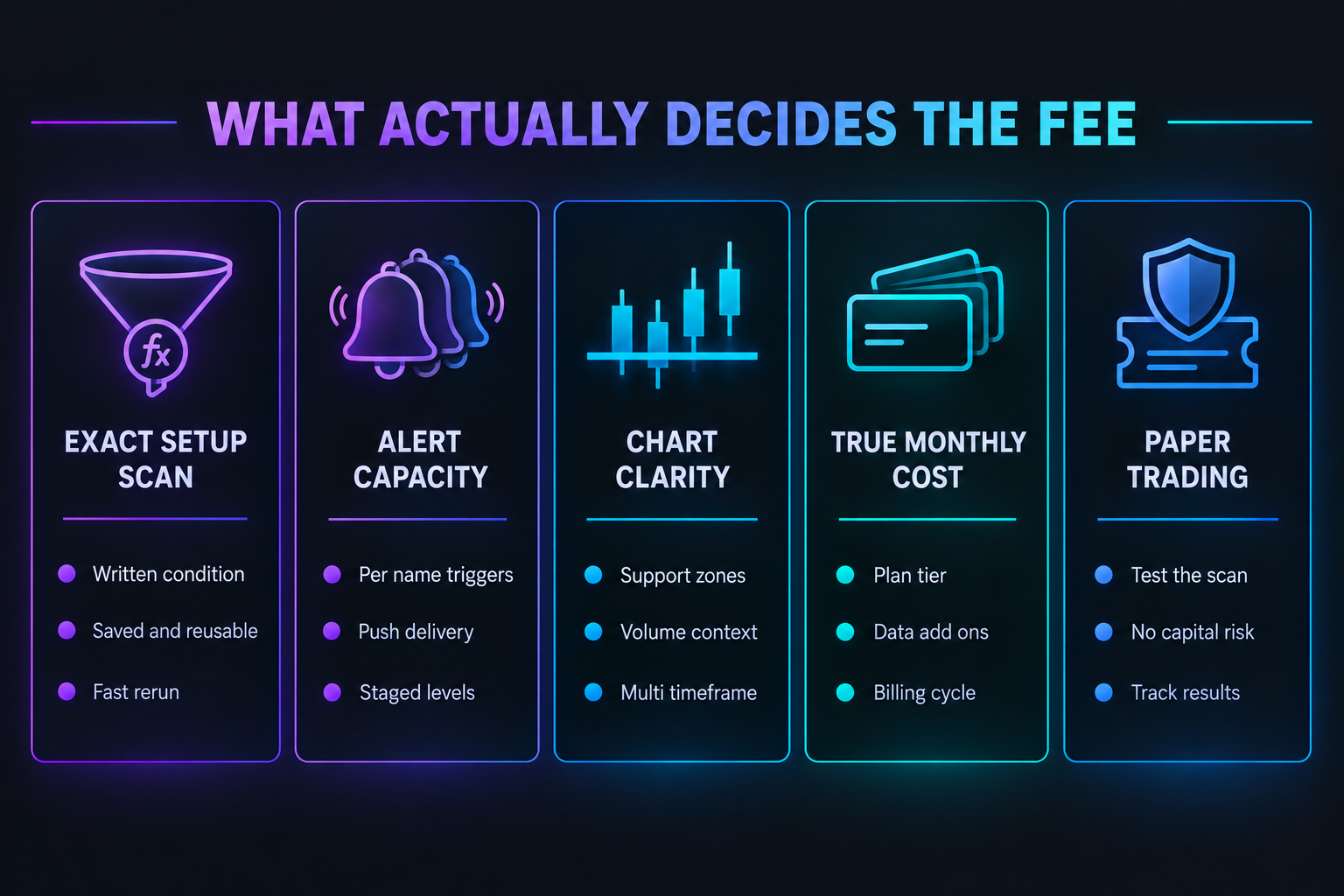
1. A scan that expresses the exact setup. Not "top gainers." A condition written, saved, and rerun in four seconds. TC2000's Personal Criteria Formulas and TradingView's Pine Script filters both get there. Preset-only screeners do not. If the setup cannot be written down as a rule, the tool is not the bottleneck yet.
2. Alert capacity that matches watchlist size. A 40-name watchlist with two triggers each needs 80 alerts. Free and entry tiers on both platforms will choke on that. TC2000 Premium+ tops out at 1,000, which exceeds what most part-time traders need, while TradingView Premium's allowance handles a serious watchlist with webhooks as a bonus.
3. Chart clarity at a glance. The nightly job is deciding whether a name is worth a trigger. That requires clean daily and weekly views, visible volume, and levels that stay where they were drawn. TC2000 renders faster; TradingView syncs across devices. Both are adequate, and preference decides it.
4. Honest total cost. Plan price plus data add-ons plus any second subscription. TC2000 Premium with both feeds is $69.97 a month; TradingView Premium is $59.95 plus exchange fees where they apply. Annual billing saves about two months on TC2000 and about 16.7% on TradingView.
5. Paper trading before capital. A scan built on Tuesday should produce a tracked, unfunded record for several weeks before it sizes a real position. TC2000 includes paper trading on all three tiers; TradingView includes it even on the free plan. This is the feature most traders skip and most regret skipping.
Scoring TC2000 vs TradingView on the FullStack Alpha framework
TradingView: 95/100. Provisional pillar split: Signal Quality 19, Transparency 19, Price-to-Value 18, Usability 19, Community Verdict 20.
TC2000: 76/100. Provisional pillar split: Signal Quality 17, Transparency 15, Price-to-Value 15, Usability 14, Community Verdict 15.
TradingView scores near the top of the range because it is strong on every pillar at once, with a perfect Community Verdict reflecting the size and vocal satisfaction of its user base, plus high marks for transparent public pricing, a free tier that lets anyone verify claims before paying, and an interface that new users learn without a manual. Its Price-to-Value score of 18 acknowledges that real-time exchange data still costs extra on top of the plan.
TC2000's 76 is a respectable score for a specialist. Signal Quality at 17 is its best pillar, which fits: the scan engine finds what it is asked to find, precisely. Transparency at 15 and Price-to-Value at 15 sit mid-range, reflecting the $9.99 add-ons that lift a $49.99 plan toward $69.97 and the absence of a free forever tier for risk-free evaluation. Usability at 14 is the weakest pillar, reflecting the steeper interface and formula syntax, and Community Verdict at 15 reflects a smaller, loyal, U.S.-centric user base rather than any widespread dissatisfaction. Both pillar splits are provisional and match the live FullStack Alpha reviews at the time of writing.
Read together, the scores say what the rest of this TC2000 vs TradingView comparison says: TradingView is the better general-purpose platform, and TC2000 is the better specialist for one specific job.
Final verdict: TC2000 vs TradingView for a sub-$100 swing trading stack
Pay for TC2000 Premium at $49.99 a month ($499.80 annually) if the entire process is U.S. equities and the edge lives inside a formula. Nothing else in that price band matches real-time EasyScan plus Personal Criteria Formulas, and paper trading on every tier means a new scan can be validated before it costs anything. Add $9.99 for real-time options data if options are part of the plan, and treat $69.97 a month as the realistic ceiling with both feeds.
Pay for TradingView Premium at $59.95 a month (about $599.40 annually) if the account touches more than U.S. stocks, or if the plan involves writing and backtesting rules. One login covers equities, futures, forex, and crypto, Pine Script turns an idea into a testable strategy, webhook alerts open the door to automation, and the free Basic plan plus 30-day trials means nothing is bought blind.
The deciding question is not which platform has more features. It is which platform runs the process that already exists. A trader with a written setup and a U.S.-only universe should buy the scanner. A trader reading structure across markets should buy the charting platform. Anyone still undecided after reading this TC2000 vs TradingView breakdown should spend a free month on TradingView Basic, write the setup down as a rule, and only then decide whether TC2000's engine is worth the extra effort and cost.
For more head-to-head breakdowns of scanners, screeners, and AI-assisted stock tools, browse the reviews and comparisons at aistockpickerapps.com.
TC2000 vs TradingView: frequently asked questions
These answers cover the TC2000 vs TradingView questions swing traders ask most, from entry price to free plans to asset coverage.
Is TC2000 or TradingView cheaper?
TradingView is cheaper at entry (free Basic, Essential around $14.95 a month) and TC2000 is cheaper at the tier where each becomes genuinely useful: TC2000 Premium is $49.99 a month against TradingView Premium at $59.95. Annual billing saves about two months on TC2000 and about 16.7% on TradingView.
Does TC2000 have a free trial or free plan?
TC2000 has no free forever tier. TradingView offers a free Basic plan plus 30-day trials on Essential, Plus, and Premium, which makes risk-free evaluation easier on the TradingView side of any TC2000 vs TradingView decision.
Can TC2000 chart forex or crypto?
No. TC2000 covers U.S. stocks and U.S. listed options. Traders who need currencies, global indices, or digital assets should use TradingView or run a second platform.
What does TC2000's $9.99 add-on actually buy?
TC2000 charges $9.99 a month for real-time index data and $9.99 a month for real-time options data, billed separately. A Premium subscriber who wants both pays about $69.97 a month in total.
Is Pine Script hard to learn for a swing trader?
Pine Script is easier than general programming languages but still requires study. Most swing traders begin by using community scripts and editing small parameters, then write simple condition scripts once the logic of their own setup is clear.
Which platform is better for scanning the whole U.S. market at night?
TC2000, because EasyScan plus Personal Criteria Formulas allows a precise multi-condition filter across thousands of tickers with results sortable by custom columns. TradingView's screener is capable but returns snapshots rather than a streaming, re-ranking scan.
Can TradingView alerts trigger automated trades?
TradingView alerts can fire webhooks on paid tiers, which many traders route into third-party execution services or their own scripts. TC2000 alerts deliver notifications and do not offer webhook output.
Does TC2000 work on Mac?
TC2000 is built primarily as a Windows desktop application, with browser and mobile access available. Mac-first traders usually find TradingView's browser platform less friction.
Which platform has better mobile apps?
TradingView's mobile app is generally rated higher for charting and watchlist syncing across devices. TC2000 has mobile access, but the desktop application is where its scanning strength lives.
Should a beginner start with TC2000 or TradingView?
Beginners should start with TradingView's free Basic plan, learn to read charts, and write down a repeatable setup. TC2000 Premium becomes worth considering once that setup exists and needs to be applied across the whole U.S. market every night.
How much does TC2000 cost?
TC2000 costs $24.99 a month for Basic, $49.99 for Premium, and $99.99 for Premium+. Real-time index data and real-time options data are $9.99 a month each, so Premium with both runs about $69.97. Annual billing saves about two months.
Is TC2000 a good broker?
TC2000 is mainly charting and scanning software, with TC2000 Brokerage as its trading arm. Brokerage customers can qualify for software discounts, and options can be traded through TC2000 Brokerage, which keeps scanning and execution in one place. Compare account terms and costs with your current broker before moving money.
Is there a better platform than TradingView?
Not for every job. TC2000 is the better buy for traders who scan only U.S. stocks and want real-time EasyScan and Personal Criteria Formulas, while TradingView stays the stronger general-purpose platform. Thinkorswim, free with a Schwab brokerage account, and TrendSpider also cover specific gaps.
Related reading
- Guide to AI stock scanners
- TradingView vs Finviz comparison
- Swing trading tools guide
- Finviz vs Trade Ideas
- Testing methodology
References
- Chart Analysis and Pattern Recognition Lab Test: TradingView vs TC2000, Liberated Stock Trader
- TradingView vs TC2000: Ultimate Guide to 32 Features 2026, Great Work Life
- TC2000 vs TradingView: Which Platform Is Better for Day Traders?, Bulls on Wall Street
- TradingView, Thinkorswim, TC2000, and TrendSpider Compared, DXPA Charting Software Guide
- Best Stock Screeners for September 2026, Investopedia
- TC2000 Review, Day Trade Review via TC2000
Disclosure: this article may contain affiliate links, and a commission may be earned on qualifying purchases at no extra cost to the reader.
We test the tools. You get the verdict.
One email a week. What we tested, what scored, and what we'd skip. Written for traders, not for clicks.
More from FullStack Alpha