Koyfin vs TradingView: Research Terminal or Charting Platform?
Koyfin vs TradingView splits cleanly: Koyfin wins for fundamentals-first position investors, TradingView wins for chart-driven swing and day traders.
Quick Answer
Koyfin is a research terminal with charts bolted on. TradingView is a charting platform with financial data bolted on. If your buy decision starts with a 10-year revenue trend and a valuation multiple, Koyfin Plus at $39 a month does more for you than TradingView Premium at about $59.95. If your buy decision starts with a level on the chart and an alert that fires when price tags it, TradingView Essential at about $12.95 replaces Koyfin entirely. Paying for both costs roughly $69 a month, and most people who do it are only using half of each.
Koyfin vs TradingView: key takeaways
- Koyfin's free plan caps company history at 2 years. That's too thin for valuation work, which is the whole reason you'd use Koyfin. Plus at $39/mo takes you to 10 years plus ETF screening.
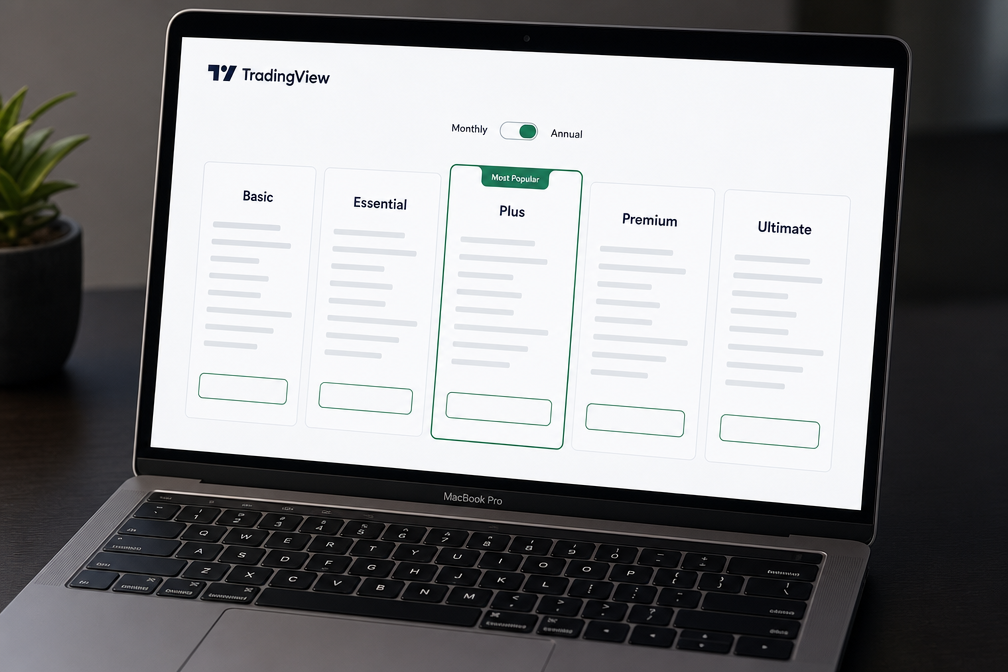
- TradingView's entry paid tier is about $12.95/mo (Essential), roughly a third of Koyfin's cheapest paid plan. Plus runs about $29.95, Premium about $59.95, Ultimate about $199.95, with up to 17% off annual billing.
- Koyfin Premium at $79/mo is where portfolio risk metrics and alerts show up. That's the plan long-term investors actually want, not Plus.
- TradingView real-time exchange data is a separate monthly fee on top of your plan. Budget for it or accept delayed quotes.
- Pine Script is the moat. No fundamentals tool on this list lets you write, backtest, and publish a custom indicator the way TradingView does.
- Running both costs about $827 a year (Koyfin Plus $39 + TradingView Plus $29.95). The cheapest honest stack is Koyfin free + TradingView Essential at about $12.95, which runs about $155 a year.
- Koyfin Advisor Core starts at $209/mo, Advisor Pro at $299/mo, which is client-reporting territory, not retail.
How did we compare Koyfin vs TradingView?
We compared both tools on the six things that decide which subscription survives your next credit card statement: fundamental data depth, charting and drawing tools, screening, alerts, market coverage, and what the free plan actually gives you. Price came last, on purpose, because the cheapest tool you don't use is still a waste.
The test we care about is workflow replacement, not feature counting. A feature list tells you what a tool has. A workflow test tells you whether you can cancel the other subscription. So each tool got judged against one question: can this be the only tab open when you make a decision?
Three ground rules shaped the verdict:
- Data depth beats data breadth for position investors. Ten years of financials on 500 names is more useful than two years on 50,000.
- Latency and alert reliability beat indicator quantity for traders. An alert that fires late is a history lesson.
- Free tiers count in a tool's favor when they do most of the paid job. TradingView's Basic plan does. Koyfin's doesn't.
Our full scoring method lives on the how we test page, and the five-pillar Alpha Score breakdowns sit further down this page.
Koyfin vs TradingView: the short answer
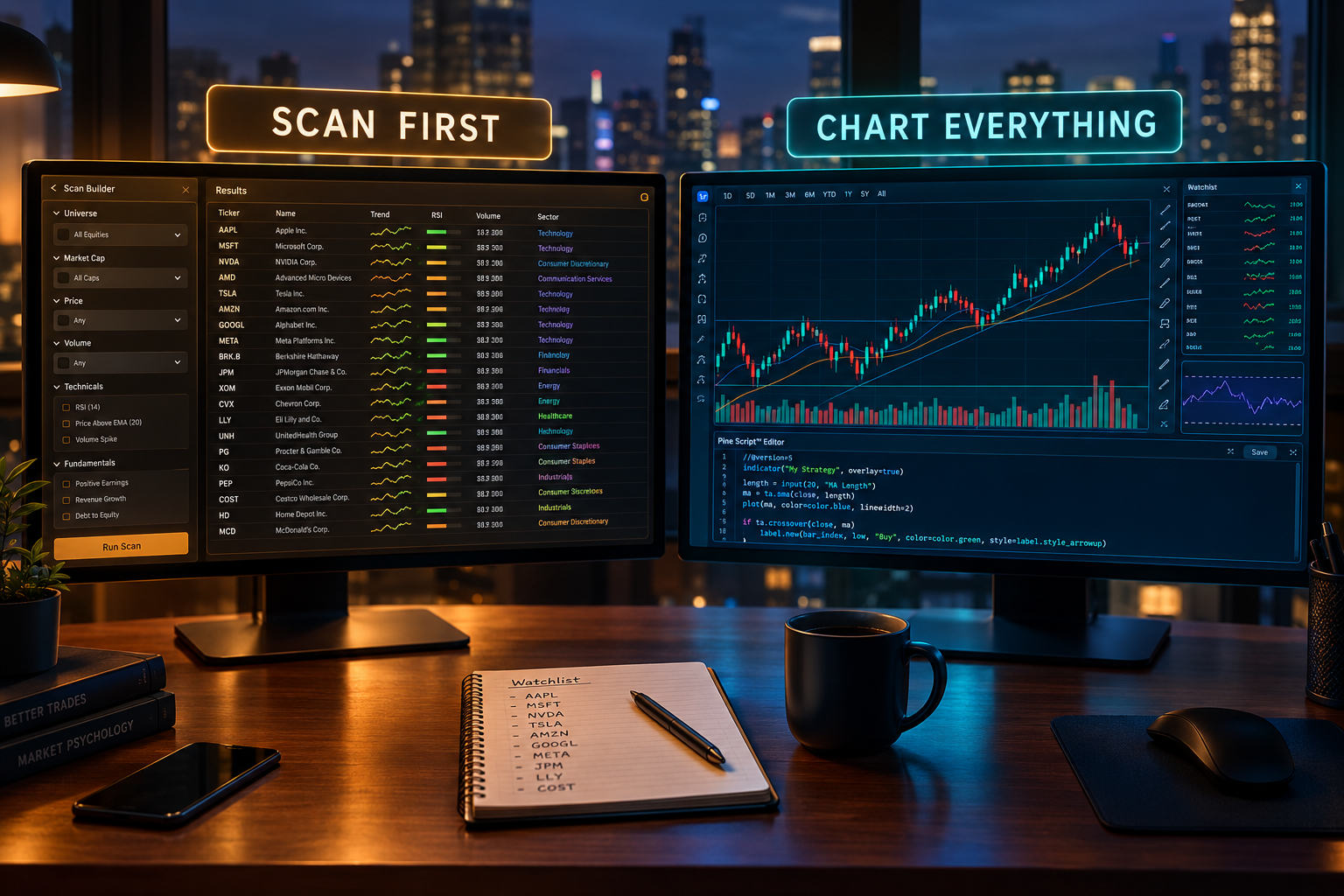
Buy Koyfin if you hold positions for months and your edge comes from understanding the business. Buy TradingView if you hold positions for days or weeks and your edge comes from levels, volume, and timing.
Here's the decision rule, stripped down:
- You read 10-Ks and compare EV/EBITDA across a peer group? Koyfin Plus, $39/mo.
- You trade futures, forex, or need one chart interface across every asset class? TradingView, and Koyfin can't help you at all. It's an equities and ETF research tool.
- You want alerts on price levels with a custom indicator behind them? TradingView Plus or Premium.
- You manage a real portfolio and want risk metrics on it? Koyfin Premium, $79/mo.
- You're an advisor sending client reports? Koyfin Advisor Core at $209/mo, and you probably already knew that.
The common mistake is buying both because you identify as someone who mixes fundamentals and charts. Identity isn't a workflow. Look at your last 10 trades and ask what actually triggered each entry. If eight of them came off a chart, you're a chart trader who reads earnings reports. Buy accordingly.
| Tool | Fundamental data depth | Charting | Screening | Alerts | Markets | Free plan | Price |
|---|---|---|---|---|---|---|---|
| Koyfin | Deep: financial statements, analyst estimates, valuation multiples, 10 years of history on Plus and above | Functional but basic; fine for trend context, weak for execution | Stock screening on free; ETF screening added on Plus; formula-based analysis on paid tiers | Alerts arrive on Premium ($79/mo) | Global equities, ETFs, macro, some credit and FX data; no futures trading workflow | Yes: screening plus basic company data, history capped at 2 years | Free; Plus $39/mo; Premium $79/mo; Advisor Core $209/mo; Advisor Pro $299/mo |
| TradingView | Shallow but present: income statement, balance sheet, cash flow overlays on the chart | Best in class: drawing tools, multi-chart layouts, Pine Script indicators, replay | Stock, forex, crypto, and futures screeners; simpler filters than Koyfin on fundamentals | Server-side price, indicator, and drawing alerts; count and type capped by tier | Stocks, ETFs, futures, forex, crypto across global exchanges | Yes: charts, community scripts, a small number of alerts | Free Basic; Essential ~$12.95/mo; Plus ~$29.95/mo; Premium ~$59.95/mo; Ultimate ~$199.95/mo; up to 17% off annually. Real-time exchange data billed separately |
Koyfin: best for fundamentals, valuation, and dashboards
Koyfin is the research half of the Koyfin vs TradingView split, with retail paid plans at $39 and $79 a month.
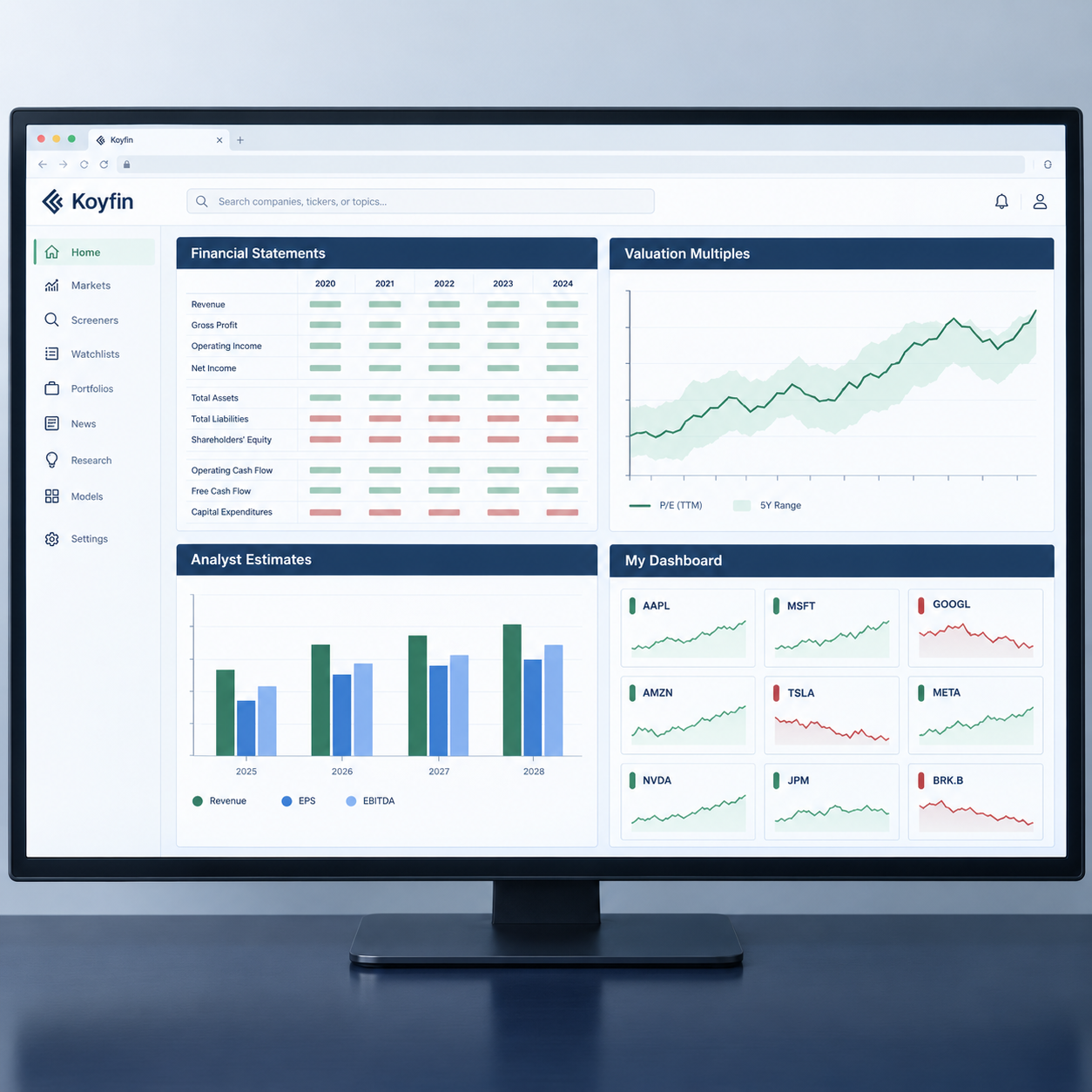
Koyfin is the closest thing to a Bloomberg terminal that a retail investor can put on a personal credit card. It's a browser-based research workspace built around financial statements, analyst estimates, valuation multiples, custom dashboards, screening, and portfolio tracking. Charting exists. Charting is not the point.
What that looks like in practice: you pull up a ticker, and instead of a candlestick chart with 14 indicators, you get a research page. Ten years of revenue, margins, and free cash flow. Consensus estimates and how they've been revised. A valuation section where you can chart forward P/E against its own five-year range instead of eyeballing it. Then you build a dashboard that puts your watchlist, macro tiles, and a peer comparison table on one screen, and that screen becomes your morning.
Koyfin's real advantage is the dashboard. Most research tools make you visit six pages to answer one question. Koyfin lets you build the page that answers it.
Koyfin pros
✅ Free plan includes stock screening and basic company data, so you can test the interface before paying
✅ Plus at $39/mo adds 10 years of financial history and ETF screening
✅ Custom dashboards and formula-based analysis on paid plans, which is unusual at this price
✅ Premium at $79/mo adds portfolio risk metrics and alerts
✅ Clean web interface, nothing to install, works the same on any machine you log into
Koyfin cons
❌ Charting and technical tools trail TradingView by a wide margin, which is why active chart traders keep both
❌ The free plan's 2-year history limit makes it nearly useless for the valuation work Koyfin is built for
❌ No futures or forex trading workflow, and no broker integration for placing orders
❌ The jump from Plus to Premium is $40/mo, and alerts sitting behind that wall will annoy some users
Key features that matter
- Financial statements and estimates side by side. You can compare reported results to consensus without exporting anything.
- Valuation multiple charts. Forward multiples plotted over time, against peers, with your own date ranges.
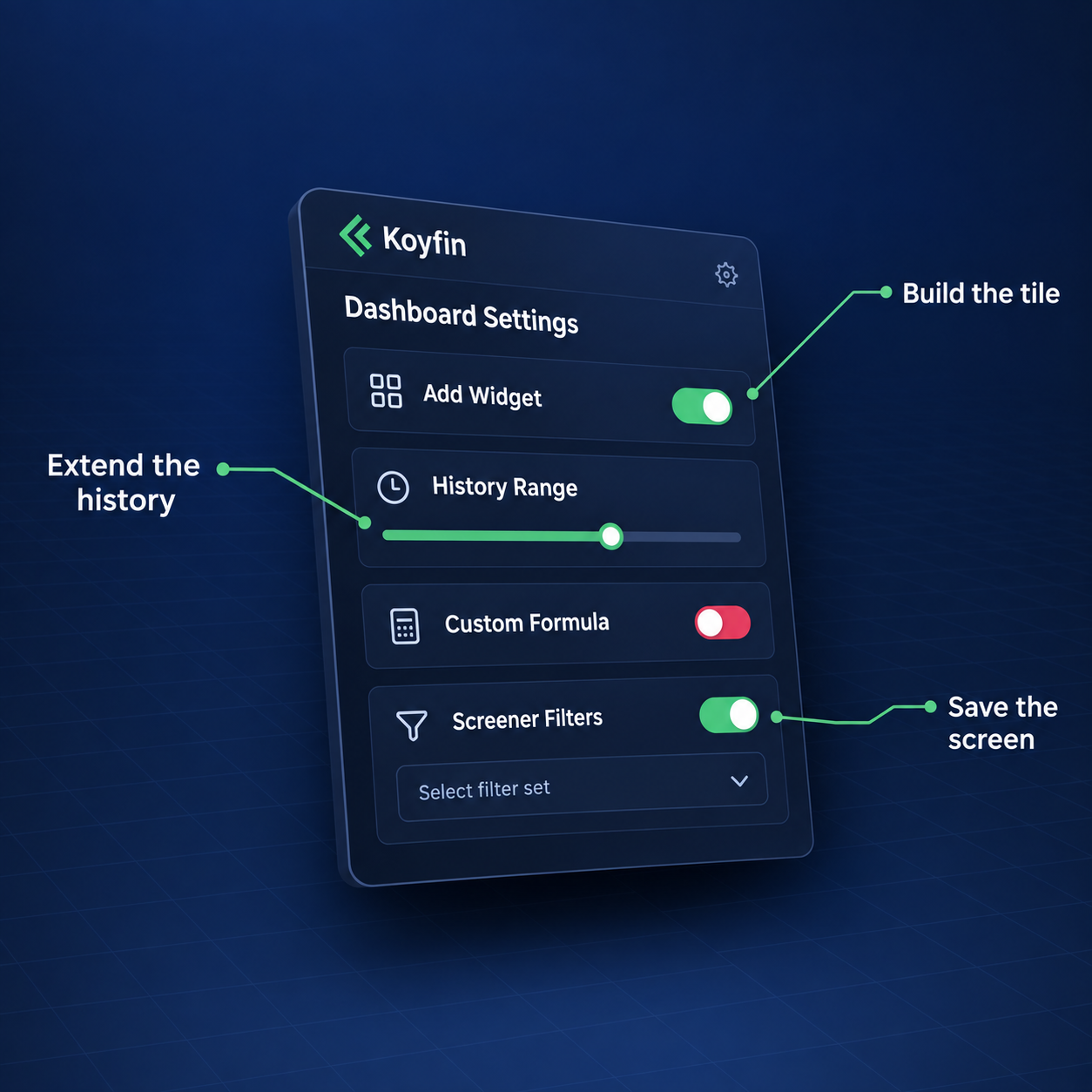
- Custom dashboards with formulas. Build a screen once, reuse it every earnings season.
- Screener across equities and (on Plus) ETFs. Filter on fundamentals rather than mostly-technical criteria.
- Portfolio analytics on Premium. Exposure, contribution, and risk metrics on holdings you've entered.
Who Koyfin is for
Long-term position investors, dividend and value investors, and swing traders whose watchlist is built from fundamentals before a chart ever opens. If your process starts with the business and ends with the entry, Koyfin handles the first 80% of that work better than anything else at $39 a month. Our longer breakdown lives in the Koyfin review, and if you're deciding between research terminals specifically, read Koyfin vs Stock Rover instead of this page.
TradingView: best for charting, alerts, and Pine Script
TradingView owns the execution half, with paid tiers from about $12.95 to $199.95 a month billed annually.
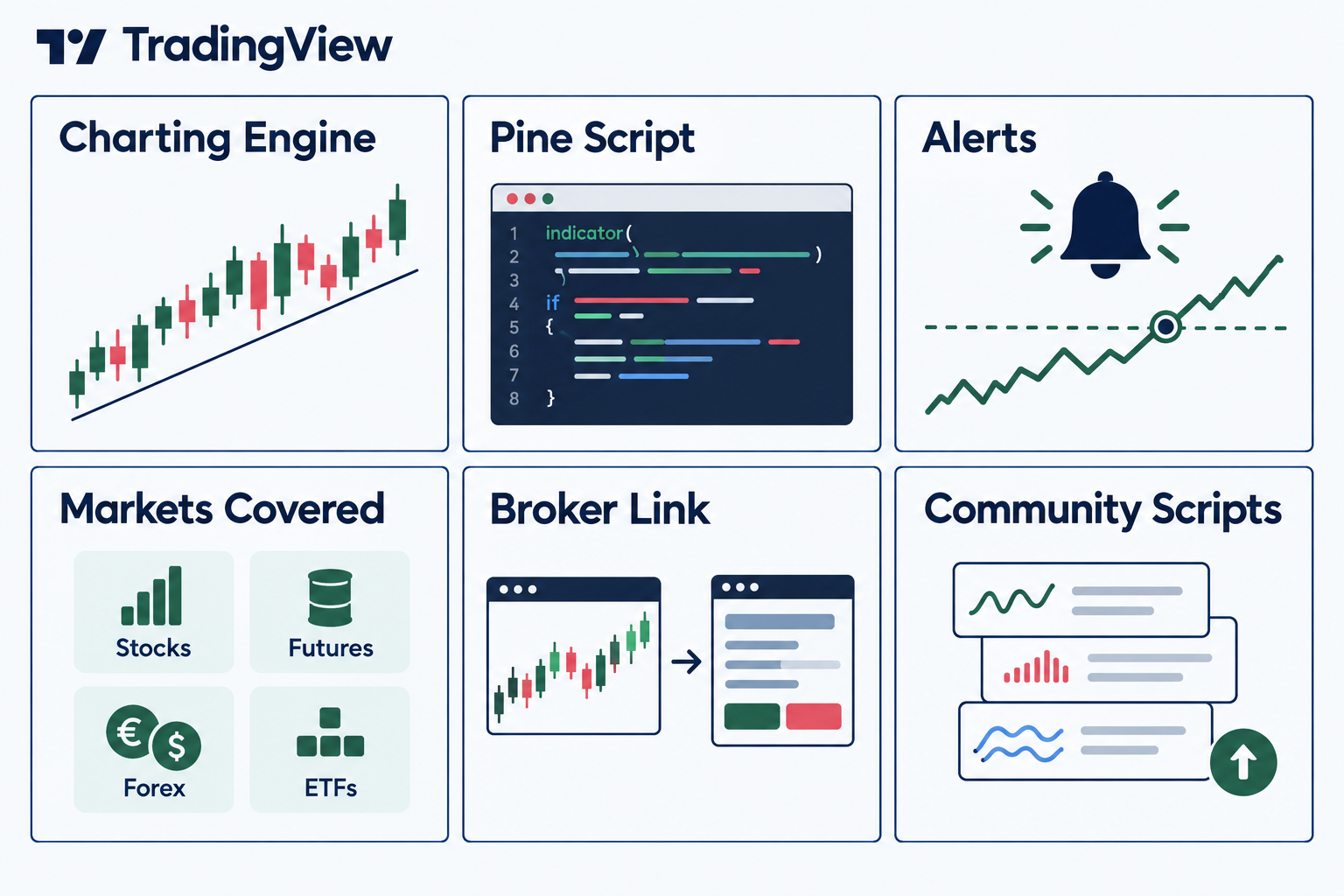
TradingView is the default charting platform for retail traders, and the default exists for a reason. Charts are fast, drawing tools are precise, layouts are flexible, and the community script library is enormous. Coverage spans stocks, ETFs, futures, forex, and crypto on global exchanges, all under one login.
Then there's Pine Script, TradingView's own programming language for building indicators and strategies. Pine is the thing competitors can't copy quickly, because the value isn't the language, it's the library of published scripts other people wrote in it. You can take an idea, code it, backtest it on historical bars, and set an alert on it. That loop, from idea to alert, is the whole product.
Broker integrations let you send orders from the chart if your broker is supported, which collapses the gap between seeing a setup and taking it.
TradingView's free Basic plan is the most generous free tier in this comparison. Charts, community scripts, and a handful of alerts cost nothing. That's a problem for the paid tiers as much as a gift to you.
TradingView pros
✅ Free Basic plan covers charts, community scripts, and a few alerts
✅ Pine Script lets you build and backtest custom indicators and strategies
✅ Stocks, futures, forex, and crypto on global exchanges in one account
✅ Broker integrations let you place trades directly from the chart
✅ 30-day free trials on Essential, Plus, and Premium
TradingView cons
❌ Free and lower tiers cap indicators per chart and alert counts, which pushes active traders up the price ladder fast
❌ Real-time data for many exchanges is a separate monthly fee on top of your plan, so the sticker price understates the bill
❌ Fundamental data is present but shallow, with nothing like Koyfin's estimate history or valuation charting
❌ The community script library is unvetted, and plenty of published indicators are repainting nonsense dressed up as signal
Key features that matter
- Multi-chart layouts with synced symbols. Four timeframes on one screen, one symbol change.
- Server-side alerts. They fire whether your browser is open or not, on price, indicators, or drawings.
- Bar Replay. Step through history bar by bar to paper trade a setup before risking money on it.
- Pine Script strategy tester. Rough backtesting on your own logic, with the usual caveats about curve-fitting.
- Global market coverage. One account for the S&P 500, Nasdaq futures, EUR/USD, and a Tokyo-listed name.
Who TradingView is for
Swing and day traders, futures and forex traders, and anyone whose decision happens on the chart. Also anyone who wants to build and test their own indicator instead of renting someone's signal. If you're weighing it against a screener-first tool, TradingView vs Finviz is the more direct comparison.
Koyfin vs TradingView or both: is paying for two subscriptions worth it?
Most readers weighing Koyfin vs TradingView should pay for one tool and run the other on its free plan.
You can, and it's worth it for a narrow group: investors who build watchlists on fundamentals and time entries on charts, with enough account size that the tooling cost is a rounding error. For everyone else, paying for both is a $69-a-month hedge against making a decision.
Do the arithmetic. Koyfin Plus ($39) plus TradingView Plus ($29.95) is $68.95 a month, about $827 a year. Add real-time exchange data on TradingView and you're past $900. On a $10,000 account, that's roughly 9% of capital going to software before you've placed a trade. On a $250,000 account, it's noise.
The smart stack isn't both paid. It's one paid and one free.
Three configurations that actually work:
- Fundamentals-led, $39/mo. Koyfin Plus for research, TradingView Basic (free) for the chart and two or three alerts. Most long-term investors should run this.
- Chart-led, about $12.95 to $29.95/mo. TradingView Essential or Plus for execution, Koyfin free for a quick fundamentals sanity check. The 2-year history limit stings less when you're holding for six weeks.
- Both paid, about $69/mo. Only if you're running a concentrated portfolio where valuation work and technical timing both carry real weight, and you've used both tools for 90 days without one going stale.
The edge case worth naming: if you trade futures or forex, Koyfin has nothing for you, and the "both" question disappears. Koyfin is an equities and ETF research terminal. Don't pay $39 a month to look at macro tiles next to your Nasdaq futures chart.
The honest failure mode here is analysis paralysis wearing a subscription badge. Two tools means two places to look for a reason not to act. Pick the one that matches how you actually decide, run it for 30 days, and let the results argue back.
Top 5 features that decide Koyfin vs TradingView
Across the five features that decide Koyfin vs TradingView, the tally runs three to TradingView, one to Koyfin, and one split.
These five decide the outcome. Everything else is a tiebreaker.
1. Depth of financial history. Koyfin Plus gives you 10 years; the free tier gives 2. Two years can't show you a cycle, a margin trend, or a management team's track record through a downturn. TradingView's fundamentals are chart overlays, useful for a glance, not for building a thesis. Winner: Koyfin, decisively.
2. Charting and drawing precision. TradingView's drawing tools snap where you want them, layouts save properly, and Bar Replay lets you rehearse a setup on historical data. Koyfin's charts are fine for seeing a trend. They're not where you'd mark support and resistance before sizing a position. Winner: TradingView, decisively.
3. Screening logic. Koyfin screens on fundamentals and adds ETF screening on Plus, with formula-based analysis on paid tiers, which means you can build a filter that reflects your actual criteria. TradingView's screeners cover more asset classes with simpler fundamental filters. Choose Koyfin if your filter includes a valuation multiple. Choose TradingView if your filter includes a moving average and a volume condition. Split decision.
4. Alerts. TradingView's server-side alerts fire on price, indicators, and drawn lines whether you're logged in or not, with counts capped by tier. Koyfin's alerts arrive at Premium, $79/mo. For a trader, TradingView wins on both price and capability. For an investor who wants a ping when a holding reports, either works. Winner: TradingView.
5. Market coverage. TradingView covers stocks, ETFs, futures, forex, and crypto across global exchanges. Koyfin covers global equities, ETFs, and macro data, with no futures or forex trading workflow. If you touch more than one asset class, this one feature can settle Koyfin vs TradingView on its own. Winner: TradingView.
Score it up and TradingView takes three, Koyfin takes one, one splits. That doesn't make TradingView better for you. It makes TradingView better for more people. The single category Koyfin wins is the category some investors care about more than the other four combined.
How do Koyfin and TradingView compare to their competitors?
Four rivals cut into the Koyfin vs TradingView fight from different sides: Stock Rover, Seeking Alpha, TC2000, and TrendSpider.
Neither tool is alone in its lane, and two of the alternatives are cheaper solutions to a narrower problem. Here's who each competitor actually suits.
Stock Rover. The closest direct rival to Koyfin, and the better pick if you want screening, fundamental depth, and portfolio analytics in a single desktop-style interface with strong historical data and rebalancing tools. Stock Rover leans North American equities and feels built for buy-and-hold portfolio management. Koyfin feels built for research and dashboards. Suits: dividend and value investors managing a portfolio they intend to hold for years.
Seeking Alpha. Not a terminal, a research and opinion platform with quant grades on top of a large contributor library. You're buying analysis and coverage, not a data workspace you configure yourself. Suits: investors who want a second opinion and an earnings-call summary more than they want to build a screen. If you're weighing subscription research services, Seeking Alpha vs Motley Fool covers that fight.
TC2000. A charting and scanning platform with a reputation for speed on real-time intraday scans, paired with its own broker. Interface is dated next to TradingView, scanning is fast, and the learning curve is real. Suits: US equity day traders who want intraday scan speed and don't care about forex, crypto, or a community script library.
TrendSpider. Automates the technical work TradingView makes you do by hand: auto-drawn trendlines, multi-timeframe analysis, and no-code strategy backtesting and alerts. Costs more than TradingView's mid tiers and covers fewer markets. Suits: swing traders who want automated technical analysis and alert conditions without learning Pine Script. Our AI swing trading tools guide puts it against the rest of that category.
The pattern across all four: each one is a sharper instrument aimed at a smaller job. Koyfin and TradingView are broad tools that most investors can build a whole process on. That breadth is why they're the two subscriptions people end up stacking.
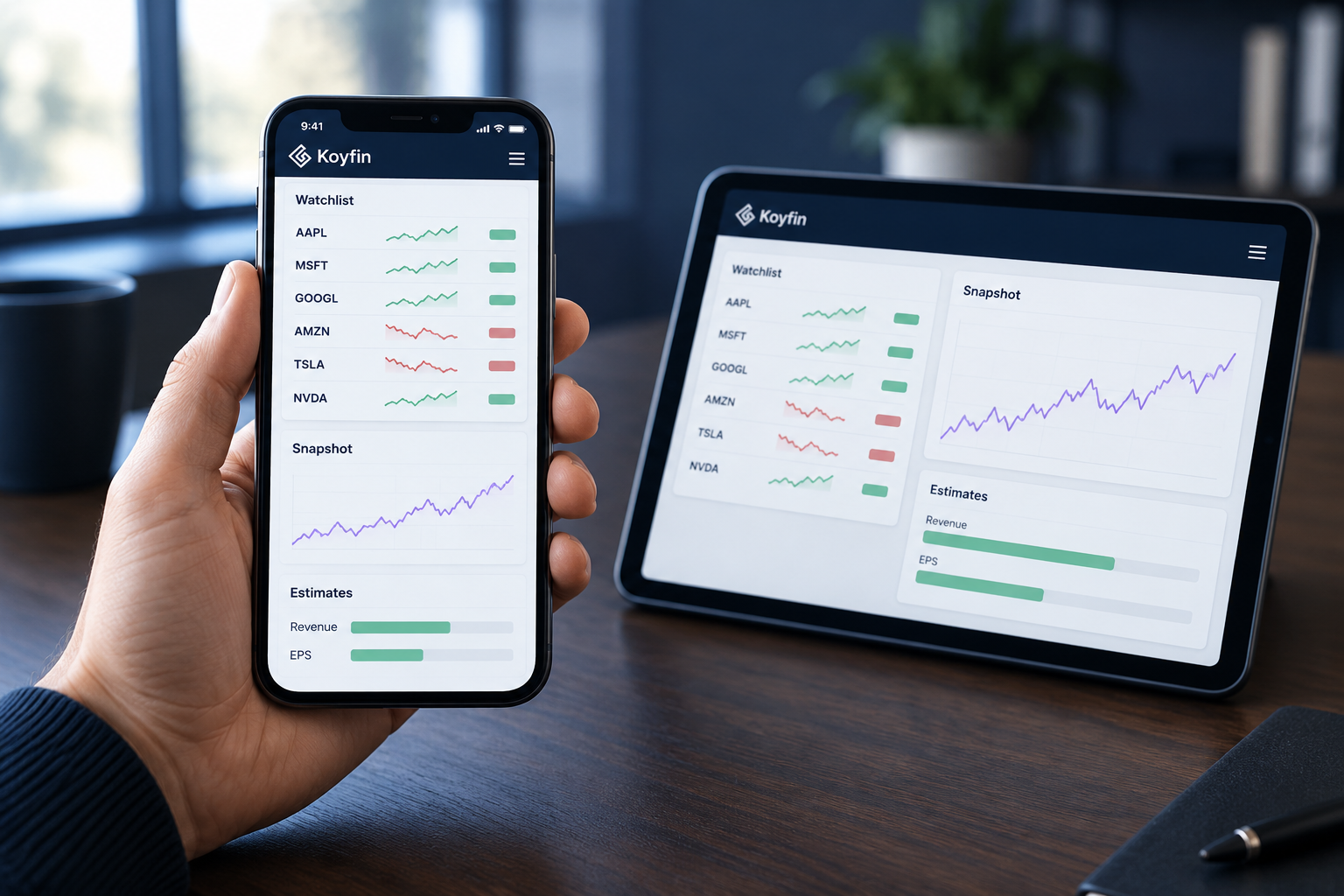
The Alpha Score Breakdown: Koyfin vs TradingView
On the Alpha Score, Koyfin vs TradingView ends TradingView 95, Koyfin 85, and seven of those ten points come from Usability and Community Verdict.
Every tool on the site is scored out of 100 across five pillars worth 20 points each. These scores come from FullStack Alpha desk research plus public user sentiment, and the pillar split is provisional.
Koyfin scores 85 out of 100 across five pillars, 20 points each.
| Pillar | Score |
|---|---|
| Signal Quality | 17 / 20 |
| Transparency | 18 / 20 |
| Price-to-Value | 18 / 20 |
| Usability | 16 / 20 |
| Community Verdict | 16 / 20 |
TradingView scores 95 out of 100 across five pillars, 20 points each.
| Pillar | Score |
|---|---|
| Signal Quality | 19 / 20 |
| Transparency | 19 / 20 |
| Price-to-Value | 18 / 20 |
| Usability | 19 / 20 |
| Community Verdict | 20 / 20 |
Koyfin vs TradingView FAQ
Is TradingView cheaper than Koyfin?
Yes, at the entry level. TradingView Essential runs about $12.95/mo against Koyfin's cheapest paid plan at $39/mo. The gap narrows at the top: TradingView Premium is about $59.95 and Koyfin Premium is $79. TradingView's real-time exchange data fees are billed separately, so compare all-in cost rather than plan price.
Can you do proper fundamental analysis on TradingView?
Not at Koyfin's depth. TradingView gives you income statement, balance sheet, and cash flow data you can plot on a chart, which is enough for a quick check. Koyfin gives you analyst estimate history, valuation multiple charting, and 10 years of statements on Plus. If a valuation multiple is part of your buy decision, TradingView alone will frustrate you.
Is Koyfin's free plan good enough for valuation work?
No. The free tier caps company history at 2 years, and two years won't show you a margin trend or a full cycle. Use the free plan to test the interface and screening, then decide whether $39/mo for 10 years of history is worth it to you. Free Koyfin is a demo, not a workflow.
Does Koyfin replace a Bloomberg terminal?
For a retail investor's use cases, it covers a meaningful share of the research work at a fraction of the cost. It doesn't replace a terminal's messaging, fixed income depth, or institutional data feeds. Most self-directed investors never needed those anyway.
Do you have to pay extra for real-time data on TradingView?
For many exchanges, yes. Real-time data is a separate monthly subscription layered on top of your plan tier. Delayed data is fine for swing traders working off daily charts. Intraday traders should treat the data fee as part of the base cost.
Which is better for ETF investors?
Koyfin, once you're on Plus at $39/mo, because that's where ETF screening turns on. TradingView will chart any ETF you name, and its screener will filter one, but Koyfin handles holdings, exposure, and comparison work better. Our AI ETF screeners guide covers dedicated alternatives.
Can you place trades from either platform?
TradingView supports broker integrations that let you send orders directly from the chart, subject to your broker being supported. Koyfin is research and portfolio tracking, with no order routing. Before wiring any platform to a live account, confirm your broker's status with FINRA BrokerCheck.
What's the cheapest way to get both tools?
Koyfin free plus TradingView Essential runs about $12.95/mo, roughly $155 a year, and covers charting well with thin fundamentals. Flip it to Koyfin Plus plus TradingView Basic and you pay $39/mo for deep fundamentals and adequate charts. Both paid is about $69/mo, and you should only get there after 90 days of proving you use both.
Koyfin vs TradingView: which is better for beginners?
For most beginners, TradingView, because its free Basic plan covers charts, community scripts, and a few alerts. Koyfin's free plan caps history at 2 years, so a fundamentals-first beginner should budget for Plus at $39 a month.
Which scores higher on the Alpha Score, Koyfin vs TradingView?
TradingView scores 95 and Koyfin 85 on the FullStack Alpha scale, built from desk research plus public user sentiment. The pillar split is provisional, and Koyfin still wins outright on depth of financial history.
Koyfin vs TradingView for swing trading: which should I pick?
TradingView Plus at about $29.95 a month, for server-side alerts, multi-chart layouts, and Bar Replay. Add Koyfin's free plan for an earnings sanity check before you size up.
Is Koyfin vs TradingView even a fair comparison?
Only partly. Koyfin is a research terminal with charts bolted on, and TradingView is a charting platform with financial data bolted on. The real question is whether your entries start with the business or with the chart.
Which platform is better than TradingView?
For broad multi-asset charting, none in this comparison; TradingView scores 95 on the Alpha Score. For narrower jobs, TrendSpider automates trendlines and backtests without Pine Script, TC2000 is fast for US intraday scans, and Koyfin beats it on fundamentals.
Is Koyfin worth it?
Yes for fundamentals-first investors on Plus at $39 a month, which adds 10 years of history and ETF screening. The free plan's 2-year history cap makes it a demo rather than a workflow. Koyfin scores 85 on the Alpha Score.
How much does Koyfin cost?
Koyfin has a free plan, Plus at $39 a month, and Premium at $79 a month. Advisor Core runs $209 a month and Advisor Pro $299 a month for client reporting.
What are some alternatives to Koyfin?
Stock Rover is the closest rival, built for buy-and-hold portfolio management with strong historical data. Seeking Alpha suits investors who want written analysis and quant grades, and TradingView suits anyone whose decisions start on the chart.
Koyfin vs TradingView: final verdict
Your Koyfin vs TradingView call depends on what triggers your entries, so the verdict splits by investor type.
Long-term position and dividend investors: Koyfin, Plus at $39/mo. You need 10 years of history, estimate revisions, and a dashboard you control. TradingView's free tier covers the chart you'll glance at twice a month. Skip Koyfin's free plan for anything real, because two years of history isn't valuation data.
Swing traders: TradingView, Plus at about $29.95/mo. Server-side alerts, clean multi-chart layouts, and Bar Replay to paper trade the setup first. Add Koyfin free for an earnings sanity check before you size up.
Day traders and futures or forex traders: TradingView, full stop. Koyfin doesn't cover your markets. Budget for real-time exchange data, and look at TC2000 or TrendSpider if intraday scan speed or automated technical alerts matter more than breadth.
Advisors and anyone producing client-facing reporting: Koyfin Advisor Core at $209/mo. That plan exists for a reason, and retail tiers won't do the job.
Investors who genuinely do both: Koyfin Plus plus TradingView Basic, $39/mo. Prove you've hit the free tier's alert ceiling before you upgrade the second tool. Most people never do.
Your next step takes 15 minutes. Open your last 10 closed trades and write down what triggered each entry, in one phrase. Count how many were fundamental and how many were technical. Cancel the subscription that lost. Fewer tabs, one process. Cut the noise, keep the alpha.
Two tools compared here. 200+ catalogued in the FullStack Alpha directory, sorted by category, price and use case.
Compare the full field → aistockpickerapps.com
Some links on this page are affiliate links, which may earn us a commission at no cost to you and never affect our scores. See our disclosure.
We test the tools. You get the verdict.
One email a week. What we tested, what scored, and what we'd skip. Written for traders, not for clicks.
More from FullStack Alpha