

TC2000 Scanner Deep Dive: What the Fastest Scans Actually Cost
Short on time? The TC2000 Alpha Score scorecard breaks the 76/100 down by pillar, with pricing and the verdict, in about 90 seconds.
See the score
A TC2000 scanner subscription is worth paying for if you trade U.S. stocks or options and need speed over breadth, but real-time scanning does not start until the $49.99 Premium tier.
Quick Answer
The tc2000 scanner is a real-time and historical stock screening tool built into TC2000's charting platform, and it earns its reputation for speed. Basic access costs $24.99 a month but only scans delayed data. You need Premium at $49.99 a month to get real-time scanning, EasyScan, and Personal Criteria Formulas, and Premium+ at $99.99 a month if you want auto-refreshing market-pulse gauges running all day. It covers U.S. stocks and options only. No futures, no crypto.
Key Takeaways
- Real-time scanning requires the Premium tier at $49.99 a month. Basic, at $24.99, only scans delayed data.
- Premium+ at $99.99 a month adds auto-refreshing filters, market-pulse gauges, and up to 1,000 alerts, versus 100 on Premium.
- Streaming, auto-refreshing scans on TC2000's own servers are capped at 5 running simultaneously by default.
- The default real-time U.S. stock feed is Nasdaq Basic, not a full consolidated Level 1 feed.
- Add-on costs stack fast: real-time index data ($9.99), real-time options ($9.99), and consolidated tape ($14.99) are each separate monthly charges.
- A 2026 independent lab benchmark from Liberated Stock Trader scored TC2000 at 4.30 out of 5 overall, versus a 4.21 competitor median, with a scanning-specific score of 4.32.
- Annual billing knocks two months off the yearly total compared to paying month to month.
What is the tc2000 scanner and how does EasyScan work?
The tc2000 scanner is a rules-based screening engine that filters thousands of U.S. stocks and options against criteria you set, then returns a live, sortable results list. EasyScan is the wizard that builds those rules without you writing any code.
Think of a screener and a scanner as cousins, not twins. A screener answers a question once: "show me stocks under $10 with rising volume right now." A scanner keeps asking that question every few seconds, all session long. TC2000's EasyScan does both jobs inside one tool, and that dual role is a big part of why traders reach for it instead of a static filter list. If you want the fuller breakdown of that distinction, our stock screener versus scanner guide walks through it in more depth.
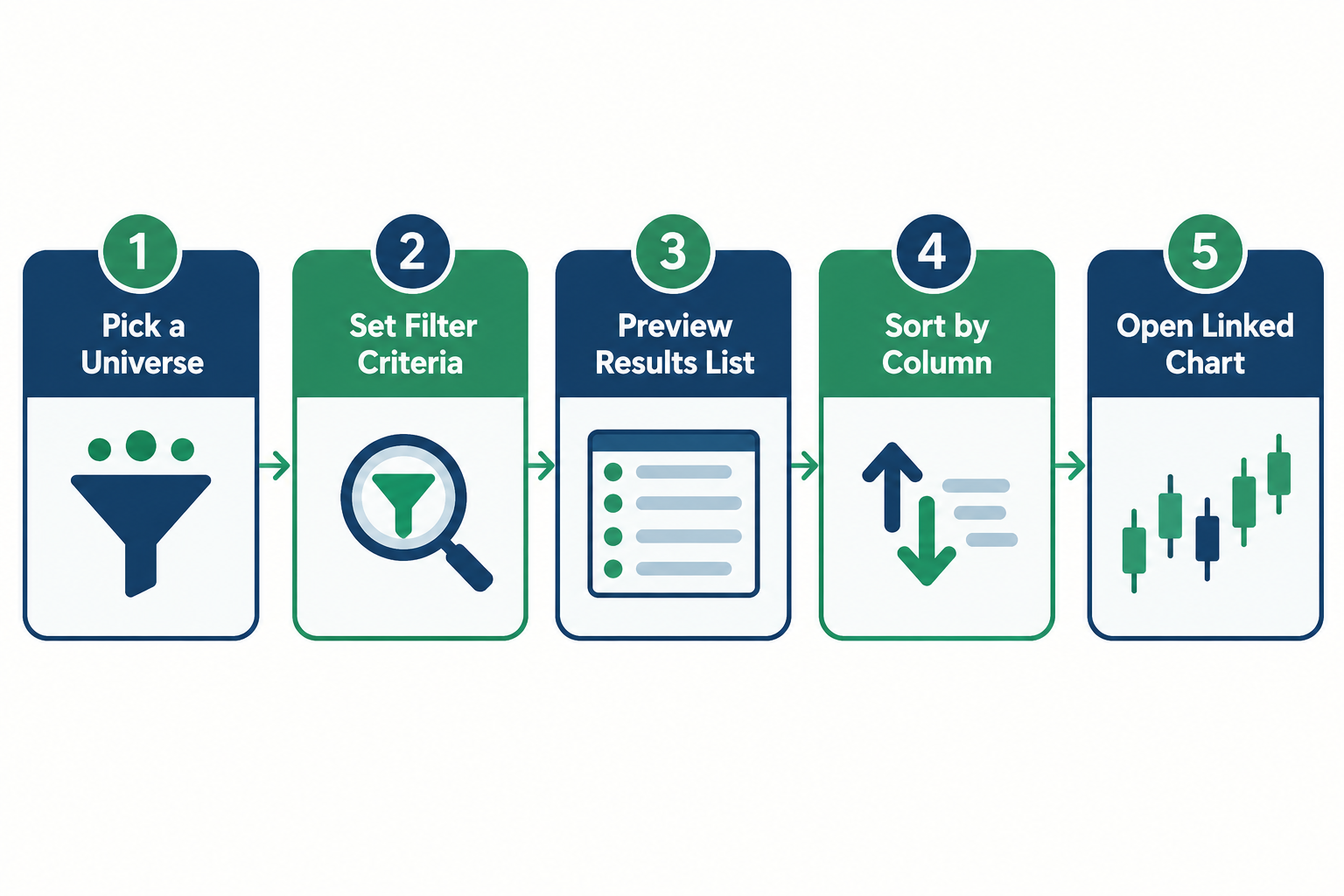
Setting up your first scan takes four steps:
- Pick a universe. All U.S. stocks, a specific exchange, or a saved watchlist.
- Stack your filters. Price, average volume, relative volume, gap percentage, moving average crosses, whatever fits your setup.
- Preview the results list. EasyScan shows a live count before you commit, so you're not guessing how many names will hit.
- Save it and link a chart. Click any ticker in the results and the linked chart updates instantly.
Beginner setup tip: start with one of TC2000's built-in templates (gap up, new highs, high relative volume) before you touch Personal Criteria Formulas. Learn how a working scan is built before you try to write your own. That first-week friction is real, and pretending it isn't does new traders no favors.
How fast is the tc2000 scanner in a live session?
The tc2000 scanner is fast enough to be the platform's single biggest selling point, according to independent reviewers who tested it against rival tools in 2026. Speed is the whole pitch here, not an afterthought.
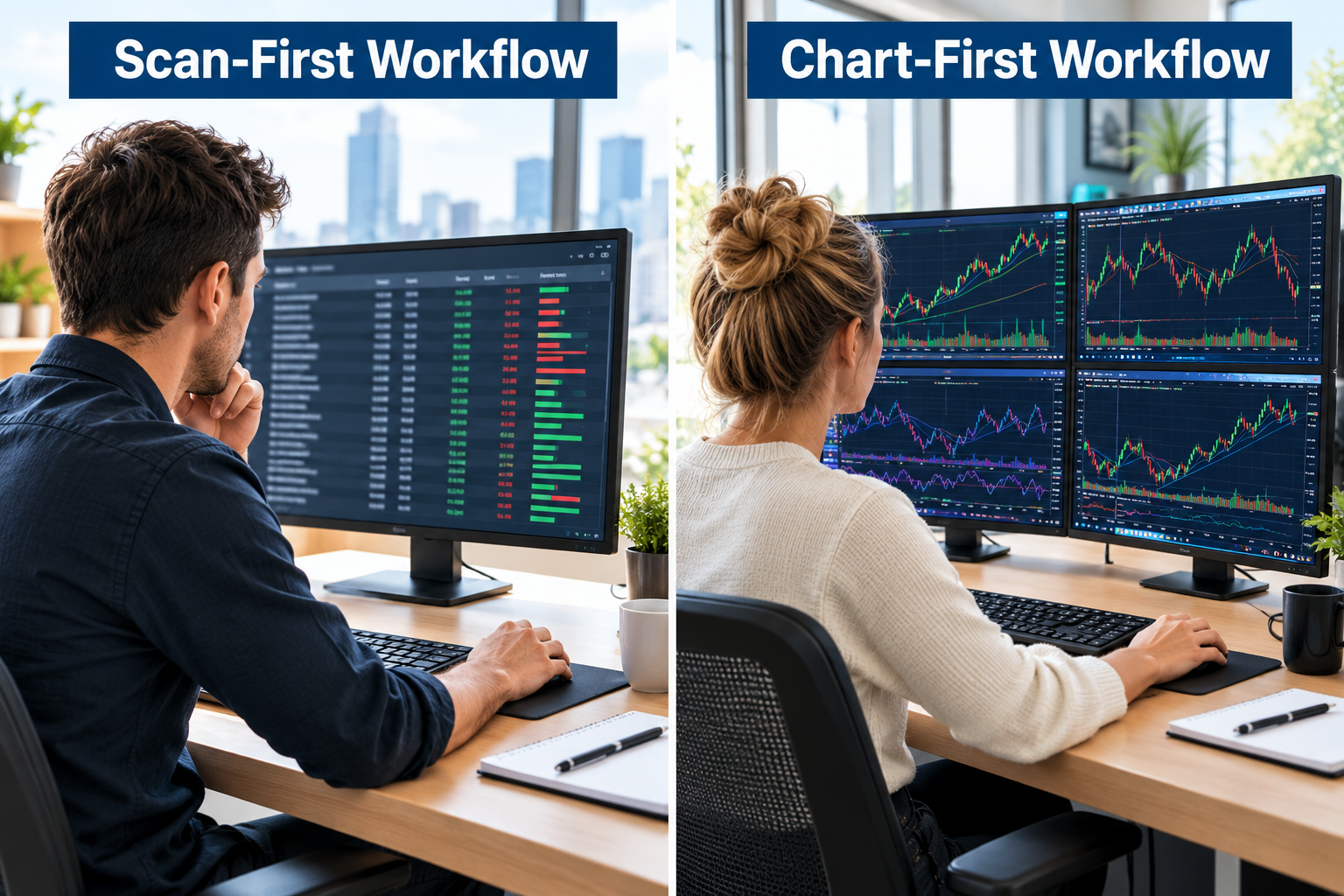
Financial Tech Wiz's September 2026 review names EasyScan and chart-rendering speed as TC2000's core edge over competitors, while flagging that the platform leans harder into scanning and charting than into deep multi-asset research. WorldMetrics frames the same strength differently: TC2000 fits an intraday workflow where you start at the scanner, jump to the linked chart, and move straight to an order ticket, all in one motion instead of three separate apps.
That speed advantage shows up in the numbers, too. Liberated Stock Trader's 2026 lab benchmark scored TC2000 at 4.32 out of 5 specifically for scanning performance, ahead of its overall platform score of 4.30 and the competitor median of 4.21.
How accurate are tc2000 scanner alerts? Accuracy here means the alert fires the moment your filter condition is true, not minutes later. TC2000's April 2026 release notes describe fixes to a Market Gauges deadlock and improvements to how daily price and volume data get sourced, including a corrected path for Nasdaq Basic volume, both of which directly affect how trustworthy a real-time alert actually is. A scan that fires four minutes late isn't an edge. It's a history lesson.
Common mistake: setting an alert threshold so loose it fires 40 times a session. Tight, specific criteria beat a wide net every time. A clean setup produces a short list you can act on, not a wall of noise.
What can you build with Personal Criteria Formulas?
Personal Criteria Formulas, or PCFs, let you write custom scan and chart conditions using TC2000's own formula language, combining indicators, price, and volume into a single rule the scanner checks in real time.
A PCF is basically a spreadsheet formula for your chart. Instead of eyeballing "is this stock above its 20-day average and up more than 3% on double normal volume," you write it once as a formula and let the tc2000 scanner check every ticker against it, every few seconds, without you staring at a screen.
Best tc2000 scanner settings for day trading usually combine three ingredients in a single PCF: relative volume above a threshold (say, 2x the 50-day average), price change over a set percentage, and a floating-point trigger like a moving average cross or a new intraday high. Stack those three and you've built a real-time scanner for stocks that are actually moving, not just stocks that moved yesterday.
tc2000 scanner gap scanner strategy example, in plain language: filter for gap-up percentage above 4%, prior-day volume above 500,000 shares, and price between $2 and $20. That combination surfaces low float gappers early in the session, before the crowd notices. Pair it with a hard stop loss and a plan for the gap fill scenario (price drifting back toward yesterday's close), because gappers that don't hold are one of the fastest ways to get stopped out on a low float name.
TC2000 Basic vs Premium vs Premium Plus
Here's how TC2000's three tiers stack up on the features that actually matter for scanning:
| Feature | Basic | Premium | Premium+ |
|---|---|---|---|
| Monthly price | $24.99 | $49.99 | $99.99 |
| Real-time scanning | No, delayed only | Yes | Yes |
| EasyScan wizard | Limited | Full access | Full access |
| Personal Criteria Formulas | No | Yes | Yes |
| Auto-refreshing scans | No | No | Yes |
| Real-time alerts | No | Up to 100 | Up to 1,000 |
| Market-pulse gauges | No | No | Yes |
| Annual billing discount | 2 months free | 2 months free | 2 months free |
Source: TC2000 Pricing page
| You mostly research after hours | Basic covers charting and delayed scans fine |
| You day trade or need live alerts | Premium is the floor. Real-time scanning starts here |
| You watch multiple live scans all session | Premium+ adds auto-refresh and market-pulse gauges |
How much does the tc2000 scanner cost, and which tier do you need?
Real-time scanning on the tc2000 scanner starts at the Premium tier, priced at $49.99 a month, and that's the tier most active traders actually need. Basic, at $24.99, only scans delayed data, which makes it a research tool, not a trading tool.
TC2000 pricing gets more complicated once you factor in add-ons. The base Premium subscription includes a Nasdaq Basic real-time stock feed, but if you trade options, want real-time index data, or need a fuller consolidated tape, those are separate monthly charges: real-time U.S. options at $9.99, real-time U.S. indexes at $9.99, and consolidated tape at $14.99. Extra alert capacity above the included tier runs $10 or $25 a month depending on the package.
Run the honest math before you commit. Premium at $49.99 plus real-time options data at $9.99 puts you closer to $60 a month, not $50. That's the real number to compare against a broker's free tools or a dedicated real-time stock scanner like Trade Ideas. Is TC2000 worth it at that price? For a trader running gap scans and options alerts daily, yes. For someone who checks a watchlist twice a day, probably not.
Premium+ at $99.99 a month makes sense only if you're running multiple auto-refreshing scans at once, since TC2000 caps streaming server-side scans at 5 running simultaneously unless you buy more capacity. Annual billing on any tier gives you two months free compared to paying monthly, which is worth doing once you know you're staying.
Our Top 5 Favorite TC2000 Features
TC2000's feature set rewards traders who value speed and precision over breadth. Five stand out after using the platform against its real-money price tiers.
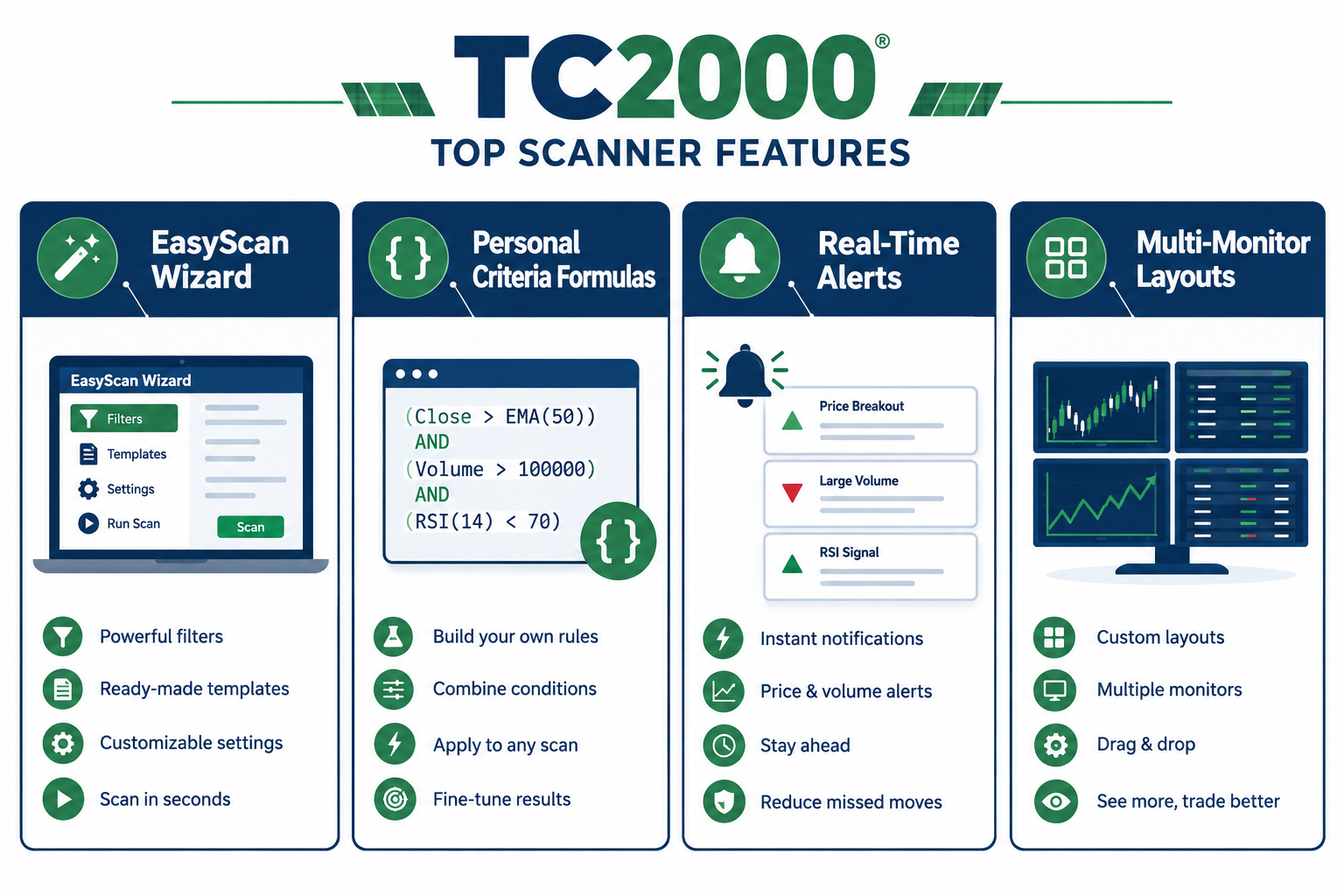
- EasyScan's live preview. You see the result count update as you build filters, so you never save a scan blind.
- Personal Criteria Formulas. Writing your own rule once and running it against the whole market beats manually checking tickers one by one.
- Linked charting. Click a result, get an instant chart with your saved indicators already applied. No re-setup, no lag.
- Multi-monitor layouts (Premium and up). Scan results on one screen, chart on another, watchlist on a third. Built for a real trading desk, not a single browser tab.
- The alert ladder. 100 alerts on Premium, 1,000 on Premium+, gives you room to track a real watchlist instead of five tickers you can memorize anyway.
TC2000 Alpha Score breakdown: 76/100
TC2000 earns a 76 out of 100 on FullStack Alpha's Alpha Score, built from five pillars scored out of 20 each. The number reflects real strengths in scan speed and pricing transparency, balanced against a genuine learning curve. See how we test every tool.
- Signal Quality: 17/20. The tc2000 scanner delivers on its core promise. Real-time filters return fast, accurate results on real-time data once you're past the Basic tier, and the April 2026 data-path fixes tightened accuracy against Nasdaq Basic volume sourcing.
- Transparency: 16/20. TC2000 publishes its pricing, its add-on costs, and its alert caps in plain language, with only minor gaps in explaining exactly how streaming scan capacity is allocated across accounts.
- Price-to-Value: 16/20. $49.99 for real-time scanning is fair against comparable stock scanning software, but the add-on fees for options and index data push the real monthly cost higher than the headline number suggests.
- Usability: 12/20. This is the honest weak spot. PCFs and EasyScan reward traders willing to put in setup time, but the interface has a real learning curve, and it shows its age next to newer, more visual competitors.
- Community Verdict: 15/20. Reviews on TC2000's own site, including one from Daytradingz, praise the scanning speed directly, while independent reviewers note the platform is narrower in scope (U.S. stocks and options only) than some competitors.
Where does TC2000 fall short?
The tc2000 scanner covers U.S. stocks and options only, with no futures or crypto support, and asking it to do more than scan and chart quickly is where it strains.
Three trade-offs a disciplined trader should plan around:
- No futures or crypto. If your watchlist includes index futures or digital assets, TC2000 simply doesn't scan them. Plan for a second tool if that's part of your process.
- Charting depth trails scanning speed. TC2000 was built scanner-first. Traders who want deep multi-asset analytics or advanced options modeling often find the charting layer thinner than dedicated charting platforms.
- No native iPhone app at the time of testing. Mobile access runs through TC2000's web and Android options, but iPhone users don't get a dedicated native app, which matters if your workflow leans on checking alerts from a phone during power hour.
tc2000 scanner not working, troubleshooting checklist:
- Check your data plan first. Delayed data on Basic can look "broken" when it's actually just not real-time.
- Confirm the add-on feed (options, indexes) is active if a specific asset class isn't populating.
- Restart the streaming scan if it stalls. TC2000's own release notes cite past fixes for a Market Gauges deadlock, so a hang isn't always your setup's fault.
- Check your simultaneous scan count against the 5-scan streaming cap on Premium+ before assuming a bug.
tc2000 scanner common mistakes to avoid:
- Building a PCF with too many conditions stacked at once, which shrinks your result list to nearly nothing.
- Running Basic and expecting real-time results. Systems over hacks: the fix isn't a workaround, it's the right subscription tier.
- Chasing an overextended name the scanner flagged after it already ran 20% and printed a classic bull trap on the follow-through candle.
Is the tc2000 scanner good for swing trading, thinkorswim, and TradingView compared
The tc2000 scanner fits swing trading well for basing and breakout setups, but the platform's real edge over thinkorswim and TradingView is scan speed, not charting depth or community features.
tc2000 scanner vs thinkorswim: thinkorswim (now part of Schwab) leans on options analytics and a broader asset menu. TC2000 leans on scan speed and PCF flexibility. If your process is options-heavy, thinkorswim's tools go deeper. If your process starts with a fast scan for tight consolidation patterns, TC2000 gets you there quicker.
tc2000 vs tradingview: TradingView wins on charting polish, social features, and multi-asset coverage, including crypto and global markets. TC2000 wins on scan-to-chart speed within U.S. stocks and options. Our deep dive on TradingView's Essential plan covers where that platform's free tier actually stops.
For swing traders specifically, TC2000's history columns and point-in-time historical filtering (Premium+) let you backtest a basing pattern across months of data before committing real size, which fits a slower entry and exit cadence better than a pure intraday tool.
Can you use the tc2000 scanner on mobile? Yes, through TC2000's web platform and an Android app, but there's no dedicated native iPhone app as of this writing. TC2000 describes its platform as spanning Windows, web, Mac, and mobile access points, with real-time charts, scans, and watchlists carrying over. The Android app is listed on Google Play under TC2000 Mobile.
For traders comparing dedicated real-time scanners built for a faster or slower cadence, our roundup of AI stock scanners and our day trading tool guide both cover where TC2000 sits against the field, and our swing trading tools guide covers the slower end of that spectrum.
TC2000 alternatives and competitors
Traders who need broader asset coverage or a different price point have real options outside the tc2000 scanner. Trade Ideas, built around its Holly AI scanning engine, competes directly on speed and adds automated strategy testing. Finviz offers a lighter, cheaper screening tool for traders who don't need PCF-level customization. Independent comparison pages covering the best TC2000 alternatives point to similar trade-offs: broader free tools exist, but few match TC2000's scan-to-chart speed at its price point.
TC2000 scanner backtest feature explained
TC2000's Premium+ tier includes point-in-time historical filtering, which lets you run a scan's criteria against past dates to see how often that setup actually appeared and what happened after, rather than testing a formula only on live data going forward.
This isn't a full strategy-testing engine like a dedicated backtesting platform. It's closer to a historical version of the same scan you'd run live: pick a past date, apply your PCF, and see who would have shown up. That's genuinely useful for confirming a gap scanner strategy actually produces enough setups to trade, before you risk real capital on it. Paper trade it first, then confirm with the historical filter, then go live with real size.
Verdict: Who should subscribe to the tc2000 scanner
The tc2000 scanner earns its 76 out of 100 Alpha Score on the strength of real scan speed and honest pricing, held back by a genuine learning curve and a narrow asset menu.
Subscribe if: you trade U.S. stocks or options actively, value scan-to-chart speed over deep multi-asset coverage, and are willing to spend real time in EasyScan and PCFs before they pay off.
Skip it if: you trade futures or crypto, want a shallow learning curve on day one, or mostly want charting with a side of social sentiment, since TradingView fits that better.
Next step: start on Premium at $49.99 a month, build one gap scanner or relative-volume scan using an EasyScan template, and paper trade it for two weeks before adding real-time options data or Premium+. Confirm the setup earns its cost before you stack add-ons.
[Tool] earned its score fairly. It still isn't the only scanner worth testing against your own process. The FullStack Alpha directory catalogues 200+ AI stock tools by category and price.
See what else is out there → aistockpickerapps.com
FullStack Alpha may earn a commission from some links on this page. It never changes the score.
References
Pricing - https://www.tc2000.com/Pricing
Details - https://play.google.com/store/apps/details?id=com.TC2000.Mobile&hl=en_US
Overview - https://www.tc2000.com/features/overview
Daytradingz - https://www.tc2000.com/reviews/daytradingz
We test the tools. You get the verdict.
One email a week. What we tested, what scored, and what we'd skip. Written for traders, not for clicks.
Frequently asked
Topics in this teardown
Our verdict on TC2000
TC2000 has been refining one job since the 1990s: scan thousands of U.S.