TradingView AI Copilot Review: 5 Checks Before You Pay Extra
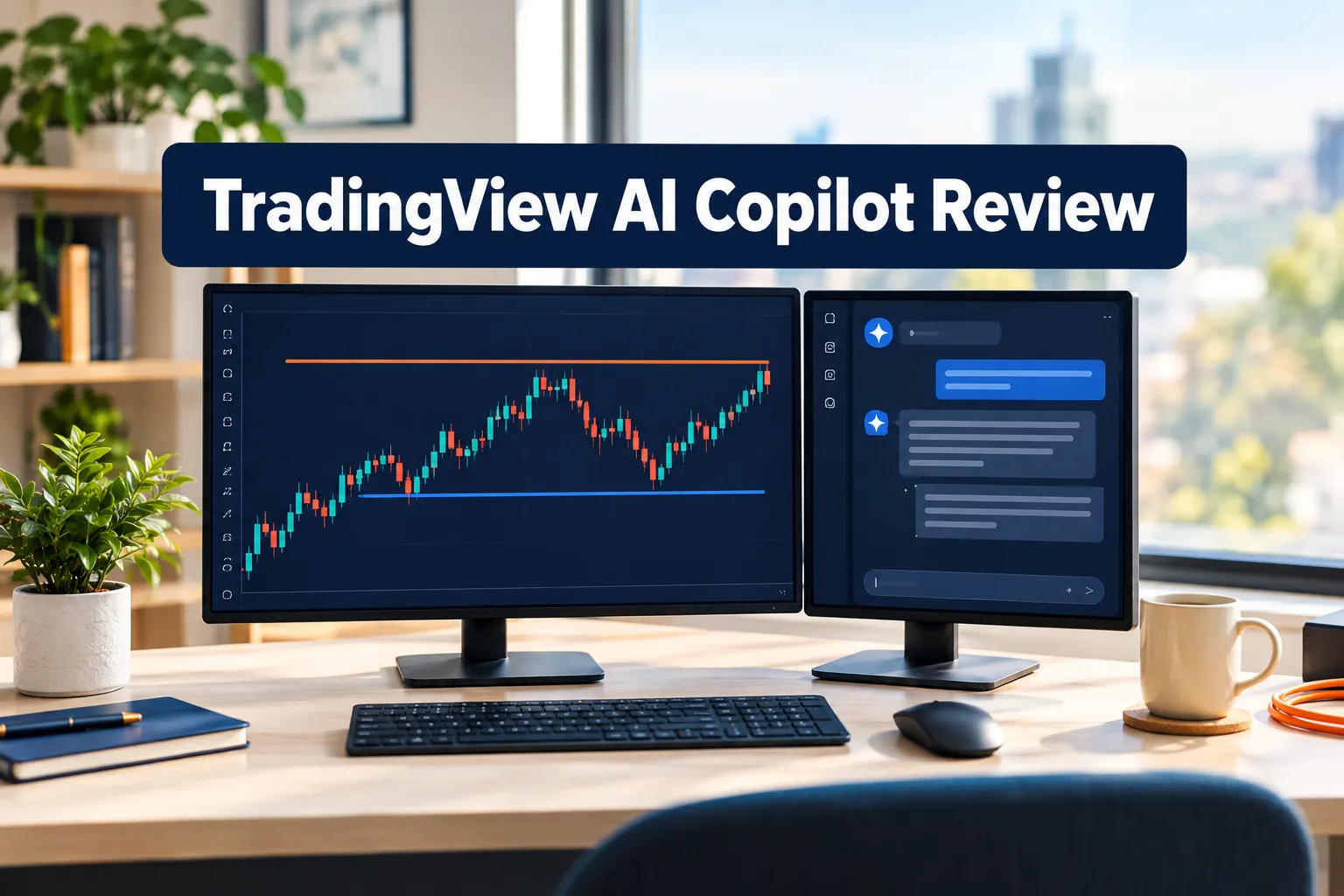
TradingView AI Copilot is worth the extra money only if you already live in the Pine editor and set a dozen alerts a week. Everyone else is paying a second subscription for a chat window. Call this TradingView AI Copilot Review: 5 Checks Before You Pay Extra what it is, a buyer's checklist, not a press release. The add-on shipped on September 28, 2026 for Essential, Plus, Premium and Ultimate plans on web and desktop, and Reddit users report the price at about $7.50 a month on top of whatever you already pay. The five checks below take ten minutes and cost nothing.
Key Takeaways
- Launch date: TradingView added AI Copilot as a paid add-on on September 28, 2026 for all four paid tiers, web and desktop only, per its own AI Copilot launch post.
- Price: the launch post lists no figure. Reddit users report about $7.50 a month on top of a paid plan, so treat it as user-reported, not official.
- It was free once. The AI chart copilot ran as a free public beta earlier in 2026 before the paid flip, which is why the comment sections are angry.
- Accuracy is the open question. A September 17, 2026 thread titled "AI Co-Pilot Sucks" reports the assistant returning wrong basic values.
- Closest rival: TrendSpider Sidekick includes 25 messages on every plan, with add-on packs at $49, $129 and $349 a month.
- Alpha Score 95/100 rates the TradingView platform, not the Copilot add-on. Those are two different purchases.
TradingView AI Copilot: is it worth paying extra for in 2026?
For most traders, no, not yet. The TradingView AI Copilot earns its keep for a narrow group: people who write Pine Script, manage a wide watchlist of alerts, and already pay for Premium or Ultimate. If your workflow is three charts and one alert a week, you are buying a toy.
TradingView AI Copilot at a glance
Best for: swing traders on Premium who already write Pine Script.
- Day trader: Okay fit, desktop only, no mobile access.
- Swing trader: Strong fit, draws levels and builds alerts fast.
- Scalper: Weak fit, per chat usage limits slow you down.
- Long-term investor: Okay fit, thin on fundamentals.
Price: user-reported about $7.50 a month on top of a paid plan. No official figure published.
Watch out for: paying twice, once for the plan, again for the add-on.
The platform underneath is excellent. The question is whether a chat sidebar changes how you trade or just gives you something new to fiddle with.
What is TradingView AI Copilot and who is it for?
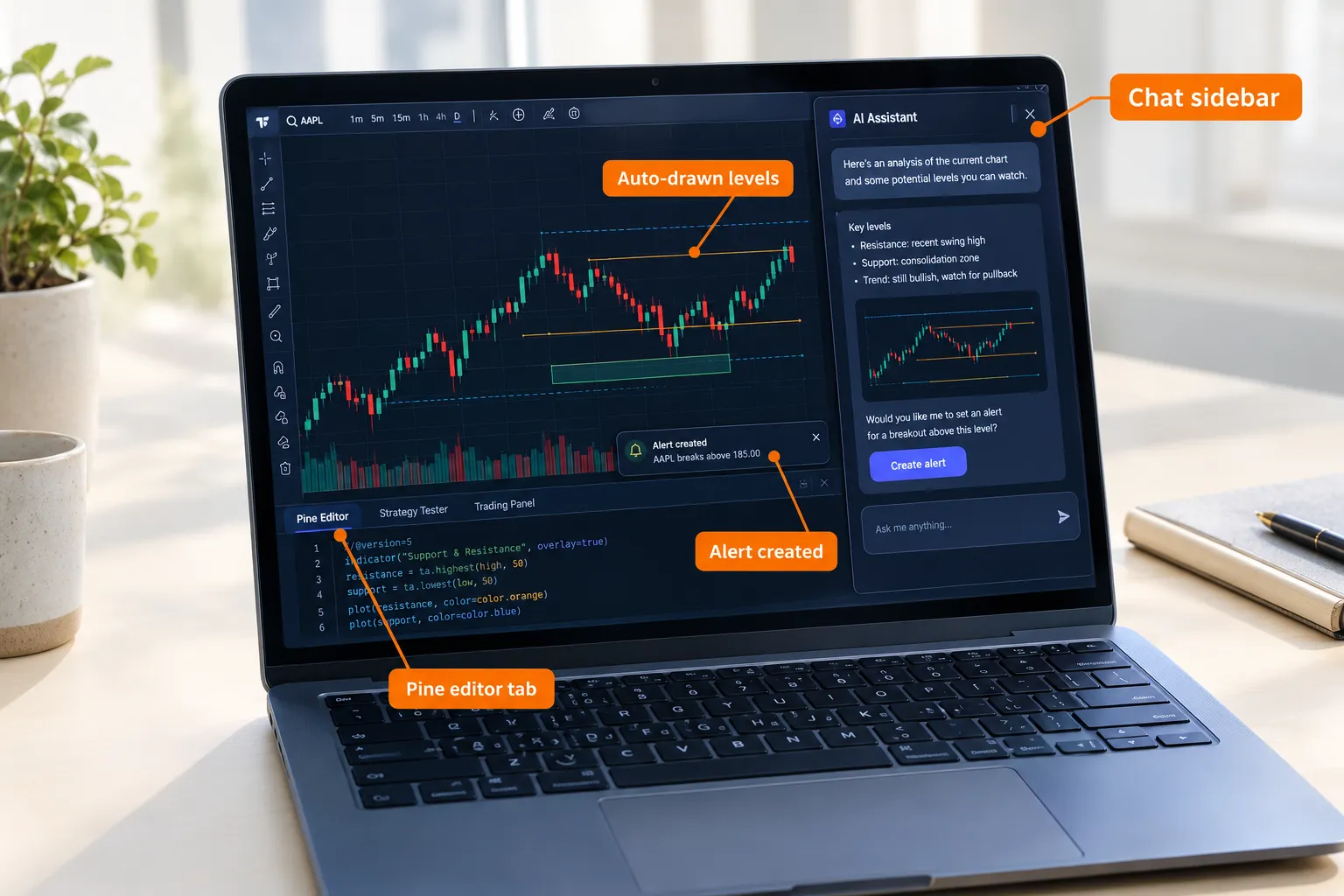
TradingView AI Copilot is a natural-language assistant built into Supercharts that reads your chart, draws levels, creates alerts and writes Pine Script when you ask it to. You type a request in plain English into a chat panel and it acts on the chart in front of you.
It started life as the free AI chart copilot public beta earlier in 2026, which explains the goodwill it burned on launch day. TradingView rolled the announcement out in several languages, including a Japanese version of the Copilot beta post, so the feature is global, not a US pilot.
Is it for beginners or experienced traders only?
Experienced users get more out of it. A beginner who cannot read Pine Script cannot audit what the chart copilot writes, which means blindly trusting code you did not check. Intermediate and advanced users treat it as a faster keyboard. If you are still building a process, start with how to find a trading edge before risking money instead of a chat window.
How much does TradingView AI Copilot cost on top of your plan?
TradingView did not publish a price in the launch post. Community reports put the copilot add-on at roughly $7.50 a month, charged on top of an existing paid plan. Plan prices themselves are public on the TradingView pricing page, billed annually at the special rate.
- Basic: $0
- Essential: $12.95 a month
- Plus: $29.95 a month
- Premium: $59.95 a month
- Ultimate: $199.95 a month
So on Premium your real cost becomes about $67.45 a month. On Ultimate, where you already pay $199.95, the extra $7.50 reads as a toll rather than a purchase.
Is there a free trial or demo?
There is no confirmed free trial of the paid add-on. The earlier free beta is what most people are remembering, and community-published ideas such as this note that the official AI tool was free date from that window. Check your billing screen before assuming anything, and read the promotional AI Copilot announcement as marketing copy, not a spec sheet.
Check 1: Does the price make sense for your TradingView plan?
Run the math against your tier, not against the headline. $7.50 on a $12.95 Essential plan is a 58 percent price increase for an assistant with usage limits. The same $7.50 on Ultimate is under 4 percent.
The sentiment on r/TradingView is blunt. One user wrote, "Asking $7.50 a month considering I'm already a paying customer is Evil Corp stuff." Another put the fix plainly: "I really think this should be bundled with the ultimate plan."
Decision rule: if the add-on costs more than 10 percent of your plan, demand a measurable time saving before you keep it past month one.
Check 2: How accurate are its levels and values?
Test it on data you can verify yourself. Ask for the 52-week high, the current ATR, or the last earnings date on a ticker you know cold, then check the number against the chart. The weakest reported area is exactly this: a thread titled "AI Co-Pilot Sucks" from September 17, 2026 documents the assistant returning wrong basic values.
Can TradingView AI Copilot predict price movements?
No. It is a chart and research assistant, not a forecasting engine, and TradingView makes no prediction claim in its launch material. It describes levels it can see, it does not know where price goes next. TradingView is not an SEC-registered adviser and nothing the chat says is advice.
Common mistake: treating a drawn support line as a signal. A level is a location. Your entry, stop loss and position sizing still come from your own rules.
Check 3: Can the TradingView AI chart copilot write usable Pine Script?
Sometimes, and that is the honest answer. Pine Script generation is the strongest reason to pay, because writing a clean indicator by hand takes most people an hour and the assistant gets you a draft in under a minute.
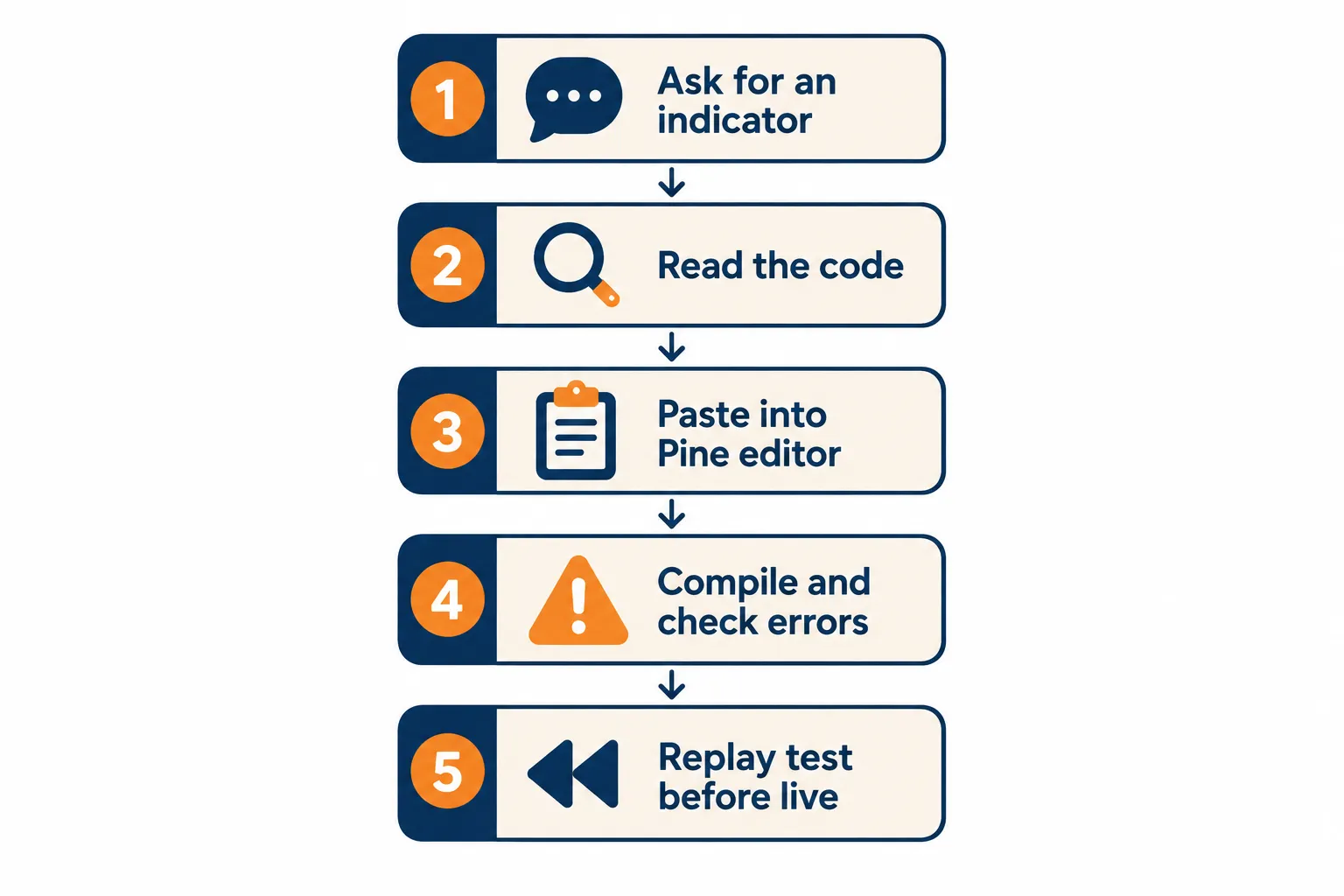
Run this before you trust a single line:
- Ask for something small first, like a 20-period moving average with a color change above and below.
- Read the version header and make sure the script compiles in the Pine editor without errors.
- Check for repainting, meaning signals that move after the candle closes.
- Run it in bar replay on at least 100 bars before it touches a live chart.
- If you paste code and see stray escape text where an apostrophe or an ampersand should be, retype those characters by hand.
That last one matters more than it sounds. Copy a block out of a chat panel and you can end up with amp sitting where the ampersand belonged, or x27 sitting where a quote mark belonged, and the script will not compile until you fix it.
Check 4: Does it save time on alerts?
Alert creation is the quiet win. Asking in plain English for an alert when price crosses a level, instead of clicking through the alert dialog, removes real friction for anyone managing a wide watchlist.
Verify two things every time: the condition it chose, and the expiry it set. An alert that fires on the wrong side of a level is worse than no alert, because you will act on it.
If buzzing your phone is the whole point, compare the add-on with AI stock alert apps that notify you before the move before you commit.
Check 5: Do you have a real need for AI on your charts?
This is the check most people skip. The best comment in the whole launch thread came from a user who said, "If you don't have a specific, identified need for AI then it is just another time wasting distraction."
Write down the three tasks you want it to handle before you pay. If you cannot name three, you have analysis paralysis, not a tooling problem. Systems over hacks.
Also watch the attribution footers while you are in there. TradingView real-time data comes from licensed vendors, including ICE Data Services, with the CUSIP database provided by FactSet Research Systems Inc under 2026 American Bankers Association copyright. Switch the interface language and that same line gets localized, Turkish included: tarafından sağlanmaktadır. The AI chat does not change your data entitlements one bit.
How do you fix TradingView AI Copilot when it misfires?
Most problems are plan, platform or usage limits, not bugs. TradingView keeps a short Copilot troubleshooting page whose CONTENTS list covers the issues Copilot users hit most often.
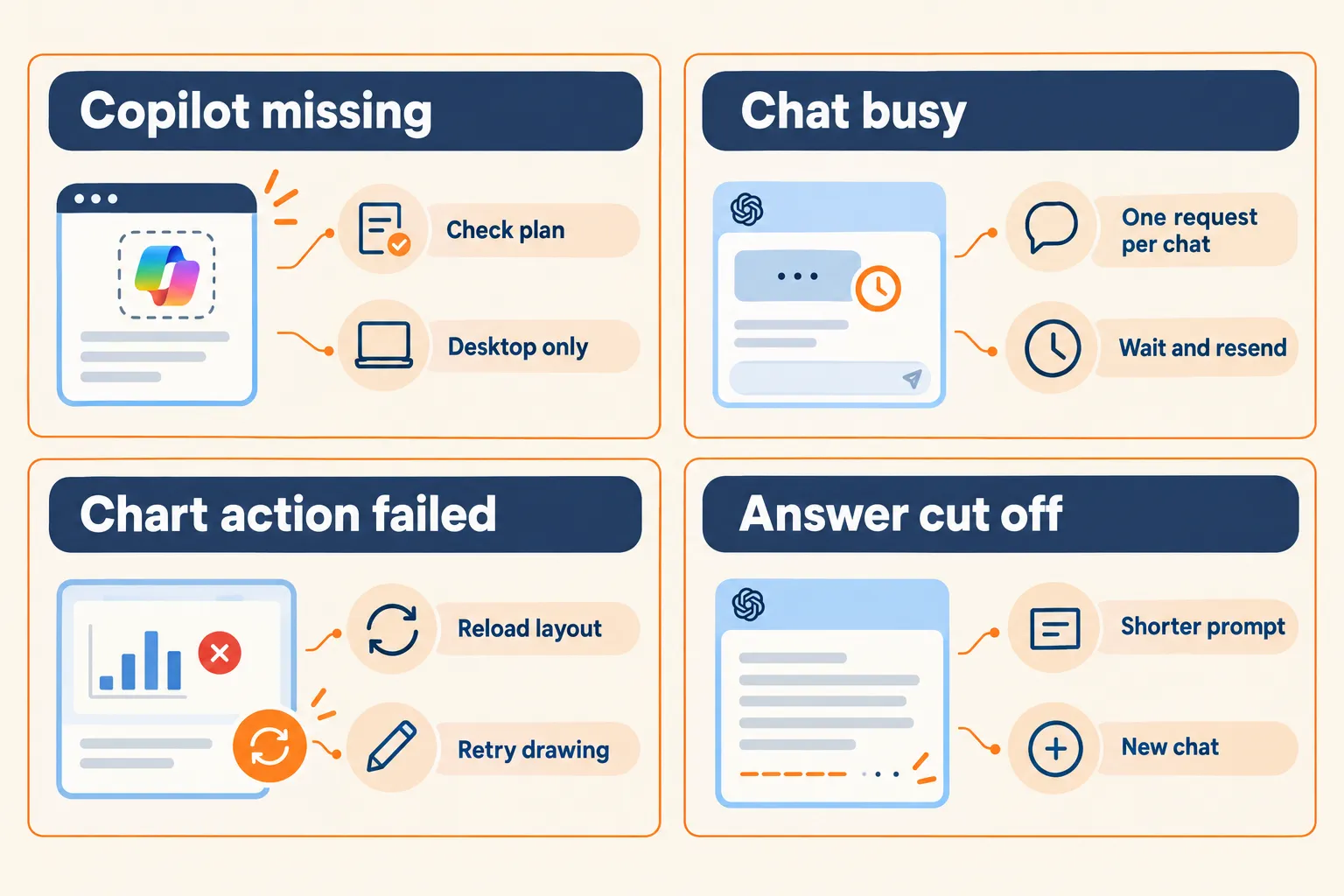
- Don't see Copilot? You need a paid plan plus the add-on, and you need to be on web or desktop. It does not run on mobile.
- Chat busy? Send it again. Each chat handles one request at a time, so a second prompt mid-answer gets rejected.
- Chart action didn't apply? Reload the layout and repeat the request once.
- The answer looks cut off? Shorten the prompt and start a fresh conversation.
- Error 429 while screening? That is a rate limit. One Reddit user reported hitting it through the new Claude integration added via an MCP server in the September 2026 update.
- Still need help? Open a support ticket rather than guessing, and check the chats history Copilot stores so you can show exactly what you asked.
Top 5 Favorite Features in TradingView AI Copilot
The five features that justify the add-on are all workflow, not insight. None of them picks stocks for you.
- Pine Script drafting. Fastest path from idea to a compilable script.
- Natural-language alert creation. Describe the trigger, skip the dialog box.
- Automatic level drawing. Support and resistance marked on the chart in seconds.
- Chart-aware chat. It reads the symbol and timeframe you are already on, so you ask less and get more.
- Per-conversation history. Separate chats keep separate context, which beats one endless thread.
What we like about TradingView AI Copilot
The integration is clean and the parent platform is the best charting product retail traders can buy. That counts.
- ✓ Lives inside Supercharts, no second tab, no export
- ✓ Pine Script output is a genuine time saver for coders
- ✓ Available on every paid tier, including $12.95 Essential
- ✓ TradingView also gives away Lightweight Charts, its open-source library, so the company is not allergic to free
What we don't like about TradingView AI Copilot
Two drawbacks are real and neither is cosmetic.
- ✗ No published price. A paid program with user-reported pricing is a bad look in 2026.
- ✗ Reported errors on basic values, which is the one thing a chart assistant cannot get wrong.
- ✗ Desktop and web only, so no help when you are away from the desk.
- ✗ It was free, then it was not. Paying twice stings.
Watch out
Search "TradingView Copilot" and you will find third-party products using the name, including a browser extension built around Pine Script and a community indicator called AI Trading Copilot. Neither is the official add-on. Check the publisher before you grant anything access to your account.
What do real users say about TradingView AI Copilot?
Reddit is split between people who find it handy and people who resent the second bill. We are not publishing a Trustpilot or Apple App Store rating here, because no verified rating exists for the add-on on its own, and we do not round up numbers we cannot source.
"Title is misleading as you still have to pay for it to be added on top of the paid plan."
r/TradingView, source
"I find it quite usefull."
r/TradingView, source
Where users and our desk agree: the platform is worth paying for and the add-on pricing was handled badly. Where we differ: the loudest complaints are about billing, while the harder problem is the reported accuracy on simple values. Price you can budget for. Wrong numbers cost trades.
TradingView AI Copilot vs TrendSpider AI: which is the better chart assistant?
TrendSpider gives you more AI for free inside the plan, TradingView gives you a better chart. Sidekick, the TrendSpider AI assistant, includes 25 messages on all plans, with message add-ons priced at $49, $129 and $349 a month, so heavy users pay far more there than $7.50.
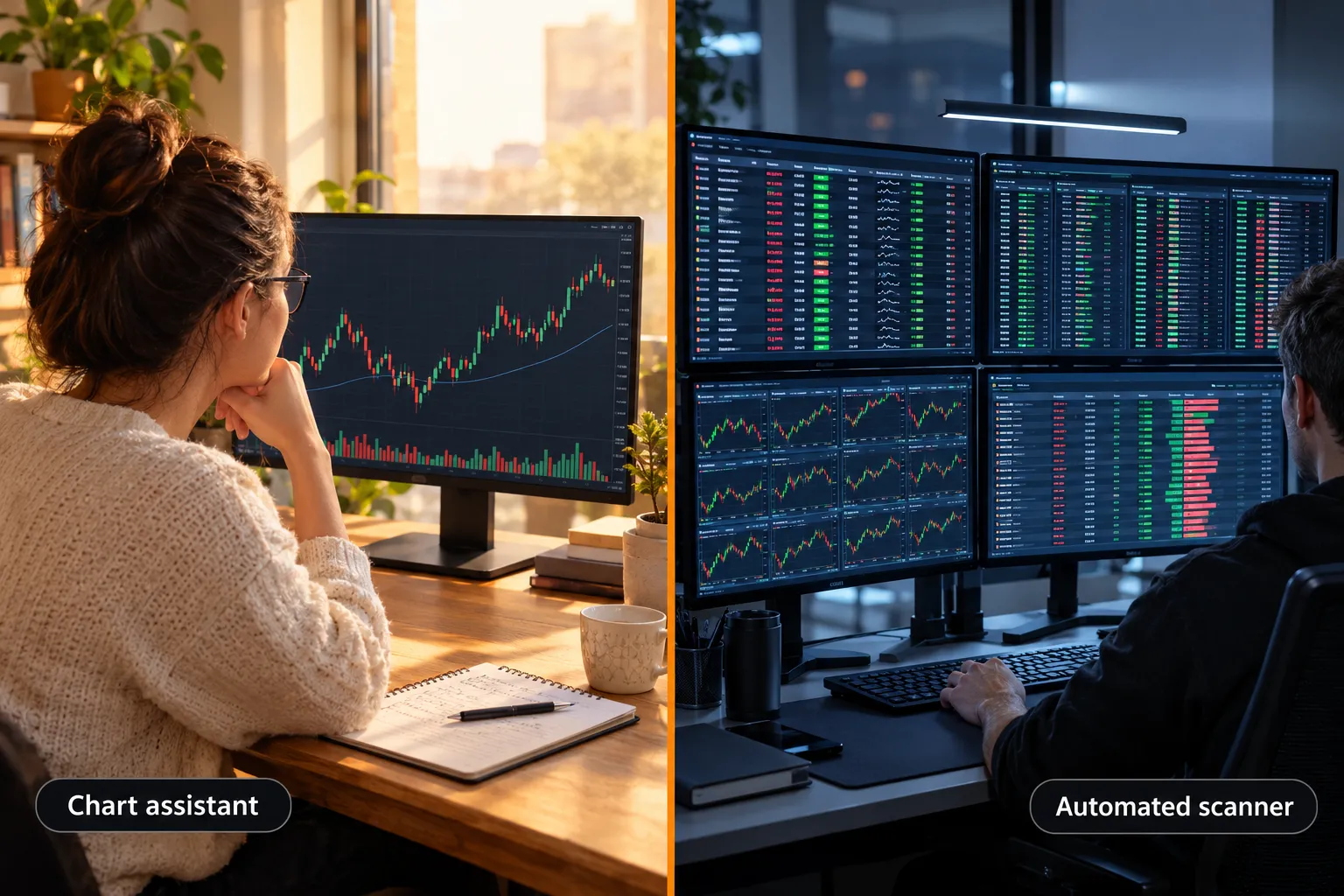
If your decision is really about which charting platform to live in, read the TrendSpider vs TradingView AI charting comparison and the TrendSpider AI pattern scanner review.
Is this a trading bot?
No. Copilot drafts code and sets alerts, it does not route orders. Automation, broker APIs and order execution belong on our sister site, aistocktradingbots.com. For the groundwork, see what to know before you automate trades.
How the Alpha Score rates TradingView
The score below rates the TradingView platform, not the Copilot add-on. Our five-pillar research covers the charts, data and community, and the add-on is too new and too thinly priced to score on its own.
The Alpha Score Breakdown
TradingView scores 95 out of 100 across five pillars, 20 points each.
SIGNAL QUALITY 18 / 20
TRANSPARENCY 18 / 20
PRICE-TO-VALUE 20 / 20
USABILITY 20 / 20
COMMUNITY VERDICT 19 / 20
Total: 95 / 100.
The score comes from FullStack Alpha desk research plus public user sentiment, and the pillar split is provisional. Full platform notes sit on our TradingView tool page.
How do TradingView plans, Copilot pricing and rivals compare?
Four tables, one job: work out what the same money buys elsewhere. Confirm current prices on each official pricing page.
| Plan | What you get | Best for | Monthly (annual) |
|---|---|---|---|
| Basic | 1 chart, ads, no Copilot | Testing the waters | $0 |
| Essential | 2 charts, ad-free, Copilot eligible | New swing traders | $12.95 |
| Plus | 4 charts, more alerts | Active swing traders | $29.95 |
| Premium | 8 charts, second-based intervals | Day traders | $59.95 |
| Ultimate | 16 charts, top limits | Pros and teams | $199.95 |
| AI Copilot add-on | Chat, levels, alerts, Pine Script | Coders and alert-heavy users | About $7.50, user-reported |
| Tool | Best for | Key strength | Key weakness | Starting price |
|---|---|---|---|---|
| TradingView Copilot | Pine Script users | Built into the best charts | Unpublished price | $12.95 plus add-on |
| TrendSpider Sidekick | Pattern scanning | 25 messages on all plans | Message packs get pricey | Add-ons from $49 |
| Quartr | Earnings call work | Transcripts and audio depth | No charting | Free tier available |
| Trader type | Pick | Why |
|---|---|---|
| Day trader | Premium, skip the add-on | No mobile, and chat is slower than hotkeys |
| Swing trader | Plus plus the add-on | Alert building and level drawing pay off weekly |
| Scalper | Skip it | Each chat handles one request at a time |
| Long-term investor | Essential only | Fundamentals are not the strength here |
FullStack Alpha scorecards
Every tool in this article has a full scorecard: pricing, pros and cons, verified user quotes and the Alpha Score breakdown.
FAQ
Does TradingView allow AI trading?
TradingView allows AI-assisted analysis, not automated trading from its own platform. Copilot can read a chart, draw levels, create alerts and write Pine Script, but it does not place orders. Order execution happens through a connected broker, and automation through broker APIs or third-party bots sits outside what the add-on does.
What is TradingView Copilot?
Copilot is TradingView's built-in AI chat assistant, launched as a paid add-on on September 28, 2026 for Essential, Plus, Premium and Ultimate plans on web and desktop. You type requests in plain English and it acts on your chart: marking support and resistance, setting alerts, and generating Pine Script indicators you can then compile and test.
What is the best AI for TradingView?
The best AI for TradingView is the official Copilot add-on, because it reads your live chart and writes native Pine Script. TrendSpider Sidekick is the stronger rival if you want scanning included in the plan, with 25 messages on every tier. Community indicators carrying the Copilot name are not official products.
How do I add Copilot to TradingView?
Subscribe to any paid TradingView plan, then enable the AI Copilot add-on in your account billing settings and open the chat panel inside Supercharts on web or desktop. If you do not see Copilot, confirm your plan is active and that you are not on mobile. TradingView's support page lists the rest.
How much does TradingView AI Copilot cost?
TradingView did not publish a price in its launch post. Reddit users report roughly $7.50 a month on top of a paid plan, so treat that as user-reported. Plan prices run from $12.95 for Essential to $199.95 for Ultimate, billed annually at the special rate on the official pricing page.
Does TradingView AI Copilot work on mobile?
No. At launch the add-on runs on web and desktop only, which rules out managing it from a phone. Mobile users still get charts, alerts and watchlists, just no Copilot chat. If phone-first AI matters to you, check what to look for in an AI trading app before downloading one.
Is TradingView AI Copilot better than TrendSpider Sidekick?
For Pine Script and chart integration, Copilot wins. For included usage, Sidekick wins, with 25 messages on all plans versus a separate paid add-on. TrendSpider's extra message packs cost $49, $129 and $349 a month, so heavy AI users can spend far more there than the roughly $7.50 reported for Copilot. This is education, not financial advice. Your market edge starts with the right tool. Stay alpha. Affiliate disclosure: some links on this page may earn FullStack Alpha a commission at no cost to you.
Final Verdict: who should add TradingView AI Copilot and who should skip it?
Add it if you write Pine Script or manage more than 20 alerts, and you are already on Plus, Premium or Ultimate. Skip it if you are on Essential, trade mostly from your phone, or cannot name three jobs you want it to do. Cancel after 30 days if it has not saved you an hour.
Three next steps, in order. One, run Check 2 on a ticker you know and verify the numbers yourself. Two, compile one generated script in the Pine editor before trusting any of them. Three, if you are shopping charting platforms rather than add-ons, compare free stock charts across TradingView, Finviz and Yahoo first. Discipline beats prediction, and a chat window is not a strategy.
Ready to decide on TradingView AI Copilot?
Not sold on paying twice for one chart window?
We have scored 200+ AI stock tools since 2022, sorted by price, strategy and what they actually do, with real user sentiment next to every score.
We test the tools. You get the verdict.
One email a week. What we tested, what scored, and what we'd skip. Written for traders, not for clicks.
More from FullStack Alpha