

OptionStrat Review 2026: What the Free Tier Won't Show You
Short on time? The OptionStrat Alpha Score scorecard covers pricing, the verdict and what traders actually say, in about 90 seconds.
See the score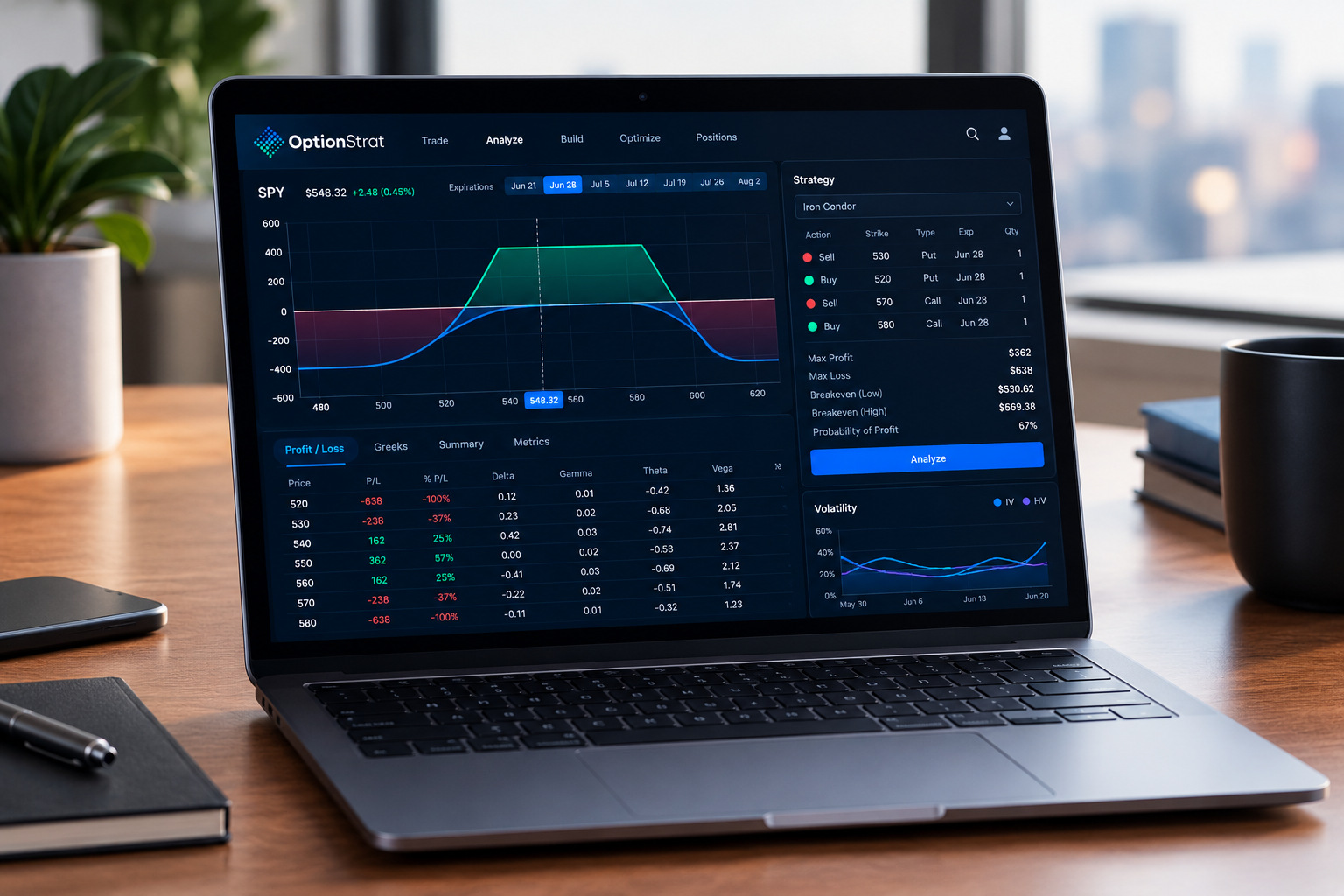
Quick Answer
This OptionStrat review finds a tool that earns an Alpha Score of 80 out of 100, desk-researched and last tested September 21, 2026. OptionStrat is the fastest way to see an options trade's profit, loss, and probability before you risk a dollar on it, and the free strategy builder covers most of what a first-spread beginner needs. Pay for Live Tools ($39.99/mo) once you need live OPRA data instead of a 15-minute delay, and pay for Live Flow ($99.99/mo) only if you're actively trading off unusual options activity and can prove it earns back the cost.
OptionStrat review: key takeaways
- Alpha Score: 80/100, built from five pillars (Signal Quality 17, Transparency 16, Price-to-Value 15, Usability 16, Community Verdict 16), desk-tested September 21, 2026.
- The free builder covers 50+ prebuilt options strategies plus custom legs, with no card required, on a 15-minute delayed data feed.
- Live Tools costs $39.99/mo and swaps the delay for real-time OPRA data, the same feed your broker uses to price fills.
- Live Flow costs $99.99/mo and adds a real-time unusual options activity feed, plus a 7-day free trial to test it before committing.
- The iOS app holds a 4.82 rating from 1,926 App Store reviews, but Reddit threads describe crashes and paywall creep the App Store reviews don't capture.
- OptionStrat's optimizer ranks strategies by return or probability of profit, which turns "what should I trade" into a filtered list instead of a guess.
- Mobile-only plans run cheaper: Live Options at $19.99/mo and mobile Flow at $59.99/mo, for traders who never touch the desktop app.
What does OptionStrat actually do?
Every OptionStrat review should start with the job the tool does, because most traders find it before they know what they need.
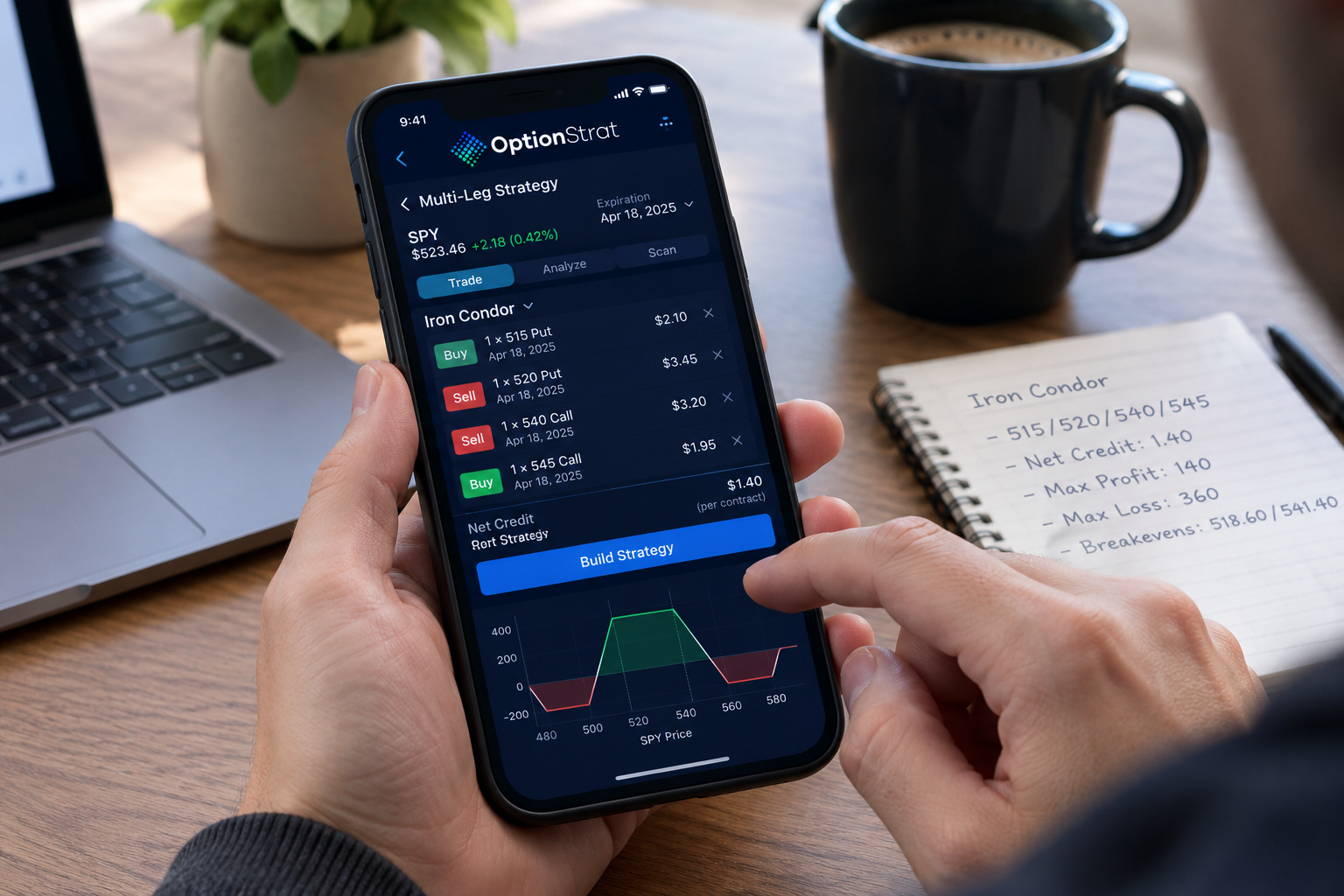
OptionStrat is a strategy builder and profit calculator for options traders, built to show you the payoff curve, the greeks, and the probability of profit on a trade before you enter it. It's not a broker. It's not a signal service. It's the graph paper your trade should have had before you clicked buy.
Here's the trade-off most retail options traders make without realizing it: they check the bid-ask spread, maybe glance at delta, and place the trade. They find out what actually happens to the position when IV drops or theta eats into it three weeks later, when the P&L is already red. OptionStrat exists to move that discovery earlier.
Each feature maps to a specific problem:
- Payoff diagram shows max profit, max loss, and breakeven points visually, so you're not doing algebra in your head under pressure.
- DTE and IV sliders let you drag time and volatility forward and see the position's value shift in real time, which teaches theta decay and vega exposure faster than any textbook chapter.
- Greeks panel (delta, gamma, theta, vega) turns abstract risk into numbers you can actually compare across strategies.
- Probability of profit gives you a percentage instead of a hunch, calculated from the option chain's implied volatility.
- Optimizer ranks candidate strategies by expected return or by probability, so you stop scrolling through strike combinations manually.
- Live Flow (paid tiers) surfaces unusual options activity from large traders in real time, for idea generation, not trade signals.
The practical takeaway: if you've never seen your trade's full risk profile before placing it, OptionStrat's free tier alone is a meaningful upgrade over eyeballing an option chain.
OptionStrat review: how does the strategy builder work?
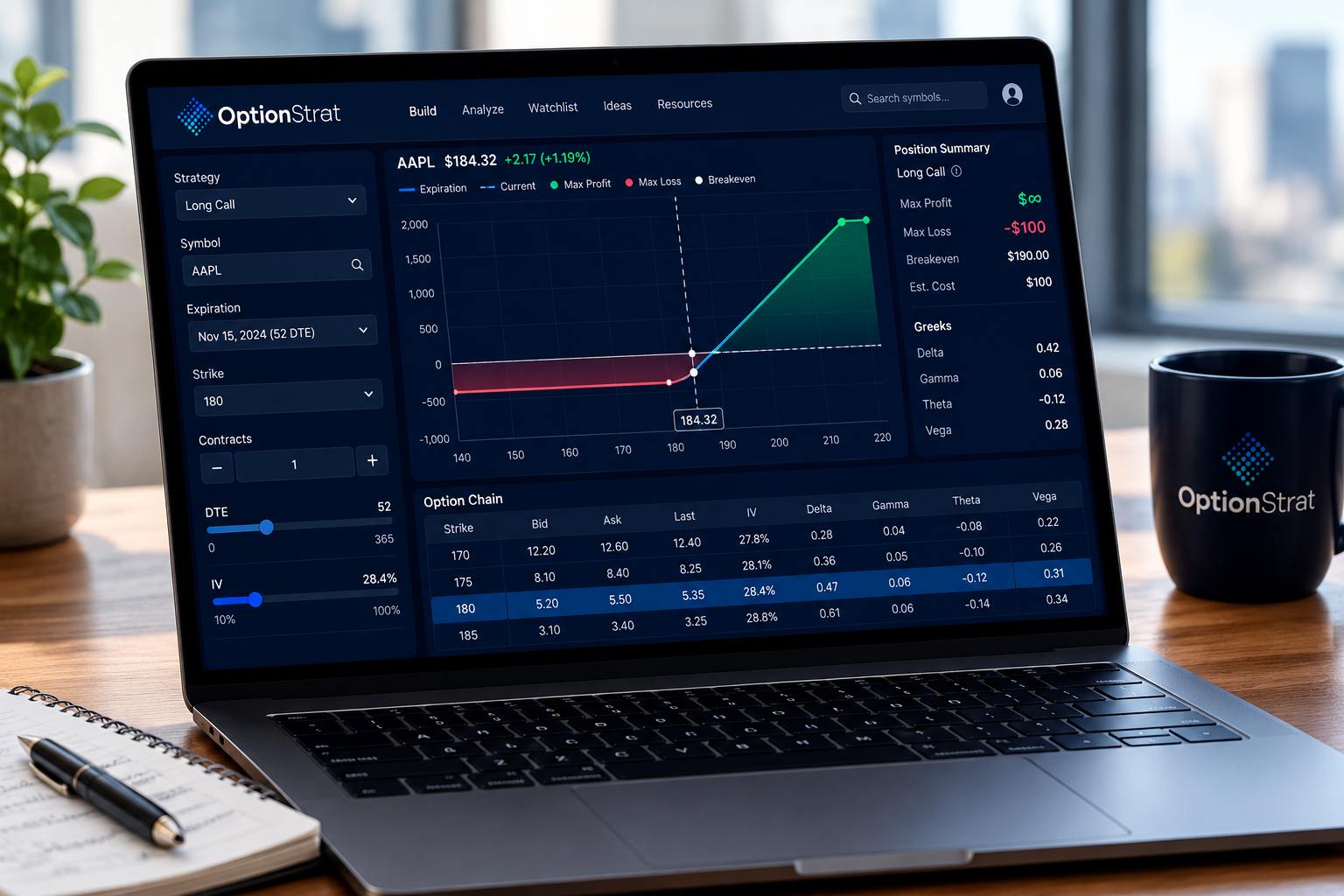
The strategy builder works by letting you pick a ticker, choose from 50+ prebuilt strategies (or build custom multi-leg positions), and instantly render a payoff diagram with the greeks and probability of profit attached. No spreadsheet. No manual delta math.
Here's the actual workflow, step by step:
- Pick the underlying. Type a ticker, and the option chain loads.
- Select a strategy template. Iron condor, calendar spread, covered call, credit spread, the 50+ templates cover the strategies most retail traders actually use.
- Adjust strikes and expiration. Drag the strikes, and the payoff diagram redraws live.
- Slide DTE. This slider moves the calendar forward day by day, showing how theta decay reshapes the payoff curve as expiration approaches.
- Slide IV. This one simulates a volatility crush or spike, which matters most around earnings season, when implied volatility (the market's forecast of how much a stock will move) often collapses the day after the report.
- Read the greeks. Delta tells you directional exposure, theta tells you daily time decay, vega tells you sensitivity to IV changes.
- Check probability of profit. This is the calculated odds the position finishes profitable at expiration, based on the option chain's IV, not a guarantee.
- Run the optimizer. Set your criteria (max loss, target return, or probability threshold) and let it rank candidate structures instead of you eyeballing forty strike combinations.
Decision rule: if you're building your first vertical spread or iron condor, use the DTE and IV sliders before you place the trade. Watching a position lose value as IV drops teaches the lesson that a static diagram can't. Paper trade it first if you're not confident reading the payoff curve yet.
Common mistake: treating the optimizer's top-ranked result as a recommendation rather than a filtered list. The optimizer sorts by the math you told it to prioritize. It doesn't know your risk tolerance, your account size, or your next mortgage payment. It ranks numbers, not your life.
One real gap: there's no per-leg implied volatility adjustment. For a calendar spread or a diagonal, the near-term and far-term legs often carry different IV in the real market, and OptionStrat's slider moves IV uniformly across the whole position. That's a modeling simplification, not a bug, but it means the payoff diagram on term-structure trades is an approximation, not a mirror of what your broker will show at fill.
What is OptionStrat Flow, and can you trust it?
Flow is the feature that turns a free OptionStrat review into a paid-tier decision, so it gets its own section.
OptionStrat Flow is a real-time feed of unusual options activity, meaning large or unusual trades that stand out from a stock's normal option volume. It's available on the Live Flow tier ($99.99/mo) and the mobile Flow plan ($59.99/mo), and it's built for generating trade ideas, not for following signals.
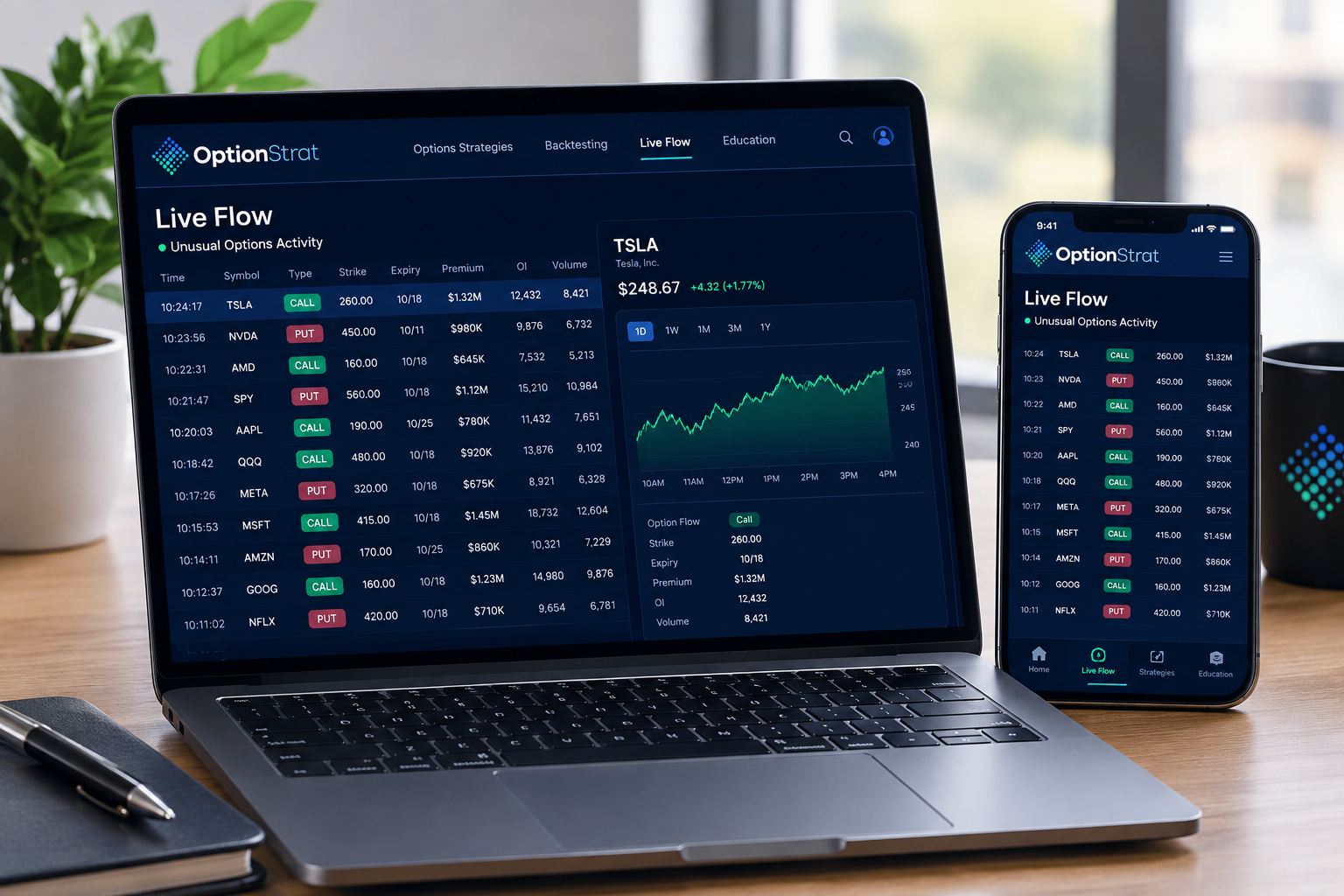
Here's what Flow actually shows:
- Large block trades and sweeps across multiple exchanges
- Strike, expiration, and premium size of the flagged trade
- Whether the trade happened at the bid, the ask, or mid-price
Here's what Flow does not show, and this matters more than the feature list:
- Whether the trade was opening or closing. A large call buy could be a bullish bet, or it could be a market maker closing a hedge. Flow shows the transaction, not the intent behind it.
- Who placed it. No name, no fund, no reasoning.
- Whether it worked. Flow is a snapshot, not a track record.
The practical takeaway: use Flow the way a beat reporter uses a tip, not the way a trader uses a stop loss. It tells you something happened. It doesn't tell you why, and it definitely doesn't tell you what happens next. Treat every flagged trade as a lead to research, cross-check against the chart's price action and support and resistance levels, and confirm with your own thesis before you touch size.
Edge case: during earnings season, unusual flow spikes constantly because institutional hedging activity increases across the board. A flagged trade the week before earnings is far more likely to be a hedge than a directional bet. Context changes the read every time.
If you want a deeper breakdown of how flow tools differ across the category, the options flow scanners guide on FullStack Alpha covers what "unusual" actually means across providers and how to avoid treating a scanner ping like a trade signal.
Has OptionStrat been backtested?
An OptionStrat review that promises a win rate is lying to you. Here is what a profit model can and cannot prove.
No. OptionStrat models a trade's profit and loss and probability using current option chain data and standard options pricing math. It does not backtest against historical price data, and it does not predict future price movement.
That distinction matters more than it sounds. A model takes today's inputs (strike, expiration, implied volatility, days to expiration) and calculates what the position is worth under different scenarios you choose, like IV dropping 20% or the stock moving to a specific price. A backtest would run a strategy against years of historical data to show how it performed in the past. OptionStrat does the first, not the second.
What a P&L model can tell you:
- Your max loss and max profit at any point before expiration, given the inputs you set
- How theta decay changes the position's value day by day
- How a volatility crush affects your breakeven points
- Your probability of profit, calculated from the option chain's current implied volatility
What it cannot tell you:
- Whether the stock will actually move the way you think
- How the strategy would have performed historically across different market regimes
- Whether your specific broker's fills will match the model exactly, since spreads and slippage vary
No invented numbers here: OptionStrat doesn't publish a win-rate statistic or a historical return figure for its strategies, and it shouldn't, because the tool isn't built to generate one. If you see a third-party claim about OptionStrat's "backtested returns," that claim isn't coming from OptionStrat itself. Process over prediction applies directly here: the tool gives you a clean process for evaluating risk, not a crystal ball for what the stock does next.
What does OptionStrat integrate with?
Integrations decide whether OptionStrat lives inside your routine or beside it, and this OptionStrat review checked each one.
OptionStrat integrates through broker position imports, shareable trade links, and a mobile app on both iOS and Android, all running on the same OPRA data feed your broker uses for live pricing on paid tiers.
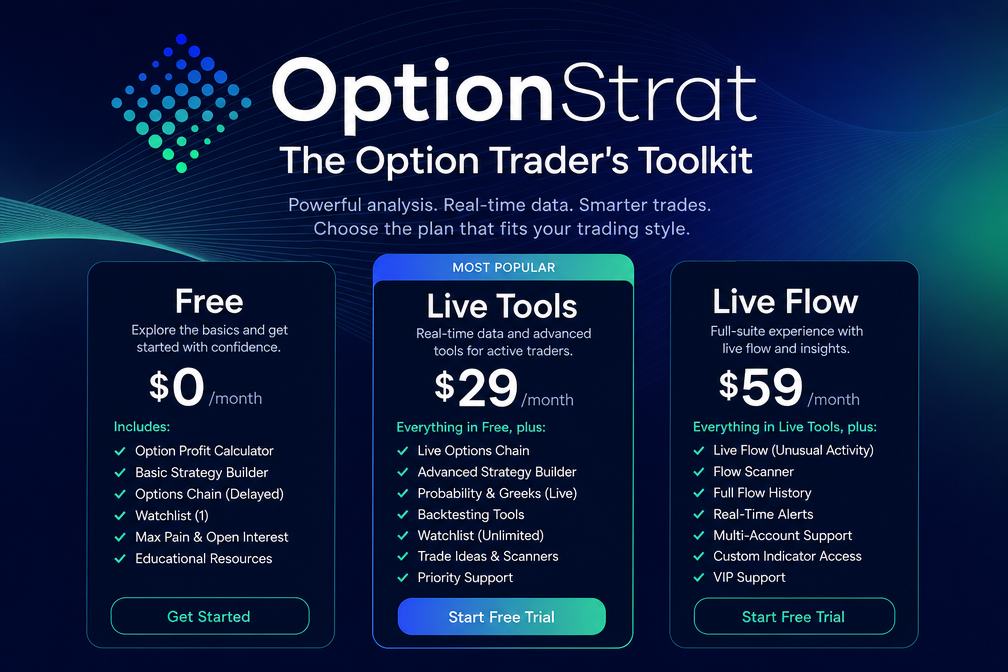
- Broker position import: lets you pull an existing position into the builder to see its current payoff diagram and greeks, instead of rebuilding the trade by hand.
- Sharing links: every built strategy generates a link you can send to someone else, useful for a trading group discussing a specific spread without a screenshot.
- Mobile apps: iOS and Android versions exist separately from the mobile-only pricing plans, and the iOS app holds a strong 4.82 rating across 1,926 App Store reviews as of testing.
- OPRA data: the Options Price Reporting Authority feed is the official consolidated source for U.S. options quotes. Paid tiers get this live; the free tier runs 15 minutes behind, which is fine for planning a trade tomorrow and useless for chasing a fast intraday move today.
Decision rule: if you day trade options around news catalysts or power hour volatility, the 15-minute delay on the free tier will get you killed on timing. Pay for Live Tools. If you're building and reviewing positions the night before or between market sessions, the delay barely matters.
How much does OptionStrat cost, and is the free version enough?
Pricing is where this OptionStrat review gets specific, with the caveat that you should confirm the tier at checkout.
OptionStrat's free tier is enough for learning strategies, building payoff diagrams, and planning trades on a 15-minute delay, and it becomes insufficient the moment you need live pricing or unusual flow data.
Here's the full tier breakdown as tested:
- Free: delayed data (15 minutes), 50+ strategy templates, custom legs, greeks, probability of profit, optimizer. No card required.
- Live Tools, $39.99/mo: adds real-time OPRA data. Annual billing saves roughly 12%, though OptionStrat's site shows the discount badge without listing the exact annual dollar total in the membership copy, so confirm the final charge at checkout.
- Live Flow, $99.99/mo: everything in Live Tools plus the real-time unusual options activity feed. Also offers annual billing at the same ~12% discount structure.
- Mobile Live Options, $19.99/mo: a cheaper mobile-only real-time data plan for traders who live entirely in the app.
- Mobile Flow, $59.99/mo: mobile-only version of the Flow feed.
- 7-day free trial available on paid tiers, so you can test Live Tools or Live Flow before the card gets charged.
The "full access is not full access" complaint: this is the single most common gripe in user threads about OptionStrat, and it's worth naming directly. Some traders who upgrade to a paid tier expect every feature unlocked and find specific tools or data cuts still gated behind the next tier up. That's paywall creep, and it's a legitimate criticism, not a misunderstanding. Read the current feature comparison on OptionStrat's pricing page before you upgrade, not after.
Practical takeaway: start free. Build ten strategies you actually trade or would trade. If the 15-minute delay never once cost you a bad fill, stay free. If it does, upgrade to Live Tools first, and only add Live Flow after you can point to specific trades where flow data changed your decision for the better.
OptionStrat vs. the other free and low-cost calculators
No OptionStrat review is complete without the alternatives, so here is the side-by-side.
OptionStrat competes against a handful of free and low-cost options calculators, and the differences come down to live data, flow access, and mobile experience.
| Tool | Price | Live data | Unusual flow | Mobile app | Best for |
|---|---|---|---|---|---|
| OptionStrat | Free / $39.99 / $99.99 per month | Yes, on paid tiers (OPRA) | Yes, on Live Flow tier | iOS + Android, 4.82 rating (1,926 ratings) | Visual P&L, multi-leg strategy building, optimizer |
| OptionsProfitCalculator.com | Free | Delayed | No | No dedicated app | Quick, no-signup payoff checks |
| Barchart options calculator | Free tier + paid Barchart plans | Delayed on free, live on paid | No dedicated flow tool | Yes, part of Barchart app | Traders already using Barchart for screening |
| thinkorswim Analyze tab | Free with a funded brokerage account | Live, real-time | No | Yes (mobile app) | Existing TD/Schwab account holders wanting built-in analysis |
For a broader read on how flow-focused tools stack up against each other, the Barchart review on FullStack Alpha covers a direct alternative in more depth, and the compare hub has more side-by-sides across scanning and screening categories.
What do real users say about OptionStrat?
An OptionStrat review built from the landing page is marketing. Here is what traders say after paying.
Real user sentiment on OptionStrat splits by platform: the App Store skews strongly positive, while Reddit threads carry more of the friction the star rating doesn't capture.
The App Store rating sits at 4.82 from 1,926 ratings, which is a strong number for a niche financial tool. App Store reviews tend to fire right after a good moment, so a high score there measures "did this work when I needed it," not long-term satisfaction.
Reddit threads on r/options and r/thetagang tell a more mixed story. Users generally credit the payoff diagram and the DTE/IV sliders as genuinely useful for learning multi-leg structures. The recurring complaint is the paywall creep mentioned above: traders paying for Live Tools or Live Flow reporting that certain features they expected still sit behind a higher tier, or that the mobile app has crashed or frozen mid-session during a live market check.
Keeping the critical one in view matters here. A tool that's genuinely useful for learning strategy mechanics can still frustrate paying users on billing clarity and mobile stability. Both things are true at once, and a review that hides the second one to make the first one sound better isn't doing you any favors.
Where does OptionStrat fall short?
The honest half of any OptionStrat review lives here.
OptionStrat's weakest points are paywall structure, mobile stability, and the limits of what a flow feed and a P&L model can actually tell you.
- Paywall creep. Upgrading to a paid tier doesn't always feel like "full access." Users report specific tools or data still gated at a higher plan than expected. Check the current feature matrix before assuming a tier unlocks everything.
- Mobile app crashes and freezes. The web app is the more stable product. If you're trading actively off your phone during power hour, expect occasional friction, not a flawless experience.
- No per-leg IV adjustment. Calendars, diagonals, and any strategy relying on volatility term structure get modeled with a simplified, uniform IV shift rather than leg-by-leg precision.
- Flow shows activity, not intent. Every unusual options trade flagged could be a directional bet, a hedge, or a market maker adjustment. The feed doesn't distinguish, and treating it like a signal is how traders end up chasing someone else's hedge.
- Live Flow's price. At $99.99/mo, Flow is a real cost for a part-time trader. Unless you can point to specific decisions it improved, it's an expensive habit disguised as an edge.
None of these are disqualifying on their own. Together, they're the reason this isn't a 90+ score. Play stupid games win stupid prizes applies here in a narrow way: if you treat Flow data as a buy signal instead of a research lead, the tool didn't fail you. The read did.
OptionStrat Alpha Score breakdown
This OptionStrat review scores five pillars at 20 points each, and the breakdown sits before any affiliate link on purpose.
OptionStrat scores 80 out of 100 on the FullStack Alpha scale, tested September 21, 2026, before any affiliate link on this page.
| Pillar | Score | Why |
|---|---|---|
| Signal Quality | 17/20 | The payoff diagrams, greeks, and probability of profit calculations hold up against manual math and reflect the option chain accurately. Flow's real-time detection works, though intent behind each trade is never shown. |
| Transparency | 16/20 | OptionStrat is upfront that it models scenarios rather than predicts outcomes, and doesn't publish invented win-rate claims. The exact annual pricing dollar amounts aren't listed clearly on the membership page, which costs a point. |
| Price-to-Value | 15/20 | The free tier does real work on its own. Live Tools at $39.99/mo is fair for live OPRA data. Live Flow at $99.99/mo is a harder sell for anyone who isn't actively trading flow-based setups. |
| Usability | 16/20 | The web builder is fast to learn and genuinely useful within minutes. The mobile app's crashes and freezes pull this pillar down from where the interface design alone would land it. |
| Community Verdict | 16/20 | A strong 4.82 App Store rating from 1,926 reviews is real signal, but Reddit's more critical read on paywall creep and mobile stability keeps this from scoring higher. The gap between the two sources is the honest finding. |
| Total | 80/100 |
This score sits ahead of most free-only calculators because OptionStrat backs its visual strengths with live data and a genuine flow product. It doesn't clear 85 because the paywall structure and mobile stability are real friction points, not nitpicks. For the full scoring methodology, see how we test.
OptionStrat review FAQ
Is OptionStrat free?
Yes. The free tier includes the strategy builder, 50+ prebuilt strategies, custom legs, greeks, and probability of profit, running on data delayed by 15 minutes. No card is required to use it.
Is OptionStrat accurate?
The payoff diagrams and greeks are calculated using standard options pricing math applied to real option chain data, and they're accurate to that model's assumptions. Accuracy depends on the data feed: paid tiers use live OPRA data, while the free tier's 15-minute delay can misprice a fast-moving chain.
How does OptionStrat compare to OptionsProfitCalculator.com?
OptionStrat offers more strategy templates, an optimizer, live data on paid tiers, and a mobile app with a 4.82 App Store rating. OptionsProfitCalculator.com is a simpler, fully free tool with no login and no live data upgrade path, better for a quick one-off payoff check than for ongoing strategy work.
Does OptionStrat have an app?
Yes, on both iOS and Android. The iOS app holds a 4.82 rating from 1,926 ratings. Reddit users report occasional crashes and freezes on mobile, and the web app is generally the more stable experience.
What is OptionStrat Flow?
OptionStrat Flow is a real-time feed of unusual options activity, showing large or unusual trades as they happen across exchanges. It shows the transaction, not whether it was a buy or a hedge, and it's built for generating research leads, not for following as a trade signal.
How do I cancel OptionStrat?
Cancel through the account or billing settings on optionstrat.com, or through your app store subscription settings if you subscribed via the iOS or Android app. Since paid plans include a 7-day free trial, cancel before the trial ends if you don't plan to continue paying.
Does OptionStrat work with Robinhood or Tastytrade?
OptionStrat supports broker position import for reviewing existing trades inside the builder. Confirm your specific broker's compatibility on OptionStrat's site before relying on it, since supported broker integrations can change.
Is Live Flow worth $99.99 a month?
Live Flow is worth it if you're an active trader who can point to specific decisions the flow feed improved, and who trades enough volume to justify the cost against your account size. For a part-time trader placing a handful of spreads a month, the free builder or Live Tools at $39.99/mo covers the core need without the added expense.
Is OptionStrat better than OptionsProfitCalculator.com?
For learning and planning, yes. OptionStrat adds an optimizer, greeks, probability of profit and a mobile app. OptionsProfitCalculator.com is free and fine for a quick payoff diagram, which is why many traders keep both.
Does OptionStrat show real-time options prices?
Real-time OPRA data is included on the paid Live Tools and Live Flow plans. The free builder uses prices delayed about 15 minutes, which is enough for planning but not for entries.
Is options trading really worth it?
For most retail traders it is worth it only with defined-risk strategies, small position sizes and a written plan. Tools like OptionStrat make the risk visible before you trade, which is the single biggest edge a beginner can buy for free.
Can I make $1,000 a day trading options?
Not reliably, and any product that promises it is selling a fantasy. Study after study shows most retail options traders lose money over time. OptionStrat helps you see the probability of profit on a trade, which usually shows why daily income targets are the wrong goal.
OptionStrat review: final verdict
Pay for Live Tools if you're placing real trades and the 15-minute data delay has already cost you a bad fill. Thirty-nine dollars a month for live OPRA pricing is a reasonable cost against the size of a single bad options fill.
Stay free if you're still learning multi-leg strategies, practicing with the DTE and IV sliders, and haven't yet found the delay to be a real problem. The free builder isn't a stripped-down demo. It's a genuinely useful tool on its own.
Skip Live Flow unless you're an active theta seller or flow-based trader who can name specific setups it's improved. At $99.99/mo, it's real money for a feed that shows activity, not intent, and the burden of proof sits on the trader, not the tool.
One next step: open the free builder today, pull up a spread you already hold or are considering, and drag the IV slider down 20%. Watch what happens to your breakeven. That five-minute exercise teaches more about your actual risk than another hour scrolling an option chain.
One tool, scored five ways. There are 200+ more in the FullStack Alpha directory, filterable by category, price and what they actually do.
Browse the directory → aistockpickerapps.com
Sources checked for this OptionStrat review
- OptionStrat
- OptionStrat membership pricing
- OptionStrat on the Apple App Store
- r/thetagang thread on OptionStrat
- r/options thread on paying for OptionStrat
- r/thetagang comment on Flow signals
- OptionsProfitCalculator.com
- Barchart options calculator
- OPRA market data
FullStack Alpha may earn a commission if you sign up through links on this page, at no added cost to you.
We test the tools. You get the verdict.
One email a week. What we tested, what scored, and what we'd skip. Written for traders, not for clicks.