

Thinkorswim Scanner: The Stock Hacker Playbook Nobody Wrote
Short on time? The thinkorswim Alpha Score scorecard breaks the 84/100 down by pillar, with pricing and the verdict, in about 90 seconds.
See the score
Quick Answer
The thinkorswim scanner, built as the Stock Hacker tool inside Schwab's free thinkorswim platform, lets you filter thousands of stocks, ETFs, and futures by up to 25 combined technical, fundamental, and market conditions at once. It costs nothing to run with a funded Schwab account, but it is not built for millisecond speed. It's a research tool you configure and run, not a live-streaming alert engine.
A tool this deep and this free should not exist without a catch. There is one: the thinkorswim scanner rewards patience over speed. Run it wrong during the first ten minutes of a busy session and you'll wait on a spinning wheel while the setup you wanted walks away without you.
That's not a flaw to hide. It's a workflow to plan around, and this piece is the plan.
Key Takeaways
- 25 filters per scan. Stock Hacker lets you stack up to 25 market, technical, fundamental, and pattern conditions into one custom scan.
- $0 to run. The thinkorswim scanner costs nothing with any funded Schwab account, no account minimum required.
- 400+ studies power thinkScript. The condition wizard and thinkScript editor draw from a library of more than 400 built in technical studies.
- One pattern filter per scan. You can layer 24 technical or fundamental rules but only one chart pattern condition at a time.
- Dynamic watchlists refresh every 3 to 4 minutes. Users on trading forums report this cadence for live scan-fed watchlists, not sub-second.
- 84/100 Alpha Score. FullStack Alpha's testing scores the thinkorswim scanner 84 out of 100, led by a perfect 20/20 on price-to-value.
- The PDT rule is gone. FINRA retired the $25,000 pattern day trader minimum in 2026, replacing it with standard intraday margin rules, which makes a free scanner like this one more relevant to small accounts than ever.
What is the thinkorswim scanner and how does Stock Hacker work?
The thinkorswim scanner is Schwab's built in tool for filtering the market down to a workable list of candidates, and its engine is called Stock Hacker. It lets you combine market, technical, fundamental, and security-type filters, up to 25 conditions in a single scan, to search stocks, ETFs, futures, and other products instead of scrolling tickers one by one.
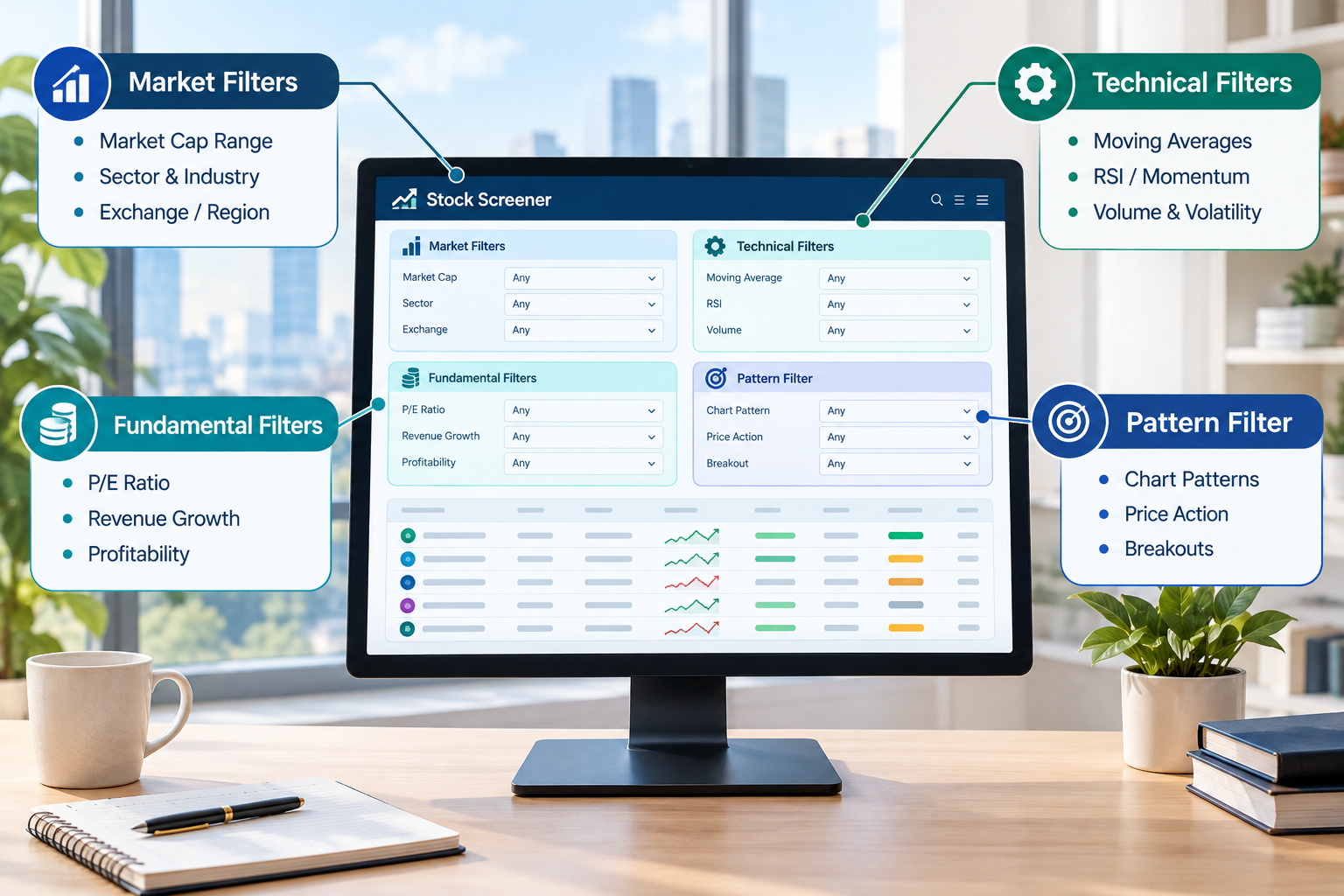
Here's what that actually looks like on the screen. You open Stock Hacker, pick a scan universe (the whole market, a specific exchange, an industry, or one of your own watchlists), and start stacking rules. Want stocks between $5 and $50, trading above their 20-day average volume, with no dividend? That's three filters. Add a moving average crossover and you're at four, with 21 slots left.
Schwab's own documentation groups those conditions three ways: "All of the following" (every rule must be true), "None of the following" (exclude anything matching), and "Any of the following" (match if at least one is true). That logic matters more than people give it credit for. A scanner that only lets you say "and" is a blunt instrument. One that lets you say "and, but not, or" is closer to writing a real trading rule instead of a wish list.
The one limit worth knowing up front: you get 25 technical or fundamental conditions, but only one pattern filter per scan. Want to combine a cup and handle setup with a bull flag in the same scan? You can't. Run two separate scans instead.
The thinkorswim scanner also reaches past equities. Stock Hacker scans ETFs, futures, and other investment products, not just common stock, which is a wider net than most free screeners bother to cast. Schwab frames the whole point plainly: scanning exists to cut down the practical burden of searching through thousands of securities by hand, while being upfront that scan results don't predict what happens next. That's not a disclaimer to skim past. Data over noise means you use the scan to build a short list, then you do the actual work of confirming the setup.
Is the thinkorswim scanner real time or delayed?
The thinkorswim scanner is not a live-tick, instant-refresh feed, and Schwab does not publish an exact refresh interval for Stock Hacker. Scans run server-side, and traders on Reddit and trading forums report that quote and scan data can sit a step behind the fastest paid platforms, particularly during the open.
Here's the practical version. Scans execute on Schwab's servers below the priority given to raw quote delivery, so a busy market can add a lag between when a setup fires and when your scan reflects it. Traders on the r/thinkorswim and r/Daytrading communities describe dynamic watchlists built off a running scan refreshing roughly every 3 to 4 minutes rather than continuously, and pattern filter results updating on an hourly cycle rather than tick by tick.
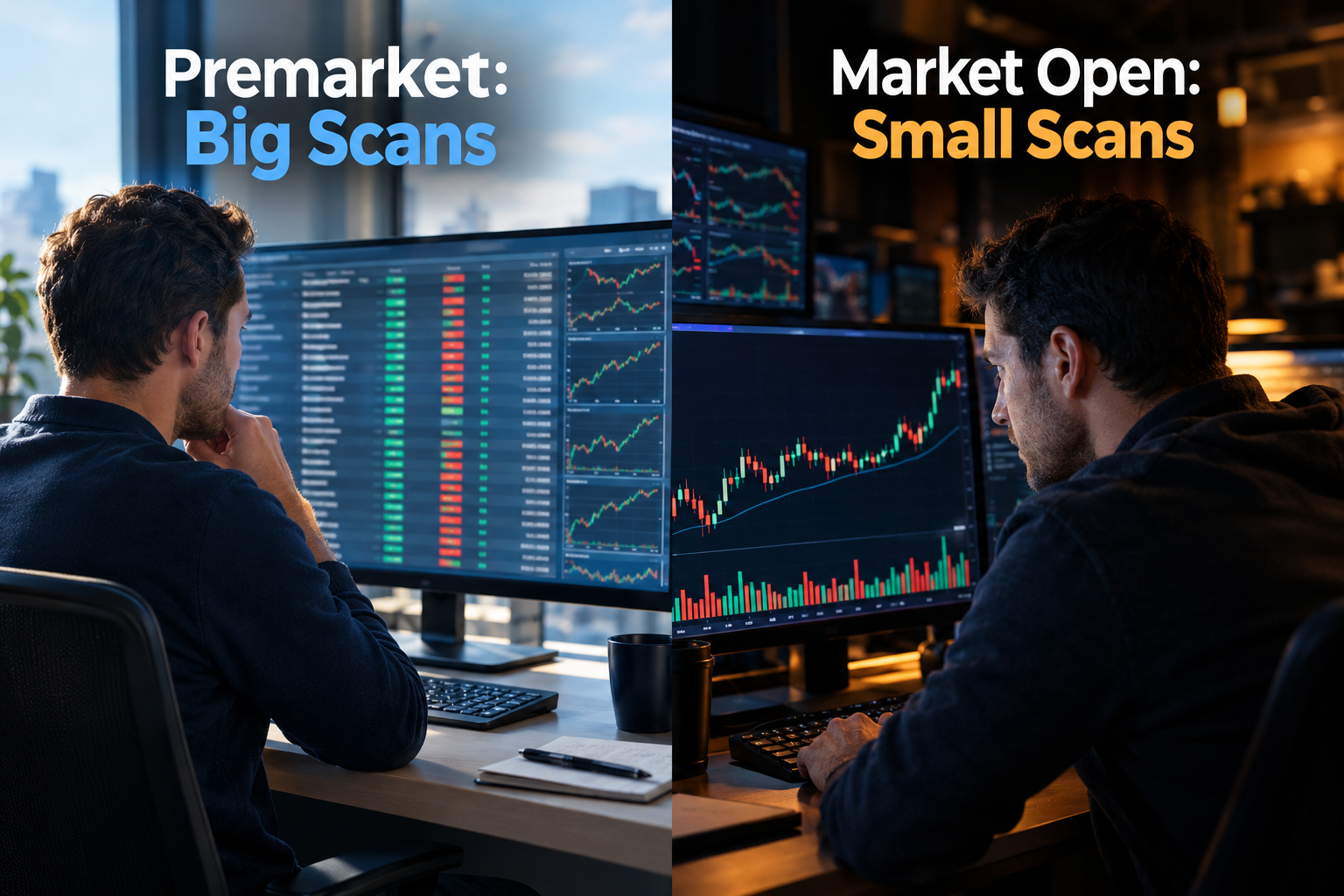
Does that make the thinkorswim scanner useless intraday? No, but it does mean choppy tape at 9:31 a.m. is the wrong time to run a 25-condition monster scan across the full market. That's a premarket job. During power hour or the open, keep your scan small, narrow the universe to a watchlist you already trust, and let the heavy lifting happen before the bell.
The fix in one line: big scans premarket, small scans intraday. Treat the thinkorswim scanner like a research tool that front-loads your prep, not a live alert feed screaming at you in real time.
How do you set up a custom scan in thinkorswim with thinkScript and the condition wizard?
You build a custom scan in thinkorswim two ways: point-and-click through the condition wizard, or by writing your own logic in thinkScript, the platform's built in scripting language. Beginners start with the wizard. Traders who want a repeatable, personal system eventually write thinkscript scanner code.
The condition wizard route is the low-friction path:
- Open Stock Hacker and choose your scan universe (market, exchange, sector, or a custom watchlist).
- Add filters from the library of more than 400 built in technical studies, things like moving average crossovers, RSI thresholds, or volume spikes.
- Group filters using All, None, or Any logic to mirror how you actually think about a setup.
- Add one pattern filter if your strategy leans on chart shape (flags, triangles, double bottoms).
- Save the custom scan thinkorswim under a name you'll remember at 6 a.m., not "Scan47."
The thinkScript route opens up anything the point-and-click wizard can't express. If you trade a specific combination, say, a stock making a new 10-day high on volume 20% above its 50-period average while staying inside a defined price band, you can code that exact logic instead of approximating it with stock filters. Schwab's own unusual-volume example uses that 20% above 50-period average threshold as a default starting point, and it's fully adjustable, not a rule carved in stone.
That's the real value of a thinkscript scanner: it turns a vague idea ("I want stocks that are breaking out on real volume") into a rule the platform can test against every symbol, every day, without you eyeballing 400 charts. Paper trade it first before you trust a new thinkScript scanner condition with real money. Backtest the logic, watch it run on a demo account, then scale in.
thinkorswim scanner vs other stock screeners: how does it compare?
The thinkorswim scanner wins on cost and filter depth. Dedicated paid scanners win on speed and continuous, hands-off alerting. That trade-off, not one tool being flatly "better," is the real comparison.
Stock Hacker is a scanner you configure and run on demand. A platform like Trade Ideas is built around a continuously running scanning engine that streams new setups to you throughout the session, and its Holly AI system layers backtested strategy logic on top to suggest entries, stops, and targets automatically. That's a fundamentally different operating model, not just a faster version of the same thing.
| Feature | thinkorswim scanner | Dedicated paid scanner (e.g. Trade Ideas) |
|---|---|---|
| Cost | $0 with a Schwab account | Monthly subscription, tiers vary by feature set |
| Refresh model | Server-side scans you run on demand; dynamic watchlists refresh roughly every 3 to 4 minutes per trader reports | Continuous scanning engine streaming setups during market hours |
| Filter depth | Up to 25 combined conditions plus one pattern filter | Deep, often with AI-generated strategy logic layered on top |
| Best use | Premarket prep, custom scan thinkorswim building, deep fundamental and technical combos | Fast intraday alerts for traders who want the scan to find them, not the other way around |
The honest read: if your process is "build the scan once, run it before the bell, trade the list," the free thinkorswim scanner does the job well. If your process depends on catching a fast intraday mover the second it fires, a paid, continuously running scanner earns its subscription. For a deeper side-by-side on filter logic and use case, see this breakdown of stock screener vs scanner differences, and for a head-to-head on two popular names, Finviz vs Trade Ideas covers the screener-versus-scanner question from a different angle.
Can you use the thinkorswim scanner for free? How much does thinkorswim cost?
Yes. Is thinkorswim free? For the scanner specifically, yes, with zero account minimum and no separate fee for Stock Hacker. Thinkorswim charges $0 for stock and ETF trades and $0.65 per options contract, and that's the full cost structure tied to using the platform, scanner included.
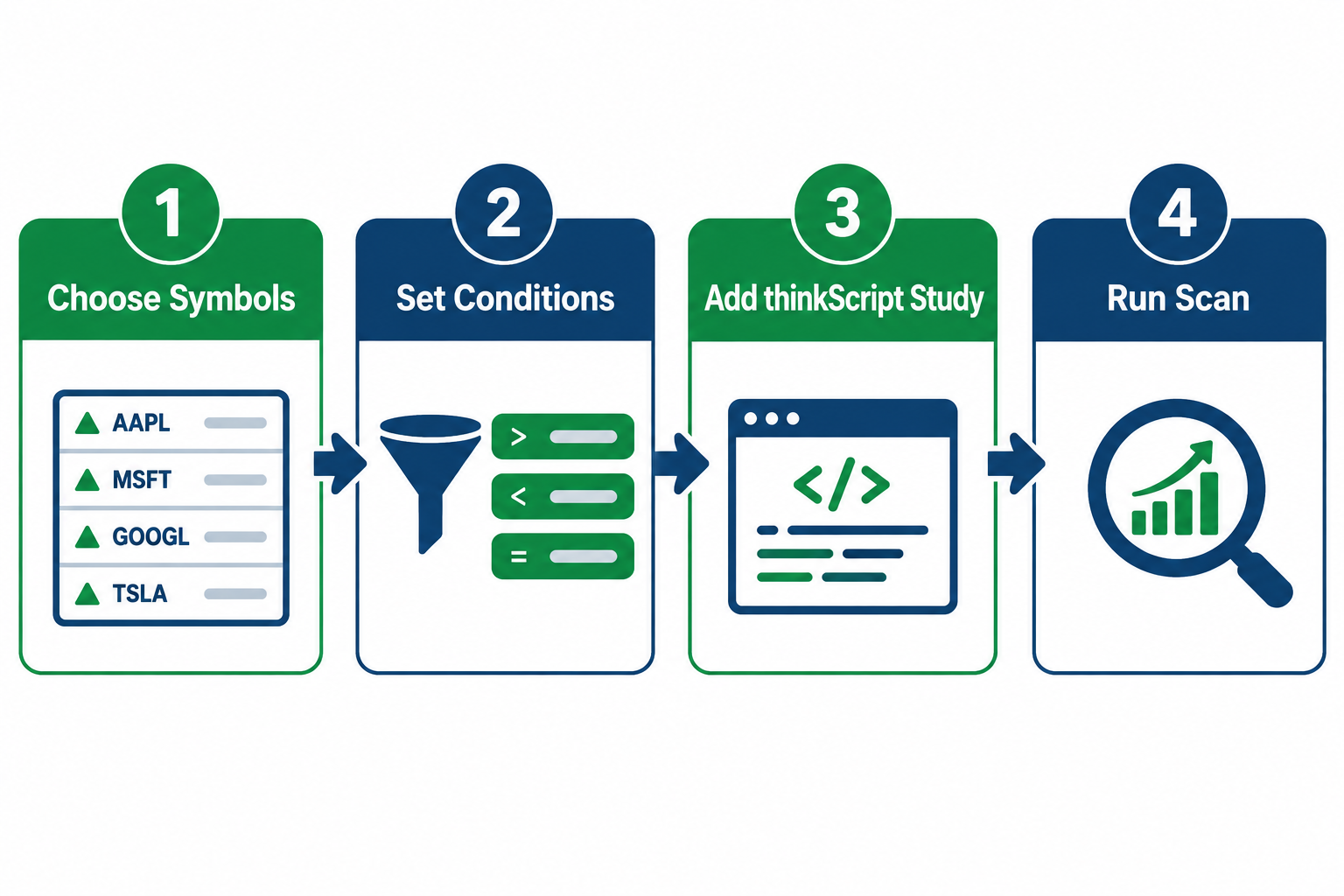
That makes the thinkorswim scanner one of the rare genuinely free stock scanner options that isn't a stripped-down demo of a paid product. You get the full 25-filter Stock Hacker engine, the thinkScript editor, dynamic watchlists, and paperMoney simulated trading, all bundled into a brokerage account you'd likely need anyway if you're trading U.S. equities and options.
Compare that to most standalone scanners, where the free tier caps you at a handful of filters and pushes the real functionality behind a paywall. Price-to-value is where the thinkorswim scanner does its best work, and it's the single biggest reason this tool shows up on so many trader watchlists despite Schwab spending very little on marketing it directly.
thinkorswim scanner pre-made scans, templates, and day trading settings
Stock Hacker ships with pre-built scan templates so you're not starting from a blank filter list on day one. These cover common patterns like high relative volume movers, new highs and lows, and momentum setups, and you can clone any of them as a starting point for your own custom scan thinkorswim.
Best thinkorswim scanner settings for day trading
For an intraday-focused scan, keep the filter count lean rather than maxing out all 25 slots. A workable starting frame:
- Universe: a liquid watchlist or a major exchange, not the entire market, to keep scan time manageable.
- Volume filter: above-average volume, using something near Schwab's default 20% above the 50-period average as a floor, then adjust from there.
- Price band: exclude names outside your risk-reward comfort zone (many day traders exclude anything under $2 to dodge low float chop).
- One pattern filter: if your setup depends on a specific chart shape, add it here since it's your only pattern slot.
Pre-made scans worth cloning
The built in "Top % Gainers," "Unusual Volume," and "New High/New Low" templates are reasonable starting points precisely because Schwab designed the underlying logic, not a random forum post. Clone one, rename it, then strip filters down until the results list is short enough to actually read before the market moves on without you.
How to create alerts and dynamic watchlists with the thinkorswim scanner
You create alerts by saving a scan's output directly to a dynamic watchlist, then attaching price or study-based alert conditions to that list so thinkorswim notifies you when a symbol qualifies. This turns a one-time scan into an ongoing filter that updates as the market moves, rather than a static snapshot from 8 a.m.
The workflow: run your custom scan thinkorswim, send the results to a new or existing dynamic watchlist, then right-click a symbol or the whole list to set an alert trigger, price crossing a level, a study signaling, or volume spiking past a threshold. Because dynamic watchlists refresh on their own cycle (traders report roughly every 3 to 4 minutes rather than instantly), your alert list stays current without you re-running the scan by hand every few minutes.
Common mistake: setting alerts on every symbol a broad scan returns. That's how you end up with forty notifications during power hour and zero clarity. Narrow the scan first, then alert on the short list.
thinkorswim scanner for options trading explained
The thinkorswim scanner filters underlying securities, not options contracts directly, so you use Stock Hacker to find the stock, then move into the options chain to structure the trade. This two-step flow is standard across most scanning tools, not a thinkorswim-specific limitation.
Set fundamental and technical filters (implied volatility rank, upcoming earnings dates, unusual volume) to surface underlyings worth a second look, then pull the qualifying list into thinkorswim's options chain to check spreads, open interest, and Greeks. Traders building an options-first process often pair a scan for elevated implied volatility with a volume filter, since options activity tends to cluster around stocks already moving.
If options flow itself, not just the underlying stock, is your primary signal, a dedicated options flow tool will out-perform Stock Hacker on that specific job. See this rundown of options flow scanners tested for that comparison.
Is the thinkorswim scanner good for beginners?
It's good for beginners who are willing to spend a weekend learning it, and rough for anyone expecting a plug-and-play experience on day one. The condition wizard is approachable. The sheer number of available filters is not.
New traders do best starting with a pre-made scan template, running it in paperMoney (Schwab's free simulated trading environment) before touching real capital, and adding one new filter at a time rather than building a 20-condition monster on the first try. Overtrading and analysis paralysis both show up fast when a beginner tries to use every filter Stock Hacker offers at once. Start narrow. Add complexity only when a simpler scan stops giving you useful output.
How to save and backtest thinkorswim scanner results
Save a scan by naming it and storing it inside Stock Hacker's saved scans list, then use paperMoney or OnDemand to see how that scan's typical output would have performed on past sessions before risking real money on it. Thinkorswim doesn't run an automated backtest specifically on scan output the way a dedicated backtesting platform does, so this is a manual, disciplined process, not a one-click report.
The practical version: save the scan, note the date and the symbols it returned, then check those symbols' price action over the following days. Repeat weekly. Over a month you'll have a rough sense of whether the scan's logic actually correlates with the setups you want, or whether it's mostly noise wearing a filter's clothing.
OnDemand replay is genuinely useful here, since it lets you step back to a prior date and watch the market unfold candle by candle, checking whether your scan's criteria would have flagged the move before it happened, not after.
Does the thinkorswim scanner work on the mobile app?
Yes, a version of Stock Hacker and scan access is available in the thinkorswim mobile app, though the full desktop filter-building experience is easier to manage on a larger screen. Schwab has continued investing in mobile parity for thinkorswim, including AI-assisted features aimed at making the mobile experience faster to navigate.
The realistic use case: build and refine your custom scan thinkorswim on desktop where you can see all 25 filter slots at once, then check saved scan results and dynamic watchlists on mobile during the trading day when you're away from your monitors. Building a complex thinkscript scanner condition from scratch on a phone screen is possible but not pleasant.
thinkorswim scanner not showing results: troubleshooting and common mistakes
If the thinkorswim scanner returns zero results, the most common cause is stacking too many restrictive filters at once, especially combining a tight price band with a tight volume threshold and a pattern filter simultaneously. Loosen one condition at a time until results reappear, rather than rebuilding the whole scan from scratch.
Other frequent causes:
- Wrong scan universe. If you scoped the scan to a single small watchlist instead of an exchange, you're only searching a handful of symbols.
- Contradictory logic groups. Mixing "All of the following" and "Any of the following" incorrectly can accidentally require conditions that can't coexist.
- Stale saved scan. A scan built around an older market condition (say, a volatility filter tuned for a calmer tape) may simply have no matches in a different regime.
- Session timing. Running a scan two minutes after the open, before volume data has meaningfully accumulated, will under-return results versus running the same scan an hour in.
The most common mistake overall: treating a big, broad scan as an intraday tool. That's a bull trap waiting to happen, since by the time a 25-filter scan finishes chewing through the market during a busy session, the setup it found may already be overextended. Run the heavy scans premarket. Keep the intraday scans small and specific.
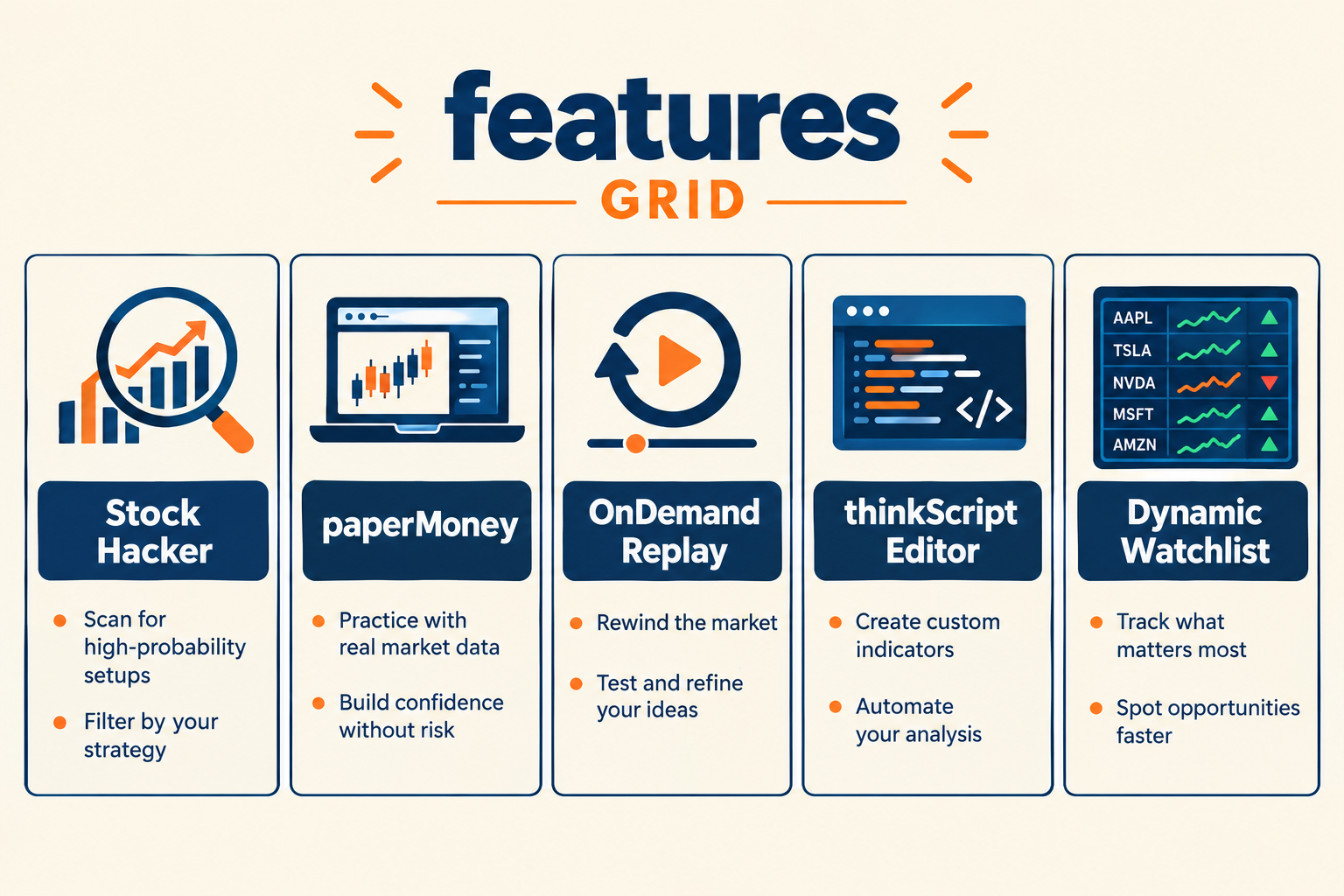
Our Top 5 Favorite thinkorswim Features
The thinkorswim scanner gets the headline, but the platform around it earns the loyalty. Here's what stands out after real use, not a features page.
- Stock Hacker's 25-filter depth. Few free tools let you stack this many market, technical, and fundamental conditions into one custom scan thinkorswim, and the logic groups (All, None, Any) let you write actual rules instead of blunt filters.
- paperMoney. Schwab's simulated trading account lets you test a new scan, a new thinkscript scanner condition, or an entirely new strategy with fake money before it touches your real account. This is the single best feature for anyone tempted to skip straight to live trading.
- OnDemand replay. Step backward to a past date and watch the tape unfold candle by candle. It's the closest thing to a time machine for checking whether your scan logic would have actually caught the move.
- Dynamic watchlists tied to alerts. Once a scan feeds a dynamic watchlist, you get a living, updating list instead of a dead spreadsheet from this morning.
- The thinkScript editor. For traders who eventually want a personal system instead of borrowed templates, writing your own thinkscript scanner logic is where "systems over hacks" stops being a slogan and starts being a real edge.
thinkorswim Alpha Score breakdown: 84/100
FullStack Alpha scores every tool on five pillars worth 20 points each. The thinkorswim scanner earns an 84 out of 100, and the number tells an honest story once you break it down pillar by pillar.
Price-to-Value (20/20): A perfect score, and it's earned. There's no credible free stock scanner that matches Stock Hacker's 25-filter depth without a Schwab account fee attached, because there isn't one.
Signal Quality (17/20): The condition logic works as designed and the filter combinations genuinely narrow the market down to relevant names. It loses points only because scan speed during high-volume sessions can lag the fastest paid competitors.
Community Verdict (18/20): Thinkorswim carries a 4.7 average across more than 325,000 App Store ratings, and forum sentiment across trading communities skews strongly positive, particularly for the price point.
Transparency (16/20): Schwab publishes clear filter logic and explicit warnings that scan results don't guarantee future performance, which is more candor than most vendors offer. It loses points for not publishing an exact scan refresh interval, leaving traders to estimate from forum reports rather than a stated spec.
Usability (13/20): This is the honest weak spot. The interface is dense, the learning curve for building a custom scan thinkorswim from scratch is real, and new users regularly report a multi-week runway before the tool feels intuitive rather than overwhelming.
Where does the thinkorswim scanner fall short?
The thinkorswim scanner's biggest weaknesses are scan lag during the market open, a genuine learning curve, and the requirement that you hold a Schwab brokerage account to use it at all. None of these are dealbreakers, but they're worth planning around rather than discovering the hard way.
Scan lag at the open. Server-side scanning below quote-delivery priority means the busiest ten minutes of the day are the worst time to run a broad, 25-filter scan. Reserve heavy scans for premarket. Keep intraday scans small and scoped to a watchlist you already trust.
The learning curve. Stock Hacker's depth is also its cost. A trader coming from a simpler screener will spend real hours learning condition logic, thinkScript basics, and how the pattern filter limit works before the tool stops feeling like a maze.
You need a Schwab account. Unlike some standalone scanners, you can't use Stock Hacker without a funded brokerage relationship. That's a minor hurdle for most active traders, since Schwab charges no account minimum and no scanner fee, but it's a real requirement, not a footnote.
A regulatory footnote worth knowing: FINRA eliminated the long-standing $25,000 pattern day trader minimum in 2026, replacing it with standard intraday margin rules that apply more broadly. That change makes free, deep tools like the thinkorswim scanner more relevant than ever to smaller accounts that previously couldn't day trade freely regardless of what scanner they used.
Verdict: Who Should Use the thinkorswim Scanner
If you already have or plan to open a Schwab account, there is no honest reason to skip the thinkorswim scanner. It's free, it's deep, and it pairs with paperMoney so you can test every idea before it costs you a dollar. That combination alone puts it ahead of most standalone tools charging monthly for less filter depth.
The trader who benefits most: someone building a real, repeatable system, premarket scans for the day's watchlist, small scans intraday, alerts on a short list instead of the whole market. The trader who'll get frustrated: someone who wants a live-streaming alert feed with zero setup time. That trader should look at a continuously running paid scanner instead, and that's a fine choice too. Discipline beats prediction either way. Pick the tool that matches how you actually trade, not the one with the shiniest feature list.
Next step: open a Schwab account if you don't have one, clone a pre-made scan in Stock Hacker, and run it in paperMoney for two weeks before touching live capital. Let the results argue for themselves.
One tool, scored five ways. There are 200+ more in the FullStack Alpha directory, filterable by category, price and what they actually do.
Browse the directory → aistockpickerapps.com
FullStack Alpha may earn a commission from some links on this page. This does not affect our scoring.
References
Scanning Stocks With Stock Hacker Tool - https://www.schwab.com/learn/story/scanning-stocks-with-stock-hacker-tool
Best Stock Screener Day Trading - https://chartinglens.com/blog/best-stock-screener-day-trading
Thinkorswim Review 2026 Platform Pricing And Verdict - https://insigtrade.com/blog/thinkorswim-review-2026-platform-pricing-and-verdict
Scans And Alerts On Thinkorswim - https://www.schwab.com/learn/story/scans-and-alerts-on-thinkorswim
Using Thinkorswim App Ai Like Efficiency - https://workplace.schwab.com/story/using-thinkorswim-app-ai-like-efficiency
Stock Scanners - https://bullishbears.com/stock-scanners/
We test the tools. You get the verdict.
One email a week. What we tested, what scored, and what we'd skip. Written for traders, not for clicks.
Frequently asked
Topics in this teardown
Our verdict on thinkorswim
thinkorswim is the strongest price-to-value proposition on this site, which is why that pillar scores a perfect 20.
This is an affiliate link. It never affects our score. Why →