

Is StockHero Legit? 5 Things to Verify Before You Connect a Broker
Short on time? The StockHero Alpha Score scorecard breaks the 64/100 down by pillar, with pricing and the verdict, in about 90 seconds.
See the score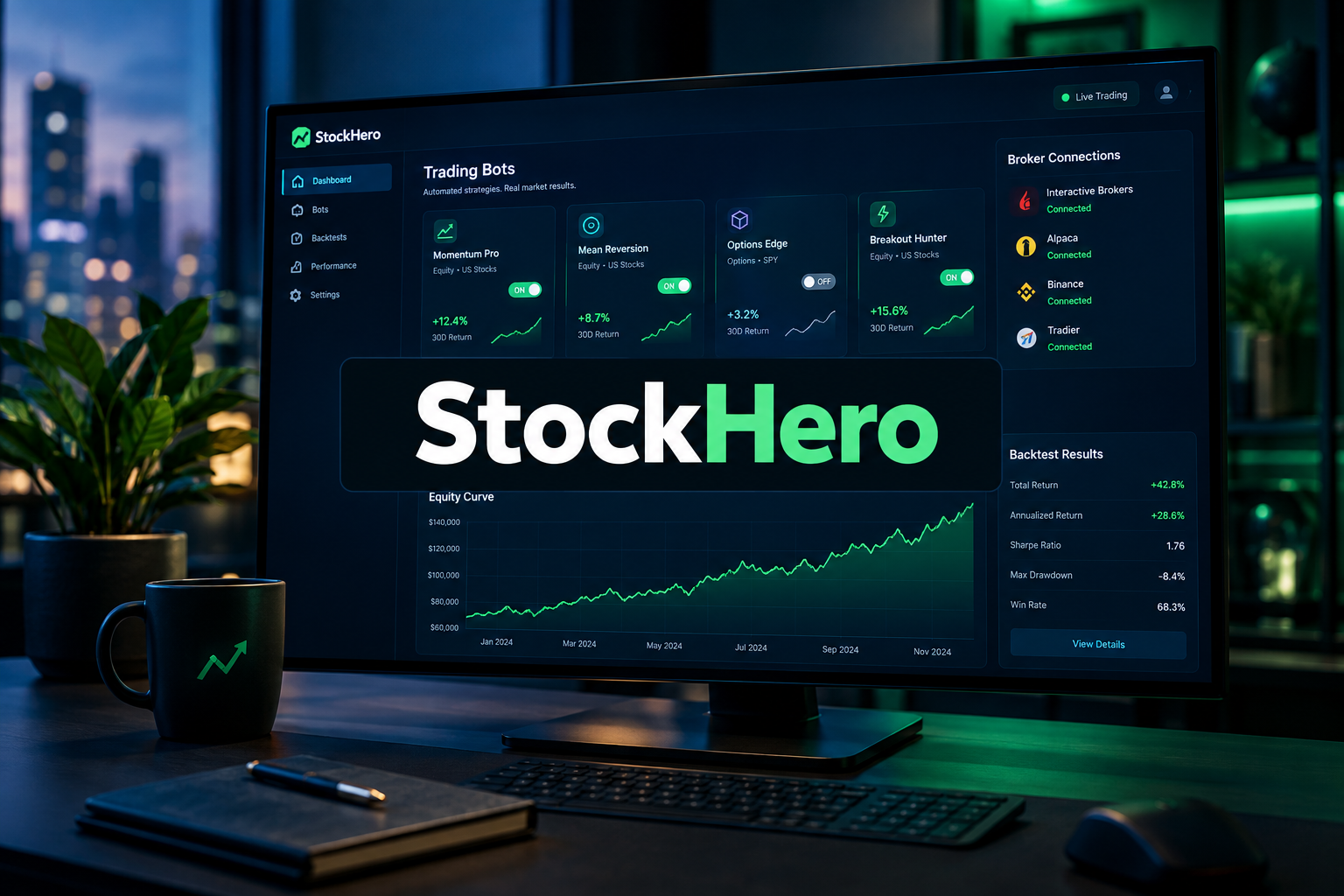
Last updated: September 25, 2026
Quick Answer
Is StockHero legit? Yes, it's real software with real broker integrations, a public pricing page, and a 14-day free trial, which is a much lower bar than most people think they're clearing. StockHero is an AI and rule-based trading bot platform that connects to your existing brokerage account and places orders on your behalf using no-code strategies. The platform being legitimate says nothing about whether any bot running on it will make you money. Before you hand any software order-entry permission on a funded account, verify five things: how the broker connection is authorized, what the subscription actually costs, what the marketplace bots are really claiming, how cancellation works, and what unsolicited users say when nobody's paying them to talk.
Key Takeaways
- StockHero is a software vendor, not a broker. It doesn't custody your cash or securities. Your money stays at TradeStation, E*Trade, Webull, or whichever supported broker you connect.
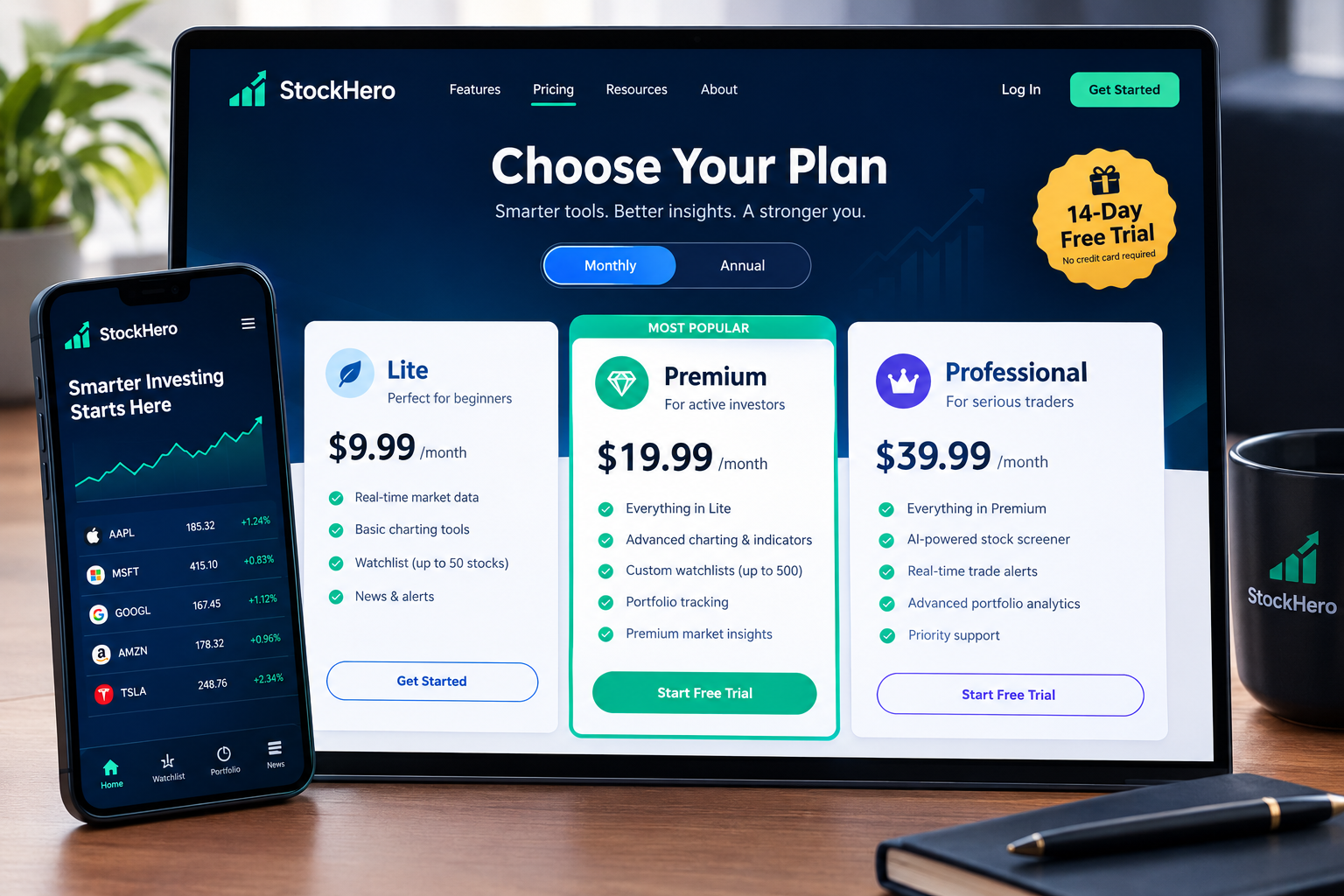
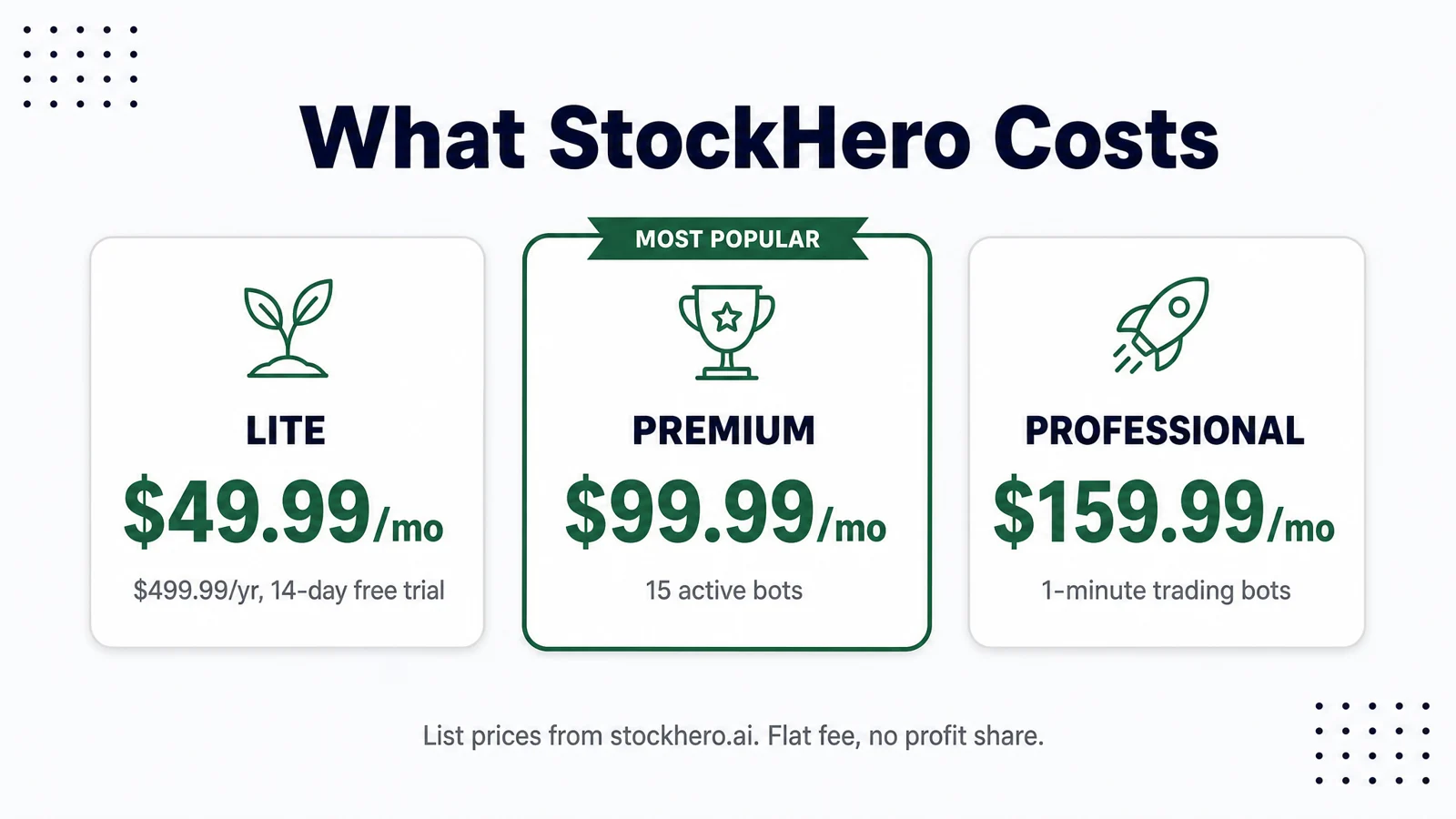
- Pricing is public and flat: Lite $49.99/mo ($499.99/yr), Premium $99.99/mo ($999.99/yr), Professional $159.99/mo ($1,599.99/yr), each with roughly a 20% annual discount. A 14-day free trial is available on Lite.
- Marketplace bot rentals cost extra on top of the subscription. Professional includes access to all marketplace strategies, which the vendor values at around $10,000.
- The Lite plan is narrow on purpose: TradeStation only for the broker connection at first, one active bot during the trial and two once you pay.
- The features most people actually want (dollar-cost averaging bots, TradingView signal support, the Strategy Marketplace) sit behind the Premium tier.
- Subscriptions are billed in advance and auto-renew, so the cancellation date matters more than the sign-up date. Revoking the broker connection is a separate step from canceling the subscription.
- Backtested equity curves are marketing collateral, not evidence. Paper trade any bot through at least one choppy tape before you fund it.
Is StockHero legit? The short answer
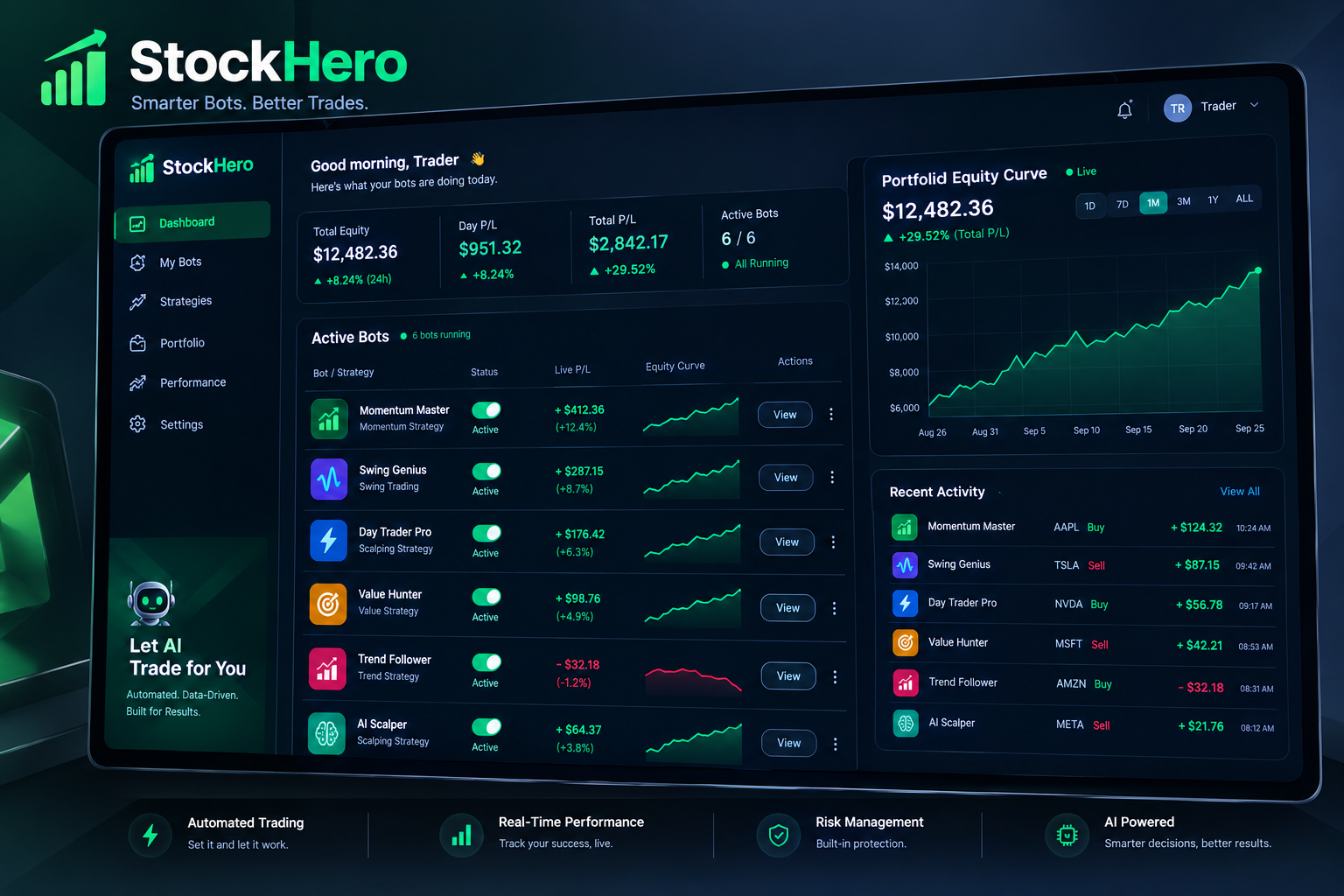
StockHero is a legitimate commercial software product, not a scam funnel. It has a working platform, named broker integrations, transparent tier pricing, a free trial, and support channels. Nobody is asking you to wire money to a stranger's "managed account."
That's the easy part. The harder truth is that "legit" and "profitable" are two different questions, and most people asking the first one are actually worried about the second.
Think of it like a gym membership. The gym exists, the equipment works, the billing is real. None of that guarantees you'll get stronger. Automation software is the same trade: it's a machine for executing your rules with discipline you may not have at 3:45pm on a red day. If the rules are bad, the machine executes bad rules faster and more consistently than you ever could.
So the risk with a tool like this isn't usually fraud. It's three other things:
- Permission risk. You're granting software the ability to place orders in a funded account.
- Cost risk. A $99.99 monthly software fee plus marketplace rentals is a real drag on a small account.
- Expectation risk. A backtest that looks like a staircase to heaven rarely survives live spreads, slippage, and a two-week stretch of chop.
The five checks below address all three. Work through them before you connect anything.
What is StockHero and who is it for?
StockHero is a no-code automated trading platform that lets you build, backtest, rent, and run trading bots that execute through your own connected brokerage account. It supports preset AI-driven strategies, custom rule-based bots, unlimited backtests, unlimited signals, paper trading, and a Strategy Marketplace where other users list bots you can rent.
The core loop looks like this:
- You connect a supported broker (TradeStation, E*Trade, Webull, and others depending on your plan).
- You either build a bot with rule blocks, pick a preset AI strategy, or rent one from the marketplace.
- You backtest it, then run it in paper trading, then switch it live with position sizing and risk limits you set.
- The bot watches the market and submits orders through the broker API when your conditions trigger.
Who it actually fits: self-directed traders who already have a strategy and are tired of executing it by hand. If you can describe your entry and exit in plain language ("buy the breakout above the 20-day high, stop at the 10-day low, take half off at 1.5R"), you can probably build it here without writing code.
Who it doesn't fit: someone with no strategy who hopes the software supplies one. That's the expensive way to learn that a bot is a delivery mechanism, not an edge. If that sounds like you, our primer on what to know before you automate trades is the cheaper first step.
Edge case worth naming: if you're a pure long-term index investor, automation adds cost and complexity for no benefit. Set up a recurring buy at your broker for free and go do something else.
Check 1: How does the broker connection work, and is it safe?
StockHero connects to your brokerage through that broker's API using credentials or an authorization you generate at the broker, not by taking your login password and logging in as you. Your funds and positions stay in your name at your broker. StockHero holds trading permission, not custody.
That distinction matters more than anything else in this article, so let's be precise about what it does and does not protect you from.
What the structure protects you from: the platform absconding with your balance. It can't. The money isn't there.
What it does not protect you from: a bot that trades badly, a misconfigured position size, an API key with more permission than you intended, or your own decision to disable a stop because "it's coming back."
The permissions checklist
Before you authorize anything, confirm each of these inside your broker's developer or API settings page, not on the vendor's marketing page:
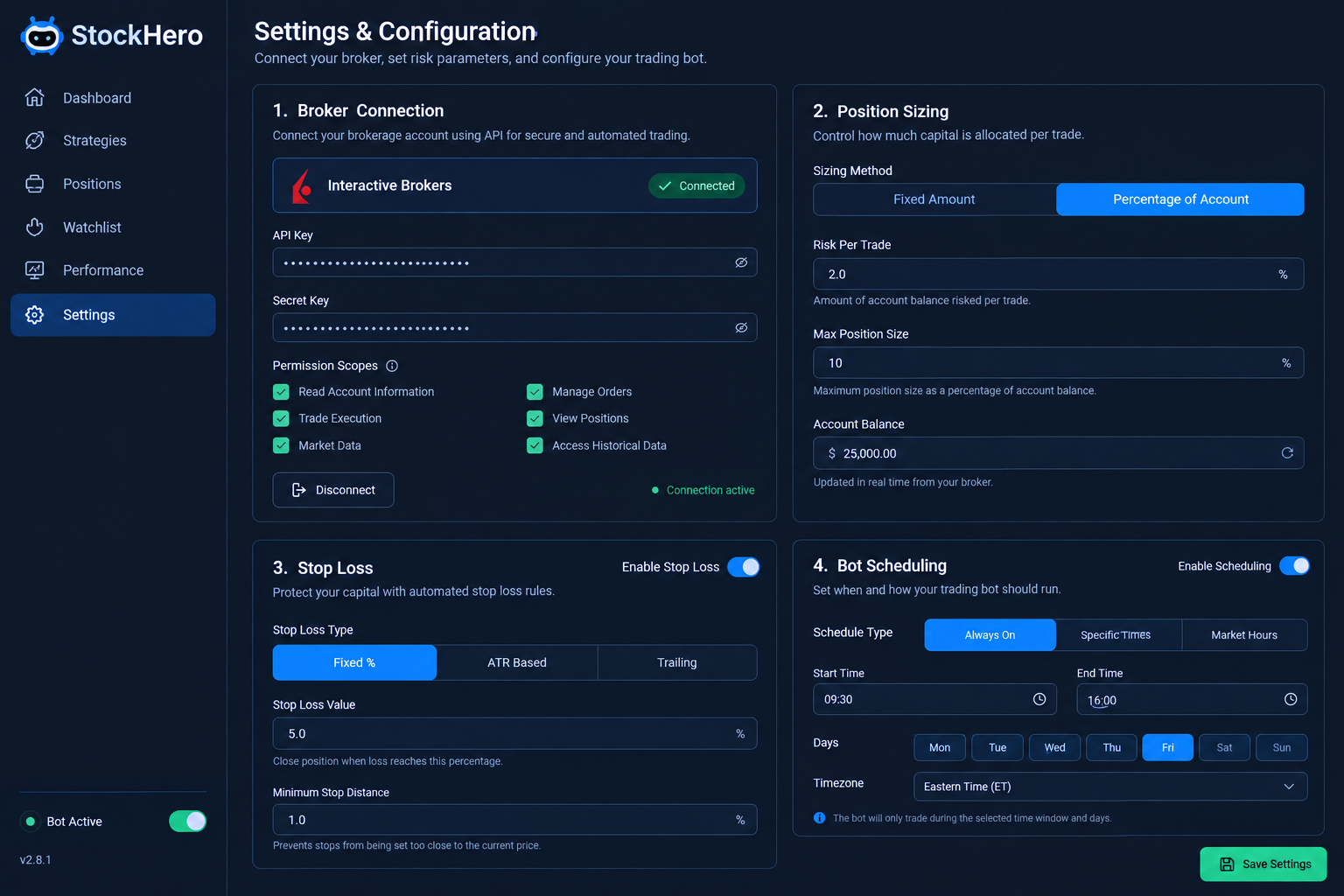
- Scope. Does the key or token allow trading only, or does it also allow withdrawals and transfers? You want trading and account-read permission. You never need withdrawal permission for a bot. If a platform asks for it, walk.
- Two-factor authentication. 2FA stays on at the broker. Any tool that requires you to disable it is disqualified on the spot.
- Revocation path. Find the button that kills the connection before you create it. Know where it lives. You'll want it eventually, whether from a bug, a runaway bot, or a plan change.
- IP or device restrictions. Some brokers let you restrict API access. Use it if offered.
- Separate credentials. Generate a dedicated key for StockHero. Don't reuse one you've pasted into three other tools.
- A funding boundary. Connect the account you're willing to automate, and keep long-term holdings somewhere else. If your broker supports multiple accounts, this costs nothing.
Verify the broker, not just the software
The software vendor isn't the regulated entity in this stack. Your broker is. Look up your brokerage on FINRA BrokerCheck and confirm membership and SIPC coverage. One clarification most beginners get wrong: SIPC covers failure of the brokerage firm's custody, up to statutory limits. It does not reimburse trading losses, including losses caused by an automated strategy you enabled. There is no insurance for a bad bot.
Common mistake: connecting a live account on day one because paper trading "feels slow." That impatience is exactly the behavior automation is supposed to fix. Paper trade it first.
Check 2: What does StockHero cost?
StockHero charges a flat software subscription in three tiers, billed monthly or annually with roughly a 20% discount for paying yearly. Lite is $49.99/mo or $499.99/yr and includes a 14-day free trial. Premium is $99.99/mo or $999.99/yr. Professional is $159.99/mo or $1,599.99/yr and includes free access to all Marketplace strategies, which the vendor values at approximately $10,000. Subscriptions are billed in advance and auto-renew.
Two cost details that don't fit on a pricing badge:
Marketplace rentals are extra. On Lite and Premium, renting a strategy from another creator is a separate charge layered on top of your subscription. That's the real reason Professional exists. If you plan to rent three or four bots, run the arithmetic before you assume the cheap plan is cheaper.
Tier gating is aggressive at the bottom. Lite starts with TradeStation only for the broker connection, and caps you at one active bot during the trial and two once you're paying. Dollar-cost averaging bots, TradingView signal support, and the Strategy Marketplace itself live on Premium. The AI ChatBot assistant is a Premium feature too.
Do the cost-drag math before you subscribe
This is the calculation almost nobody runs, and it's the one that decides whether the tool is rational for you.
- Premium at $99.99/mo is $1,199.88 a year. On a $5,000 account, that's a 24% annual hurdle before you've paid a single commission or lost a single trade. You are not going to out-trade that.
- On a $50,000 account, the same subscription is about 2.4%. Defensible if the automation genuinely improves your execution or saves you hours.
- On a $250,000 account, it's under half a percent. Now the fee is noise and the only question is whether the bots work.
Decision rule: if the annual software cost exceeds about 2% of the capital you'll actually deploy through it, the fee is the strategy, and the strategy is losing. Either raise the account size, drop to the annual plan on a lower tier, or skip it. We go deeper on this trade-off in what you pay for vs. what you get in AI trading software.
Check 3: What do the marketplace bots really promise?
Marketplace and preset strategies are typically presented with backtested performance, and a backtest is a simulation of what a rule set would have done on historical data, not a record of money made. Read every performance figure on a bot listing as vendor-supplied and unaudited until you see live results with a verifiable start date.
Backtests fail live for boring, mechanical reasons. Know them so a pretty equity curve stops impressing you:
- Slippage and spread. Backtests often fill at the ideal price. Live markets fill you where the order book actually is, and in low float names that gap can eat the whole edge.
- Overfitting. Tune enough parameters against the same history and you'll produce a strategy perfectly adapted to a market that no longer exists. That's curve-fitting, not a discovery.
- Regime dependence. A trend-following bot printing through a one-way bull market will get chopped to pieces the moment the tape starts basing and reversing.
- Survivorship and sample. Six months of backtest that never touched an earnings season or a real drawdown isn't a sample. It's a snapshot.
Five questions to ask any strategy listing
- What's the maximum drawdown, not just the return?
2How long is the test window, and does it include at least one sustained down move? - How many trades? Twenty wins prove nothing. Several hundred start to mean something.
- Is the creator showing live, forward results since a stated date, or only historical simulation?
- What market condition breaks it, and does the creator admit one?
If a listing can't answer question five, that's your answer. Every real strategy has a market it hates. A creator who won't name it either doesn't know or isn't telling.
Worth remembering: the SEC has brought enforcement actions over "AI washing," where firms overstate how much artificial intelligence is actually driving their product. The general investor guidance on automated and algorithmic claims at Investor.gov applies here. A preset labeled "AI" may be a rules engine with a nice name on it. That's not automatically bad, but it should change how much you pay for the label. Our breakdown of why AI prediction accuracy numbers mislead covers the same pattern across the category.
Practical takeaway: run any bot you like in paper trading for a minimum of 30 sessions, then compare the paper result to the advertised backtest. If they diverge badly, you just saved yourself real money for the price of patience.
Check 4: How easy is it to cancel?
StockHero subscriptions are billed in advance and auto-renew, so cancellation is about timing, not negotiation. Plan on managing it yourself in account settings before the renewal date, and treat the trial end date as a calendar event rather than something you'll remember.
Here's the sequence that prevents the most common complaint in all of SaaS, the surprise renewal charge:
- Note the trial end date the day you sign up. A 14-day trial started on the 1st renews on the 15th. Set a reminder for day 11 so you have time to decide rather than react.
- Cancel inside the account dashboard, and screenshot the confirmation. If the platform routes you to support instead of a self-serve button, send the request in writing so you have a timestamp.
- Read the refund language before you pick annual. Annual billing saves roughly 20%, which is real money, and it also means one decision locks in twelve months. Take the monthly plan for the first quarter unless you've already validated the tool.
- Revoke the broker connection separately. Canceling billing does not automatically mean revoking API permission at your broker. Go to your broker's API settings, delete the key or authorization, and confirm it's gone.
- Disable running bots first. Turn bots off before you cancel, not after. You don't want an open automated position and a dead subscription at the same time.
Edge case: if you cancel mid-cycle, expect access through the paid period rather than an instant prorated refund. That's standard for flat-fee software. Budget for it instead of arguing about it.
Check 5: What do real users say?
The honest assessment: public, unsolicited discussion of StockHero is thin compared with larger retail platforms, which means you can't outsource this decision to a review score. Where thin coverage exists, your own 14-day trial is better evidence than anyone's star rating.
How to read what you do find, because every source is biased in a predictable direction:
| Source | Which way it leans | What it's actually good for |
|---|---|---|
| Reddit (r/algotrading, r/Daytrading) | Negative skew, people post when angry | Unsolicited honesty about live performance and bugs |
| G2 and Capterra | Positive skew, vendors solicit reviews | Onboarding, support responsiveness, workflow |
| Trustpilot | Complaint-heavy | Billing disputes, cancellation friction |
| App Store and Google Play | Positive skew, prompts fire after good moments | Mobile experience from real phones |
The finding is in the gap. A platform rated warmly on solicited sites and criticized on Reddit is a different product from one rated consistently everywhere. Search for the specific things that cost you money: "StockHero order not filled," "StockHero broker disconnect," "StockHero billing." Vague praise tells you nothing. A detailed complaint about a failed reconnection during market hours tells you plenty.
Practical takeaway: spend 20 minutes searching before you spend $49.99. Then spend 14 days trialing before you spend $1,199.88. Discipline beats prediction, and it applies to buying software just as much as it applies to buying stocks.
StockHero plans compared
| Plan | Active bots | Brokers supported | Backtesting | Paper trading | Monthly price |
|---|---|---|---|---|---|
| Lite | 1 during the 14-day trial, 2 on paid | TradeStation at sign-up (vendor-stated starting point) | Unlimited backtests | Yes | $49.99 ($499.99/yr, saves ~20%) |
| Premium | More than Lite, confirm the exact count at checkout | Multi-broker, including TradeStation, E*Trade, Webull and others listed by the vendor | Unlimited backtests | Yes, plus DCA bots, TradingView support and Strategy Marketplace access | $99.99 ($999.99/yr, ~20% annual discount) |
| Professional | Highest allowance of the three tiers | Multi-broker, same supported list | Unlimited backtests | Yes, plus free access to all Marketplace strategies (vendor-valued at ~$10,000) | $159.99 ($1,599.99/yr, ~20% annual discount) |
Notes: marketplace strategy rentals are an additional cost on Lite and Premium. All tiers bill in advance and auto-renew. Broker availability and bot limits change, so confirm both on the live pricing page before you subscribe.
Top 5 StockHero features
These are the five things that justify the subscription when the tool fits. Everything else is packaging.
1. No-code bot builder
You assemble entries, exits, and risk rules from blocks instead of writing Python. That lowers the barrier for traders who have a repeatable setup but no engineering background. The practical benefit is speed: an idea becomes a testable bot in an afternoon rather than a weekend of debugging.
2. Unlimited backtesting
Unlimited tests across all tiers is genuinely useful, because the honest workflow involves testing a strategy dozens of times and killing most of them. Platforms that meter backtests quietly encourage you to stop testing and start hoping. Use the volume, and resist the urge to keep tuning until the curve looks perfect. That's the moment overfitting starts.
3. Paper trading
The single most valuable feature on the platform for a beginner, and the one most likely to be skipped. Paper trading runs your bot against live market data with fake money, which is how you find out that your "clean setup" gets stopped out three times a week in a choppy tape. Costs you nothing but patience.
4. Strategy Marketplace (Premium and above)
A library of bots built by other users that you can rent rather than build. Useful as a research shortcut and a source of ideas about structure. Treat every listed performance figure as unaudited marketing until you've paper traded it yourself. Professional includes access to the whole catalog, which is the main financial argument for the top tier.
5. TradingView signal support and DCA bots (Premium and above)
If you already do your analysis on TradingView, routing alerts into StockHero turns your existing chart work into automated execution. Dollar-cost averaging bots handle scheduled accumulation with rules, which suits investors more than day traders. Both features sit behind Premium, and for a lot of buyers they're the reason Lite doesn't make sense.
direct: what your first two weeks should look like
Trials get wasted because people spend them clicking around. Use the 14 days as a structured test with a pass/fail outcome. Here's the sequence that actually produces a decision.
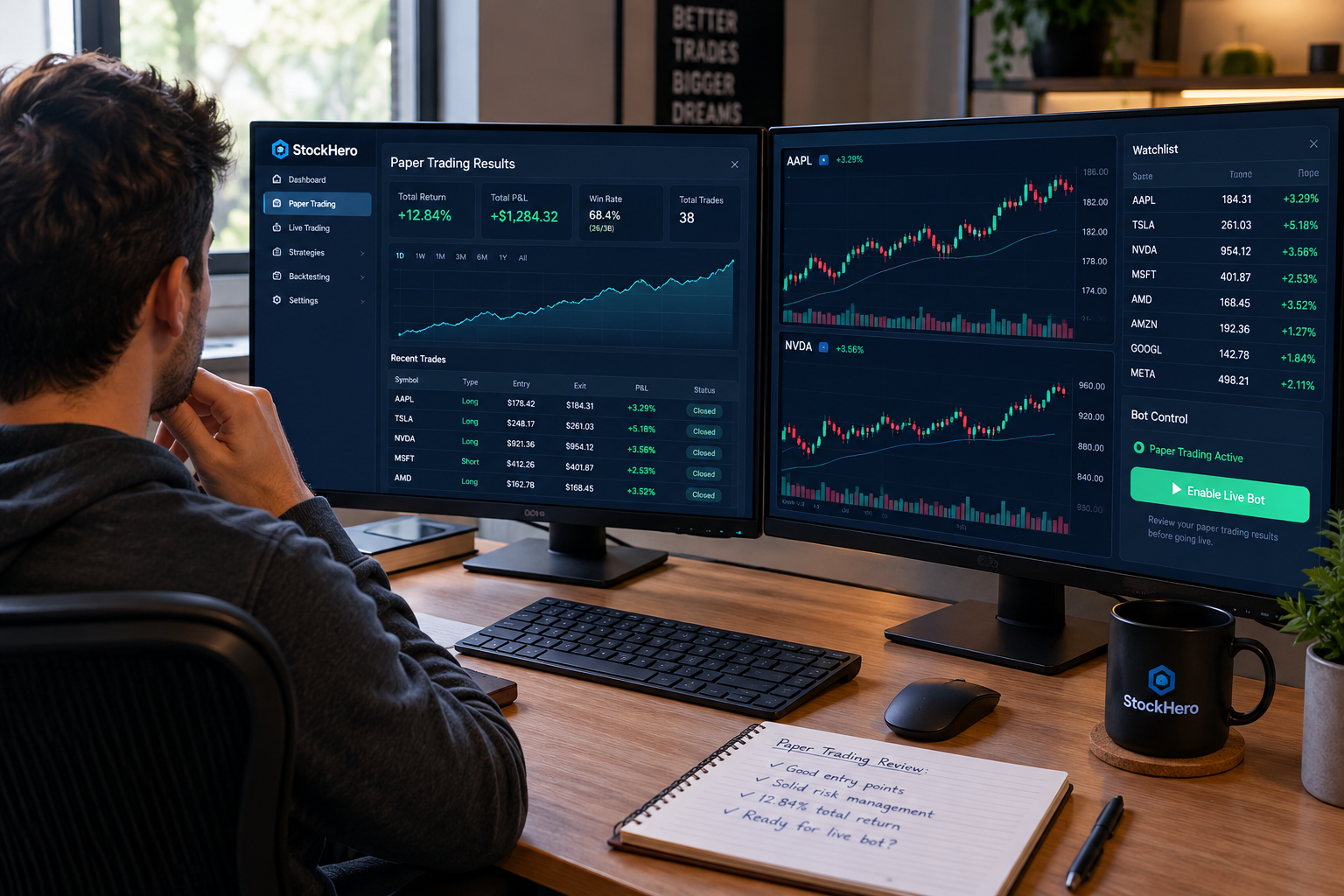
Days 1 to 2: connect and configure, don't trade. Link the broker with a dedicated API key, trading permission only, no withdrawal rights. Confirm you can find the revocation button. Set account-level position sizing limits before a single bot exists.
Days 3 to 5: build one bot, and only one. Pick your simplest existing strategy, the one you could describe to a friend in two sentences. Support and resistance, a moving average cross, a breakout with a stop under the consolidation. One bot. Lite only gives you one during the trial anyway, and the constraint is a feature.
Days 6 to 8: backtest, then try to break it. Run it across a trending stretch and a sideways stretch. Look at maximum drawdown before you look at return. If the drawdown would make you turn the bot off in real life, the strategy is unusable regardless of the profit number.
Days 9 to 13: paper trade live. Watch fills, watch how it behaves at the open and during power hour, watch what happens on a gap. Note every discrepancy between what you expected and what the bot did.
Day 14: decide with a number. Did automation improve your execution or save you meaningful time? If you can't point to something specific, cancel. "I'll figure it out next month" is how a $49.99 trial becomes a $1,199.88 year.
Pros and cons
✅ What we love
- No-code automation that a non-programmer can actually use. The block builder removes the single biggest barrier to systematic trading.
- Unlimited backtests and signals on every tier. No metering means no artificial incentive to stop testing.
- Paper trading built in. The risk-free rehearsal step is standard here, not an upsell.
- Multi-broker support on higher tiers, including TradeStation, E*Trade, and Webull, so you're not forced to move your money to use the tool.
- Public, flat pricing with a 14-day free trial. No "book a call to hear the price" nonsense.
- You keep custody. Your cash and positions stay at your broker, which structurally limits the worst-case scenario.
- 24/7 support and an AI ChatBot on Premium, which matters when a bot misbehaves at 2:15pm on a Tuesday.
❌ What could be better
- Lite is narrow to the point of being a demo. TradeStation-only broker support at sign-up and two active bots on the paid plan is thin for $49.99 a month.
- The features most buyers want are gated to Premium. DCA bots, TradingView support, and the Strategy Marketplace all sit at $99.99 and up.
- Marketplace rentals stack on top of the subscription unless you're paying $159.99 for Professional, which makes the true monthly cost harder to predict.
- Marketplace performance claims are creator-supplied and unaudited. The burden of verification lands entirely on you.
- The cost is punishing on a small account. At $1,199.88 a year, Premium is a serious hurdle for anyone trading under $25,000.
- Thin public review coverage compared with larger platforms, so there's less independent corroboration than a first-time buyer would want.
- The "AI" framing does more work than the disclosed methodology does. Preset strategies deserve more transparency about what's model-driven versus rules-driven.
Who should buy this, and who should skip it
Buy it if
- You already have a defined, repeatable strategy and you're the bottleneck in executing it.
- You're funded at roughly $25,000 or more, so the subscription is a small percentage of deployed capital.
- You use TradeStation, E*Trade, or Webull and want to keep your money where it is.
- You do your analysis on TradingView and want alerts to trigger orders without you at the desk.
- Your real problem is behavioral: hesitating on entries, moving stops, revenge trading after a red morning. A bot doesn't get emotional about the tape.
Skip it if
- You're hoping the software supplies the strategy. It supplies execution, and buying it without a plan is how a beginner learns an expensive lesson.
- You're trading a $2,000 to $5,000 account. The fee drag is too heavy. Build the process first with free tools and paper trading, then pay for automation when the account can carry it.
- You're a passive index investor. A recurring broker transfer does the job for free.
- Your broker isn't on the supported list and you won't move.
- You can't commit to the full paper-trading step. Automation without verification just makes the same mistakes faster.
How to get the best deal
- Take the 14-day free trial on Lite first, even if you already suspect you need Premium. You'll learn whether the builder suits how you think, and that's the only question the trial needs to answer.
- Start monthly, not annual. The ~20% annual discount is real, and it's a bet on a product you haven't validated. Pay it in month four, not week one.
- Price the tier by rentals, not features. If you'll rent three or more marketplace strategies, Professional at $159.99 may cost less all-in than Premium plus rentals. If you'll build your own bots, Premium is the ceiling.
- Time the annual upgrade. Switch to yearly right after a month where the tool clearly earned its keep, not during the honeymoon.
- Confirm the current broker list and bot limits at checkout. Tier details shift. The live pricing page governs, not any review, including this one.
- Diarize the renewal. Every plan bills in advance and auto-renews. A calendar reminder is the cheapest risk management in this entire article.
What are the best StockHero alternatives?
If StockHero's tiering or broker list doesn't fit, four other platforms cover adjacent ground. Each suits a different kind of trader.
Composer builds and runs systematic equity and ETF strategies with a no-code, visual approach, and it handles execution through its own brokerage arrangement rather than connecting to an outside broker. Best for investors who want rules-based portfolio automation and rebalancing rather than intraday bots, and who don't mind holding assets on the platform's side. Our Composer review goes through the mechanics.
Capitalise.ai lets you write automation in plain English and connects to supported brokers, which suits traders who think in sentences rather than flowcharts. Best for someone who wants conditional automation and alerts layered onto an existing broker account without a strategy marketplace attached.
TradersPost is an execution bridge. It takes signals from TradingView or your own code via webhook and routes orders to supported stock, options, futures, and crypto brokers. Best for traders who already have a signal source they trust and only need reliable order routing, not a bot builder or a marketplace.
3Commas is crypto-first, with bots for exchange-based trading. Best for digital asset traders, and largely irrelevant if your focus is US equities and options. Different asset class, different risk profile.
The sorting question is simple. If you need a builder, look at StockHero or Composer. If you need a bridge, look at TradersPost. If you want plain-English conditions, look at Capitalise.ai. If you're trading crypto, none of the equity tools apply. For a wider field, see our roundup of AI trading platforms.
Our Top 5 Favorite StockHero Features
After weighing the platform against the checks above, these five features earn the subscription conversation in the first place.
- No-code bot builder. Entry rules, exit rules, stop loss and fund allocation assembled from menus, with users calling the guided setup genuinely intuitive.
- Free paper trading exchange. Every strategy can run on simulated money first, which is the single best answer to the trust question this article asks.
- Strategy Marketplace. Rent working strategies with published monthly performance posts instead of building from scratch.
- Flat pricing with no profit share. From $49.99 a month, StockHero takes nothing from winning trades, so the math stays yours.
- Real brokerage connections. TradeStation, E*Trade, Webull, Tradier and Alpaca links mean bots place real orders rather than sending signals into the void.
Final verdict
StockHero is legitimate software with a real use case, and the tier you need is probably not the one advertised on the trial. Here's the verdict by trader type.
Funded systematic traders ($25,000+, existing strategy, TradingView workflow): worth trialing. Premium at $99.99/mo is defensible when the subscription is a small fraction of deployed capital and the automation removes you from the emotional part of execution. Run the full paper-trading step before you go live.
Heavy marketplace users: price Professional at $159.99/mo against Premium plus per-strategy rentals. If you'll rent three or more, the top tier is the cheaper path. Still verify every listing yourself.
Small accounts under $10,000: skip it for now. A $1,199.88 annual software bill against a five-figure account is a hurdle you won't out-trade. Build the rules, paper trade them manually, and revisit when the capital justifies the fee.
Beginners with no defined strategy: skip it entirely. Buying an execution engine before you have something to execute is the most predictable money loss in this category. Spend the next 60 days writing entry, exit, stop, and position sizing rules for one setup. Then come back.
The one next step: start the 14-day Lite trial, connect a dedicated broker API key with trading permission only, build exactly one bot from a strategy you already use, and paper trade it for the full trial. Decide on day 14 with a number, not a feeling. Fewer bots, one clean process, nothing you can't explain out loud. Cut the noise, keep the alpha.
Related reading
- AI trading bots: what to know before you automate trades
- AI trading software: what you pay for vs. what you get
- Automated trading bots: what the real results show
- Best AI trading bots: legit tools vs. expensive hype
One tool, examined five ways. There are 200+ more in the FullStack Alpha directory, filterable by category, price and what they actually do.
Browse the directory → aistockpickerapps.com
Sources: StockHero pricing page (2026); FINRA BrokerCheck (brokercheck.finra.org); SEC Investor.gov investor education on automated and AI-related claims.
Disclosure: this article contains affiliate links, and we may earn a commission at no extra cost to you.
We test the tools. You get the verdict.
One email a week. What we tested, what scored, and what we'd skip. Written for traders, not for clicks.
Frequently asked
Topics in this teardown
Our verdict on StockHero
StockHero's genuine strength is usability, which scores 16: preset bots from a strategy marketplace, a no-code strategy designer, backtesting, paper trading and guided onboarding make it one of the fastest paths from idea to running bot.