

QuantConnect Review 2026: From First Backtest to Live Trading
Short on time? The QuantConnect Alpha Score scorecard covers pricing, the verdict and what traders actually say, in about 90 seconds.
See the score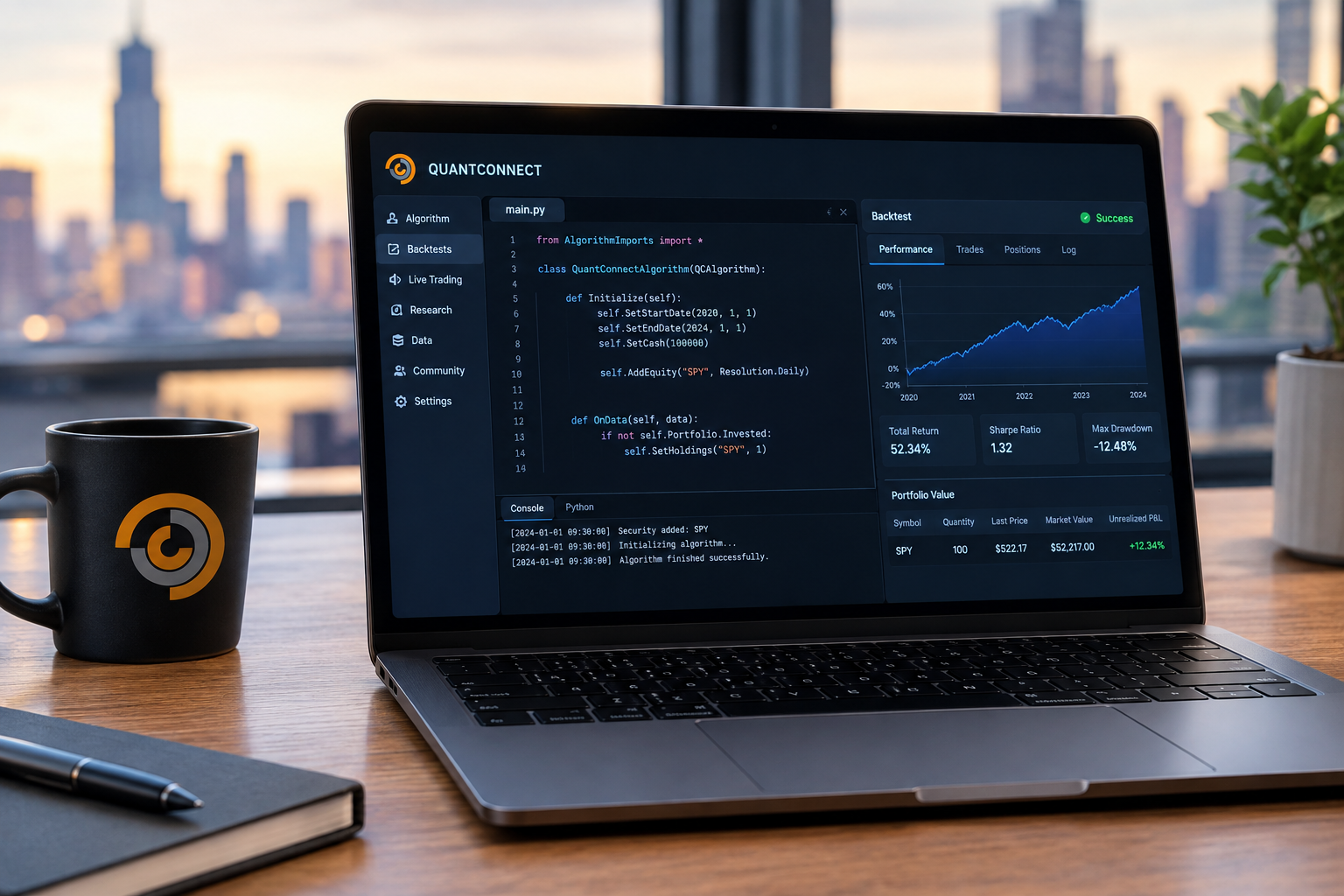
This QuantConnect review settles it fast: if you can write Python or C#, it's the shortest legal path from a trading idea to a live algorithm, and if you can't code, it's not for you yet.
Quick Answer
QuantConnect is a cloud platform built on the open-source LEAN engine that lets you code a trading strategy once, backtest it against tick-to-daily data across six asset classes, and deploy it live through a connected broker. The free plan includes unlimited backtesting. Paid nodes start at $84 a month for a solo researcher. You need to know Python or C#, the documentation has real gaps, and Reddit users report data errors and deployment hangs you need to plan around.
QuantConnect review: key takeaways
- Free plan includes unlimited backtesting across equities, options, futures, forex, and crypto on shared compute nodes, no card required.
- Quant Researcher plan runs $84 a month ($60 base plus current node pricing verified September 21, 2026), the entry point for anyone who wants faster, dedicated compute.
- Team plans require a minimum of 2 users at $168 per user per month, with annual billing saving $288 per user.
- Trustpilot rates QuantConnect 4.5 out of 5 from 64 reviews, and most of them are unprompted, which matters more than the star count.
- Live brokers include Interactive Brokers, Alpaca, Tradier, Charles Schwab, Coinbase, Kraken, and Binance, covering stocks, options, futures, forex, and crypto from one account.
- Python or C# is mandatory. There's no drag-and-drop builder here, and no plan to add one.
- One documented case went from concept to live trading in under a month, but that timeline assumes you already know how to code and how to read a backtest without lying to yourself.
What does QuantConnect actually do?
Every QuantConnect review should start with the job the platform does, because it does a lot and only part of it matters to a retail algo trader.
QuantConnect is a strategy factory: you write the rules once, and the same code backtests against history and then trades live money. That's the entire pitch, and it's a bigger deal than it sounds.
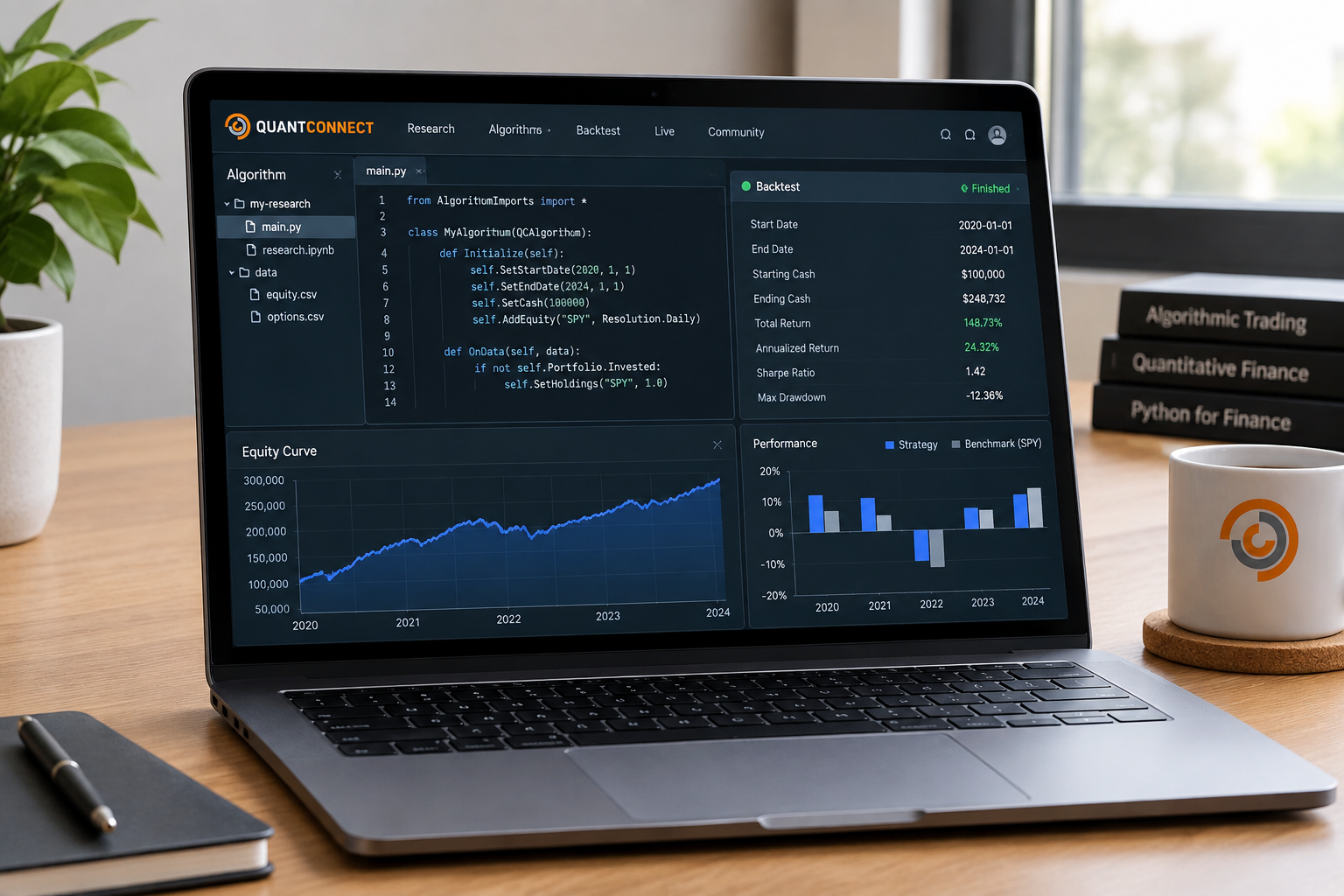
Most retail traders build a strategy in one tool, test it in another, and then hand-code the live version in a third. Every handoff is a chance to introduce a bug that only shows up after you've already lost money. QuantConnect collapses that into one codebase, so the algorithm that passed your backtest is, byte for byte, the algorithm trading your account.
Here's what that looks like feature by feature, and why each one matters to your actual trading:
- Cloud IDE (a browser-based code editor). You write Python or C# in the browser with no local setup, so a laptop crash doesn't cost you your strategy.
- LEAN engine. The open-source backtesting and live-trading engine underneath everything. Same engine, same math, whether you're testing 2015 data or trading Tuesday's open.
- Research notebooks. Jupyter-style notebooks for exploring data and testing hypotheses before you commit to full strategy code, so you're not guessing at correlations blind.
- Multi-asset data. Equities, options, futures, forex, crypto, and CFDs, tick to daily, plus fundamentals and alternative data. One data pipeline instead of five vendor accounts.
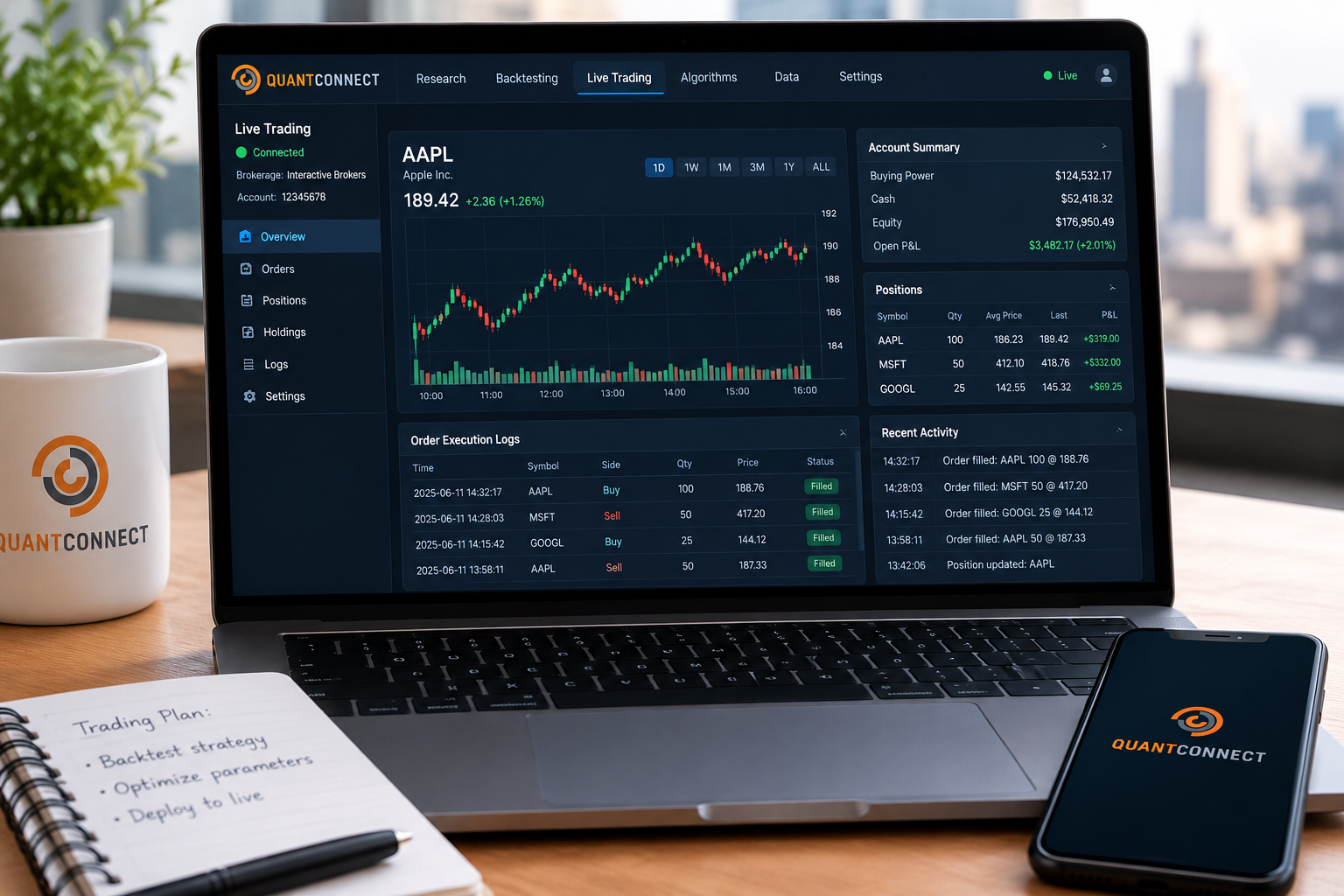
- Live brokerage integrations. Interactive Brokers, Alpaca, Tradier, Schwab, Coinbase, Kraken, Binance, and more. Flip a setting and the backtest becomes a live order.
- Alpha Streams. A marketplace where you can license your strategy's signal to institutional buyers, or license someone else's, if you're building rather than just trading for yourself.
The benefit underneath all of it: you stop rebuilding the wheel every time you move from "does this work on paper" to "is this actually making or losing money right now."
Quantconnect review: how does the LEAN engine work?
LEAN is an event-driven backtesting engine, which means it processes your strategy the same way a live market would: bar by bar, tick by tick, reacting to each new piece of data as it arrives instead of running one big spreadsheet calculation across the whole history at once.
That distinction matters more than it sounds. A vectorized backtest (the spreadsheet-style kind) can accidentally use future information to size a trade today, a mistake called look-ahead bias. An event-driven engine like LEAN processes information in the order it actually happened, so your backtest can't cheat by peeking at tomorrow's close.
How it actually runs, in practice:
- Cloud execution for anyone who wants zero setup. You write code in the browser, hit backtest, and QuantConnect's servers do the work.
- Local execution with the LEAN CLI, a command-line tool that lets you run the same engine on your own machine inside VS Code, with full control over your environment and no dependency on their servers being fast that day.
- Docker support for anyone who wants a fully reproducible environment, useful if you're running LEAN across a team or want version control that survives a laptop replacement.
- Research notebooks sit alongside the engine so you can test a hunch (does this signal actually predict the next bar) before you spend an afternoon coding a full strategy around it.
Choose cloud if: you're new, want zero setup, and are fine with shared compute speed. Choose local with the LEAN CLI if: you're running large parameter sweeps, need faster iteration, or want your code under your own version control instead of a browser tab.
Common mistake: treating the backtest engine like a black box and never opening the source. LEAN is open-source on GitHub. If your fill logic or slippage model doesn't match what you expected, the answer is in the code, not a support ticket.
How good is QuantConnect backtesting, and can you trust it?
Backtesting is the reason most readers open a QuantConnect review, so this section gets the space.
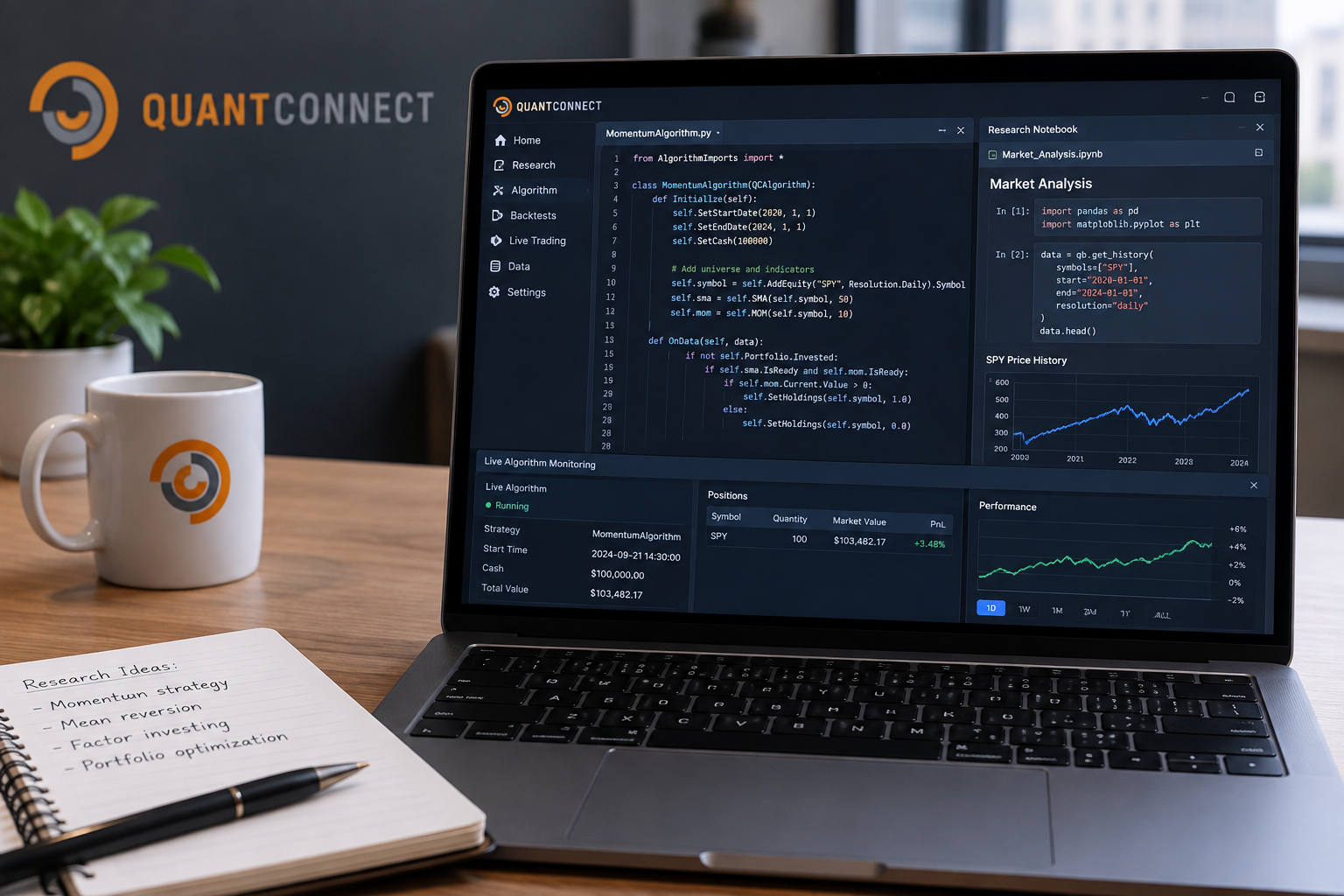
QuantConnect's backtesting is genuinely strong on mechanics (event-driven, transaction-cost aware, multi-asset) but it is not automatically trustworthy, and treating any backtest as gospel is how accounts blow up. Trust has to be earned with your own validation, not assumed because the engine looks sophisticated.
Where it's strong:
- Realistic order-fill and slippage modeling that avoids the classic beginner mistake of assuming every order fills at the exact quoted price.
- Multi-asset coverage means you can test a strategy that trades equities and hedges with futures in the same backtest, not two separate approximations stitched together.
- Full trade-by-trade logs so you can audit exactly why a position opened and closed, instead of trusting a summary equity curve.
Where it breaks down, per user reports:
- Data errors. Reddit's r/algotrading has multiple threads describing earnings dates off by weeks in the fundamental dataset, which is a real problem if your strategy trades around earnings season.
- Deployment hangs. Users report backtests that hang when moved to paper or live deployment, even on paid nodes, which turns a clean backtest into a support ticket at the worst possible time.
- Overfitting risk. This isn't QuantConnect's fault specifically, it's the risk of any platform with fast iteration: the easier it is to re-run a backtest, the easier it is to keep tweaking parameters until the curve looks perfect and the strategy is really just memorizing history.
How to validate before you go live:
- Split your data. Test on one period, validate on a period the strategy never saw (out-of-sample testing).
- Check the trade count. A strategy with 12 trades over five years isn't statistically meaningful, no matter how good the curve looks.
- Stress the assumptions. Change your slippage and commission settings and see if the edge survives. If it evaporates at realistic costs, it wasn't an edge.
- Cross-check any earnings, fundamental, or event-driven data against a second source before trading around it.
Decision rule: if your strategy's backtest performance depends heavily on a handful of trades, or on a data field you haven't independently verified, you don't have a strategy yet. You have a hypothesis.
What does QuantConnect integrate with?
Integrations decide whether a strategy ever goes live, and this QuantConnect review checked each one.
QuantConnect connects to a wide brokerage list, a local development stack, and increasingly, AI coding assistants, which makes it more of a platform than a single tool. That breadth is the reason serious users tolerate the learning curve.
Brokers supported for live trading:
- Interactive Brokers (equities, options, futures, forex)
- Alpaca (equities, options, crypto)
- Tradier (equities, options)
- Charles Schwab (equities, options)
- Coinbase, Kraken, and Binance (crypto)
Development integrations:
- LEAN CLI for running backtests and live deployments from your own terminal, with the same engine as the cloud.
- VS Code integration so you can write, debug, and version-control strategies in an editor you already know instead of a browser sandbox.
- Docker for reproducible environments, useful for teams that need every member running an identical setup.
- MCP server (Model Context Protocol) that lets AI coding assistants such as Claude Code read your QuantConnect project, write strategy code, and kick off backtests directly, which turns "explain this error" into "fix this error and re-run the backtest" without you copy-pasting code back and forth.
Data add-ons cover alternative data sets, some fundamental feeds, and higher-resolution tick data beyond what the base plan includes, priced separately depending on the dataset.
Example: a solo developer running Python locally through the LEAN CLI, using Claude Code through the MCP server to draft a mean-reversion strategy, backtesting it in VS Code, then flipping the deployment target to Alpaca for live paper trading, all without leaving one workflow. That's the integration story QuantConnect is betting on for 2026 and beyond.
How much does QuantConnect cost, and which plan makes sense?
Pricing is where a QuantConnect review gets practical, so the tiers below were checked on the day of writing.
QuantConnect's free plan covers unlimited backtesting on shared nodes, and paid plans exist mainly to buy faster, dedicated compute and more live nodes, not more backtesting access. Pricing verified September 21, 2026, comes straight from QuantConnect's pricing page.
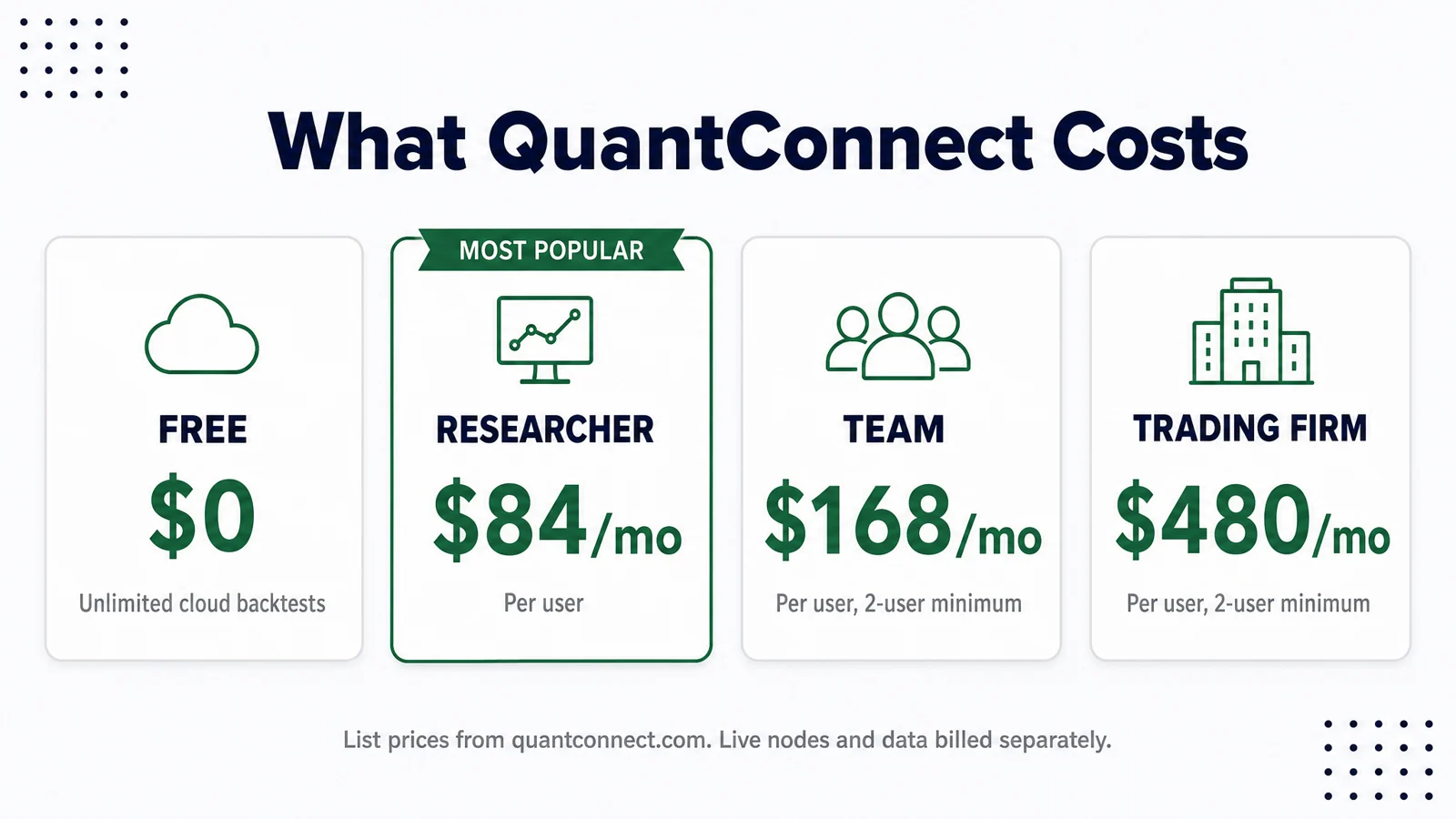
| Plan | Price | Best for |
|---|---|---|
| Free | $0 | Learning, unlimited backtesting on shared (slower) nodes |
| Quant Researcher | $84/month | Solo traders who want dedicated compute and faster iteration |
| Team | $168/user/month (2-user minimum) | Small teams collaborating on shared research and strategies |
| Trading Firm | $480/user/month | Firms running multiple live strategies with higher compute needs |
| Institution | $1,272/user/month | Larger operations needing top-tier compute and support |
Extra compute nodes and some premium live data feeds are paid add-ons on every tier, including the top one. Custom onboarding and services start around $4,800 for firms that want white-glove setup.
Which plan actually makes sense:
- Choose Free if you're still learning, testing ideas, and haven't found a strategy worth paying to speed up. Unlimited backtesting on shared nodes is a real offer, not a teaser.
- Choose Quant Researcher if you've validated an idea and the shared nodes are too slow for the iteration speed you need, or you're ready to deploy live and want a dedicated node.
- Choose Team if you're working with at least one collaborator and want shared project access, and you're prepared to pay for two seats minimum even if only one of you is active most weeks.
- Skip Trading Firm and Institution unless you're running this as a business, not a personal account. The jump in price buys support and compute scale that a solo trader doesn't need.
Common mistake: buying a paid node before validating that the strategy is worth running live. Node speed doesn't fix a bad idea, it just lets you lose confidence in it faster.
QuantConnect vs Backtrader vs TradingView Pine Script vs Alpaca
QuantConnect competes less on any single feature and more on doing backtesting and live deployment from one codebase, something the others split across separate tools. Here's how the four stack up on the things that actually decide which one you should use.
| Platform | Language | Backtesting | Live deployment | Data included | Price | Best for |
|---|---|---|---|---|---|---|
| QuantConnect | Python, C# | Event-driven, cloud or local | Yes, same codebase | Multi-asset, tick to daily, included | Free to $1,272/user/mo | One codebase from idea to live trading |
| Backtrader | Python only | Event-driven, local only | Manual, needs your own broker wiring | You supply your own data | Free, open-source | Developers who want full control and don't mind building the plumbing |
| TradingView Pine Script | Pine Script (proprietary) | Bar-replay, simplified | Alerts and webhooks only, no native execution | Included, chart-based | Free to ~$60/mo | Chart-first traders who want visual strategy testing, not full automation |
| Alpaca | Python, REST API | Minimal, mostly external | Yes, native brokerage API | Market data included, basic tier | Free trading, paid data tiers | Developers who already have a tested strategy and just need execution |
Decision rule: if you need backtesting and live execution in one place without stitching tools together, QuantConnect is the only one on this list built for that specifically. If you just need a broker with a clean API and you're bringing your own tested strategy, Alpaca is lighter and cheaper. If you live on charts and want to eyeball a setup before writing a line of code, Pine Script's bar-replay testing is faster to learn. If you want maximum control over every line of the engine and don't mind building your own data and broker connections, Backtrader is free and fully yours.
What do real users say about QuantConnect?
A QuantConnect review built from the docs is a brochure. Here is what users say on Trustpilot and r/algotrading.
QuantConnect holds a 4.5 out of 5 on Trustpilot from 64 reviews, and the fact that most are unprompted (posted without QuantConnect asking) carries more weight than a higher score padded with solicited reviews. Reddit's r/algotrading tells a rougher, more useful story underneath that headline number.
What users praise:
- The one-codebase workflow from backtest to live deployment, repeatedly cited as the reason people stick with it over building their own infrastructure.
- Breadth of asset classes and brokers in one account, especially for anyone tired of managing separate data feeds for equities and crypto.
- The MCP server and LEAN CLI as genuine productivity gains for developers already comfortable in VS Code.
What users criticize:
- Fundamental data errors, most specifically earnings dates reported incorrectly, sometimes by weeks, which matters a lot if your edge depends on trading around earnings season.
- Backtests and deployments that hang, including on paid nodes, which is a different kind of frustrating because you're paying specifically to avoid that.
- Documentation gaps for a platform this deep. Reddit threads regularly answer questions that the official docs don't cover clearly.
The honest read: QuantConnect's core engine and workflow earn the praise. The data layer and support documentation earn the criticism. Both things are true at once, and a review that flattens them into one score is lying to you.
Where does QuantConnect fall short?
The honest half of any QuantConnect review lives here.
QuantConnect's weak spots cluster around three things: who can use it, how reliable the data is, and how much you'll pay once you're serious. None of these are dealbreakers, but all of them deserve tough love before you commit time to learning the platform.
The coding requirement locks out most retail traders. If you can't write Python or C#, there's no on-ramp here, and QuantConnect isn't building one. That's not a flaw exactly, it's a filter, but name it plainly: this is not a tool for point-and-click traders.
Documentation is thin for a platform this deep. A multi-asset, event-driven engine with a CLI, cloud IDE, notebooks, and an MCP server has a lot of surface area, and the official docs don't cover all of it well. Expect to spend real time in Reddit threads and the GitHub repo filling gaps the documentation leaves open.
Data reliability complaints are specific and recurring. Earnings-date errors aren't a rumor, they're a repeated Reddit theme. If your strategy trades around events, verify that data independently before you trust a backtest built on it.
Shared free nodes are slow. Free unlimited backtesting is real, but "unlimited" and "fast" aren't the same promise. Serious iteration speed requires a paid node, which is where the real cost of using QuantConnect shows up.
Team tiers force a two-user minimum. A solo trader who wants team-tier features can't buy a single seat. That's a pricing structure decision, not a bug, but it changes the math for anyone evaluating the Team plan alone.
The fix for all five: budget time to learn (not just money to pay), verify any data field your strategy depends on, and start on the free plan before you decide a paid node is worth it.
How do you go from first backtest to live trading on QuantConnect?
The practical end of this QuantConnect review: the path from idea to live capital, in order.
The path from idea to live money on QuantConnect follows a fixed sequence, and skipping steps is the single most common way traders lose money on a platform that otherwise makes the mechanics easy. Here's the order that actually protects you.
- Write the idea down before you code it. Define the entry rule, the exit rule, the position size, and the market condition where you expect it to fail. If you can't state the failure case, you don't understand the strategy yet.
- Code the strategy in Python or C# inside the cloud IDE or locally through the LEAN CLI. Keep the logic as simple as the idea allows. Complexity you don't need is complexity you'll debug later.
- Backtest across a long history, not just the last two bull-market years. A strategy that's only been tested since 2021 hasn't seen a real drawdown yet.
- Run an out-of-sample test. Hold back a chunk of data the strategy never saw during development, and check performance there. If the edge disappears, the backtest was overfit, not real.
- Paper trade it first on a connected broker like Alpaca or Interactive Brokers, using QuantConnect's live paper environment. This catches deployment issues, like the hangs Reddit users report, before real money is on the line.
- Go live with small size. Fund a position size you can afford to be wrong about while you confirm the live behavior matches the backtest. Scale up only after the live results track the paper results for a meaningful stretch, not a lucky week.
Common mistake: skipping straight from backtest to live because the equity curve looked good. Systems over hacks means the process matters as much as the idea. A backtest is a hypothesis test, not a guarantee, and the only way to know if it holds up is to watch it survive contact with a live, moving market.
QuantConnect review FAQ
Is QuantConnect free?
Yes. QuantConnect's free plan includes unlimited backtesting across equities, options, futures, forex, and crypto on shared compute nodes. Paid plans start at $84 a month and mainly buy faster, dedicated compute plus more live trading nodes.
Is QuantConnect good for beginners?
Only if "beginner" means new to trading but comfortable with basic Python or C#. QuantConnect has no drag-and-drop builder, so someone who can't write code, even at a basic level, will hit a wall immediately.
What brokers work with QuantConnect?
Interactive Brokers, Alpaca, Tradier, Charles Schwab, Coinbase, Kraken, and Binance are all supported for live deployment, covering equities, options, futures, forex, and crypto from a single QuantConnect account.
QuantConnect vs Backtrader, which should you use?
QuantConnect suits traders who want backtesting and live deployment in one platform without building the plumbing themselves. Backtrader suits developers who want full, free control over every part of the engine and don't mind wiring up their own data feeds and broker connections.
Does QuantConnect support Python?
Yes, Python is one of the two supported languages, alongside C#. Most retail users on QuantConnect write in Python because of the larger community and the abundance of examples in the LEAN GitHub repository.
What is LEAN?
LEAN is QuantConnect's open-source, event-driven backtesting and live-trading engine. It processes market data the way a live market delivers it, bar by bar, which avoids look-ahead bias (accidentally using future data in a backtest) that simpler vectorized backtesters can introduce.
Can I use Claude Code with QuantConnect?
Yes. QuantConnect's MCP server (Model Context Protocol) lets AI coding assistants such as Claude Code read your project, write or edit strategy code, and run backtests directly, instead of you manually copying code between a chat window and the IDE.
How much are QuantConnect nodes?
Compute nodes are bundled into the paid plans, starting with the Quant Researcher plan at $84 a month. Additional nodes beyond what a plan includes, along with some premium data feeds, are billed as separate add-ons regardless of tier.
Does QuantConnect cost money?
The Free plan includes unlimited backtesting on shared nodes with no card. Paid plans start with Researcher at $84 a month, and live trading, faster nodes and some data feeds are paid add-ons. Confirm current pricing on quantconnect.com/pricing.
Who are QuantConnect's main competitors?
Backtrader and Zipline for open-source Python backtesting, TradingView Pine Script for chart-based strategies, Alpaca for broker-side execution, and hosted platforms like Tradetron for no-code bots.
Is quant trading really profitable?
For a small number of disciplined traders, yes; for most people who try it, no. The honest advantage of QuantConnect is that a strategy has to survive a backtest, an out-of-sample test and paper trading before it touches money, which filters out most bad ideas for free.
QuantConnect review: final verdict
QuantConnect earns its place as the fastest way for a coder to move a trading idea from concept to live deployment without building backtesting and brokerage infrastructure from scratch. The free plan is a genuine offer, not a trial, and the one-codebase workflow solves a real problem: the gap between what you tested and what you're actually trading.
Use it if you can write Python or C#, want multi-asset coverage in one account, and are willing to trade some documentation frustration for a platform that does more than any single competitor on this list.
Skip it if you can't code and don't plan to learn, or if you need a strategy live this week with zero tolerance for a learning curve. Point-and-click traders should look elsewhere entirely.
One next step: open the free plan, backtest one simple idea across at least five years of data, and see if it survives an out-of-sample test before you spend a dollar on a paid node.
For more on how AI-assisted coding fits into a trading workflow, see our guide to AI trading bots and the broader question of whether AI trading bots actually work. If you're still comparing charting and scanning tools before you commit to writing code, our AI stock scanners guide and how we test page explain the standards we hold every tool to, including this one.
One tool, examined in depth here. There are 200+ more AI stock tools catalogued in the FullStack Alpha directory, filterable by category, price, and what they actually do.
Browse the directory → aistockpickerapps.com
Sources checked for this QuantConnect review
- QuantConnect
- QuantConnect pricing
- QuantConnect LEAN engine on GitHub
- QuantConnect reviews on Trustpilot
- r/algotrading thread: what happened to QuantConnect
- r/algotrading thread on QuantConnect alternatives
- Backtrader
- Alpaca
- TradingView Pine Script
This review may contain affiliate links; we may earn a commission at no extra cost to you.
We test the tools. You get the verdict.
One email a week. What we tested, what scored, and what we'd skip. Written for traders, not for clicks.