

The Best Options Data With the Worst UI
Short on time? The Unusual Whales Alpha Score scorecard breaks the 79/100 down by pillar, with pricing and the verdict, in about 90 seconds.
See the score
Punchline: This unusual whales review lands on one conclusion, the options flow data is good enough to justify working around the interface, but only if you go in knowing the interface will fight you.
Key Takeaways
- Free tier runs 15-minute delayed data, useful for learning the platform, unusable for live options decisions.
- Three paid tiers: Retail Basic at $50/month, Retail Pro at $75/month, Retail Max at $120/month, verified at unusualwhales.com/pricing.
- The Market Tide screen (aggregate call and put volume in one view) is the most praised screen on the platform and alone justifies the Basic tier for many traders.
- Usability scored 13 out of 20 on the FullStack Alpha Score, the lowest pillar, and the one that earns the second half of this review's title.
- Total Alpha Score: 79 out of 100. Price-to-Value leads at 18/20; Usability trails at 13/20. That 5-point spread is the whole story.
- Congressional trade tracking is the feature that built the brand's public reputation on X, it's real, it works, and it's included across paid tiers.
Is the Options Flow Data Worth It?
Yes. For a retail options trader paying $50 to $75 a month, Unusual Whales delivers institutional-grade order flow data that your broker platform will never show you. The Retail Pro tier at $75/month is the clearest recommendation for traders who run weekly contracts and want real-time flow plus the full feature set without paying for API access they won't use.
The verdict is not unconditional. The interface is genuinely rough. The mobile app is a different experience from the web app in ways that feel unfinished rather than intentional. The learning curve in week one is steep enough that some traders cancel before they find the screens that matter. That is a real cost, and this review names it plainly.
But the data underneath the interface? It's the kind of data that used to cost five figures a year to access. Options flow shows you what large traders are actually doing with their money, not what analysts are saying they should do. That gap is where Unusual Whales earns its score.
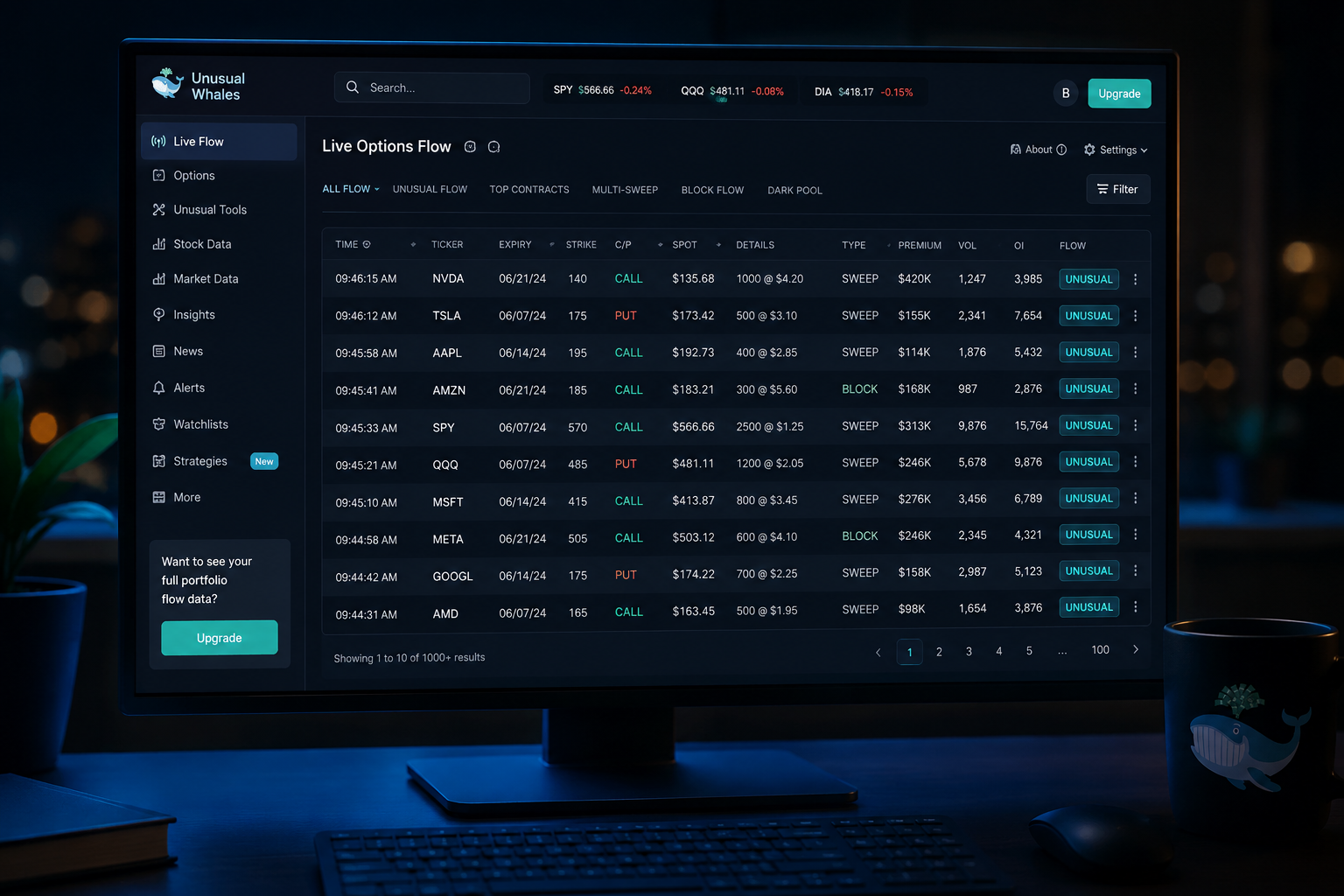
What the flow feed shows that your broker platform does not. Your broker shows you the bid, the ask, and the last price. Unusual Whales shows you the size of the order, whether it hit the ask (aggressive buying) or the bid (aggressive selling), the expiration, the strike, the premium paid, and a flag when the activity looks unusual relative to open interest. A $2 million sweep on a weekly call in a name that hasn't moved in three weeks is information your broker is not surfacing. Unusual Whales is.
That is the core value proposition. Everything else, GEX, dark pool prints, congressional tracking, Market Tide, is context layered on top of that feed.
What Is Unusual Whales and Who Actually Uses It?
Unusual Whales is an options flow and market data platform built for retail traders who want institutional-grade order flow without an institutional budget. It was founded with the premise that the data large traders use to make decisions shouldn't be locked behind six-figure Bloomberg subscriptions, and it has built a significant public following on X by posting notable options activity and congressional trades in real time.
If you arrived here from the X account, here is the plain version: the free posts on X are curated highlights. The paid dashboard is the full feed, unfiltered, with the tools to sort, filter, and act on it. The gap between the two is significant.
The free public posts versus the paid dashboard. The X account surfaces the most dramatic activity, the large sweeps, the congressional disclosures, the market-moving prints. That's the marketing. The dashboard gives you the full flow in real time, with filters by ticker, expiration, strike, premium size, and unusual activity flags. You can set alerts, build watchlists, and pipe notifications into a Discord server. The free account on the platform gives you the same data with a 15-minute delay, which is enough to understand how the tool works but not enough to trade off of. Options pricing moves in seconds. Fifteen minutes is a history lesson.
Who actually uses it. The platform's community sits at roughly 100,000 traders. The core user is a retail options trader who runs weekly contracts, follows market structure, and wants to know when institutional money is moving into a name before the move happens. It also draws a meaningful slice of traders who use it specifically for the congressional trade tracker, a feature that has nothing to do with options flow but has become one of the brand's most recognized outputs.
Reddit discussions about Unusual Whales tend to split along a predictable line: users who spent two weeks learning the platform are positive about the data quality; users who bounced in the first week are negative about the interface. Both groups are right.
Which Screens Make Unusual Whales Worth Paying For?
The platform has a lot of screens. Most of them are useful. A few of them are the reason people stay subscribed for years. Here is the breakdown by feature, with honest assessments of each.
Options Flow and Unusual Options Activity
This is the core product. The flow feed streams live options transactions, flagging activity that is unusual relative to open interest, meaning someone is making a bet that is large enough to matter, in a contract that wasn't already heavily positioned. The feed shows ticker, expiration, strike, call or put, premium paid, size, and whether the order was a sweep (aggressive, hitting multiple exchanges simultaneously) or a block (large single-venue print).
For traders running weekly contracts, this feed is the signal. When you see a $1.5 million sweep on calls expiring in five days in a name you've been watching, that is actionable information. It doesn't guarantee anything, large traders are wrong too, but it tells you where the money is going. Your broker doesn't tell you that.
The unusual options activity filter narrows the feed to the highest-conviction prints: orders where the premium is a significant multiple of the average daily volume in that contract. These are the ones worth paying attention to.
Market Tide
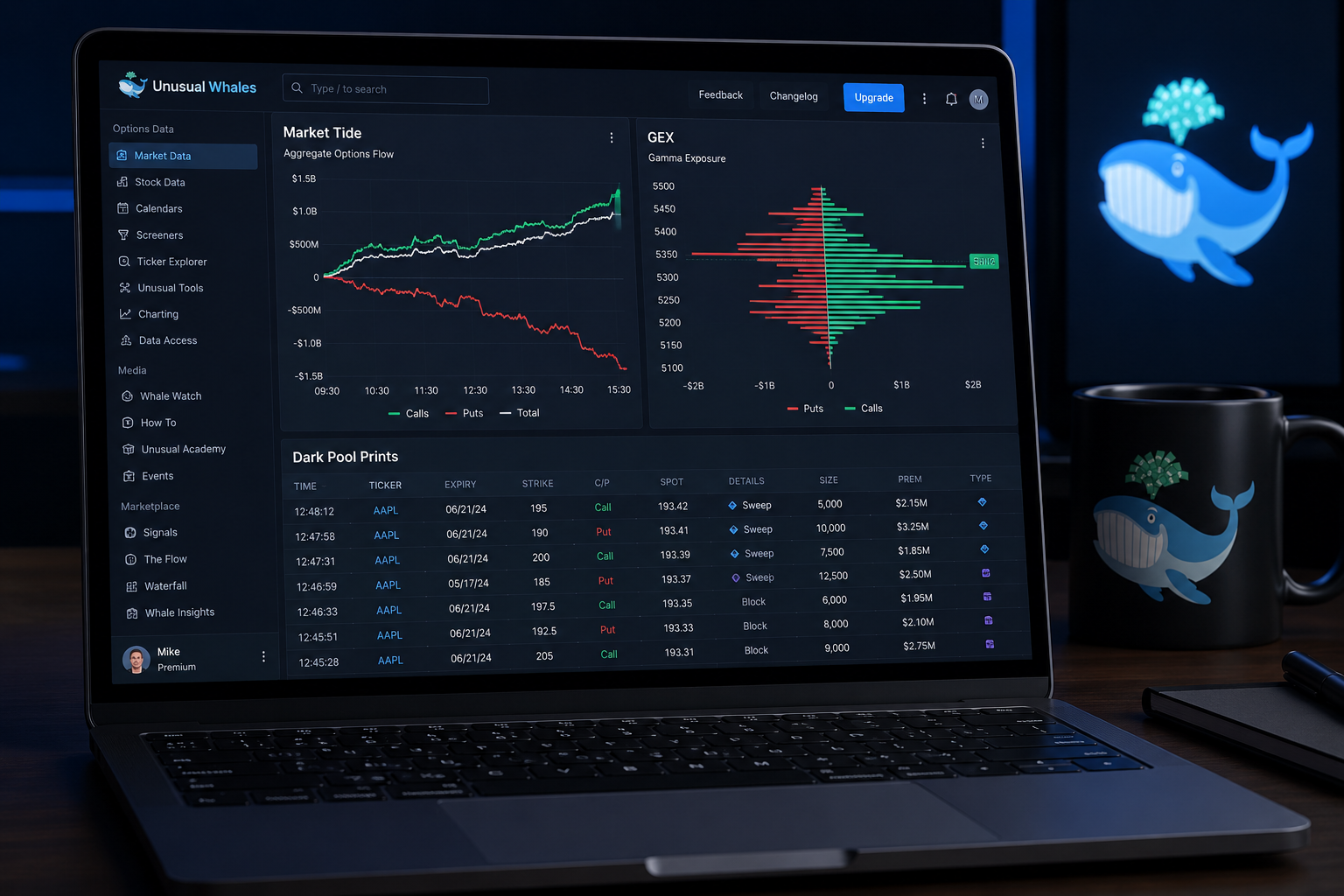
Market Tide is the most praised screen on the platform, and it earns that reputation. It shows aggregate call and put volume across the market in real time, giving you a single visual read on whether the market is net bullish or net bearish at the options level on any given day. Think of it as a sentiment gauge built from actual money, not surveys.
Traders who use Market Tide describe it as the first screen they open every morning. It provides context for individual flow prints, a bullish sweep in a single name means more when the overall tide is running bullish, and less when the aggregate flow is running the other direction. It's one of the cleaner tools on the platform precisely because it does one thing and does it well.
Gamma Exposure and GEX Levels
Gamma exposure (GEX) measures the aggregate options positioning of market makers at specific price levels. When market makers are short gamma at a price level, they have to buy stock as price rises and sell as it falls, which amplifies moves. When they're long gamma, they do the opposite, which dampens volatility. Knowing where the major GEX levels sit tells you where price is likely to find support, resistance, or acceleration.
Unusual Whales surfaces GEX levels by ticker, which is genuinely useful for options traders who want to understand why a stock keeps pinning at a specific strike or why a breakout above a certain level accelerated. This is not data you can easily calculate yourself, and it's not something most retail platforms provide.
Dark Pool Prints
Dark pools are private trading venues where large institutional orders execute away from the public order book. Unusual Whales tracks dark pool prints, large off-exchange transactions, and surfaces them with size, price, and timing. A massive dark pool print in a name that has been quiet can signal institutional accumulation before a public move.
Dark pool data requires context to use well. A large print at the current market price is less meaningful than one significantly above or below it. The platform provides the raw data; the interpretation is on you. That's the right approach, this is information, not a signal generator.
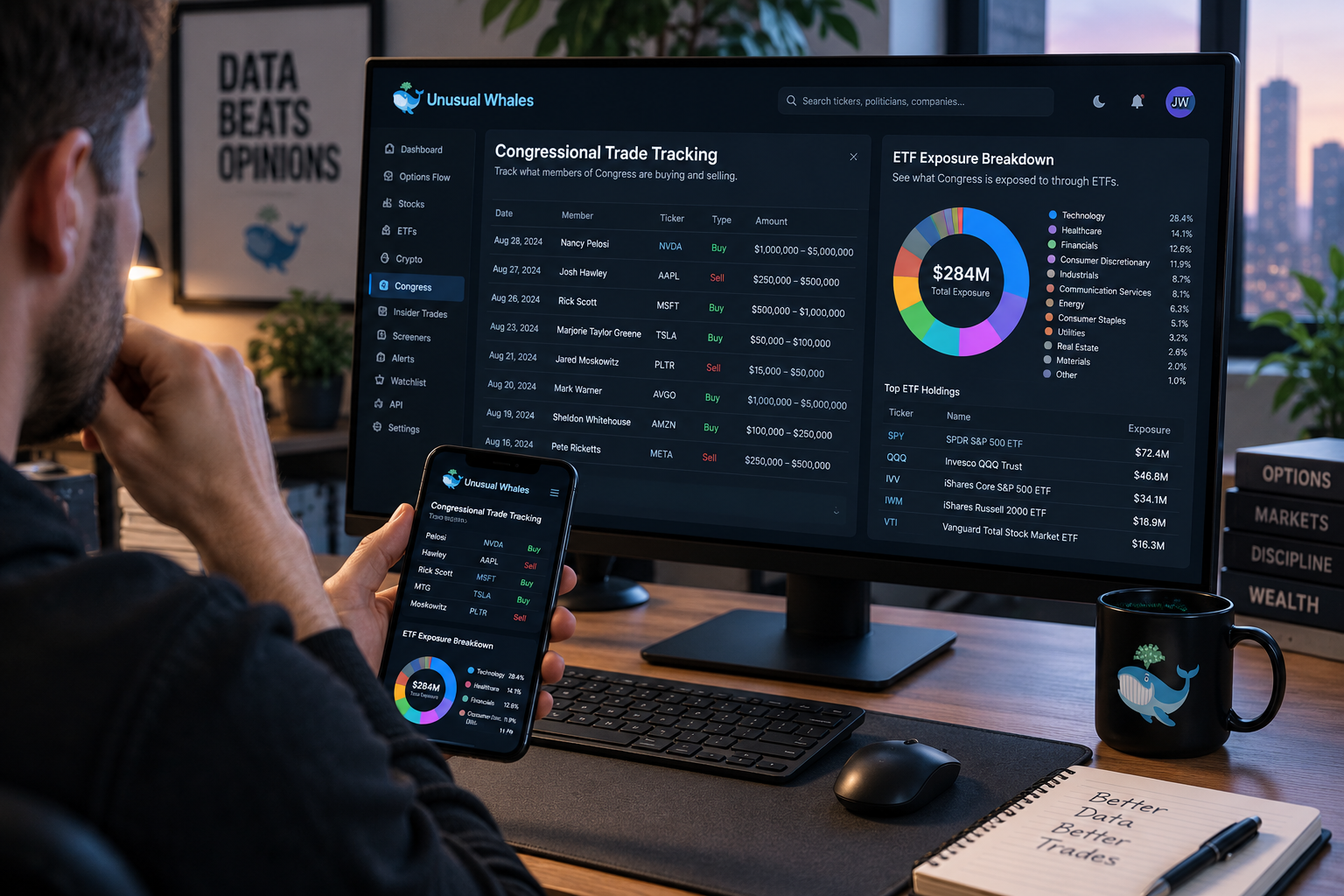
Congressional Trade Tracking
This is the feature that put Unusual Whales on the map. Members of Congress are required to disclose trades within 45 days of execution under the STOCK Act. Unusual Whales aggregates those disclosures in real time and surfaces them in a searchable, filterable feed. You can see which members are buying or selling, in what names, and with what size ranges.
The congressional tracking feature is real, it works, and it's included across all paid tiers. Whether it's tradeable is a separate question, the disclosure lag means you're often seeing trades that happened weeks ago. But as a data source for understanding where politically connected money is positioned, it's unique and genuinely interesting. It's also the feature that draws the most media attention to the platform, which is why the brand is publicly known for it even among people who have never opened the dashboard.
ETF Exposure Breakdowns
Unusual Whales provides ETF exposure data that shows which stocks are held across major ETFs and in what concentration. This is useful for understanding how a stock might move if a related ETF sees large inflows or outflows, and for identifying names that are over- or under-represented in passive vehicles relative to their fundamentals.
It's a secondary feature rather than a core one, but it adds genuine depth for traders who think about market structure rather than just individual setups.
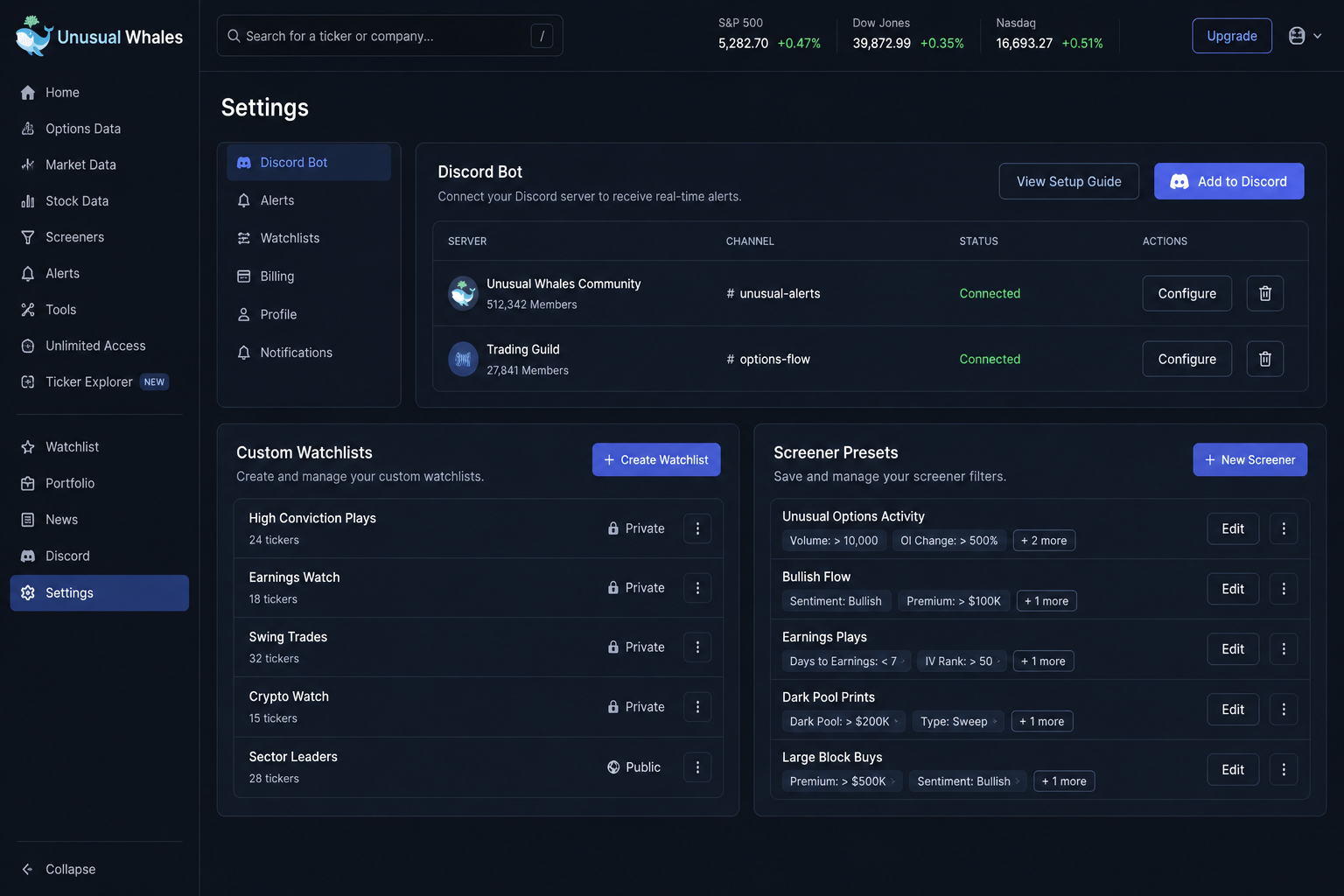
Discord Bot for Piping Alerts
The Discord bot integration lets you pipe flow alerts, unusual activity flags, and other notifications directly into a Discord server. For traders who already run a Discord for their own watchlist management or a small group, this is a clean way to get the data without keeping a browser tab open all day.
The bot is functional and well-regarded by users who use it. Setup takes some configuration, but the documentation is adequate. This is one of the areas where the platform's usability score gets a small lift, the Discord integration is more straightforward than several of the web app's own alert systems.
Why Does the Interface Get in the Way?
The interface is where Unusual Whales loses points it doesn't have to lose. The data is excellent. The presentation of that data is, at times, a genuine obstacle. This section is the payoff for the title, and it deserves real length.
The layout problem: useful screens buried behind dense navigation. The platform has a significant number of features, and the navigation reflects that in the worst way, everything is present, but nothing is organized around how a trader actually uses the tool. The screens you want most (flow feed, Market Tide, GEX) are not surfaced prominently on first login. They're findable, but you have to find them. For a trader in week one, this means spending time clicking through menus rather than learning the data. That's a preventable problem.
The dashboard can be customized, which is the right answer architecturally. But the default state is dense and non-intuitive, and most traders don't know what to customize until they've already spent two weeks figuring out what matters. The fix would be a guided onboarding flow that puts the five most important screens in front of new users immediately. That doesn't exist in any meaningful form as of this review.
The mobile app is formatted differently from the web app. This is not a small complaint. The mobile app and the web app are not consistent experiences. Screens that are prominent on the web are harder to find on mobile. The layout logic differs between the two versions in ways that feel like they were built by separate teams who didn't compare notes. For traders who monitor flow during the day from a phone, which is most traders, this creates friction that compounds over time.
The mobile app is not broken. It surfaces the core data. But "not broken" is a low bar for a $75-per-month subscription in 2026, when mobile-first design is the baseline expectation. The app gets the job done in the way that a rental car gets you to the airport, functional, but you wouldn't choose it.
The learning curve in week one and what to open first. If you subscribe to Unusual Whales and open the dashboard for the first time, here is the practical advice this review can offer: go directly to Market Tide, then the flow feed, then GEX. Ignore everything else for the first week. The platform has enough features to create analysis paralysis, the kind where you're clicking through screens without actually using any of them. Resist that. Three screens, used well, will teach you more in week one than ten screens used poorly.
The Discord community and the X account both surface useful tips for new users, and that community knowledge is genuinely valuable. The platform itself should be doing this work through onboarding, but since it doesn't, the community partially compensates.
Usability scored 13 out of 20, the lowest pillar. That score reflects three specific failures: the non-intuitive default layout, the inconsistency between the mobile and web experiences, and the absence of a meaningful onboarding flow. It does not reflect the data quality, which is strong. It does not reflect the feature depth, which is impressive. It reflects the gap between what the platform can do and how easy it is to get there.
A 13 out of 20 on Usability means the criticism is real and specific. It's not a vague complaint about complexity, it's a named failure in three areas that a product team could fix in a quarter if they prioritized it. The data deserves a better wrapper. It hasn't gotten one yet.
Unusual Whales Pricing Comparison
Verify against unusualwhales.com/pricing before subscribing. Prices and features are subject to change.
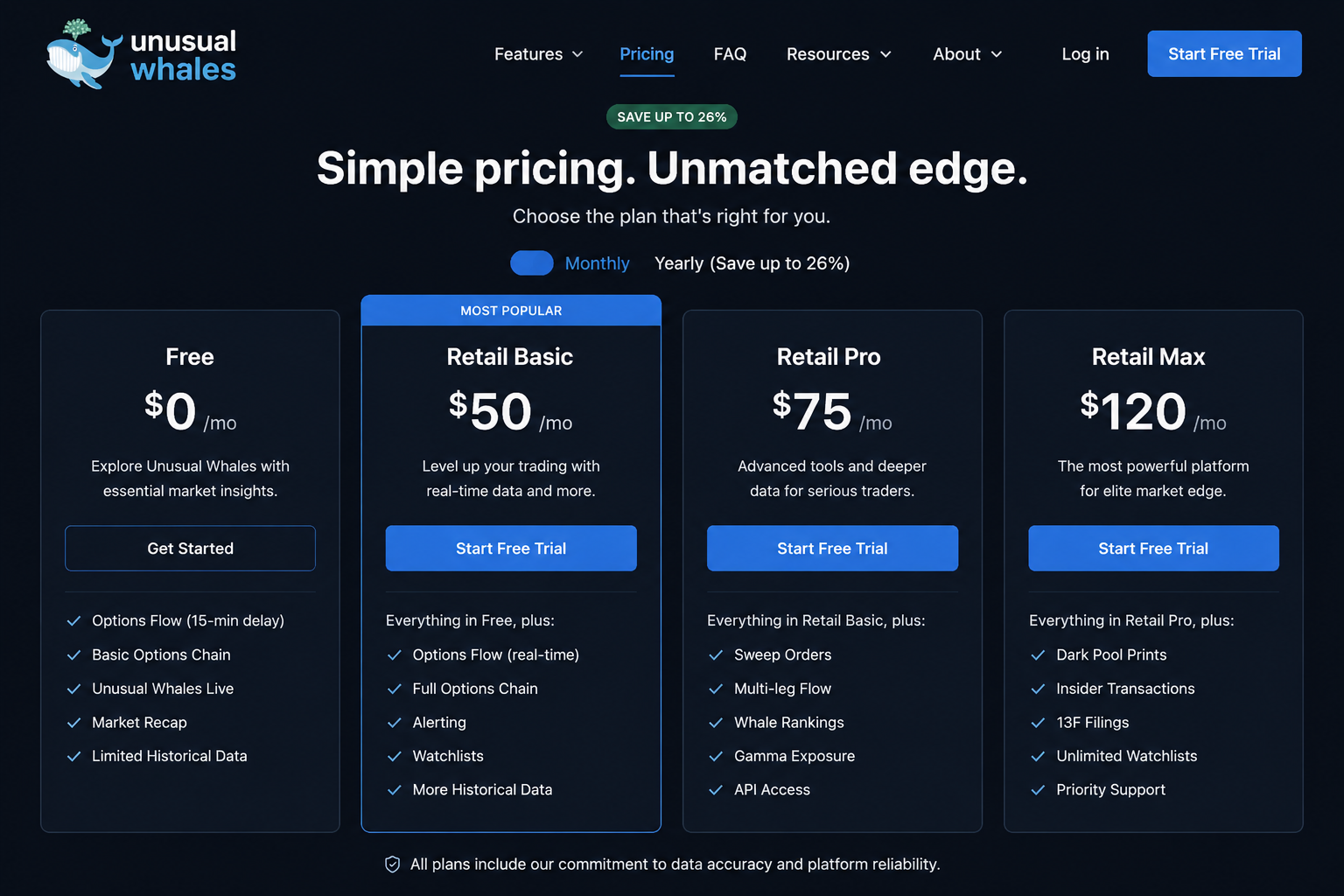
| Feature | Free Tier | Retail Basic ($50/mo) | Retail Pro ($75/mo) | Retail Max ($120/mo) |
|---|---|---|---|---|
| Monthly Price | $0 | $50 | $75 | $120 |
| Data Delay | 15 minutes | Real-time | Real-time | Real-time |
| Options Flow Access | Delayed | Full | Full | Full |
| Unusual Activity Flags | Delayed | Yes | Yes | Yes |
| Market Tide | Delayed | Yes | Yes | Yes |
| GEX / Gamma Exposure | Limited | Yes | Yes | Yes |
| Dark Pool Prints | Limited | Yes | Yes | Yes |
| Congressional Tracking | Yes | Yes | Yes | Yes |
| Alerts | Limited | Standard | Advanced | Advanced |
| Discord Bot | No | Yes | Yes | Yes |
| Watchlists / Dashboards | Limited | Standard | Expanded | Expanded |
| API Access | No | No | No | Separate purchase |
Which Unusual Whales Plan Should You Buy?
Free tier: what 15-minute delayed data is genuinely good for. The free tier is a legitimate way to learn the platform before paying anything. You can see the interface, understand how the flow feed works, and get a feel for the data structure. What you cannot do is trade off it. Fifteen minutes of delay in options data is the difference between seeing a sweep before a move and seeing it after. Use the free tier to decide if the platform is right for you, not to make live decisions.
Retail Basic at $50: the entry point and who it fits. Basic gives you real-time flow, Market Tide, GEX, dark pool prints, and congressional tracking. For a trader who runs weekly contracts and wants the core data without advanced alert configuration, Basic is the right starting point. It's a reasonable test of whether you'll actually use the platform before committing to a higher tier.
Retail Pro at $75: what the upgrade adds. Pro adds expanded alert capabilities and broader dashboard configuration. For traders who have been on Basic for a month and find themselves wanting more customization in how they receive and filter alerts, Pro is the natural upgrade. The $25 difference is worth it if you're actively using the alert system. It's not worth it if you're still figuring out which screens matter.
Retail Max at $120: who actually needs it. Max is for traders who want the full feature set and maximum configuration depth. If you're running a systematic approach to flow data, managing alerts across multiple tickers, and using the platform as a primary research tool rather than a supplementary one, Max makes sense. For most retail traders running weekly contracts, Pro is sufficient.
Who should stay on the free tier. If you're not yet trading options actively, or if you're still learning how to read flow data, stay free. The 15-minute delay will frustrate you less than it will a live trader, and the platform's educational value doesn't require real-time data. Come back to the paid tiers when you have a process that flow data can actually improve.
The Alpha Score Breakdown
Unusual Whales scores 79 out of 100 on the FullStack Alpha Score across five pillars, 20 points each.
| Pillar | Score |
|---|---|
| Signal Quality | 17 / 20 |
| Transparency | 16 / 20 |
| Price-to-Value | 18 / 20 |
| Usability | 13 / 20 |
| Community Verdict | 15 / 20 |
| Total | 79 / 100 |
Signal Quality: 17/20. The options flow data is genuinely strong. Real-time sweeps, unusual activity flags, and dark pool prints arrive with the speed and depth that justify the subscription. The slight deduction reflects the occasional noise in the "unusual" flags, not every flagged print is as unusual as the label implies, and experienced traders learn to filter more aggressively than the defaults suggest.
Transparency: 16/20. Unusual Whales is reasonably transparent about what the data is and where it comes from. The platform explains the difference between sweeps and blocks, what the unusual activity threshold means, and how GEX is calculated. The deduction is for the AI companion, Mr. Whale, which provides market analysis but doesn't fully surface its methodology. That's a minor knock on a platform that is otherwise more transparent than most.
Price-to-Value: 18/20. This is the strongest pillar, and it deserves to be. Institutional-grade options flow data at $50 to $75 a month is genuinely good value. The free tier with a 15-minute delay adds further goodwill. The only reason this isn't a 20 is the API access structure, which requires a separate purchase rather than being included at the top tier.
Usability: 13/20. The lowest pillar, and the one this review has spent the most time on. Dense navigation, inconsistent mobile experience, no meaningful onboarding. The data is excellent; the interface makes you work for it. A 13 is a real critique, not a rounding error.
Community Verdict: 15/20. The platform has a large and vocal community, with strong positive sentiment among users who have spent time learning it. The deduction reflects the consistent thread of interface complaints across Reddit and app store reviews, and the meaningful number of users who cancel in the first month before finding the screens that matter. The data gets praised; the interface gets criticized. That split is consistent enough to be a signal.
Sourced Stat Cards
$50/month, Retail Basic tier price, the entry point for real-time options flow. Source: unusualwhales.com/pricing.
15 minutes, Free tier data delay, making it unsuitable for live options trading decisions. Source: unusualwhales.com/pricing.
13 out of 20, Usability pillar score on the FullStack Alpha Alpha Score, the lowest of the five pillars. Source: FullStack Alpha testing.
79 out of 100, Total FullStack Alpha Score for Unusual Whales, with Price-to-Value at 18/20 as the strongest pillar. Source: FullStack Alpha testing.
100,000 traders, Approximate size of the Unusual Whales community across the platform and X. Source: Unusual Whales platform description.
5 core data layers, Options flow, dark pool prints, GEX, Market Tide, and congressional tracking, all accessible from a single dashboard on paid tiers. Source: unusualwhales.com.
How Does Unusual Whales Compare to Cheddar Flow?
This is a review of Unusual Whales, not a head-to-head. But the question comes up enough to deserve a direct answer.
Cheddar Flow sits at roughly $70 per month and focuses specifically on options flow with a cleaner, more streamlined interface. If the Usability section of this review is your primary concern, if you want the flow data without the learning curve, Cheddar Flow is worth evaluating as an alternative. It trades feature depth for accessibility.
Unusual Whales is the better choice for traders who want the full stack: flow plus GEX plus dark pool plus congressional tracking plus Market Tide in one place, and who are willing to spend two weeks learning the platform to get there. The breadth of data at $50 to $75 a month is hard to match.
Cheddar Flow fits the trader who wants one thing done cleanly: options flow, surfaced quickly, without configuration overhead. Unusual Whales fits the trader who wants to build a complete market structure picture and is willing to do the work to get there.
Both are legitimate tools. The right one depends on whether you want depth or simplicity. You can find a broader comparison of AI options tools at aistockpickerapps.com/ai-options-tools if you want to see the full field before deciding.
Where Unusual Whales Falls Short
The interface is the headline drawback, but it's worth being specific about why. The problem isn't complexity, complex tools can be well-designed. The problem is that the complexity is unmanaged. There's no hierarchy that tells a new user where to start, no default layout that surfaces the most important screens, and no onboarding flow that bridges the gap between "I just subscribed" and "I know what I'm looking at." The platform assumes knowledge it hasn't given you yet.
The mobile app is a separate problem from the web app. Inconsistency between platforms is a design failure, not a feature tradeoff. A trader who sets up their workflow on the web and then tries to replicate it on mobile will find a different experience, different screen organization, different navigation logic, different alert behavior. In 2026, that's not acceptable for a subscription product in this price range. The data is the same; the experience is not.
The 15-minute free tier delay is a real limitation. This is less of a criticism and more of a structural reality, but it deserves naming. The free tier is useful for learning the platform but genuinely unusable for live trading decisions. Some competing platforms offer shorter delays or more generous free access. If you're evaluating Unusual Whales on the free tier and finding the data useful, that's a good sign, but know that what you're experiencing is the data with the edge removed.
Alert configuration has a learning curve of its own. Setting up alerts that are actually useful, filtered to the right tickers, the right size thresholds, the right expiration windows, takes meaningful time. The system is capable, but it's not intuitive. Traders who don't invest in the configuration end up with either too many alerts (noise) or too few (missing the signal). Neither outcome is the platform's fault exactly, but better defaults and clearer guidance would help.
For traders who want to explore how Unusual Whales fits into a broader AI-assisted trading workflow, the FullStack Alpha guide to AI options tools and the AI trading platforms overview are worth reading alongside this review.
Final Verdict
The data is excellent. The interface is not. Both halves of that sentence are true, and neither cancels the other out.
For the retail options trader running weekly contracts who wants to know where institutional money is moving before it moves the tape, Unusual Whales at the Retail Pro tier ($75/month) is the recommendation. The flow feed, Market Tide, and GEX screens alone justify the subscription. Budget two weeks to learn the platform properly. Open Market Tide first, then the flow feed, then GEX. Ignore everything else until those three screens feel natural.
For the trader who is newer to options flow and wants to test the concept before committing to the full feature set, start with Retail Basic at $50/month. If you're still using it after 60 days, upgrade to Pro.
For the trader who wants flow data with minimal configuration overhead, evaluate Cheddar Flow first. Unusual Whales rewards the traders who invest in it. It does not reward the ones who want it to work immediately out of the box.
Stay on the free tier if you're not yet trading options actively, if you're still learning how to read flow data, or if you're not prepared to spend two weeks configuring a new platform. The 15-minute delay will frustrate you before it helps you.
The 79 out of 100 Alpha Score is an honest number. Strong data, strong value, weak interface. The platform is worth paying for. It's not worth overpaying your time for before you know what you're doing with it.
One tool, scored five ways. There are 200+ more in the FullStack Alpha directory, filterable by category, price, and what they actually do. If you want to see how Unusual Whales sits against the full field of AI options and flow tools before subscribing, that's the place to start.
Browse the directory at aistockpickerapps.com
Disclosure: This review may contain affiliate links. FullStack Alpha may receive compensation if you subscribe through links on this page. Scores and editorial assessments are independent of commercial relationships.
We test the tools. You get the verdict.
One email a week. What we tested, what scored, and what we'd skip. Written for traders, not for clicks.
Frequently asked
Topics in this teardown
Our verdict on Unusual Whales
Unusual Whales scores 79, and the split behind that number is unusually clean.